

Meescan
- 5.00
- 4.6
- Installs
- 10.00K
- Price
- Free

Screenshots
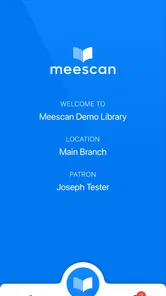

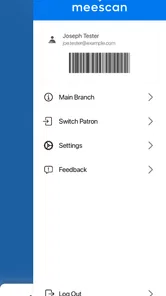
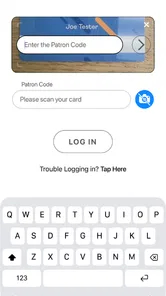
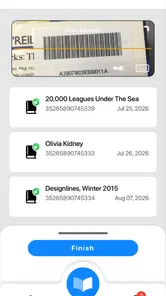

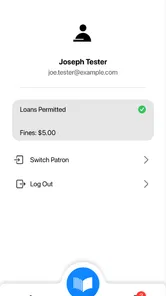

Analysis by Reviewed
I approached Meescan as a practical self-checkout companion rather than a general shopping app. Its promise is simple: move part of the checkout process onto your phone. That makes it interesting for people who already understand the basic idea of scanning items themselves and want a more direct route through a store visit. My experience is that its value depends less on flashy presentation and more on whether the surrounding shopping workflow is ready to support it.
This is a free app from Meescan Inc. in the Libraries & Demo section, with an Everyone age rating. It has been available since March 13, 2016, and the current release is version 5.00.18 for devices running Android 8.0 or later. The app has passed the early novelty stage: it has over ten thousand installs, an average rating of 4.6, and nineteen ratings alongside five written reviews. Those figures suggest a small but generally positive user base rather than a mass-market shopping platform.
From entering the store to finishing the purchase
I find the most useful way to judge Meescan is to follow the whole trip, not just the moment a product is scanned. This section looks at the practical transition from arriving with a ready phone to completing the retailer’s checkout steps, including where a little preparation can prevent a last-minute scramble. That flow also sets up the question of how the app holds up when shopping gets busy.
The starting condition matters more than it first appears
The best way to judge Meescan is to begin before scanning anything. I would not open it while standing in a long queue and assume it can replace every part of a normal checkout. The first question is whether the store you are visiting supports the Meescan process. A phone-based self-checkout tool can only be useful when the retailer has the right setup at the other end, so the app should be treated as part of a store workflow, not as an independent shopping system.
That distinction is important for new users. Installing the app does not automatically turn every shop into a self-service checkout. In a supported environment, it can make the trip feel more controlled: I can handle the item-by-item part myself and keep an eye on what I am putting into the basket. In an unsupported environment, the app has little practical value, and the ordinary checkout remains the sensible option.
I also recommend starting with a phone that is comfortable to use while walking around a store. Self-checkout is more tiring when the screen is difficult to read, the camera is awkward to position, or the device is already low on battery. These are not glamorous considerations, but they affect the entire experience. Meescan is most convincing when the phone is ready before the first product goes into the basket.
Scanning is the core hands-on step
The central flow is straightforward in concept: use the phone to identify products as you shop, keep the digital basket aligned with the physical one, and complete the store’s supported checkout process. I found that the most useful habit is to scan immediately after placing each item in the basket. Delaying several products creates a memory problem and makes it easier to lose track of what has already been recorded.
More From Our News Desk

 Gmail
GmailGmail in a Busy Inbox: Who Benefits Most?
From first account to crowded workday, Gmail earns its place through dependable search and flexible sorting—but its best fit depends on how much inbox maintenance you can tolerate.

 Prime Video
Switching to Prime Video: What Changes in Your Viewing Routine
Prime Video can make a compelling second home for streaming, but switching means learning a different catalog, rental layer, and route from browsing to playback.

 Universal TV Remote Control
Universal TV Remote Control Works Best as a Reliable Backup
A phone remote earns its place through quick setup and reliable habits. Here is how to get more from Universal TV Remote Control—and where its limits show.

 Weather - By Xiaomi
Weather by Xiaomi Review: Clear at a Glance, Less Clear Up Close
Xiaomi’s weather app makes everyday forecasts quick to scan, but its calm surface can leave useful details and recovery paths harder to find than they should be.

 X
XX Under Pressure: Can It Recover When Posting Goes Wrong?
A resilience-focused review of X, examining setup, mistaken posts, interruptions, weak connections, and the gaps that matter when recovery needs to be dependable.

 Clash of Clans
Clash of Clans Is Won Between the Battles
Its raids are quick; its community is a long-term project of coordination, teaching, rivalry, and shared responsibility—with all the friction that entails.
Latest News



That small discipline also helps when an item is returned to the shelf. If I remove something before checkout, I need to make sure the digital basket reflects that change rather than relying on memory. The advantage of mobile self-checkout is control, but control comes with responsibility. A traditional cashier catches some mistakes during the handoff; with Meescan, I have to pay closer attention during the shopping stage.
For a small, predictable shop, this can be pleasantly efficient. Imagine stopping after work for a few groceries: I scan each item as I pick it up, keep the phone accessible, and avoid transferring the full basket to a cashier at the end. The benefit is not necessarily that every visit becomes dramatically faster. It is that the checkout task is spread across the trip instead of being postponed until the final queue.
For a large shop, the trade-off changes. A full basket means more scanning opportunities, more chances to overlook an item, and more need to keep the physical and digital lists synchronized. I would use the app confidently for a short purchase, but I would be more cautious with a complicated shop containing many similar products or items that require special handling.
The handoff is where self-checkout becomes a shared process
Meescan does not remove the store from the transaction. The phone handles part of the journey, but the retailer’s checkout procedure still determines how the visit ends. This handoff is the point where expectations need to be realistic. A self-checkout app can reduce the amount of cashier interaction without eliminating the store’s need to verify or complete the purchase through its own process.
That makes the app a useful bridge between two familiar methods. Compared with a regular staffed checkout, I get more control over scanning and potentially less waiting in a conventional line. Compared with a fixed self-checkout terminal, I do not need to unload everything onto a small counter and then pack it again in the same place. The phone travels with me, which is the main practical difference.
However, the fixed terminal has an advantage when I want visible, immediate assistance. A store kiosk is physically tied to staff support and a defined checkout area. With Meescan, the handoff may feel less obvious to someone using the process for the first time. I would pay attention to store instructions and avoid assuming that completing the scan on the phone means I can simply walk out without following the retailer’s final step.
This is also why I would not recommend the app to someone who dislikes any uncertainty at checkout. The experience rewards users who are comfortable following a process and checking their own work. If you prefer a cashier to handle product recognition, corrections, and the final transfer, the traditional route is less demanding.
The outcome is convenience, not magic
When the workflow goes smoothly, the result is a more distributed checkout experience. I scan while shopping, maintain my own basket record, and arrive at the final stage with less sorting left to do. That can make a meaningful difference during a quick visit, especially when the alternative is waiting behind people with much larger purchases.
The strongest benefit is psychological as much as mechanical. I know what I have scanned because I did it myself, and I can notice a missing item before reaching the end. For shoppers who like to stay organized, this is more satisfying than placing everything on a conveyor belt and watching the total appear only at the last moment.
It is also a reasonable option for people who want a lightweight introduction to mobile self-checkout. The app is free, so trying it does not require a purchase decision. Its Everyone rating makes it broadly approachable from an age-classification perspective, although comfort with phone-based shopping still varies widely from person to person.
Meescan is not trying to be a full personal finance tool, a recipe planner, or a broad retail marketplace. That narrow purpose is a strength. I do not have to navigate unrelated content to reach the central shopping task. The app makes sense when I want to move through a supported checkout flow, not when I am looking for a complete shopping-management system.
Small habits that make the workflow more reliable
My first practical tip is to keep the physical basket and the digital basket synchronized at all times. Scan before moving on, and if an item is put back, correct the digital record immediately. This sounds obvious, but it is the difference between a calm finish and a stressful attempt to reconstruct the shop from memory.
My second tip is to separate ordinary items from exceptions in your mind. Products that are easy to identify are natural candidates for a quick scan-and-go rhythm. Items needing extra attention should slow the process down rather than being treated like ordinary packaged goods. If a product is difficult to identify or does not fit the expected flow, I would follow the store’s instructions instead of forcing it into the app’s process.
My third tip is to choose the right trip for the app. A short, familiar purchase is a better first test than a large weekly shop. It lets me learn how the store’s handoff works without creating a long list of items to reconcile. Once that feels comfortable, I can decide whether the same method suits bigger baskets.
A fourth useful habit is to keep the phone available without making it the only thing I watch. Shopping becomes clumsy when the screen takes all my attention. I would scan, confirm the item, and return focus to the physical basket and the store environment. That balance is especially important in busy aisles, where speed should not come at the expense of awareness.
Where the flow breaks down
The biggest limitation is that Meescan cannot solve a mismatch between the app and the retailer’s process. If the store’s equipment, instructions, or staff workflow does not support the expected handoff, the convenience disappears. This is the central trade-off of any store-linked self-checkout tool: the app may be well suited to one environment and much less useful in another.
Scanning also introduces user error. A cashier or fixed checkout terminal provides a more visible sequence of events, while a phone-based process can make mistakes easier to create quietly. Forgetting one item, scanning the wrong product, or failing to update the basket after changing your mind can undermine the time saved earlier.
There is a human-factor limitation too. Some shoppers enjoy handling the process themselves; others find it distracting. Parents managing children, anyone carrying several items, or people who are uncomfortable using a camera-based phone workflow may find a staffed checkout more relaxing. In those situations, Meescan is not the better choice simply because it is modern.
Device compatibility should also be considered before relying on it. The app requires Android 8.0 or later, so an older Android phone cannot be used for this particular workflow. On a compatible device, the practical question is still whether the phone is responsive and convenient enough for repeated scanning. Minimum compatibility is not the same as an ideal shopping experience.
The app’s relatively small install base is another reason I would approach it as a focused tool rather than a universal standard. Its average rating is encouraging, but a limited number of ratings means I would not treat that score as a guarantee that every store visit will feel identical. The right test is a modest purchase in a supported setting, followed by an honest assessment of whether the handoff was clear and the scanning effort was worthwhile.
Who should use it, and who should choose something else?
I think Meescan is best for shoppers who are comfortable with their phones, prefer an active role at checkout, and regularly make small or medium purchases in an environment that supports the service. It is particularly appealing if you dislike unloading a basket at a fixed terminal or waiting for a cashier to scan every item one by one.
I would be more hesitant to recommend it to someone who wants a universal solution across all retailers. It is not a replacement for every checkout method, and its usefulness depends on the surrounding store workflow. People who need extensive assistance, have an older Android device, or usually buy complicated baskets may be happier with a staffed register or a conventional self-checkout kiosk.
For me, the deciding question is simple: does moving the scanning task into the shopping trip make the visit easier? If yes, the app offers a sensible free way to try that approach. If scanning feels like extra work, the usual alternatives remain better because they place more responsibility on the store rather than the shopper.
My final take on the everyday experience
Meescan succeeds when it is treated as a complete workflow rather than a magic shortcut. The starting condition is a compatible store and a ready phone. The middle is a careful scan-as-you-shop routine. The handoff depends on following the retailer’s process, and the result is a potentially smoother finish with less conventional checkout friction.
I like the app’s focused purpose and the way it can make a short shopping trip feel more organized. I also appreciate that the main advantage is practical rather than decorative: I am using the phone to take responsibility for a specific part of checkout. At the same time, that responsibility is the app’s main weakness. Users must stay attentive, and the experience loses its appeal when the store’s final procedure is unclear or when the basket is too complicated.
My recommendation is to try it with a small purchase, keep every scan synchronized with the physical basket, and judge it by the entire journey rather than the scanning step alone. For the right shopper and the right store, Meescan is a useful pocket-based checkout tool. For everyone else, a cashier or fixed self-checkout terminal may still be the simpler, more dependable choice.
Meescan Frequently Asked Questions
Does Meescan work on older phones?
Meescan is available for devices running Android 8.0 or later, so checking your phone’s operating-system version before downloading can help avoid compatibility problems. The app is listed for Android and iOS, and the developer is Meescan Inc. If your device meets the minimum requirement, install the app through its official app store to get the appropriate version.
What is Meescan and what can I use it for?
Meescan is designed to help users scan and manage information using a mobile device, making it useful for organizing details that would otherwise need to be entered manually. Depending on the version and supported features, it may assist with capturing documents, codes, or other visual data. Before downloading, check the official listing to confirm the exact tools available on your Android or iOS device.
Is Meescan free to download and use?
Meescan is free to download. Its store summary describes it as “Self-checkout in your pocket!” and it is intended for self-checkout use. Check the app’s official store page for details about how it works with the library or service you plan to use, since availability and access can depend on that service. The app is rated for Everyone.
Does Meescan require an account or personal information?
The information required by Meescan can vary according to how the app is used and which features you need. Some functions may work without registration, while others could require an account, email address, or access credentials. Before installing, review the requested permissions and the developer’s privacy policy so you understand how collected information may be stored, processed, or shared.
Is Meescan safe to install on Android and iPhone?
The safest way to install Meescan is through the official Google Play Store or Apple App Store, where the publisher, permissions, ratings, and update history can be checked. Avoid modified APK files or downloads from unknown websites. As with any scanning application, pay attention to camera, storage, network, and account permissions, and only grant access that is necessary for the features you intend to use.
Pros
- Quickly scans and identifies supported items with minimal setup.
- Clean interface makes the main scanning tools easy to find.
- Useful for checking information while shopping or comparing products.
- Portable alternative to carrying printed reference materials.
- Scanning results can help organize product details in one place.
Cons
- Recognition may be unreliable with damaged
- blurry
- or poorly lit items.
- Some features may depend on an active internet connection.
- The app may support fewer products or formats than expected.
- Results can vary depending on camera quality and device performance.
- Privacy details should be reviewed before scanning personal or sensitive content.










