

mcpro24fps demo - video camera
- 11.00
- 4.2
- Installs
- 1.00M
- Price
- Free
Screenshots
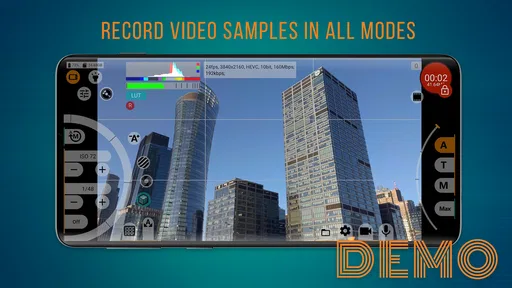
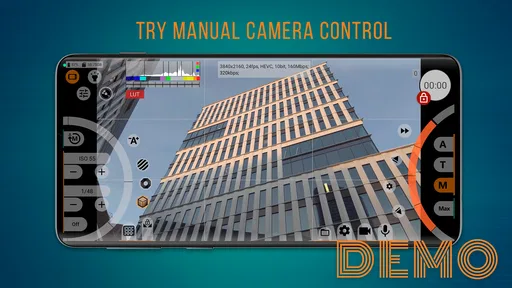
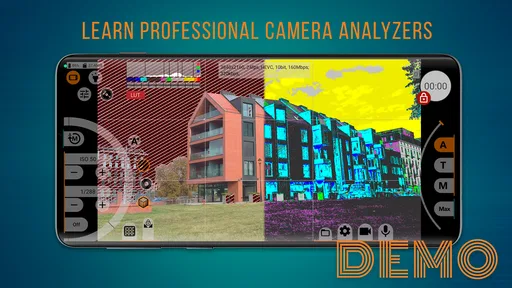
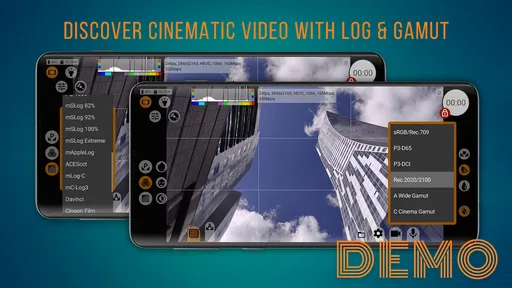
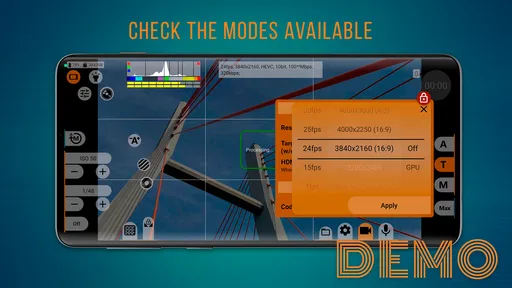
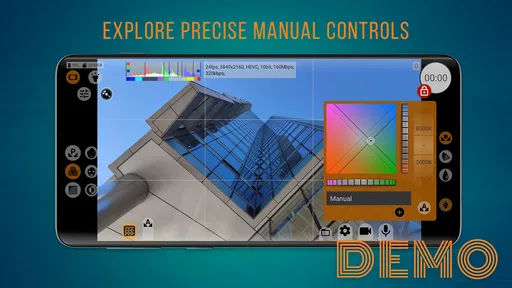
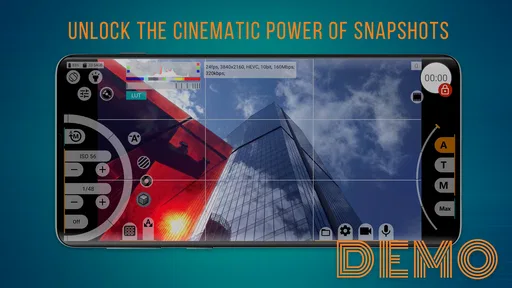
Analysis by Reviewed
I see mcpro24fps demo as a way to find out whether a manual video-camera app suits your filming habits before committing to its full version. It belongs to the camera-tool side of the Libraries & Demo category, rather than being a general-purpose editing app: the point is to try a more hands-on approach to recording video. That distinction matters. If you mainly want to point your phone and let automatic settings make the decisions, a standard camera app may feel quicker. If you want to explore camera controls and take a more deliberate role in recording, this demo is the more interesting starting point.
A practical way to decide if manual filming suits you
I’d use the trial for a specific task rather than install it and browse without a plan. A short clip of a meal you have cooked, a quick craft demonstration, or a quiet shot of a pet resting gives you a repeatable subject. You can film again after changing how you work and judge whether the extra involvement actually helps. The point is not to chase a technically perfect result; it is to learn whether you can operate the camera calmly while still paying attention to what is happening in front of you.
This kind of test also helps separate two questions that are easy to blur together: whether you like manual video as an idea, and whether this particular app fits your routine. If the controls feel hard to reach while holding the phone, that is relevant even if you enjoy experimenting. Try a few minutes of recording in the posture you normally use, and consider whether you would be comfortable repeating that process when you are in a hurry.
Trying a more deliberate way to shoot
For a practical test, I’d use the demo during an ordinary recording session rather than judging it from a quick launch. Film a short indoor clip, then try another in a brighter spot and notice whether the manual-camera approach feels helpful or fiddly. This tells you more than a feature list: the real question is whether you enjoy making recording decisions yourself and whether the app fits the way you hold and operate your phone.
The demo’s purpose is to let you try the mcpro24fps manual video camera before moving to the full version. That makes it useful as a decision tool, not just as another camera to keep installed. I would treat the first session as an orientation: learn where the controls are, make a few short test clips, and see if you can adjust your approach without losing track of the shot. A camera app is only useful when its controls help rather than interrupt the moment.
Because it is a demo, I would not assume that it is a permanent substitute for the full product. The store description explicitly frames it as a trial-and-purchase route. Before relying on it for a project, check what you can do within the demo and decide whether its limits fit your intended use. That is especially important if you need a dependable setup for a planned shoot rather than a casual experiment.
Who is likely to appreciate it
I’d recommend giving it a try if you already find yourself wishing your phone camera offered a more hands-on recording experience. It may also suit someone learning how camera controls affect video, provided they are happy to experiment and review their results. The app is free to try, carries an Everyone content rating, and is published by Chantal Pro SIA. It has an average rating of 4.2 from around 3,200 ratings, with over a million installs, so plenty of people have explored it; those figures are context, not a promise that it will suit every phone or filming style.
More From Our News Desk

 Gmail
GmailGmail in a Busy Inbox: Who Benefits Most?
From first account to crowded workday, Gmail earns its place through dependable search and flexible sorting—but its best fit depends on how much inbox maintenance you can tolerate.

 Prime Video
Switching to Prime Video: What Changes in Your Viewing Routine
Prime Video can make a compelling second home for streaming, but switching means learning a different catalog, rental layer, and route from browsing to playback.

 Universal TV Remote Control
Universal TV Remote Control Works Best as a Reliable Backup
A phone remote earns its place through quick setup and reliable habits. Here is how to get more from Universal TV Remote Control—and where its limits show.

 Weather - By Xiaomi
Weather by Xiaomi Review: Clear at a Glance, Less Clear Up Close
Xiaomi’s weather app makes everyday forecasts quick to scan, but its calm surface can leave useful details and recovery paths harder to find than they should be.

 X
XX Under Pressure: Can It Recover When Posting Goes Wrong?
A resilience-focused review of X, examining setup, mistaken posts, interruptions, weak connections, and the gaps that matter when recovery needs to be dependable.

 Clash of Clans
Clash of Clans Is Won Between the Battles
Its raids are quick; its community is a long-term project of coordination, teaching, rivalry, and shared responsibility—with all the friction that entails.
Latest News



It is less compelling for someone who wants a simple, automatic camera with as few decisions as possible. It is also not the first place I’d look if the main goal is editing, adding effects, or polishing footage after recording. Its identity is that of a manual video camera demo, so the value lies in testing the recording workflow rather than expecting a complete production suite.
A useful everyday test
Imagine you want to record a short clip of a friend speaking at home. Instead of immediately filming a long take, use the demo to make a brief test, watch it back, and decide whether the controls and the result feel manageable. If the process makes you more confident about how you record, that is a meaningful benefit. If you spend more time navigating settings than paying attention to the person in front of the camera, the ordinary camera app may be the better choice for that moment.
That test also helps answer a practical question: should you install it for occasional video, or keep using your phone’s built-in camera? I’d compare them in the same room and for the same subject, then judge the handling as well as the footage. A manual workflow can be worthwhile when you want to shape a shot intentionally, but speed and familiarity often win when something spontaneous is happening.
Small workflow choices that make the trial more useful
Before a take you care about, decide what you are trying to learn. If you are checking whether the interface interrupts your framing, keep the subject and location unchanged between attempts. If you are comparing the overall feel with your usual camera, avoid turning the exercise into a hunt for every possible control. One clear comparison is easier to interpret than several simultaneous changes, and it helps you tell whether the app itself feels comfortable rather than simply unfamiliar.
For a recurring project, such as recording a short weekly update, make a brief rehearsal and note the order in which you set up and start recording. A repeatable routine is more valuable than remembering an isolated good take: it reduces the chance that you will be distracted by the interface when the real moment arrives. If you cannot settle into a simple sequence after a few tries, that friction is a meaningful sign that a faster camera may suit the project better.
What the demo tells you—and what it cannot settle
I’d use this section to separate what you can judge directly in the demo from what requires a decision about the full version. A short, repeatable test can reveal whether the manual-camera workflow suits your hands and attention, while the version label and release date alone cannot show how the app has changed over time. That distinction keeps expectations grounded as you consider what to try next.
Release and version context
The app was released on December 1, 2023, and its current version is 043de-demo. Those details establish the version you can assess now; they do not, by themselves, reveal a sequence of changes or explain how earlier releases differed. I would avoid reading a particular new capability into the version label. The useful takeaway is simpler: try the build available on your device and assess the actual controls and workflow you encounter.
For existing users, a version label is most helpful when deciding whether to revisit an app after an update, but it is not a substitute for testing. If you already have a routine built around another camera app, make a short comparison before switching any important recording habit. If you are new to manual video, approach this as a fresh trial rather than expecting a specific feature set based on the version number.
The minimum operating-system requirement is Android 7.0. That makes OS compatibility one of the first things to check before spending time setting up a test. The app is listed as free, while its purpose is to let you try the manual camera and then consider buying the full version. I’d separate those two decisions: first decide whether the demo’s style works for you, then decide whether the full product is worth pursuing.
How to judge the workflow fairly
Manual camera tools can feel rewarding once their controls become familiar, but the learning curve is real. For a fair test, avoid changing several things at once. Record a short clip, make one adjustment, and compare the next take. This simple routine helps you understand whether a control is making a useful difference, instead of leaving you with a pile of settings and no clear idea which change affected the result.
A second helpful habit is to test the app in the conditions where you actually expect to use it. A quiet indoor trial may tell you whether the layout makes sense, while a quick outdoor clip can reveal whether you can keep the phone steady and operate the controls comfortably. These are not elaborate tests; they are ways to discover whether a manual camera fits your hands, attention, and filming routine.
I would also keep the first session low-stakes. Use a subject you can record again, and do not make the demo your only option for something you cannot repeat. That is a sensible precaution for any unfamiliar camera workflow, and particularly for a trial app whose boundaries you are still learning. Once you know what it allows, you can decide whether it is ready for more important use.
How it compares with familiar alternatives
Compared with a phone’s default camera, a manual video app asks you to take a more active role. The built-in camera is usually the comfortable choice when you want to capture a moment quickly and move on. A dedicated manual tool makes more sense when you are curious about control and willing to spend time setting up a shot. Neither approach is automatically better: convenience is a real strength, and extra control is useful only when you want to use it.
Compared with a video editor, this app belongs earlier in the process. An editor is where you would expect to shape clips after recording, while a camera app determines the experience of making the footage in the first place. If your main frustration is how your clips look after filming, an editor may address that more directly. If you want to change how you record, trying a manual camera is the more relevant experiment.
There is also a difference between trying this demo and committing to the full version. The trial can help you judge whether the approach feels natural, but it should not be mistaken for a guarantee that every need will be met by the paid product. Before upgrading, make a list of what you actually need from a camera app and verify that the full version supports those needs. That keeps the decision grounded in your workflow rather than in curiosity alone.
Where the friction remains
The biggest potential drawback is the attention manual controls demand. When I’m trying to catch a fleeting moment, the best camera is often the one I can operate without thinking. A more involved setup can slow me down, and a demo adds another consideration: its role is to help me evaluate the full app, not necessarily to serve as my forever camera. If you value instant, familiar operation above experimentation, the default camera is likely the more comfortable option.
The other limitation is that a trial only answers questions you can test within its boundaries. I would not assume that every capability of the full version is available in the demo, or that the demo represents a complete long-term workflow. Try the actions that matter to you and pay attention to any point where you need something beyond what the trial offers. That will give you a clearer reason to upgrade—or to stop there.
It is also worth remembering that an average rating gives a broad impression rather than a personal verdict. People use phones differently, have different expectations of manual controls, and may be evaluating different parts of the experience. I would use the rating as a reason to consider the app, not as a substitute for a hands-on test on the device you plan to record with.
What I would check before moving on
After trying the demo, ask yourself three practical questions: could you find and use the controls without losing the shot, did the manual approach make recording more satisfying, and does the trial let you test the parts of the workflow you care about? If the answers are mostly yes, the full version may be worth investigating. If the controls felt like an obstacle or your needs are basic, you already have a good reason to stick with the simpler camera you know.
I would also revisit the app only with a clear purpose. For example, if you are preparing to record a recurring personal project, test a few short clips and settle on a repeatable routine before the real session. If you only need an occasional video message, keep your setup simple. The demo is most valuable when it helps you make a specific decision, not when it becomes another app you keep opening without knowing what you want from it.
What to watch for as you decide
When you move from experimenting to deciding, focus on whether the demo answered the questions that matter for your own recordings. Can you repeat a take without getting lost in the controls? Does the workflow suit the subjects you film most often? Are the capabilities available in the trial enough to evaluate the kind of video you want to make? Those are more useful checkpoints than hoping a version label implies a particular change or assuming the full product will automatically resolve every point of friction.
If you decide to consider the full version, check its current terms and capabilities before paying, then compare them with the needs you wrote down during testing. If you are content with the demo’s trial role or find that your phone’s built-in camera is faster for the videos you actually make, there is no need to force a switch. The best outcome may simply be a clearer understanding of which recording style helps you.
My overall view is that mcpro24fps demo is a sensible, low-cost way to explore manual phone video before deciding whether the full app deserves a place in your toolkit. It is best for curious users who want to test a more deliberate recording style and are prepared to learn through short experiments. It is not the obvious pick for fast, automatic snapshots or post-production work. Try it with a real but repeatable filming task, pay attention to how the controls fit your habits, and let that experience—not the promise of a manual camera alone—guide your next step.
mcpro24fps demo - video camera Frequently Asked Questions
What is mcpro24fps Demo, and what can I do with it?
mcpro24fps Demo is a trial version of a manual video-camera app for Android. It is designed for users who want more control over recording than a basic camera interface provides, with options such as adjusting exposure and focus and choosing video settings where supported by the device. The demo lets you explore the interface and test whether the controls suit your workflow before deciding whether to purchase the full app.
Is mcpro24fps Demo free, and how does it differ from the full version?
The demo is available to try without buying the full application, but its recording or feature limits may differ from the paid version. Exact restrictions can change, so check the app listing and its in-app information before relying on it for a project. If you need extended recording, unrestricted access, or the complete feature set, confirm what the full version includes and whether it is sold separately.
Will mcpro24fps Demo work on my Android phone?
Compatibility depends on your Android version and, especially, the camera hardware and software provided by your phone. Manual controls and advanced recording formats are not available on every device, even when the app installs successfully. Check the developer’s compatibility notes and test the features you need—such as frame rates, focus controls, or exposure adjustments—before planning an important shoot. The demo is useful for identifying device-specific limitations.
Can I record professional-quality video with mcpro24fps Demo?
The app offers manual controls that can help experienced users shape a recording, but results depend on the phone’s camera, lighting, stabilization, and available recording options. Installing the app does not automatically improve a device’s sensor or guarantee a particular codec, resolution, or frame rate. Make a short test recording and review its image, audio, and playback on your intended devices before using it for a paid or important project.
What should I check before downloading mcpro24fps Demo?
Before downloading, verify that the listing is for the demo version, review its Android requirements, and check the requested permissions and current feature limitations. The app is intended for Android, so it is not an iOS camera app. Also consider available storage, since video files can be large, and test battery use, heat, and camera compatibility during a brief recording session before relying on it for longer shoots.
Pros
- Manual control over focus
- exposure
- and white balance gives recordings a more deliberate look.
- The interface offers detailed camera settings for users who want greater control than a basic camera app.
- A demo version lets you test the workflow before deciding whether the full app suits your needs.
- Useful for checking how your device handles different video settings and shooting conditions.
- The camera-focused layout keeps recording controls readily accessible while filming.
Cons
- Available features and video limits may differ from the paid version.
- Advanced controls can feel overwhelming if you are used to automatic camera apps.
- Recording quality and supported options depend heavily on your phone’s camera hardware.
- Some settings may require trial and error to get suitable results.
- Manual adjustments can make it easier to produce poorly exposed or out-of-focus footage.










