

LiveATC for Android
- 759.00
- 3.8
- Installs
- 100.00K
- Price
- $3.99
Screenshots


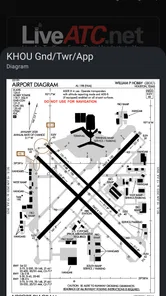
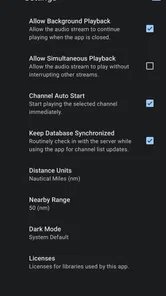
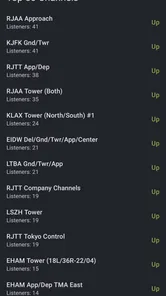
Analysis by Reviewed
I find an air traffic control feed most rewarding when I treat it as a window into a working environment, not as a polished radio show. LiveATC makes that kind of listening accessible on Android, but its appeal depends on whether you enjoy following brief, technical exchanges and accepting that some broadcasts are easier to understand than others. It is a paid travel and local app from LiveATC, priced at $3.99, and I would recommend it most readily to aviation fans, plane spotters, and curious travelers who like listening closely rather than expecting a guided tour.
Finding your way around the feeds
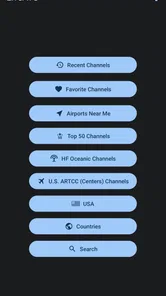
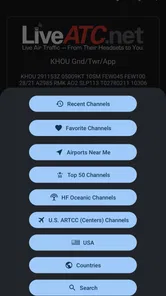
At first glance, the app’s airport-and-feed approach is practical: choose a location, then select a broadcast to listen to. I like that this makes the central task obvious, especially for someone opening it without much aviation knowledge. The main challenge is not learning the basic navigation but knowing what to choose. A list of feeds can feel like a lot of unfamiliar terminology if you do not already recognize airport names or understand that different channels can cover different parts of airport activity.
My tip is to begin with a place you know, rather than trying to decode a distant airport at random. That gives you a familiar map in your head while you listen and makes it easier to connect the radio exchanges with arrivals, departures, or activity you can see. If a feed is difficult to follow, switch to another rather than assuming the whole app is hard to use: broadcasts can differ in clarity and pace, and a busy exchange is naturally tougher for a newcomer than a quiet stretch.
Listening with different needs in mind
Because the experience is built around audio, it can suit someone who would rather listen than read a stream of aviation updates. At the same time, it is not a substitute for a visual airport guide or a text-based explanation of what each call means. I would not rely on it as the only way to understand airport activity if you have difficulty hearing, need captions, or prefer information you can scan at your own pace. The short, clipped nature of radio communication can also make comprehension harder even when the signal itself sounds clear.
For motor access, the simple tap-to-select pattern is easy to grasp, but choosing among feeds still involves navigating a list and making repeated selections. Saving a favorite feed is useful if you return to the same airport, since it cuts down on the need to find it again. That small habit can make casual listening more comfortable, particularly when you want a quick check-in rather than a long browsing session. The app is rated for Everyone, and its current Android version is 3.0.61, with Android 6.0 as the minimum operating system.
Where it fits into a day
A realistic use is listening at home while checking a flight-tracking map or watching aircraft from a public viewing area. The audio adds human context to the dots moving across a screen, but it does not replace flight-status information: radio exchanges are aimed at pilots and controllers, not at passengers seeking a simple gate or delay update. In a noisy terminal, the audio-first format may be less convenient; at home, with a quiet moment to concentrate, it is much easier to enjoy.
Compared with the usual travel apps, which tend to prioritize routes, maps, schedules, or practical trip details, LiveATC serves a narrower purpose: it lets you listen to aviation communications. That difference is its appeal and its limitation. It is not the option I would choose to plan a journey or get a quick answer about a flight. I would choose it when the process behind airport operations is what interests me, and pair it with a visual source when I need a broader picture.
More From Our News Desk

 Weather - By Xiaomi
Weather by Xiaomi Review: Clear at a Glance, Less Clear Up Close
Xiaomi’s weather app makes everyday forecasts quick to scan, but its calm surface can leave useful details and recovery paths harder to find than they should be.

 X
XX Under Pressure: Can It Recover When Posting Goes Wrong?
A resilience-focused review of X, examining setup, mistaken posts, interruptions, weak connections, and the gaps that matter when recovery needs to be dependable.

 Clash of Clans
Clash of Clans Is Won Between the Battles
Its raids are quick; its community is a long-term project of coordination, teaching, rivalry, and shared responsibility—with all the friction that entails.

 Android Auto
Android Auto Makes the Case for Quieter Car Software
The car interface is no longer judged by how much it can do, but by how quietly it helps. Android Auto shows what drivers now expect—and what still gets in the way.

 MobiOffice: Word, Sheets, PDF
MobiOffice: Transforming Mobile Productivity with Seamless Integration
MobiOffice: Word, Sheets, PDF is redefining mobile productivity with a surprising blend of functionality and innovation.

 EA SPORTS FC Soccer Mobile 26
EA SPORTS FC™ Mobile Soccer: Redefining Mobile Sports Gaming
Dive into EA SPORTS FC™ Mobile Soccer, where immersive gameplay and strategic depth transform mobile sports gaming.
Latest News



What to expect before tuning in
The app has an average rating of 3.8 from around 4,900 ratings, with 735 written reviews and over 100,000 installs. It launched on May 28, 2011, so it has been around for years, and that history does not remove the need for patience: a live feed can be busy, quiet, or simply difficult for a beginner to interpret. I would not buy it expecting every broadcast to sound equally clear or every exchange to be self-explanatory. The best way to judge the fit is to try a familiar airport, keep a favorite handy, and see whether listening itself is enjoyable.
For someone who follows aviation, the price feels reasonable if live radio is a hobby you will return to; for a traveler who only wants arrival times, a conventional flight app is a better match. I also would not recommend it as background audio when you need to catch every detail, since the clipped exchanges reward attention. The strongest use is deliberate listening: choose a feed, give it a few minutes, and let the airport’s changing rhythm become familiar instead of expecting a narrated explanation.
Choosing a listening routine that works
I get more from a feed when I decide what I am listening for before pressing play. For instance, I might focus on how a departure moves through a sequence of exchanges, rather than trying to understand every call from the outset. That narrower goal keeps the audio from becoming a blur and makes unfamiliar terminology less intimidating. It also gives me a natural stopping point: once I have heard enough to understand the pattern, I can leave the feed rather than keeping it on out of habit.
A useful companion is a map or flight-tracking view, but I treat it as context rather than a decoder. Matching an aircraft’s movement to what I hear can help me follow the flow, yet the radio remains directed at aviation professionals and may refer to details a map does not show. If I am listening with someone new to the subject, I explain the broad situation in ordinary language instead of pausing to define every technical phrase. That keeps the experience social and avoids turning a curious listen into a terminology test.
Readability, sound, and practical access
The main interface decision is straightforward: locate an airport and pick a feed. That is easier to approach than a screen dominated by dense aviation data, but the feed names still assume some willingness to explore. I would not mistake a simple selection path for a fully guided experience. A first-time listener may need to try more than one option before finding a channel whose activity and pace make sense to them.
Sound is both the app’s strength and its biggest access constraint. A quiet room, headphones used at a comfortable level, and a short listening session can make speech easier to follow, while a loud public space can bury the detail that gives a feed its value. I would avoid turning the volume up indiscriminately to compensate for background noise; taking the listening to a calmer place is often the more comfortable choice. Anyone who depends on captions or written equivalents should choose a text-led aviation source instead.
There is also a difference between physical ease and cognitive ease. Tapping a feed is a simple action, but the stream does not slow down to explain itself, and the listener has to keep track of who is speaking and what is happening. I find it friendlier to approach in brief visits than to treat it as something I must master in one sitting. That matters for anyone who tires quickly from sustained listening or prefers information delivered in clearly separated steps.
Who will enjoy it, and who should pass
I would point aviation hobbyists toward it first, particularly people who already enjoy airport watching and want more than the visual spectacle. Curious travelers may also enjoy a short listen before or after a trip, as long as they understand that the audio is not a passenger service. It can be an absorbing way to spend a quiet break when the subject itself interests you and you are happy to learn by listening rather than being walked through the basics.
I would steer away anyone who needs a quick, dependable answer about a specific flight, gate, or disruption. An airline’s own travel information or a conventional flight-status app is better suited to those decisions. I would also suggest skipping this purchase if spoken audio is hard to access, if technical radio exchanges are frustrating rather than intriguing, or if you only want occasional airport facts. The narrow focus is not a flaw for the right listener, but it is a poor fit when practical travel guidance is the goal.
For a realistic evening routine, I might settle in at home, choose a familiar airport, and listen while following a flight on a separate map. If the channel is busy, I focus on one short stretch instead of trying to keep every exchange in memory; if it is hard to understand, I switch feeds or return another time. This approach keeps the app enjoyable without making it feel like homework, and it avoids relying on the audio for information that should come from a passenger-facing source.
Getting Off the Ground
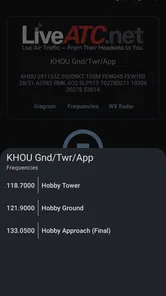
First off, downloading LiveATC is as simple as pie. A quick search on the Google Play Store, and you’re good to go. Once installed, you're greeted with an easy-to-navigate interface that even those who aren’t tech-savvy will appreciate. The app's layout is straightforward, offering a list of airports and their respective ATC feeds. The real magic happens when you tap on one of these feeds, and suddenly, you're eavesdropping on real-time conversations between pilots and air traffic controllers. It’s like having a front-row seat in an aviation drama, minus the turbulence!
The Features That Soar
What’s truly impressive is the range of LiveATC’s coverage. From bustling international hubs to smaller regional airports, there’s a variety of feeds to tune into. The audio quality is generally clear, though it can vary depending on the location and signal strength, but that’s part of the charm, right? You never know what you might hear next – perhaps a pilot requesting a landing clearance or an ATC officer giving navigational instructions.
Another feature that caught my eye is the ability to bookmark your favorite feeds. Whether you’re following a major airport like JFK or a quaint regional one, having quick access is a nifty perk. Plus, the app updates frequently, ensuring that you’re getting the latest in aviation happenings.
In For a Smooth Landing?
Using LiveATC feels like having a secret window into the world of aviation. It’s fascinating to hear the live, unscripted dialogue that goes on behind the cockpit doors. However, for those who aren’t aviation enthusiasts, the app might feel a bit niche. But even if you aren't an airplane aficionado, there's something undeniably captivating about tuning into the rhythm of flight communication.
Overall, LiveATC is a unique and engaging app that offers a slice of aviation life that many of us never get to experience. Whether you're a curious beginner or a seasoned plane spotter, this app is sure to keep you entertained. So, if you’ve ever wondered what pilots and air traffic controllers chat about, give LiveATC a spin. Who knows, you might just find yourself hooked on the skies!
LiveATC for Android Frequently Asked Questions
What kind of listening experience should I expect from LiveATC for Android?
LiveATC is a travel and local app for listening live to pilots and air traffic controllers around the world. It is best suited to people who enjoy aviation or want to hear air traffic communications as they happen. The experience centers on selecting an available feed and listening, rather than watching aircraft or tracking flights on a map.
Will LiveATC for Android work on my device?
LiveATC for Android requires Android 6.0 or later. If your device runs an older version of Android, you will need to update the operating system or use a compatible device before installing the app. Checking your Android version first is a simple way to avoid a failed download, particularly if you use an older phone or tablet.
What is LiveATC for Android and how does it work?
LiveATC for Android is an application that allows users to listen to live air traffic control (ATC) communications from around the world. The app streams real-time audio from various airports and air traffic control centers, enabling aviation enthusiasts, professionals, and curious individuals to tune into the fascinating world of flight operations. Users can select feeds from specific airports or regions to listen to ongoing communications between pilots and air traffic controllers.
Is LiveATC for Android free to use or does it require a subscription?
LiveATC for Android is available for purchase as a paid app on the Google Play Store. It costs $3.99 to download, and there are no additional subscription fees or in-app purchases required. The initial purchase grants users access to a wide range of global air traffic control feeds without any recurring costs, making it a cost-effective choice for aviation enthusiasts.
What features does LiveATC for Android offer to enhance user experience?
LiveATC for Android offers several features designed to enhance user experience. These include the ability to search for specific airport feeds, bookmark favorite channels for quick access, and view detailed information about each feed. The app also provides background audio support, allowing users to listen while using other apps. Additionally, it offers a clean, user-friendly interface that makes navigation and feed selection easy and intuitive.
Pros
- Real-time aviation communication access.
- Global coverage of airports and airfields.
- User-friendly interface for easy navigation.
- Regular updates with new features.
- Supports background audio streaming.
Cons
- Limited to English language broadcasts.
- Requires stable internet connection.
- Some channels may experience downtime.
- No offline mode available.
- Subscription needed for ad-free experience.











