

Live Wallpapers HD 4K
- 5.12K
- 4.3
- Installs
- 10.00M
- Price
- Free

Screenshots
Analysis by Reviewed
Have you ever stared at your phone's home screen and thought, "Wow, this could really use some pizzazz"? Well, my friends, let me introduce you to Live Wallpapers HD 4K. This app is like a magic wand for your phone, turning it from blah to brilliant with just a few taps. So, grab a cup of coffee, sit back, and let me tell you why this app might just be your phone's new best friend.
Who Gets the Most from a Moving Screen?
I think this kind of personalization works best when you enjoy seeing a small change each time you unlock your phone, rather than needing your background to stay plain and unobtrusive. It can make a frequently used device feel more personal without changing how you organize apps. If you share your screen often, though, or prefer a quiet, minimal home screen, a still image may suit you better.
A practical way to use it is to choose a moving design for the home screen while keeping the lock screen simple, if your device allows that setup. Before settling on a wallpaper, check how it looks behind your icons and widgets; a striking image in a preview can become busy once the screen is in use. I’d also try a few options before committing, since motion that feels enjoyable at first can become distracting when you check your phone repeatedly.
Transforming Your Screen, One Pixel at a Time
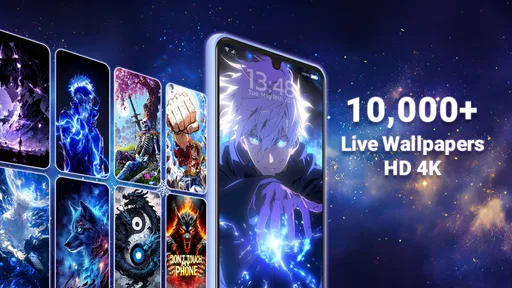
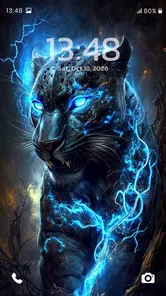
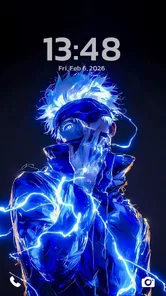
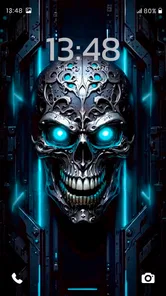
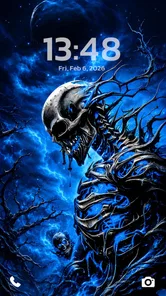
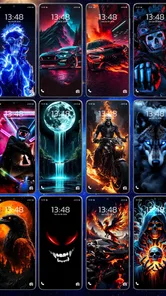
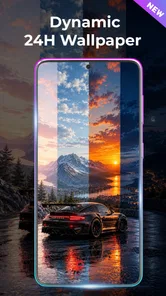
First things first, Live Wallpapers HD 4K is all about those eye-popping visuals. We're talking vibrant, high-definition wallpapers that move. Yes, you read that right. These aren't your average static images; they're dynamic, living works of art. Whether you're into serene landscapes, bustling cityscapes, or abstract patterns, there's something here to tickle your fancy.
One of my favorite features is the sheer variety. You can switch up your wallpaper daily if you're feeling it or stick to that one perfect backdrop that matches your vibe. And the best part? The app is constantly updating its library, so you're always in for a surprise when you log in.
Finding a Wallpaper That Works in Daily Use
Here’s a small but useful habit: preview a choice with your usual icons visible, then look at it in both bright and dim surroundings. Detailed motion can compete with app labels, while a darker or simpler design may keep the screen easier to scan. I’d treat a live background as decoration rather than a reason to overlook readability.
Compared with the usual alternative of choosing a static image from your photo library, this app is aimed at people who want movement and browsing in one place. A personal photo gives you more control over exactly what appears; a live wallpaper offers a changing visual effect without requiring you to make or edit an image yourself. The better choice depends on whether you value a personal snapshot or a more animated look.
More From Our News Desk

 Gmail
GmailGmail in a Busy Inbox: Who Benefits Most?
From first account to crowded workday, Gmail earns its place through dependable search and flexible sorting—but its best fit depends on how much inbox maintenance you can tolerate.

 Prime Video
Switching to Prime Video: What Changes in Your Viewing Routine
Prime Video can make a compelling second home for streaming, but switching means learning a different catalog, rental layer, and route from browsing to playback.

 Universal TV Remote Control
Universal TV Remote Control Works Best as a Reliable Backup
A phone remote earns its place through quick setup and reliable habits. Here is how to get more from Universal TV Remote Control—and where its limits show.

 Weather - By Xiaomi
Weather by Xiaomi Review: Clear at a Glance, Less Clear Up Close
Xiaomi’s weather app makes everyday forecasts quick to scan, but its calm surface can leave useful details and recovery paths harder to find than they should be.

 X
XX Under Pressure: Can It Recover When Posting Goes Wrong?
A resilience-focused review of X, examining setup, mistaken posts, interruptions, weak connections, and the gaps that matter when recovery needs to be dependable.

 Clash of Clans
Clash of Clans Is Won Between the Battles
Its raids are quick; its community is a long-term project of coordination, teaching, rivalry, and shared responsibility—with all the friction that entails.
Latest News



Easy Peasy Setup
Now, I know what you're thinking: "Isn't it a hassle to set up live wallpapers?" Trust me, this app makes it as easy as pie. The user interface is straightforward and intuitive. You don't need to be a tech wizard to navigate through the app. Just a few taps and voila! Your screen is transformed.
One realistic routine is to browse when you have a spare moment, save a style you like, and apply it when you’re not rushing out the door. That gives you time to check the crop and placement instead of accepting a wallpaper that clashes with your layout. If you change your mind later, switching back to a familiar static background is a sensible option, not a failure to get value from the app.
Plus, the app is super lightweight, meaning it won't bog down your phone's performance. It's optimized for both Android and iOS, so no one misses out on the fun. And if you're worried about battery life, rest easy. The app is designed to be energy-efficient, so you can enjoy those stunning visuals without draining your battery.
What to Expect from the App Today
As a personalization app from Wallpaper app, it has a clear focus: giving your screen a more animated appearance. It is free to download, with optional in-app purchases ranging from $0.99 to $49.99 per item, so I’d check the purchase details before buying anything and use the free experience first to decide whether the styles suit you. Its Teen age rating is also worth keeping in mind for families choosing apps together.
The app has been available since September 3, 2019, and its current version is 4.1.2. That gives existing users a concrete version to compare with what they already have, but it doesn’t by itself tell me what changed between releases. I’d judge an update by checking whether the app still fits your device and whether your chosen wallpaper behaves as you expect, rather than assuming a new version guarantees a particular improvement.
It has a 4.4 average from around 169,000 ratings, alongside more than 10 million installs. Those figures suggest a well-established audience, though popularity alone can’t tell you whether the visual style is right for you. If you want a motion-rich screen, it’s worth trying; if you mainly want a clean background that never draws attention, a static wallpaper collection is probably the better fit.
Making the Choice Fit Your Routine
A moving background is most useful when it adds a little pleasure without asking you to manage it constantly. For example, I’d choose a calmer design for a phone I use for work, where I need to find calendar and messaging icons quickly, and reserve brighter motion for a personal device or a home screen with fewer shortcuts. That small distinction helps keep personalization from getting in the way of everyday tasks.
If you regularly change your phone’s look, browsing a dedicated wallpaper app can be more convenient than searching image folders and adjusting every picture yourself. The trade-off is that a curated moving design may not feel as personal as a photo you took. I’d decide first whether I want a particular memory on screen or simply want the display to feel more lively; that makes it easier to judge the options without endlessly switching between them.
There’s also a practical difference between choosing a background for a quick preview and living with it for a week. A design that looks impressive for a moment may make text harder to spot or feel repetitive after many unlocks. I’d give a new choice a normal day of use before deciding it is a keeper. If you rely on widgets, check those too: a wallpaper should frame the information you use, not compete with it.
Small Checks Before You Settle on One
When comparing designs, I’d pay attention to the part of the image that remains visible around app icons, not just the center of the preview. A busy focal point can sit directly behind a clock or shortcut, while a more open composition may make the screen feel tidier. If the app lets you preview different choices, use that stage to assess composition and legibility rather than picking solely by color.
It’s worth considering how often you actually look at the home screen. Someone who unlocks a phone dozens of times during a busy day may appreciate subtle motion more than a dramatic effect that keeps grabbing attention. Someone who mainly uses a phone for calls and messages might barely notice the extra animation. In my view, the best choice is the one that still feels comfortable after the novelty wears off.
For a shared device, I’d also consider whether the wallpaper is likely to appeal to everyone who uses it. A neutral static image is easier to agree on and avoids a moving background becoming a distraction during a presentation or while showing someone a photo. This is a personalization app, so the choice is ultimately about your habits and taste; it doesn’t need to be the right answer for every screen or situation.
Where It Fits Among Wallpaper Options
Compared with a phone’s built-in wallpaper picker, a dedicated app can make browsing a themed collection feel more focused. The built-in choice may be enough if you already have a favorite image or want the simplest route to a plain background. I’d turn to this app when I’m specifically in the mood to explore motion-oriented designs, rather than expecting it to replace every wallpaper tool I already use.
Compared with a static wallpaper catalogue, the appeal is the movement, but that comes with a different kind of visual commitment. A still image stays consistent while you read or glance at your screen; an animated background can make the device feel more expressive, yet it may not be ideal for someone who values a calm display. Neither approach is universally better. The useful question is whether movement improves your experience or merely adds activity.
If you enjoy making your own images or carefully editing personal photos, a general image editor and your existing gallery may give you more control than a ready-made wallpaper collection. On the other hand, that route takes effort and may not produce the animated feel you’re looking for. I see this app as a convenient option for people who want to browse and personalize quickly, not as a substitute for hands-on design work.
Limits Worth Keeping in Mind
Live wallpapers are a visual choice, not a fix for a cluttered home screen. If icons and widgets already crowd the display, adding a moving image may make it harder to scan. I’d first remove shortcuts I rarely use or choose a simpler arrangement, then test a wallpaper against what remains. That approach can make the background look better while keeping the phone practical.
Battery and performance are also reasonable things to consider with any animated background. The app describes its wallpapers as energy-efficient, but the experience can depend on the device and how you use it. If you notice your phone behaving differently after setting a live design, switch back to a still image and compare your normal routine. I wouldn’t treat a general efficiency claim as a promise that every device will respond identically.
The free starting point is helpful if you want to judge the visual style before paying, but optional purchases mean it’s sensible to check what an item costs before confirming a transaction. I’d browse carefully rather than assuming every choice is included at no cost. If you are choosing for a teenager, the Teen rating is another reason to look over the app together and decide whether it fits your household’s preferences.
One more trade-off is that a wallpaper can be beautiful in isolation but not suit the rest of your setup. A colorful design may clash with a carefully chosen icon theme, while a high-contrast background can make widgets feel disconnected. I’d think of the wallpaper as one part of the whole screen: if you already use a coordinated layout, pick a design that supports it rather than forcing you to rebuild everything around the background.
How I’d Try It for the First Time
I’d start with a clear goal: a calmer screen, a more colorful one, or simply a change from the image I’ve been using for months. Then I’d browse a handful of styles, preview the strongest candidates with my usual layout, and choose one that leaves the important labels easy to read. That is more useful than installing an effect just because it looks striking in a small preview.
After applying it, I’d use the phone normally before deciding whether it works. Check the screen while opening a message, looking at a widget, or showing someone a picture. Those everyday moments reveal whether the motion is pleasant or distracting far better than staring at the wallpaper on its own. If it doesn’t fit, changing back is easy enough, and the experiment still helps clarify what kind of background you prefer.
For someone who changes styles with the seasons or simply gets bored with a static image, this sort of browsing can turn a quick bit of downtime into a low-effort refresh. For someone who wants a single dependable background and never thinks about it again, the extra choice may be unnecessary. I’d skip it if motion, visual simplicity, or avoiding optional purchases matters more to you than experimenting with a livelier screen.
Is It Worth It?
So, is this app worth the download? In my humble opinion, absolutely. It's a simple way to add some flair to your phone and make it feel uniquely yours. The app combines style and functionality beautifully, offering a seamless experience that enhances your device without the fuss.
Whether you're looking to impress your friends or just enjoy a little eye candy throughout your day, this app delivers. It's like having a mini art gallery in your pocket, and who wouldn't want that?
In conclusion, if you're ready to ditch the dull and embrace the dazzling, give Live Wallpapers HD 4K a shot. It's a small change that makes a big impact, and I promise, your phone will thank you.
Live Wallpapers HD 4K Frequently Asked Questions
Can I preview a wallpaper before setting it?
Previewing a background before applying it is a useful way to check how its colors and motion will look on your screen. Live Wallpapers HD 4K is focused on live wallpapers and backgrounds, with its store summary highlighting AI art as well. If you are choosing a new look, take a moment to inspect the option you have in mind before making it your wallpaper.
Can I use Live Wallpapers HD 4K to personalize both my home screen and lock screen?
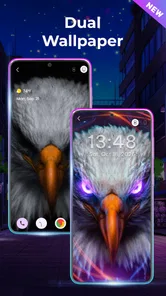
Live wallpapers are intended to give a phone screen a more animated, decorative appearance, and the app is presented as a source of live wallpapers and backgrounds. Whether you apply a selection to your home screen, lock screen, or both can depend on your device and its wallpaper controls. Check the available options on your phone when setting a background.
Do I need an internet connection to browse or use wallpapers?
An internet connection may be useful when discovering or downloading new backgrounds, while a wallpaper already available on your device may be usable without browsing for more content. Your experience can depend on how you access and save wallpapers. If you expect to change your look while offline, it is sensible to prepare the background you want beforehand.
Can I create my own AI art with Live Wallpapers HD 4K?
The app’s description presents its content as AI art, live wallpapers and backgrounds, making it relevant to users interested in AI-themed visuals as well as animated screen decoration. That description does not necessarily mean every image can be generated from a personal prompt. If AI art is your main reason for installing, explore the available options in the app and check whether they match the kind of customization you want.
Is the app free to download, and are there paid features?
Live Wallpapers HD 4K is free to download, so you can consider trying it without paying an upfront purchase price. Optional in-app purchases are available, and individual items are listed at prices from $0.99 to $49.99. Review any purchase screen carefully before confirming a transaction, especially if you only want to use the free offering.
Pros
- Stunning 4K resolution wallpapers.
- Wide variety of categories available.
- User-friendly interface design.
- Regular updates with new wallpapers.
- Low battery consumption.
Cons
- Contains ads that might be intrusive.
- Limited customization options.
- Some wallpapers require purchase.
- May slow down older devices.
- App size might be large for some.











