

Live Wallpapers & 4K Wallpaper
- 69.00
- 3.5
- Installs
- 5.00M
- Price
- Free

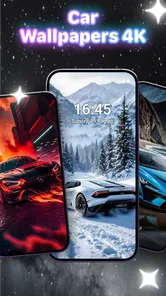
Screenshots
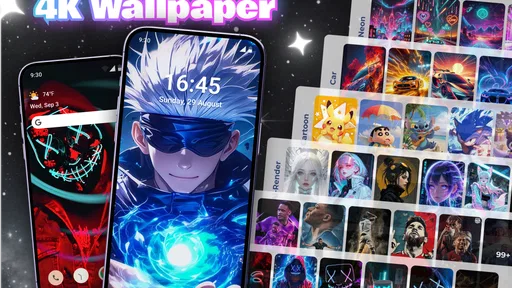

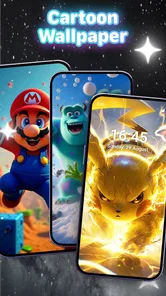
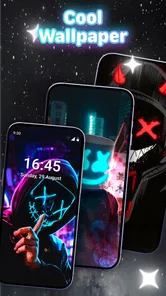

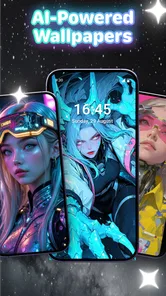
Analysis by Reviewed
I installed Live Wallpapers & 4K Wallpaper because I wanted a simple way to make my phone feel less static without spending time hunting through separate wallpaper apps. It is a free personalization app from Winnix, built around high-resolution backgrounds and live wallpaper options. The idea is straightforward: choose a look, apply it, and let the phone’s home or lock screen feel a little more personal.
That simplicity is the main reason I can imagine recommending it to a friend. You do not need design experience, editing skills, or a paid subscription just to begin. At the same time, this is not an app I would suggest blindly to everyone. Live wallpapers can be distracting, some animated backgrounds are less practical than still images, and the overall experience depends heavily on how selective you are during browsing. My impression is that it works best as a quick source of visual variety rather than as a complete customization system.
How I used it in a normal wallpaper routine
My baseline workflow was deliberately simple. I opened the app, browsed until I found a background that worked with my icons, previewed the result, and applied it. I then spent a few minutes checking whether the image made text and shortcuts easy to read. That last step matters more than it sounds: a beautiful background can make a phone feel messy when bright details sit directly behind white labels.
The app’s focus on 4K wallpaper gives its images a sharper starting point, especially on phones with large, high-resolution displays. Sharpness alone does not guarantee a good result, though. A highly detailed picture may look impressive in the preview but become visually tiring once it is behind several rows of apps. I found that calmer images, with open areas around the center or lower portion of the screen, were easier to live with every day.
For a realistic everyday scenario, I would use it on a Sunday evening to refresh my phone for the week. I would choose a still image for the home screen, keep the lock screen more expressive, and avoid changing both repeatedly during the workday. That small routine gives the app a purpose without turning wallpaper selection into another task that constantly competes for attention.
The store summary presents the app as a way to refresh a phone wallpaper every day, and that is a useful way to think about it rather than a rule you must follow. Daily changes can be fun if you enjoy visual novelty, but I personally prefer a repeatable habit: save a few favorites, test one for a full day, and only keep the ones that remain readable after the initial excitement fades.
Choosing between still and live backgrounds
The biggest practical decision is whether the motion is worth it. A live wallpaper can make the phone feel more dynamic when you unlock it, particularly if the animation is subtle. It can also become annoying when the movement is busy, when it competes with notifications, or when you simply want the screen to feel quiet.
More From Our News Desk

 Gmail
GmailGmail in a Busy Inbox: Who Benefits Most?
From first account to crowded workday, Gmail earns its place through dependable search and flexible sorting—but its best fit depends on how much inbox maintenance you can tolerate.

 Prime Video
Switching to Prime Video: What Changes in Your Viewing Routine
Prime Video can make a compelling second home for streaming, but switching means learning a different catalog, rental layer, and route from browsing to playback.

 Universal TV Remote Control
Universal TV Remote Control Works Best as a Reliable Backup
A phone remote earns its place through quick setup and reliable habits. Here is how to get more from Universal TV Remote Control—and where its limits show.

 Weather - By Xiaomi
Weather by Xiaomi Review: Clear at a Glance, Less Clear Up Close
Xiaomi’s weather app makes everyday forecasts quick to scan, but its calm surface can leave useful details and recovery paths harder to find than they should be.

 X
XX Under Pressure: Can It Recover When Posting Goes Wrong?
A resilience-focused review of X, examining setup, mistaken posts, interruptions, weak connections, and the gaps that matter when recovery needs to be dependable.

 Clash of Clans
Clash of Clans Is Won Between the Battles
Its raids are quick; its community is a long-term project of coordination, teaching, rivalry, and shared responsibility—with all the friction that entails.
Latest News



I would use a live option on a personal device where appearance matters more than minimalism. For a work phone, an older phone, or a device used heavily throughout the day, a still image is the safer choice. It is easier to read, less visually demanding, and less likely to make the interface feel active when you are trying to focus.
One useful habit is to treat a live wallpaper like a notification sound: pleasant in moderation, but not automatically better. Preview it with your normal icons and widgets visible. If the animation draws your eyes away from the information you actually need, it has failed its main job as a background.
Settings and checks that are worth your time
The first setting I would check is the device’s own wallpaper placement. Some phones let you choose separately between the home screen and lock screen, while others present a combined choice. The exact controls can vary by Android interface, so I would read the confirmation screen carefully before applying anything. That prevents the common mistake of replacing a carefully chosen lock-screen image when you only intended to change the home screen.
I would also check the preview at the same brightness level I normally use. Dark images can look elegant in a dim room but lose detail outdoors. Bright images may look cheerful in the app and become harsh at night. This is one reason I prefer to judge a background after using the phone naturally rather than deciding entirely from a thumbnail.
Because the app supports live wallpapers, I would pay attention to how the animation feels during repeated unlocks. A background that looks excellent once may feel repetitive after dozens of unlocks. Experienced users can avoid that friction by reserving animated choices for specific periods, such as a weekend or a holiday, then switching back to a still image when they want a calmer interface.
Another practical check is icon contrast. Before committing to a detailed 4K scene, I look at the top corners, the notification area, and the lower rows where app labels usually appear. If important icons disappear into the picture, I either choose another background or reposition the layout if the phone allows it. The app supplies the visual material, but the phone’s launcher still determines whether that material is usable.
It is also worth checking the phone’s available storage and general performance before collecting too many large images. I am not saying the app requires a particular amount of space or behaves identically on every device; rather, high-resolution media naturally deserves a little housekeeping. I would avoid downloading or keeping backgrounds I am unlikely to use, especially on a phone where photos and videos already fill most of the storage.
Faster patterns for repeat users
The fastest approach is not to browse endlessly. I start with a clear visual goal: dark and quiet, colorful and energetic, nature-focused, or something abstract. That narrows my choices and stops the app from becoming an infinite scroll of attractive but impractical pictures. If I find a background that works, I apply it and leave the app instead of continuing until I talk myself out of a good choice.
A second useful pattern is to separate discovery from commitment. I browse when I have time, note which styles I genuinely like, and make the final selection later when I can see the image with my actual home screen. This is especially helpful with live wallpapers, because the first impression of motion can be stronger than the long-term experience.
I also recommend matching the wallpaper to the launcher layout rather than forcing the layout to match the picture. If you use several widgets, folders, and many shortcuts, choose a background with visual breathing room. If your home screen is minimal, you can take more risks with texture and contrast. This simple pairing makes the app feel more useful than merely picking the sharpest image available.
For people who like frequent changes, a repeatable rotation works better than random switching. I would keep one dependable weekday background, one weekend choice, and perhaps a live option for occasional use. That gives variety while preserving a familiar fallback. It also makes it easier to identify whether a problem comes from the image itself or from the phone’s layout.
One non-obvious trade-off is that a wallpaper can look better on the lock screen than on the home screen. The lock screen often has fewer icons, so a busy image has more room to breathe. On the home screen, the same picture may become cluttered behind shortcuts. I would not assume one image must serve both places; using different visual roles can make the phone feel more intentional.
What the app does well for different users
For someone who wants free visual variety, this app is easy to understand. Its price removes the hesitation that often comes with trying a new personalization tool, and the combination of still and live choices gives users more than a single style of background. The app is also suitable for people who do not want to edit images themselves. You can begin with a finished background instead of cropping photos or building designs from scratch.
It may also suit a user who changes phones often. Rather than spending an evening recreating a look manually, you can quickly browse for a new background and give a fresh device a more personal feel. I would still expect some adjustment because wallpaper cropping and icon placement depend on the phone, but the app reduces the creative effort involved.
The audience is substantial: the app has passed five million installs, and its average rating is 3.6. I read that combination as interest with some room for improvement, not as a reason to dismiss it. A large install count suggests that the concept is accessible, while the middling rating reminds me that wallpaper apps are judged on many device-specific details, including previews, applying backgrounds, animation behavior, and browsing quality.
Winnix has kept the product in the personalization space rather than trying to turn it into a full launcher or theme replacement. That focus is helpful if you only want backgrounds. It is less helpful if you expect coordinated icon packs, extensive widgets, lock-screen controls, or deep visual changes across the operating system. In that situation, a dedicated launcher or the phone maker’s theme tools may be a better match.
Where the experience becomes less convincing
The main limitation is that a wallpaper app can offer attractive images without solving the practical problems that appear after installation. A background may be sharp but poorly composed for a tall phone. A live image may be memorable but distracting. A design may look excellent in a preview and become difficult to read once notifications and icons are layered over it.
I also think users should be prepared to spend time filtering. The app’s promise is broad, but personal taste is narrow. If you want a very specific style, such as a carefully cropped personal photograph or a minimalist solid color, your phone’s built-in wallpaper picker may be faster. The built-in option is also preferable when you want complete control over an image you already own.
Compared with ordinary wallpaper sources, the live options are the clear point of difference. Compared with a launcher or full theme system, the app is much more limited by design. It changes the backdrop, not the whole interaction model. That distinction is important: I would recommend it for visual refreshes, not for someone trying to redesign every part of the phone.
The age rating is Teen, so families should consider whether the available visual material fits the person using the device rather than assuming every item will suit every household. I would also use the normal caution I apply to any free content app: review the screens shown during setup and use, and avoid granting access that does not seem relevant to the wallpaper task. I am not treating that as a special accusation against this app; it is simply sensible practice when installing personalization software.
The app supports Android versions beginning with 7.0, which makes it accessible to many older devices as well as newer ones. Still, support for an operating system does not mean every phone will display live backgrounds in exactly the same way. Screen dimensions, launcher behavior, and manufacturer customization can all affect cropping and placement. If your phone is older or modest in performance, I would start with a still image and test live options only afterward.
Version, cost, and the decision to keep it installed
The current version is 3.3.6, and the app was released on May 22, 2024. I mention those details because they help place the app in context: it is a relatively recent personalization choice, but it is not something I would judge solely by its version number. What matters in daily use is whether browsing feels manageable and whether the selected background remains practical after the novelty wears off.
Since it is free, I would try it without treating the first installation as a long-term commitment. Spend a few minutes testing a still image, then try a live option if your phone handles it comfortably. Check the result with your usual icons, lock-screen information, and brightness. If the app helps you find two or three backgrounds you genuinely enjoy, it has already done its job.
I would skip it if my priority were maximum battery discipline, a completely distraction-free home screen, or precise control over personal photographs. I would also choose another route if I wanted an integrated visual theme with matching icons and widgets. In those cases, a built-in wallpaper picker, a launcher, or a dedicated photo-editing workflow would be more direct.
For everyone else, the best way to use it is with restraint. Do not let the 4K label make the decision for you, and do not assume movement automatically improves the screen. Look for composition, readability, and how the image feels after repeated unlocks. Those criteria matter more than a dramatic preview.
My verdict after using it as a daily tool
I see Live Wallpapers & 4K Wallpaper as a convenient refresh button for Android personalization. It is free, approachable, and broad enough to support both quiet still backgrounds and more animated choices. I especially like it for users who want a new mood without installing a launcher or learning an editing app.
My recommendation comes with a clear condition: treat it as a source of backgrounds, not as a complete phone makeover. The strongest results come from combining the app with sensible launcher organization, careful contrast checks, and a small rotation of images you have already tested. That workflow is faster and more reliable than changing the wallpaper impulsively every time you unlock the phone.
After trying it, I would keep it installed if I enjoyed experimenting with the look of my device and was comfortable choosing manually. I would remove it if I rarely changed wallpapers or found live motion distracting. For the right person, it adds an easy bit of personality; for someone seeking deep customization, it will feel like only one layer of a much larger project.
My final take: this is a useful, no-cost personalization app for quick visual changes, especially when you want to explore live backgrounds without committing to a full theme system. Use still images for clarity, live wallpapers selectively, and always judge the result on your real home screen rather than in the preview alone.
Live Wallpapers & 4K Wallpaper Frequently Asked Questions
Is Live Wallpapers & 4K Wallpaper suitable for a first-time wallpaper app user?
Yes. Live Wallpapers & 4K Wallpaper is a personalization app built around browsing and applying phone backgrounds, so its purpose is straightforward even if you have not used this type of app before. You can look through the available designs, preview options, and choose a wallpaper that suits your screen. The app is free to download, and it has a Teen content rating.
What is Live Wallpapers & 4K Wallpaper?
Live Wallpapers & 4K Wallpaper is a personalization app that provides a collection of animated backgrounds, high-resolution images, and themed wallpapers for smartphones and tablets. After installing it, users can browse different categories, preview wallpapers, and apply their preferred designs to the home screen, lock screen, or both, depending on device compatibility and system settings. Its short description focuses on live wallpapers, while its broader promise is to refresh a phone’s wallpaper every day with 4K and animated options.
Does Live Wallpapers & 4K Wallpaper support both Android and iOS devices?
Availability and supported features may vary depending on the version of the app and your device’s operating system. On Android, live wallpapers can usually be applied directly through the app or the phone’s wallpaper settings. On iOS, animated wallpapers may have more restrictions, so some content could work as still images, videos, or lock-screen effects rather than fully interactive backgrounds. The Android version requires Android 7.0 or later, so check your device’s system version before installing.
Will using live wallpapers drain the battery or affect phone performance?
Animated wallpapers generally consume more battery and system resources than static images because the display must continuously render motion. During testing, the impact depends on the animation style, screen brightness, refresh rate, and device hardware. Users with older phones or limited battery capacity may prefer simpler animations or 4K static wallpapers for smoother performance and longer battery life. Switching back to a static image is an easy option if an animation feels distracting or affects everyday use.
Are all wallpapers in the app free to use?
The app may include a mixture of free wallpapers and premium content, depending on its current catalog and subscription model. Free items can typically be downloaded or applied without payment, while selected collections may require an in-app purchase, subscription, or viewing advertisements. Before confirming a purchase, carefully check the price, renewal terms, and trial conditions shown in the app. The app itself is free to download, but that does not necessarily mean every item or feature is free.
Pros
- Large 4K collection with sharp visuals on modern displays.
- Live wallpapers add motion and personality to the home screen.
- Categories make it easy to browse different styles and themes.
- Wallpaper previews help you check how images look before applying.
- Regular content updates can keep the selection feeling fresh.
Cons
- Animated wallpapers may increase battery consumption over time.
- Some premium wallpapers require a subscription or in-app purchase.
- The app may request permissions that feel unnecessary for wallpaper use.
- High-resolution downloads can use considerable mobile data and storage.
- Ads may interrupt browsing
- especially in the free version.











