LightMeter
- 180.00
- 4.2
- Installs
- 100.00K
- Price
- $1.49
Screenshots
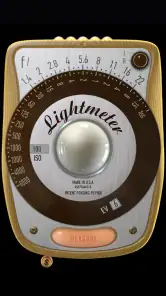
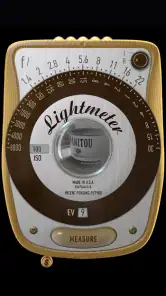
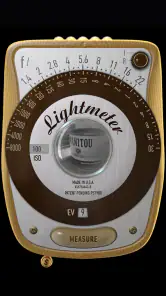
Analysis by Reviewed
When I’m preparing a photograph, the exposure decision often happens before I even lift the camera: do I trust the scene’s overall brightness, or do I need to protect a face, a bright window, or a deep shadow? LightMeter is aimed at that practical moment. It turns a phone into a handheld exposure aid for photographers, especially people who want to make deliberate choices rather than rely entirely on a camera’s automatic metering.
I see the app as a tool for the making process, not an editing or publishing suite. Its value is in helping me think through light before a frame is taken. David Quiles has kept the idea focused on metering, which suits film shooters and anyone working with manual exposure. It is a paid photography app, priced at $1.49, and its Everyone age rating makes it approachable for a broad range of users. The current release is version 1.6.10.NA, with Android 6.0 as the minimum system requirement.
Where it fits into a real shoot
A useful everyday example is photographing a friend beside a bright café window. A camera’s reflected meter may be influenced by the large bright area, so I would check the subject’s light separately and then decide how much of the window I’m willing to lose. That does not guarantee a perfect frame; it gives me a more informed starting point. With a film camera, where I can’t review the result immediately, that extra check can be especially reassuring.
The distinction between incident and reflected readings is worth understanding before relying on either. Incident metering is about the light falling on the subject, while reflected metering responds to light coming back from the scene. For a portrait, an incident reading near the person can help avoid letting a bright background dictate exposure. For a textured subject or a scene where I want to judge a particular tone, reflected or spot metering may be more useful. My practical tip is to take readings from more than one relevant area, then choose which detail matters most instead of treating one number as an automatic answer.
Making readings useful, not just precise
LightMeter offers aperture and shutter-speed readings, ISO choices, and manual control, so I can align the result with the camera and the way I want the image to look. For example, if I’m trying to keep motion sharp, I can prioritize shutter speed and let the exposure choice guide the aperture. If depth of field matters more, I can work from the aperture I want and consider the corresponding shutter speed. This is where a meter becomes a creative aid: it informs a choice without making the choice for me.
Spot metering is most helpful when the scene has contrasting areas, but it also asks for care. A reading from a bright patch and one from a shadow can differ substantially; neither is automatically “correct.” I would use the pair to understand the range of the scene, then expose for the part of the image that carries the story. That small workflow is more dependable than chasing a single ideal reading, especially in backlit portraits, stage lighting, or a landscape with a bright sky and darker foreground.
Using LightMeter as part of a photography workflow
What it does better than camera meters—and where it doesn’t
A phone-based meter is convenient because it is already with me, while a dedicated handheld meter remains the better choice when I need a purpose-built instrument for demanding or repeatable work. A camera’s built-in meter is faster when I’m already composing through the viewfinder and can judge exposure with its display or histogram. LightMeter makes more sense when I’m using a camera without a dependable meter, working with a vintage film body, or learning how light readings relate to exposure settings.
More From Our News Desk

Clash of Clans Is Won Between the Battles

Android Auto Makes the Case for Quieter Car Software

MobiOffice: Transforming Mobile Productivity with Seamless Integration

EA SPORTS FC™ Mobile Soccer: Redefining Mobile Sports Gaming

How Microsoft OneDrive Became a Mobile Productivity Giant

How Google Translate Breaks Language Barriers Effortlessly
I would not treat any phone meter as a substitute for checking the actual camera and conditions. Phone sensors and camera hardware vary, and a reading is only useful when I understand what it is measuring and how I’ll apply it. In tricky light, I’d compare a reading with a test frame when possible, or bracket exposures if the shot matters and the camera allows it. That habit is particularly valuable when changing between devices or relying on a phone for the first time.
Iteration, handoff, and practical limits
For a repeatable setup, I’d note the lighting position and the exposure choices I settled on, then take another reading if the subject moves or the light changes. This is a simple way to keep a small portrait session consistent without assuming that one measurement will remain valid all afternoon. If I’m sharing the setup with another photographer, the useful handoff is the chosen ISO, aperture, shutter speed, and the spot or incident reading that informed them—not just a claim that the scene was “properly exposed.”
The app is most appealing to curious photographers who want to learn metering, film users who need an exposure reference, and camera owners who sometimes work without a reliable built-in meter. It is less suited to someone who wants automatic camera control, image editing, or a full shoot-management workflow; its job is narrower. The listing shows an average rating of 4.2 from around 1.4 thousand ratings, with over 100 thousand installs, which suggests a well-used niche tool rather than a universal camera app. It was released on November 24, 2012, and its established focus is clear: help with exposure decisions, not manage every step from capture to delivery.
Getting Started with LightMeter
First things first, setting up LightMeter is a breeze. Once you download and install the app, it opens with a simple and intuitive interface. No need to fumble around with complicated settings; the app is designed to be user-friendly. You can easily navigate through its features without any prior experience. The app uses your phone’s camera to measure light intensity, and the results are surprisingly accurate.
Features that Stand Out
One of the standout features of LightMeter is its ability to measure both incident and reflected light. This dual capability allows photographers to adjust their shots with precision, ensuring that every photo is exposed perfectly. The app provides readings in both aperture and shutter speed, and these can be adjusted to match your camera settings. The inclusion of a spot metering mode is particularly useful for those tricky lighting situations where you need to focus on a specific area of your composition.
Moreover, LightMeter supports multiple ISO settings, which is a boon for photographers using different cameras. Whether you’re shooting with a DSLR or a vintage film camera, the app accommodates your needs. And if you're someone who loves to experiment, the app's manual mode offers you full control over the settings, letting you tweak every aspect to get the perfect shot.
Why LightMeter is a Game Changer
What sets LightMeter apart is its reliability and precision. As photographers, we know that the right exposure can make or break an image. With LightMeter, you can say goodbye to overexposed highlights or underexposed shadows. The app ensures that you achieve a well-balanced exposure, which is crucial for capturing professional-looking photos.
Another highlight is its portability. Instead of carrying around a bulky light meter, you have everything you need right in your pocket. This convenience means you’re always ready to capture the moment, whether you're on a professional shoot or just out exploring with your camera.
Choosing it for the right kind of work
For a newcomer, the most useful way to learn with this app is to treat every reading as a question rather than an instruction. Before adjusting the camera, predict what the bright and dark parts of the scene will do to the meter, take readings, and then compare that prediction with the result. This turns a phone into a learning aid: you begin to recognize why a backlit subject can look dim or why a pale wall may not render as bright as expected. The benefit is not only a better exposure on one frame, but a stronger sense of how your camera interprets a scene.
There is also a practical choice between metering close to the subject and taking a reading from where you stand. If you can safely move near the subject, an incident reading can help you make a portrait exposure that is less affected by a bright or dark background. If you cannot approach—at a performance, across a street, or while photographing wildlife—a spot reading from the camera position may be more realistic. I would not let a convenient method dictate the composition; I’d choose the reading technique around access, safety, and the subject’s movement.
A small field routine that saves guesswork
On a walk with an older manual camera, I might start by checking the light on a shaded face, then take a second reading toward the brighter street behind it. I can decide whether the portrait or the background matters more, set the camera accordingly, and take a frame with a clear reason for that choice. If clouds pass or I move from shade into sun, I take a fresh reading rather than assuming the previous settings still apply. That modest routine is particularly useful with film, where a careless exposure can cost more than a quick pause in the moment.
For portraits under steady light, I’d use the app to establish a baseline and keep the camera settings consistent while I make small changes to pose or framing. But if the subject turns toward a window or steps into a different patch of light, I’d recheck rather than copy the earlier exposure blindly. The useful trade-off is a little more attention before each setup in exchange for fewer exposures driven by guesswork. It is less helpful for fast, unpredictable action, where raising the camera and letting its own metering respond may be quicker.
What a phone meter can and cannot settle
People often ask whether a phone-based reading is enough for film. I’d use it as a practical reference, especially with a manual camera that lacks a working meter, but I would first learn how my phone and camera behave together. A controlled comparison in familiar light is a sensible first step: take a reading, make a test exposure when the film or situation allows, and note whether the result matches your expectations. That gives you a personal calibration habit without pretending that every phone and camera combination behaves identically.
Another common question is whether the app replaces a camera’s meter. In my view, it complements one more often than it replaces it. The camera’s meter is usually the easier choice when I am already looking through the viewfinder and the scene is changing quickly. A phone reading earns its place when I want to meter away from the camera, work with an older body, or deliberately compare light on different parts of a setup. A dedicated handheld meter is still the stronger option for photographers who need a purpose-built instrument as part of a tightly controlled workflow.
Where I would draw the line
I would skip this app if my main goal were to shoot quickly with a phone camera, apply filters, retouch pictures, organize a library, or send finished images to clients. It is not trying to be a camera-and-editing package, and adding those expectations would make it seem less useful than it is. It also may not suit a photographer who wants every exposure decision automated; the point is to read, interpret, and set the camera yourself. For that hands-on approach, the app can make a compact companion. For a one-tap result, the phone camera’s own automatic mode is the more direct choice.
Its narrow purpose is also a useful buying test. At $1.49, I’d consider whether I will actually meter with a separate device often enough to value having the tool on my phone. Someone who shoots manual film regularly or enjoys learning exposure has a clear reason to keep it close. Someone who rarely leaves automatic mode may find that the app adds an extra step without changing their photographs in a meaningful way. That is a question of working habits, not a shortcoming that another feature would necessarily fix.
Final Thoughts
In conclusion, LightMeter is an invaluable tool for anyone serious about photography. Its combination of ease of use, accuracy, and versatility makes it a standout choice in the world of photography apps. Whether you're a seasoned pro or just starting out, LightMeter offers the features you need to take your photography to the next level. So why not give it a try and see how it can transform your approach to capturing images?
Overall, if you’re looking for an app that delivers on its promises and enhances your photographic skills, LightMeter is definitely worth checking out.
My recommendation is narrower and more practical: I’d keep it in the kit if I use a manual camera, want to understand exposure, or need a quick independent reading before committing to a frame. I would not buy it expecting a full creative pipeline or guaranteed exposure in every difficult scene. As a focused aid, it is most rewarding when I already know what I want the photograph to say and need help choosing how to expose it. That makes it a useful companion for deliberate work, rather than a shortcut around photographic judgement.
LightMeter Frequently Asked Questions
Who develops LightMeter, and what kind of app is it?
LightMeter is a photography app developed by David Quiles. Its straightforward purpose is reflected in its short description, “LightMeter,” and its store summary calls it “A light meter for true photographers.” It may appeal to people who want a light-meter tool on their phone, whether they are exploring photography or already use exposure settings in their work.
What is LightMeter and how does it work?
LightMeter is a mobile application designed to help photographers measure light exposure accurately using their smartphone's camera. It transforms your device into a professional-grade light meter, providing precise readings for both ambient and flash lighting. Users can manually input settings like ISO, shutter speed, and aperture to get accurate exposure values, making it a handy tool for both amateur and professional photographers.
Is LightMeter suitable for beginners in photography?
Yes, LightMeter is user-friendly and suitable for photography enthusiasts at any level, including beginners. The app provides an intuitive interface with easy-to-understand graphs and readings, allowing users to learn and adapt quickly. Additionally, it includes helpful guides and tips to assist new photographers in understanding exposure settings and improving their photography skills.
Does LightMeter require an internet connection to function?
No, LightMeter does not require an internet connection to operate. The app functions offline, allowing photographers to use it in remote locations without worrying about connectivity. This makes it an excellent tool for outdoor and on-location shoots where internet access may not be available or reliable.
Are there any additional costs or in-app purchases in LightMeter?
LightMeter is priced at $1.49. Consider this upfront cost when deciding whether it suits your needs; the published description presents it as a light meter for photographers, so it is best approached as a focused utility rather than a broad photo-editing suite. The price gives prospective users a clear point to weigh against how often they expect to use a dedicated metering tool.
Pros
- Accurate measurement for photographers
- User-friendly interface
- Works without internet
- Supports multiple camera models
- Quick response time
Cons
- Limited free features
- No night mode support
- Ads in free version
- Requires manual calibration
- Only available in English
- Category
- Photography
- Version
- 1.6.10.NA











