Learn to Read - Readability
- 453.00
- 4.6
- Installs
- 100.00K
- Price
- Free

Screenshots
Analysis by Reviewed
Helping a child who finds reading difficult is rarely as simple as handing over another worksheet. The useful tool has to feel approachable to the child, manageable for the adult, and focused enough to support regular practice without turning every session into an argument. That is where Learn to Read - Readability aims to fit. I see it as an education app for early readers, especially children working around first through fourth grade, with a clear emphasis on guided reading support rather than general entertainment.
My overall impression is positive, but not because it magically solves reading difficulties. Its value comes from giving families a more repeatable way to practise. A child can work with the app while a parent watches for patterns, encouragement, and frustration. That combination matters: the app supplies structure, while the adult still supplies patience and judgement. The best results come when Readability is treated as a reading tutor in a routine, not as a babysitter with a screen.
Where families usually get stuck
The first obstacle is often not the reading content itself. It is getting the child into the right mindset. A struggling reader may already associate reading with correction, slow progress, or embarrassment. If an adult opens the app during a rushed morning or presents it as a test, even a well-designed lesson can feel like another demand. I would begin at a calm time and explain that the first session is simply about finding a comfortable starting point.
Another common problem is choosing an expectation that is too ambitious. Because the app supports learners from first through fourth grade, children in that range will not all need the same kind of help. A younger child may need confidence with basic reading practice, while an older child may understand individual words but lose meaning across a sentence or paragraph. I would avoid deciding that an older child should automatically begin at the most advanced available material. The right starting point is the level at which the child can work with some success while still needing useful support.
Parents can also get stuck by trying to correct every mistake immediately. That approach may feel responsible, but it can interrupt concentration and make the child wait for approval after every word. During a first session, I would watch more than I interrupt. Notice whether the child struggles with sounding out, loses the sentence after decoding a word, guesses from the first letter, or simply becomes tired. Those differences are more useful than a single difficult moment.
There is also a practical issue around attention. Reading practice asks a child to listen, look, remember, and respond. If the phone or tablet is being used in a noisy room, if other children are competing for attention, or if the session begins after a long day, the result may say more about the circumstances than the child’s reading ability. A quiet place and a short, predictable routine can make the app feel much easier to use.
Start by observing the child, not the score
When I review an education app, I pay attention to what an adult can learn from a session. With Readability, the useful question is not only whether a child completes an activity. It is whether the session reveals how the child approaches text. Does the child rush? Wait too long before trying? Repeat a word without connecting it to the sentence? Become more confident after a successful passage? These observations help a parent decide what kind of encouragement to give next.
More From Our News Desk

Clash of Clans Is Won Between the Battles

Android Auto Makes the Case for Quieter Car Software

MobiOffice: Transforming Mobile Productivity with Seamless Integration

EA SPORTS FC™ Mobile Soccer: Redefining Mobile Sports Gaming

How Microsoft OneDrive Became a Mobile Productivity Giant

How Google Translate Breaks Language Barriers Effortlessly
I would keep a simple note after the first few uses: what felt easy, what caused hesitation, and when attention dropped. This is a better guide for routine planning than trying to remember everything later. It also prevents a parent from labelling the child as generally “bad at reading” when the difficulty may be limited to one part of the process.
Setup checks that prevent avoidable frustration
Readability is free to install, which makes it easy to try without an upfront purchase. It also includes in-app purchases ranging from around twenty dollars to around one hundred forty dollars per item, so I would check the available purchase choices before handing the device to a child. This is not about assuming a problem; it is about making sure the adult understands the payment path and can make decisions deliberately rather than during a lesson.
The app is listed for Everyone, but that does not mean every child will find every session equally comfortable. Age labels describe suitability in broad terms, while reading ability, attention span, and confidence vary widely. I would use the age rating as a basic reassurance, then rely on the child’s response to decide how long practice should last.
Compatibility is another sensible first check. The current version is 5.17.1 and requires at least iOS or Android 8.1, depending on the device. Before troubleshooting anything more complicated, I would confirm that the operating system meets that requirement and that the app has been updated through the normal app store. Older devices can create confusing symptoms when an application opens slowly, behaves inconsistently, or stops responding.
If installation succeeds but the app does not behave properly, I would use a simple order of checks:
- Close the app completely and open it again.
- Restart the device rather than repeatedly tapping the same control.
- Check that the device has a stable internet connection if a lesson or account action appears to be waiting.
- Make sure there is enough free storage for normal app operation and updates.
- Try again when the device is not running many other demanding apps.
These steps are deliberately ordinary. They will not fix every issue, but they separate a temporary device problem from a genuine app problem without risking a child’s progress through unnecessary changes. I would avoid deleting the app as a first response, especially if the family is unsure how the child’s progress is handled. Reinstalling can be more disruptive than closing, restarting, and checking the basics.
Make the first session a calibration session
I would not schedule a full study block for the first use. Instead, give the child enough time to see how the app feels, how instructions are presented, and where help is needed. Sit nearby, but do not hover over every answer. If the child asks what to do, explain the immediate task in simple language and then let the app continue to guide the activity.
A useful setup habit is to establish one consistent place for practice. It does not need to be a special desk. A quiet corner, a charged device, and a few minutes without interruptions are enough. Consistency reduces the number of decisions a child has to make before reading begins. For a learner who already feels uncertain, that small reduction in friction can be meaningful.
I would also decide in advance what counts as a successful session. It might be staying calm while attempting unfamiliar words, completing a short activity, or explaining the meaning of a sentence. If success is defined only as getting everything right, the app can become another source of pressure. If success includes persistence and understanding, the adult can reinforce the behaviours that support long-term improvement.
Recovering when a session goes wrong
When a child becomes frustrated, my first response would not be to repeat the same activity immediately. Pause and identify the type of breakdown. If the device is frozen or an audio element is not responding, use the basic restart checks. If the child is responding but becoming upset, treat that as a learning signal rather than a technical failure. A short break may restore more progress than another attempt made under pressure.
One practical workflow is to separate technical recovery from reading recovery. First, make sure the app is open and responding normally. Then ask the child to describe what felt difficult, without demanding a perfect explanation. Finally, return to a smaller task or a familiar passage before ending. This gives the child a chance to finish with a sense of control instead of remembering only the moment that went badly.
If the app appears to lose a place in the routine, I would avoid guessing or repeatedly pressing buttons. Take note of what the child completed, close and reopen the app, and check whether the lesson can be resumed normally. If the same issue keeps returning, record the device type, operating system, the action that caused the problem, and whether restarting helped. That information is much more useful when contacting support than saying only that “it stopped working.”
There is a trade-off here. A parent who steps in too quickly can rescue the session but also teach the child that an adult must solve every obstacle. A parent who refuses to help can leave the child stuck. I prefer a middle path: offer one clear prompt, wait, and then provide more direct help only if the child remains blocked. The goal is to keep the reading attempt moving without taking ownership of it away from the learner.
Use repetition strategically
Repeating an activity is not automatically useful. If the child repeats it while guessing, rushing, or waiting for hints, the repetition may strengthen an unhelpful habit. I would repeat a successful pattern instead: ask the child to slow down, look at the whole sentence, and explain what it means after reading. That turns practice into something more than answer collection.
It is also worth varying the adult’s role. During one session, I might listen quietly. During another, I might ask the child to retell what was read. On a difficult day, I might focus only on encouragement and stop earlier. This keeps the app from becoming a rigid test and helps reveal whether the child’s difficulty is decoding, comprehension, stamina, or confidence.
For families with more than one child, I would avoid comparing progress directly. Even when children are close in age, their reading histories can be very different. Let each child use the app as an individual practice space, and keep comments focused on personal improvement. That is especially important for a child who already believes reading is something other children do better.
When the app may not be the cause
It is tempting to blame the app when a child refuses to participate, but refusal can have several causes. The child may be tired, hungry, worried about school, or overwhelmed by a text that is too demanding for that moment. A device can also become associated with unrelated rules, notifications, games, or distractions. Before deciding that Readability is ineffective, I would change the setting and timing once or twice.
Reading difficulty can also be broader than an app can address. If a child consistently struggles to hear sounds in words, understand spoken instructions, remember what was just read, or see the text comfortably, independent app practice may not be enough. In that situation, I would treat the app as one support among others and discuss the pattern with the child’s teacher or an appropriate reading professional. The app can provide practice, but it cannot replace a full educational assessment or personalised human guidance.
Families should also be realistic about the difference between tutoring and exposure. A child may spend time in a reading app and still need books, conversation, writing practice, and classroom instruction. Readability is most useful when it fills a specific gap in the day: a repeatable opportunity to practise reading with less preparation than a parent-built lesson. It is not a complete literacy programme by itself.
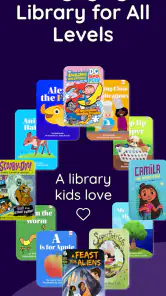
That distinction helps explain who may want a different option. If a child is already reading independently and wants challenging novels, this app may feel too focused on foundational support. If a parent wants a broad library, creative writing activities, or a game-first experience, a general children’s learning platform may offer more variety. If the child needs intensive one-to-one correction, a qualified tutor can respond in ways an app cannot.
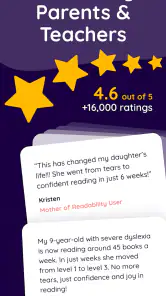
On the other hand, Readability makes sense for a family that wants a dedicated reading tool rather than a collection of unrelated subjects. Its store presence is substantial, with over one hundred thousand installs, a 4.6 average from around three thousand seven hundred ratings, and around four hundred fifty written reviews. Those figures suggest that many families have found it worth trying, though they should not replace observing whether it suits a particular child.
How it compares with familiar alternatives
Compared with paper worksheets, the app offers a more guided and repeatable experience. Worksheets can be excellent for handwriting, marking answers, and offline practice, but they often require an adult to decide what to present and how to respond to mistakes. Readability is more convenient when the parent wants a ready-made reading session and does not have time to build one from scratch.
Compared with ordinary storybook reading, it serves a different purpose. A shared book is better for discussion, imagination, vocabulary in context, and the emotional experience of reading together. The app is more practical when the immediate goal is focused practice for a child who needs extra support. I would use both rather than treating one as a replacement for the other.
Compared with a general educational game, Readability’s narrower purpose is an advantage for some families and a limitation for others. A broad game platform may hold attention through rewards and subject variety, while this app is easier to justify when the child needs reading-specific time. The right choice depends on whether the family’s priority is targeted practice or a wider learning playground.
Compared with a live tutor, the app is more available and usually easier to fit into a busy schedule, but it cannot notice every subtle misunderstanding or adapt a conversation in real time. I would choose Readability for regular reinforcement and use human support when the child’s needs are persistent, complex, or emotionally difficult.
My practical verdict after using it as a family tool
I recommend Learn to Read - Readability for parents looking for a focused way to support an early reader, particularly when the household needs structure but cannot arrange frequent tutoring. The developer, Readability Reading Tutor, has positioned it clearly within education, and the app’s purpose is easier to understand than that of many broad children’s learning products. Its free entry point lowers the barrier to trying it, while the in-app purchase range means adults should review costs before committing to anything beyond the initial experience.
The most important tip I would give is to judge it over a routine, not one difficult afternoon. Use a calm setup, watch how the child approaches the reading, keep sessions manageable, and separate device troubleshooting from learning frustration. If the app repeatedly fails to open or respond, document the pattern and seek technical help. If the app works but the child struggles, look at the reading behaviour before assuming the software is at fault.
I would skip it if the child needs advanced reading material, a fully offline paper-based approach, or immediate personal intervention from a specialist. I would also avoid presenting it as a cure for a learning difficulty. Its strongest role is narrower and more realistic: giving a child supported reading practice that an adult can fit into ordinary family life.
For that role, I find it worthwhile. The Everyone rating makes it broadly suitable for families, and the current version supports devices running at least iOS or Android 8.1. More importantly, the app can turn an unplanned “we should practise reading” into a concrete moment with a beginning and an end. If you use it patiently, observe rather than pressure, and keep human support at the centre, it can become a useful part of a child’s reading routine.
My final recommendation is to start small, keep expectations honest, and let the child’s behaviour guide the next step. That approach gives Readability a fair chance to help while keeping the family alert to situations where a teacher, tutor, or broader literacy plan would be the better answer.
Learn to Read - Readability Frequently Asked Questions
What age group and reading levels does Learn to Read - Readability support?
Learn to Read - Readability is intended to help early readers, with its reading support aimed at children in first through fourth grade. The right fit depends on a child’s existing skills and confidence, so parents can consider whether the app’s reading practice matches the learner’s current level. It is an educational aid for building literacy, not a substitute for guidance from a teacher or caregiver.
What is Learn to Read - Readability, and who is it designed for?
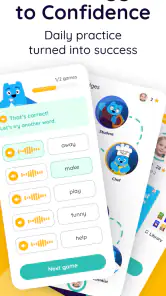
Learn to Read - Readability is an educational reading app designed to help children develop foundational literacy skills through guided lessons, interactive activities, and age-appropriate reading practice. It is mainly intended for early readers, although the suitable age and difficulty may vary depending on the child’s current abilities. Parents and educators can use it as a supplementary learning tool rather than a complete replacement for classroom instruction.
How does Learn to Read - Readability help children improve their reading skills?
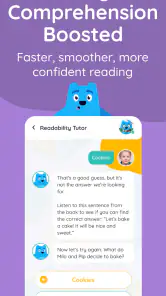
The app typically supports reading development by combining phonics, vocabulary building, comprehension exercises, and guided reading activities in one learning experience. Children can practice recognizing letters and sounds, decoding words, and understanding short passages at a pace that feels manageable. Its interactive format may help maintain attention, but regular practice and adult encouragement are still important for achieving consistent progress.
Is Learn to Read - Readability free to download and use?
Learn to Read - Readability is free to download, but some lessons, features, or learning content may require an in-app purchase. The available in-app purchases range from around $20 to $140 per item, so parents should review the price, renewal terms, and cancellation process shown in the app store before starting a purchase or subscription. Free download does not necessarily mean all content is free to use.
Does the app require an internet connection, and is it suitable for independent use?
An internet connection may be needed for downloading lessons, synchronizing progress, updating the app, or accessing certain interactive features. Some content may work offline after it has been downloaded, but users should not assume that every activity is available without connectivity. Younger children may also need help navigating lessons, understanding instructions, and staying focused, so parental supervision is recommended during early use.
Pros
- Short
- focused exercises make it easy to practice reading daily.
- Clear text presentation helps beginners follow words and sentences.
- Progressive activities can support gradual improvement in reading confidence.
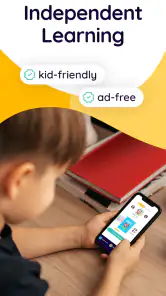
- Useful for independent practice at home or during short study sessions.
- Simple learning format is suitable for children developing basic reading skills.
Cons
- Some activities may feel repetitive after extended use.
- Advanced readers may outgrow the available exercises quickly.
- Progress can depend heavily on regular adult guidance and practice.
- The learning approach may not suit every child’s preferred style.
- Some features or content may require an in-app purchase.
- Category
- Education
- Version
- 5.17.1











