Launcher OS - Themes & Widgets
- 109.00
- 4.6
- Installs
- 5.00M
- Price
- Free
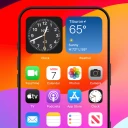
Screenshots
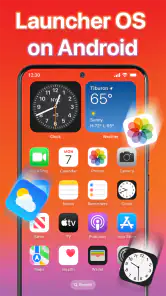
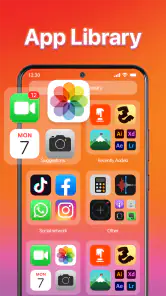
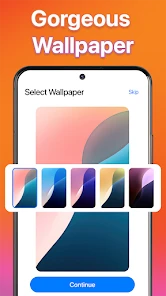
Analysis by Reviewed
I tend to judge a launcher less by how impressive its first screen looks and more by whether I still enjoy reaching for it after the novelty passes. Launcher OS - Themes & Widgets makes a strong first impression for anyone who likes adjusting an Android home screen, but its real test is whether the look stays practical through ordinary mornings, busy days, and changing routines. I found its appeal clearest when the visual changes had a purpose, not just when they made the phone look different.
The first-week appeal
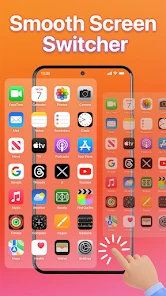
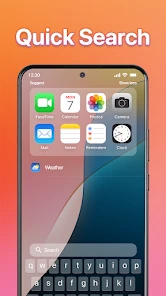
Upon downloading and firing up the app for the first time, I was greeted by a clean, intuitive interface. It’s pretty straightforward to navigate, which is a big plus in my book. No need to wrestle with confusing menus or endless settings – the app gets you where you want to go quickly. What really stands out is the extensive range of themes available. From minimalist designs to vibrant, eye-popping themes, there’s something to suit every taste.
That quick visual payoff is the strongest reason to try it. A new theme can make a familiar phone feel less stale without requiring you to replace apps or change how you use them. I’d start with one home-screen change at a time rather than redesigning everything in a single sitting. That makes it easier to tell whether the new look is genuinely comfortable or simply exciting because it is new.
During that first week, I’d also treat the screen as a small experiment rather than a decorating project. Pick one theme, then use the phone normally for a few days before deciding whether to add more widgets or alter the layout. The difference becomes obvious when you are in a hurry: a design that looks polished in a quiet moment may be harder to scan when you only have a second to find a familiar app.
Making the home screen useful
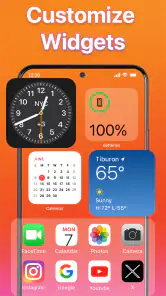
The real magic of this launcher lies in its customization options. You can tweak just about everything. Want to change your icons? Done. Need different widgets for weather or clock? Easy. It lets you personalize your device in ways you didn’t even know you wanted. The widgets are not only functional but also add a nice touch of flair to your home screen.
One of my favorite features has to be the ability to create custom widgets. You can design them to display whatever information you find most useful. Whether it’s your most-used apps, a calendar, or motivational quotes, you have the freedom to make your home screen truly yours.
There’s a practical way to get more from that flexibility: decide what you want to see before choosing a widget. For example, if I’m checking the day’s plans while getting ready, a calendar widget earns its space more readily than a decorative panel I rarely look at. Keeping the first screen focused on frequent tasks also helps the visual choices serve a habit instead of making the phone feel busier.
More From Our News Desk

Weather by Xiaomi Review: Clear at a Glance, Less Clear Up Close

X Under Pressure: Can It Recover When Posting Goes Wrong?

Clash of Clans Is Won Between the Battles

Android Auto Makes the Case for Quieter Car Software

MobiOffice: Transforming Mobile Productivity with Seamless Integration

EA SPORTS FC™ Mobile Soccer: Redefining Mobile Sports Gaming
A useful test is to notice what you reach for without thinking. If you regularly open the same few apps, keeping those easy to spot matters more than filling every empty space with a matching element. I’d also avoid building a layout around information that changes how I use the phone only occasionally. A widget should save a step or make something easier to notice; otherwise, it is taking up attention without earning its place.
Daily use and trade-offs
Now, I know what you’re thinking – all these customizations must slow down the phone, right? Surprisingly, the app runs smoothly, with little to no lag. I was pleasantly surprised by how efficiently it operates, even on older devices. It’s clear that the developers put a lot of effort into optimizing the app’s performance. Plus, it doesn’t drain your battery as quickly as some other customization apps out there.
On the usability front, I found the app to be quite user-friendly. Even if you’re not the most tech-savvy person, the app guides you through the process of setting up your themes and widgets. It’s like having a helpful little assistant right on your phone!
Still, a highly customized layout asks for a little upkeep. If you change themes often, you may need to revisit the arrangement and make sure the icons and widgets still work for the way you reach for your phone. I’d treat a settled layout like a useful room: leave the frequently used things easy to reach, and resist adding a widget just because it matches the wallpaper. That small bit of restraint makes the setup easier to live with.
One everyday example is a Monday morning when I need to check my schedule, open a messaging app, and get out the door. A calm, readable first screen with the calendar in a predictable place can help; a busy arrangement of decorative tiles can slow me down, even if it looked great when I set it up. I’d use the home screen as a landing page for the things I do most, and leave less frequent choices one step away rather than trying to display everything at once.
How it holds up over time
As a personalization app from TextSoft.Studio, it sits between the basic launcher that comes with a phone and a more hands-on setup built from separate customization tools. The appeal here is having themes, icons, and widgets together in one place; the trade-off is that people who already love fine-tuning every launcher setting may prefer a more specialized alternative. If you want a quick refresh without assembling a collection of separate tools, this is the more approachable route.
That middle ground is useful for people who want more visual choice than a phone’s standard home screen offers but do not want to make customization a hobby. Compared with leaving the default launcher untouched, this gives you a more personal surface to work with. Compared with piecing together different tools, the unified approach is less of a project, though it may not satisfy someone who wants to control every detail independently. I’d choose based on how much time I want to spend arranging the phone, not just on how many options sound appealing.
Who will keep using it?
I’d recommend it most to someone who enjoys a fresh home-screen look but still wants familiar everyday access to apps and information. A realistic use is changing the screen at the start of a busy week: put the calendar where it is easy to check, keep regular apps close, and choose a calmer theme that does not compete with those details. Someone who rarely looks at widgets or prefers the phone’s default appearance may not get enough recurring value to justify maintaining a customized layout.
For month-to-month use, I’d judge it by whether the screen remains helpful after the novelty wears off. A sensible approach is to make a small change when your routine changes, rather than constantly rebuilding the whole layout. That gives the theme and widgets a job to do, and makes it easier to notice when a design choice is getting in the way. If you are comparing it with a stock launcher, the stock option is the simpler choice for someone who wants everything familiar and minimal; this app makes more sense when visual control is part of the fun.
It is also a better fit for someone who enjoys occasional tinkering than for someone who expects a launcher to disappear into the background. If a change in work or study routine means you check a calendar more often, you can give that information a more visible spot; when the routine shifts again, you can pare the screen back. That kind of modest adjustment is where the app can keep providing value without turning every weekend into a redesign session.
Maintenance without constant redesign
The easiest way I’ve found to keep a customized screen from becoming a chore is to make a deliberate stopping point. Once the theme, key icons, and genuinely useful widgets are in place, I’d use the setup for a while before changing anything else. That pause helps separate a real usability problem from the itch to try another look. It also protects a useful habit: when the same app stays in the same familiar spot, reaching it becomes automatic.
If you do revise the layout, change one part and live with it before making another adjustment. Moving several elements at once makes it hard to tell which change helped and which one made common tasks less comfortable. I’d especially keep track of the first screen’s role: if it is for quick access, avoid turning it into a display board for information you rarely check. The most attractive screen is not necessarily the one that serves you best throughout the day.
There is a small trade-off between visual consistency and quick recognition. Matching icons and a coordinated theme can make the screen feel intentional, but familiar placement and clear choices are often more useful when I’m distracted. If a new design makes me hesitate before opening an app I use every day, I would rather restore a simpler arrangement than preserve the look for its own sake.
Cost, compatibility, and lasting value
The app is free to install, with in-app purchases ranging from a small amount to higher-priced items. I’d begin without spending and only consider a purchase if a particular option becomes part of a layout I actually use. It is rated for everyone, has an average rating of 4.6 from around 29,000 ratings, and has been installed over five million times. Those figures suggest it has found a sizeable audience, though they cannot tell you whether its style will suit your own phone.
It was released on December 5, 2024, and its current version is 62; Android 7.0 or later is required. Before making a customized screen your daily setup, give yourself time to check that the arrangement feels natural with your usual routines. A launcher is the part of the phone you return to repeatedly, so small annoyances matter more over time than a striking first impression.
Because it is free to start, I’d explore the available setup before deciding whether any paid item is worth it. My rule would be to pay only when I can name the specific option I want and explain how I’ll use it repeatedly, rather than buying in the middle of a burst of theme-hopping. The listed in-app purchase range runs from $0.24 to $25.99 per item, so it is sensible to check the price of an individual item before confirming a purchase.
The Android requirement is another practical point to check before investing time in a layout. If your device meets it, you can try the app and see whether its approach suits your habits; if you are attached to the phone maker’s standard setup and do not want to change how the home screen behaves, staying with that option is perfectly reasonable. A launcher is a repeated point of contact, so comfort matters more than novelty.
Where the appeal can wear thin
The same freedom that makes a themed home screen enjoyable can also create decision fatigue. When I keep browsing for a better look, I can spend more time comparing styles than using the phone. That is a cue to settle on a design, not a reason to keep searching. Themes are most rewarding when they refresh the device occasionally; frequent switching can make the setup feel temporary and leave me repeatedly relearning where things are.
Another source of friction is choosing appearance over legibility. A striking wallpaper or coordinated set of icons may make the screen feel more personal, but it should not make common apps harder to identify at a glance. I’d check the layout in the ordinary conditions where I use my phone—while moving through a busy day, for instance—not just while admiring it at home. If I have to pause to interpret the screen, I’d simplify it.
People who want a highly technical launcher with extensive fine-grained controls may also find a more specialized alternative better suited to them. Conversely, someone who wants a stable, familiar interface and never checks widgets may see little benefit here. This is not a reason to dismiss the app; it is simply the difference between wanting a fresh, approachable way to personalize and wanting either maximum control or no customization at all.
My long-term verdict
All in all, Launcher OS - Themes & Widgets is a good fit for anyone looking to give an Android phone a fresh, personalized look while bringing useful widgets into the same space. Its early appeal is easy to understand, but its lasting value depends on whether you use the customization to make everyday actions clearer. I’d try it if you enjoy shaping your home screen and are happy to make occasional adjustments; I’d skip it if you want a set-and-forget layout and have no interest in themes. For me, it earns its place when the screen looks good and makes the next useful tap easier.
Launcher OS - Themes & Widgets Frequently Asked Questions
Does Launcher OS - Themes & Widgets change Android itself or just the home screen?
It is intended to change the appearance and experience of your Android home screen, not replace the phone’s operating system. A launcher can affect the layout and styling you see when using the home screen, while Android remains the system running your device. If you prefer your current interface, consider whether you want that kind of visible customization before installing.
Can I try Launcher OS - Themes & Widgets without paying?
The app is free to download and offers customization options without requiring an initial payment. Optional in-app purchases are also available, so some items or features may cost extra. You can explore the free experience first and review any purchase prompt before confirming a transaction, which helps you decide whether the available options suit your preferences.
Who develops Launcher OS - Themes & Widgets, and what kind of app is it?
Launcher OS - Themes & Widgets is a personalization app developed by TextSoft.Studio. It is designed for people who want to change the look and feel of their Android home screen, rather than replace the phone’s operating system. Its focus is on launcher styling, themes, and widgets, so it may appeal if you enjoy adjusting your interface to better match your preferences.
What is Launcher OS - Themes & Widgets?
Launcher OS - Themes & Widgets is a customizable home screen replacement for Android devices, offering a wide range of themes, widgets, and features to enhance user experience. It provides users the ability to personalize their device's interface with ease and efficiency, making their smartphone usage more intuitive and enjoyable.
How do I customize themes with Launcher OS?
To customize themes using Launcher OS, simply install the app and navigate to the 'Themes' section. Here, you can browse various themes and apply them with a single tap. The app offers numerous themes that cater to different styles and preferences, allowing users to completely transform their device's appearance.
Pros
- Highly customizable interface.
- Wide variety of themes available.
- Widgets enhance functionality.
- User-friendly navigation.
- Quick setup and installation.
Cons
- May drain battery quickly.
- Some themes are paid.
- Occasional lag on older devices.
- Limited support for some widgets.
- Ads in free version.
- Category
- Personalization
- Version
- 62











