

Lanthier - Internal Medicine
- 0.00
- 0.0
- Installs
- 10.00K
- Price
- Free

Screenshots
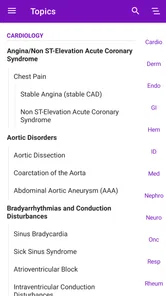
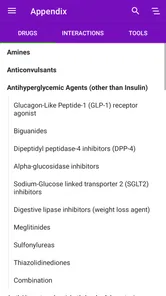

Analysis by Reviewed
I approached Lanthier - Internal Medicine as a compact medical reference rather than a general health app. Its focus is practical internal medicine, and that narrow purpose shapes both its value and its limits. When I need to revisit a clinical concept, organize a quick study session, or refresh my memory before looking more deeply into a topic, a focused guide can be more useful than searching through scattered web pages. At the same time, this is not the kind of app I would treat as a substitute for professional judgment, current clinical resources, or emergency care.
The app comes from Les Éditions Formed inc. and is available free of charge, with optional in-app purchases listed at $18.99 per item. It is rated for Everyone 10+, runs on Android from version 5.0 onward, and has reached over 10 thousand installs. The current release is 4.4.11, while its original release dates back to July 9, 2018. Those details place it somewhere between a long-standing reference title and a maintained study tool, rather than a newly designed health platform.
Getting past the first points of friction
The first challenge with a specialized reference app is usually not the medical content. It is understanding what the app expects from the user. A person opening it casually may expect a symptom checker, a patient-friendly explanation tool, or a diagnostic assistant. That is not how I would position this title. The name and “Practical Guide to Internal Medicine” summary point toward a professional or educational reference, so the best experience comes when I open it with a specific question in mind.
For example, I would not launch it with the vague goal of “learning medicine.” That is too broad for a short mobile session. I get more from a prompt such as reviewing a disease category, checking a clinical term, or revisiting a topic after class. This small change matters because reference material feels much easier to use when it is connected to a task. Without that focus, it is easy to browse without retaining much.
Another likely sticking point is the relationship between the free installation and the paid items. The app itself costs nothing to download, but some content or functions may require an individual purchase. I would therefore install it first, open the available material, and decide whether its organization and writing style fit my needs before spending money. That is a more sensible approach than assuming the free download represents the complete guide.
The purchase structure also affects who should use it. A student who needs one particular area may find a single relevant item more reasonable than buying a broad reference collection. Someone expecting every section to be open immediately may feel restricted. I would treat the paid content as a decision point: first test navigation and presentation, then pay only if the unlocked material supports a real study routine.
The most important setup decision is knowing whether you need a reference guide or a medical advice app. If you are looking for help interpreting your own symptoms, this is not the tool I would choose. If you are studying internal medicine or already work around clinical material, its focused purpose makes considerably more sense.
More From Our News Desk

 Gmail
GmailGmail in a Busy Inbox: Who Benefits Most?
From first account to crowded workday, Gmail earns its place through dependable search and flexible sorting—but its best fit depends on how much inbox maintenance you can tolerate.

 Prime Video
Switching to Prime Video: What Changes in Your Viewing Routine
Prime Video can make a compelling second home for streaming, but switching means learning a different catalog, rental layer, and route from browsing to playback.

 Universal TV Remote Control
Universal TV Remote Control Works Best as a Reliable Backup
A phone remote earns its place through quick setup and reliable habits. Here is how to get more from Universal TV Remote Control—and where its limits show.

 Weather - By Xiaomi
Weather by Xiaomi Review: Clear at a Glance, Less Clear Up Close
Xiaomi’s weather app makes everyday forecasts quick to scan, but its calm surface can leave useful details and recovery paths harder to find than they should be.

 X
XX Under Pressure: Can It Recover When Posting Goes Wrong?
A resilience-focused review of X, examining setup, mistaken posts, interruptions, weak connections, and the gaps that matter when recovery needs to be dependable.

 Clash of Clans
Clash of Clans Is Won Between the Battles
Its raids are quick; its community is a long-term project of coordination, teaching, rivalry, and shared responsibility—with all the friction that entails.
Latest News



Checks I would make before using it seriously
I begin by confirming that the device meets the Android requirement. The minimum operating system is Android 5.0, so compatibility should be broad on many older devices, but an operating system check is still worthwhile before troubleshooting anything more complicated. If installation fails, I would first verify available storage, the device’s connection, and whether the app store is functioning normally. There is no benefit in treating a basic installation problem as a content problem.
After installation, I would open the app while connected to a stable network, especially if the first launch involves loading material or completing a purchase. I would also make sure the device has enough free space and that the app store account is active. These are ordinary checks, but they prevent a common mistake: assuming the guide is broken when the real issue is an interrupted download or an incomplete transaction.
I would then spend a few minutes testing the basic reading experience. Can I find a topic without wandering through every section? Is the text comfortable on the phone I am using? Does returning to the app bring me back to a useful place, or do I need to search again? These questions are more relevant than the install count because they determine whether the guide will fit into daily study.
If a paid section is involved, I would avoid tapping the purchase button repeatedly when the first attempt appears slow. I would check whether the transaction has already been processed, then reopen the app or review the store’s purchase status. Repeating the action can create unnecessary confusion. The safest habit is to keep a record of what was selected and wait for the store to confirm the transaction before trying again.
It is also worth deciding where the app belongs in your routine. I would use it on a phone for quick review and on a larger screen only if the reading layout remains comfortable. A mobile reference is most useful when it is immediately available, but portability does not automatically make long reading sessions pleasant. For extended study, I would compare the app’s readability with a textbook, lecture notes, or a larger digital reference.
How I recover when a study session goes wrong
When a reference app stops behaving as expected, I work from the simplest explanation to the more involved one. First I close and reopen it. Then I check the connection, confirm that the operating system is supported, and restart the device if necessary. If the problem concerns a purchase, I verify the store account before reinstalling anything. This order matters because reinstalling too early can make it harder to tell whether the issue was temporary.
If content does not appear after an apparently successful purchase, I would not immediately buy it again. I would confirm that the same store account is being used, reopen the app, and look for a restore or refresh action if the interface provides one. If the content remains unavailable, the sensible next step is to contact the developer or store support with the transaction details. That approach protects both time and money.
For reading or navigation problems, I would test whether the issue affects one section or the whole app. If only one topic behaves strangely, it may be a content-loading problem. If every screen is slow or unresponsive, the cause may be the device, network, or operating system. Separating those cases helps avoid blaming the medical guide for a wider phone problem.
I also recommend keeping a second study source nearby. This is not because the app is necessarily unreliable; it is because no single mobile reference should become the only place where important information exists. If a session is interrupted, I can continue with notes or a recognized textbook and return to the app later. That is especially sensible when the material is being used for coursework or clinical preparation.
One practical workflow is to use the app for orientation, then move to a fuller source for depth. I might open a topic here to refresh terminology and identify the area I need to study, then consult institutional guidance, course material, or current professional references before drawing conclusions. This two-step method is more efficient than expecting a pocket guide to answer every question in equal detail.
Separating app trouble from medical uncertainty
Medical apps create a special kind of confusion because a technical problem and a difficult clinical question can feel similar. If a topic is hard to understand, that does not necessarily mean the interface failed. Internal medicine involves overlapping conditions, exceptions, and context-dependent decisions. A short explanation may help me recall the framework without resolving every real-world case.
That distinction is essential for patients. I would not use this app to decide whether a symptom is harmless, to adjust medication, or to delay urgent care. A guide aimed at internal medicine can support learning, but it cannot examine someone, review a complete history, or account for an individual’s risks. If the question concerns personal health, a qualified clinician is the appropriate next step.
For students and healthcare workers, the risk is different. The danger is overconfidence rather than self-diagnosis. I would use the app as a memory aid, not as the final authority for a patient-specific decision. When recommendations, terminology, or treatment details matter, I would cross-check them with current local guidance and the resources expected by my institution.
The app is also not the best choice for someone who wants a visual, interactive learning system. A person who learns mainly through videos, flashcards, case simulations, or quizzes may find a practical guide too text-centered. In that situation, a dedicated learning platform could be more effective, while this app might still serve as a quick reference alongside it.
Conversely, people who dislike large, general medical databases may appreciate the narrower scope. A broad search engine can return too many results, including material written for very different audiences. A focused internal medicine guide can reduce that noise, provided the user already understands the basic vocabulary and knows what they are trying to review.
Where it fits beside familiar alternatives
I see three common alternatives to this app. The first is a printed textbook, which usually offers more context and a more deliberate learning path but is less convenient to carry. The second is a broad online medical reference, which may provide more current or extensive coverage but can be slower to navigate and easier to distract yourself with. The third is a general search engine, which is fast but inconsistent and often mixes professional, commercial, and patient-oriented material.
Lanthier - Internal Medicine sits between those options. Its appeal is the possibility of a focused mobile reference that can be opened during a short gap in the day. Its trade-off is that a concise guide may not replace the depth, update process, or editorial breadth of a major reference work. I would choose it for targeted review rather than comprehensive preparation for a difficult examination or a complex case.
The paid-item model makes that comparison more personal. If the material I need is available in a reasonably organized section, paying for one item could be more practical than subscribing to a much larger service I rarely use. But if I need wide coverage across many specialties, the separate purchase approach may become less attractive. The right choice depends on whether my needs are narrow and recurring or broad and intensive.
A useful habit is to judge the app by retrieval time, not by how much content it appears to contain. When I have a question, can I reach the relevant explanation quickly and understand its scope? That is the real test for a pocket guide. A smaller resource that I can navigate confidently may help me more than a huge database that I rarely open.
Who will benefit most from it
I would recommend trying it to medical students, trainees, and readers who already have some familiarity with internal medicine terminology. It can also suit a clinician who wants a lightweight refresher during a commute or between study tasks, as long as the app is treated as supplementary material. The free entry point makes it easy to judge the writing and layout before committing to optional purchases.
A realistic everyday scenario would be a student preparing for a seminar. Instead of opening several browser tabs, I could use the guide to refresh the key terms connected with the topic, note which areas remain unclear, and then return to lecture material for the detailed explanation. Later, I could use the app again for a short recall session. That workflow gives the guide a defined role without asking it to become the entire study system.
I would be more cautious about recommending it to a complete beginner who needs every concept explained from first principles. The practical internal medicine focus may feel dense if the reader lacks basic anatomy, physiology, or clinical vocabulary. It is also a poor match for anyone seeking individualized health recommendations, urgent symptom guidance, or a consumer wellness tracker.
Another group that may want to skip it is users who require a clearly documented, current clinical decision system for professional practice. A mobile guide can be convenient, but convenience is not the same as authority for high-stakes decisions. In those situations, institutional resources and current professional references should remain central.
My practical verdict after using it as a reference
What I like most about Lanthier - Internal Medicine is its clear identity. It is not trying to be a fitness tracker, a symptom chatbot, or a general health portal. Its value comes from concentrating on internal medicine and making that subject available in a mobile format. The free installation lowers the barrier to testing it, while the optional $18.99 items mean I can consider the cost section by section rather than treating the whole app as an automatic purchase.
What gives me pause is the friction around expectations. A reader may install it hoping for a complete medical library and discover that the useful experience depends on selecting the right material and using it for the right purpose. The app also demands responsible interpretation: a practical guide can refresh knowledge, but it should not replace clinical assessment or current guidance.
My advice is to install it with one concrete study question, test the available content, and evaluate how quickly you can reach a useful explanation. Check compatibility and connection issues before assuming a content failure, and do not repeat a purchase simply because an unlock takes time to appear. If the guide fits your subjects, use it as a quick first pass and verify important points elsewhere.
Overall, I see this medical app as a sensible companion for focused review, especially for users who prefer a dedicated internal medicine reference over a noisy web search. I would recommend it to learners and medically informed readers who understand its boundaries. I would skip it for personal diagnosis, emergency decisions, or anyone expecting a fully interactive course. Used with that distinction in mind, it can earn a useful place in a study routine without pretending to be more than a practical guide.
Lanthier - Internal Medicine Frequently Asked Questions
Is Lanthier - Internal Medicine free to download, and are there additional costs?
Lanthier - Internal Medicine is free to download, so you can get started without an upfront purchase. The app also offers in-app purchases priced at $18.99 per item, which may apply to optional content or features. Check the purchase details shown in the app before confirming anything, especially if you are downloading it for a shared device or a younger user.
Which devices and operating systems support Lanthier - Internal Medicine?
Lanthier - Internal Medicine is available for Android and iOS users, with the Android version requiring at least Android 5.0. Its current version is 4.4.11, and the app was released on July 9, 2018. Before downloading, check the requirements shown for your specific device in its app store, since compatibility can depend on the operating system and device.
What is Lanthier - Internal Medicine used for?
Lanthier - Internal Medicine is designed as a medical reference and learning resource focused on internal medicine. It may help users review clinical topics, symptoms, diseases, diagnostic considerations, and treatment-related information in a structured format. It is most appropriate for healthcare students and professionals, and should be used for education rather than as a substitute for a qualified clinician’s examination or advice.
Who can benefit from using Lanthier - Internal Medicine?
The app may be useful for medical students, residents, physicians, nurses, and other healthcare learners who want convenient access to internal medicine content. Its value will depend on the user’s level of training and the topics included in the current version. Patients may find general information helpful, but should avoid interpreting medical material as a personal diagnosis or changing medication without consulting a healthcare professional.
Can Lanthier - Internal Medicine be used to diagnose or treat a patient?
No. Lanthier - Internal Medicine should not be treated as a diagnostic tool or a replacement for professional medical care. Reference content can support study and clinical review, but diagnosis requires a complete history, physical examination, appropriate testing, and professional judgment. If you have concerning symptoms, seek advice from a licensed healthcare provider, and contact emergency services immediately for urgent or life-threatening conditions.
Pros
- Focused tools for internal medicine clinical workflows
- Helps organize patient information in one dedicated app
- Useful reference support for everyday medical decisions
- Designed for quick access during busy clinical settings
- May improve consistency in documenting medical assessments
Cons
- Primarily useful to healthcare professionals
- not general users
- Clinical content may require regular updates to remain current
- Some features may depend on an active internet connection
- Interface usefulness can vary by specialty and workflow
- Should not replace professional judgment or official medical guidelines











