LA Daily News
- 32.00
- 2.6
- Installs
- 10.00K
- Price
- Free

Screenshots
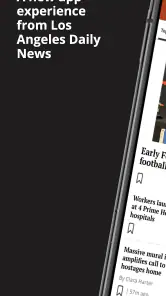

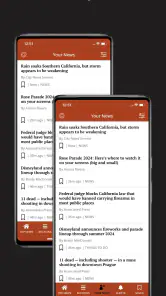

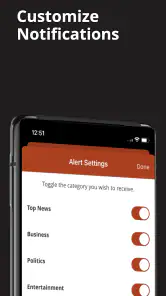

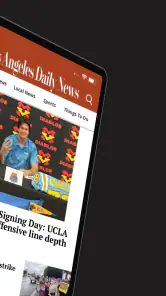
Analysis by Reviewed
I approached LA Daily News as a reader who wants local information without turning every news check into a long browsing session. It is a free News & Magazines app from MediaNews Group, Inc., focused on Los Angeles coverage and intended for an Everyone 10+ audience. My overall impression is mixed but fairly clear: it can be useful when local reporting is your priority, yet its modest average rating of 2.6 from around 87 ratings suggests that the experience has not worked smoothly for everyone.
The app makes the most sense for someone who already follows the Los Angeles Daily News and wants that publication available on a phone or tablet. It is less convincing as a single replacement for every news source, especially if you expect the speed, breadth, and polish of a large national news aggregator. I found its value tied more to the relevance of its local perspective than to the number of extras surrounding the reading experience.
What the app feels like during an ordinary news check
My first practical test with a local news app is simple: can I open it, understand what matters, and begin reading without unnecessary effort? That is the standard I would apply here. A local publication app should be especially useful during short moments—before work, while waiting for an appointment, or when a developing story affects a neighborhood, school, road, or public service.
Because the app is built around the Los Angeles Daily News rather than a broad collection of publishers, its identity is more focused than that of general news applications. I would not install it expecting a complete national news dashboard. I would install it because I want a direct route to this particular local newsroom and its view of events around Los Angeles.
That focus is both the main attraction and the first trade-off. A reader who cares about local reporting may appreciate not having to filter through unrelated international headlines. Someone who wants sports from many leagues, technology coverage, business updates, weather tools, and breaking alerts from numerous sources may find a general news app more convenient. In my experience, choosing this app is less about collecting everything and more about choosing a specific editorial destination.
The store summary describes it as a source for local news and information, and that is the right way to frame it. I would think of it as a publication reader, not as a universal news utility. That distinction matters because it sets more realistic expectations about navigation, coverage, and the reason to keep it installed.
Speed expectations for short reading sessions
Perceived speed is not only about how quickly an app opens. For a news reader, it also includes how quickly I can move from the front page to a story, return to the list, and decide what deserves attention. A useful routine is to open the app with one question in mind—what is happening locally today—and avoid treating the entire feed as something that must be consumed from top to bottom.
More From Our News Desk

Weather by Xiaomi Review: Clear at a Glance, Less Clear Up Close

X Under Pressure: Can It Recover When Posting Goes Wrong?

Clash of Clans Is Won Between the Battles

Android Auto Makes the Case for Quieter Car Software

MobiOffice: Transforming Mobile Productivity with Seamless Integration

EA SPORTS FC™ Mobile Soccer: Redefining Mobile Sports Gaming
I would also keep expectations reasonable when moving between a list of headlines and full articles. News content can involve images, changing pages, and network-dependent material, so the reading experience may feel different on a strong connection than it does during a commute or in a crowded public network. I would not judge the app solely by the first moment after tapping its icon; the more meaningful test is whether it remains comfortable during several article changes.
One practical habit helps: use the app for a defined check rather than leaving it open as a constant background companion. Read the headlines that match your interests, open the most relevant article, then close it when finished. This reduces the sense that the app must always be ready to deliver a complete live newsroom and makes its local focus feel more purposeful.
The current version is 10.0.60, while the minimum requirement is Android 8.0. That combination makes it relevant to a wide range of Android devices that are still in everyday use. Even so, a compatible operating system does not guarantee identical performance on every phone. Screen size, available storage, connection quality, and the age of the device can all affect how pleasant a content-heavy reading session feels.
How it holds up when I use it heavily
Light use and heavy use reveal different weaknesses. A quick headline check is forgiving. A longer session—opening several local stories, returning repeatedly to the main feed, and switching between reading and browsing—puts more pressure on the whole experience. That is when navigation friction becomes more noticeable than the initial launch time.
For a longer session, I would avoid opening every headline in sequence. A better workflow is to scan the available local topics first, choose one or two stories that directly matter to me, and then leave the app rather than treating it like an endless social feed. This is not just a time-saving trick. It also matches the app’s strongest role: a focused way to reach local journalism, not a bottomless stream designed to keep me scrolling.
Readers who frequently multitask should pay attention to recovery. If I move from the app to a message, map, or browser and return later, I want to know whether I can continue naturally or need to reconstruct what I was reading. The safest routine is to remember the headline or keep the article open only while actively reading it. That approach is particularly useful on older phones, where the operating system may close background apps to manage memory.
Heavy use can also expose the difference between a publication app and a browser. A browser gives me a familiar back button, tabs, and the option to compare several sources quickly. The dedicated app gives the publication a more direct place on the device, but it may not be the best tool for a research-heavy session in which I want to compare the same story across multiple outlets.
For that reason, I see a useful two-app workflow for serious local readers: use this app to begin with the Los Angeles Daily News perspective, then use a browser or another news service when I need wider context. That is more efficient than demanding that one publication app perform every news task.
Reliability and what I would trust it to do
Reliability has two sides. The first is technical: whether the app opens and lets me read without repeated interruptions. The second is editorial: whether it is a dependable place to return for the kind of local information I actually want. The app’s average rating indicates a noticeably uneven user experience, so I would approach it with practical expectations rather than assuming it will be flawless on every device.
When a news app matters to me, I prefer not to make it my only route to urgent information. If a story concerns a closure, emergency, public safety issue, or time-sensitive instruction, I would cross-check it with an official local source or another established outlet. That is sensible practice for any publication app, and it is especially important when access depends on a working connection or when an update may still be developing.
The app is more dependable as a regular reading destination than as an emergency system. I would use it to follow local developments and understand the publication’s coverage, but I would not rely on it alone for immediate instructions. This distinction does not make it unhelpful; it simply places the app in the right role.
There is also a financial point to consider. The app itself is free, but in-app purchases range from $14.99 to $174.99 per item. That means I would pay attention to any purchase screen and read the wording carefully before confirming anything. A free download should not be confused with an entirely cost-free reading experience, particularly if access to some material or an extended reading arrangement is presented inside the app.
For a casual reader, that may be the biggest decision beyond performance. If I only want occasional local headlines, I would first establish how much content I can comfortably use without paying. If I already value the publication and expect to read it frequently, the available purchase options may be more relevant. Either way, I would not tap through a subscription or purchase prompt automatically.
Device limits, storage, and everyday comfort
The Android 8.0 minimum makes the app accessible to many older devices, which is useful for readers who do not replace their phone often. At the same time, older hardware may have less memory and a slower processor, so switching rapidly between articles or other apps can feel less fluid than it does on a newer phone. I would keep the operating system updated where possible and close unused apps if reading becomes sluggish.
A smaller screen is another practical consideration. Local news articles can be comfortable on a phone when I am reading one story at a time, but extended reading may be easier on a larger display. A tablet or larger phone can reduce the need to scroll constantly and make longer articles less tiring. On a compact device, I would use shorter sessions and save deeper reading for a calmer moment.
Connection quality may matter more than raw device power. A local news reader depends on bringing current material to the screen, so a weak signal can make the app feel slow even when the phone itself is capable. I would avoid judging it during a poor connection and would plan important reading for a place where the network is stable.
Resource demands are difficult to separate from the content being displayed. Text alone is usually light, while image-rich news pages can require more loading and memory. My practical advice is to watch how the app behaves alongside the other apps I use daily. If returning from navigation or messaging repeatedly causes the article to reload, I would treat the app as a focused reader rather than keeping it open in the background.
Privacy-conscious readers may also prefer a deliberate setup. I would review the app’s prompts during installation and only enable device permissions that make sense for my use. Since my main reason for installing it is reading local news, I would not assume that every optional prompt is necessary for that basic purpose.
Who will get the most from this local news app?
The clearest audience is a Los Angeles-area reader who wants a direct relationship with one local publication. It can fit someone who checks regional headlines in the morning, follows local issues over several days, or wants a publication-specific perspective instead of an algorithm that mixes sources. It may also suit a reader who prefers having a dedicated icon rather than opening a browser and searching for the same publication each time.
A realistic everyday scenario would be a commuter checking local developments before leaving home. I would open the app, scan the main stories, read the item most relevant to my route or neighborhood, and then verify any urgent travel or safety detail through an official channel. That workflow uses the app for what it does best—bringing local reporting into a quick routine—without asking it to replace every source of practical information.
It may also work for someone who wants to follow a local issue over time. Instead of reading only one headline, I could return to see how the story develops and compare the publication’s newer coverage with what I already know. That kind of continuity is more valuable than a single casual visit because the publication’s local focus becomes a reason to return.
I would skip it if my main goal is a broad, highly personalized news feed. I would also look elsewhere if I need a strong offline reading workflow, a comprehensive breaking-news alert system, or a place to compare numerous publishers side by side. Those needs are better served by a browser, an aggregator, or official information channels, depending on the situation.
How it compares with browser reading and news aggregators
Compared with reading the Los Angeles Daily News in a browser, the app offers a more dedicated entry point. I do not have to remember a web address or search for the publication whenever I want to check local coverage. That convenience is meaningful for habitual readers. The browser remains more flexible, though, especially when I want multiple tabs, easier source comparison, or access to other publications in the same session.
Compared with a news aggregator, this app is narrower but potentially more coherent. Aggregators are useful when I want many viewpoints and topics gathered into one place, yet their feeds can feel noisy. A publication-focused app gives me less variety but a clearer editorial destination. The better choice depends on whether I value breadth or a particular local source on that day.
Compared with an official city, transit, or emergency app, it serves a different purpose. It can help me understand local events through news coverage, but it should not be treated as a substitute for direct public notices. I would use those official channels for instructions and this app for reporting, context, and the broader local picture.
This comparison also explains why the rating deserves context. A reader expecting a polished all-purpose news platform may be disappointed by the narrower design or by purchase prompts. A reader specifically seeking the Los Angeles Daily News may judge it more generously because the publication itself is the central benefit. In my view, the app should be evaluated against that focused purpose rather than against every feature offered by large aggregators.
My performance verdict after weighing the trade-offs
My verdict is cautious but positive for the right reader. The strongest reason to install it is local relevance, not technical spectacle. It gives the Los Angeles Daily News a dedicated place on an Android device, and its free starting point lowers the barrier for someone who wants to test the reading experience.
Its weaknesses are equally important. The average rating of 2.6 shows that satisfaction is far from universal, and the in-app purchase range means I would examine access and payment prompts carefully. Older or memory-limited devices may also feel less comfortable during long, repeated sessions, so I would use it actively rather than leave it running in the background.
The app has been available since February 24, 2012, and its current version is 10.0.60. Those details suggest a long-running publication app rather than a brand-new experiment, but they do not remove the need to judge how it behaves on a particular phone. I would install it, perform a short local-news check, open several articles, switch briefly to another app, and then decide whether it feels stable enough for daily use.
For me, the sensible recommendation is conditional: choose it if you genuinely want Los Angeles Daily News coverage and are comfortable using another source for urgent notices and wider context. Skip it if you want one app to combine every publisher, topic, alert, and research tool. As a focused local reader, it can earn a place in a daily routine; as a universal news solution, it falls short.
LA Daily News Frequently Asked Questions
Which devices and operating systems can run the LA Daily News app?
The LA Daily News app is available for mobile devices, and its minimum operating-system requirement is version 8.0. Before downloading, check that your device meets this requirement and has enough available storage for the app. Keeping your operating system and app up to date can also help with compatibility and access to the latest available features.
Who develops the LA Daily News app?
The LA Daily News app is developed by MediaNews Group, Inc. It is a news and magazines app intended for readers looking for local Los Angeles news and information. The app has been available since February 24, 2012, and its current version is 10.0.60, giving prospective users a straightforward way to identify the product before installing it.
What is the LA Daily News app used for?
The LA Daily News app is designed for readers who want quick access to news from Los Angeles and surrounding communities. It typically provides local reporting, breaking-news updates, sports coverage, entertainment stories, opinion articles, and other regional content. The app is especially useful if you prefer reading city and neighborhood news on a phone or tablet rather than visiting the newspaper’s website.
Is the LA Daily News app free to download and use?
Downloading the LA Daily News app is generally free, although access to certain articles or premium features may depend on the publication’s current subscription policy. Some content can be available without payment, while frequent reading may require a digital subscription or account. Before downloading, check the app-store listing and in-app information for the latest details about pricing, trials, advertising, and subscription terms. In-app purchases are offered, with listed items ranging from $14.99 to $174.99.
What type of content can I expect from LA Daily News?
The app focuses primarily on news relevant to Los Angeles, the San Fernando Valley, and nearby areas. Depending on the current edition and available sections, you may find local politics, community reports, crime and public safety updates, high school and professional sports, entertainment, business, opinion pieces, and lifestyle coverage. The strongest reason to use it is its regional perspective and local reporting.
Pros
- Covers local Los Angeles stories with a strong community focus.
- Offers timely updates on breaking news
- politics
- and public safety.
- Includes sports coverage for major Los Angeles teams and events.
- Provides opinion pieces and investigative reporting for added context.
- The mobile format makes browsing articles convenient on the go.
Cons
- Some articles may require a subscription or encounter access limits.
- Advertising can interrupt reading and make pages feel cluttered.
- Coverage is primarily regional
- with limited attention to national news.
- Opinion content may not appeal to readers seeking strictly factual reporting.
- Article quality and depth can vary depending on the topic.
- Category
- News & Magazines
- Version
- 10.0.60













