Boston Herald
- 375.00
- 2.4
- Installs
- 50.00K
- Price
- Free

Screenshots
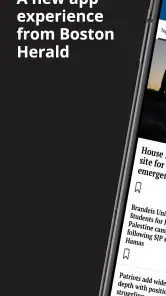
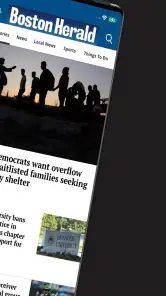
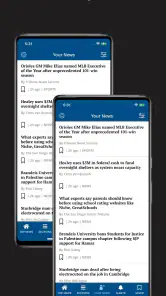
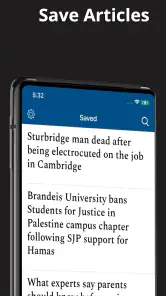
Analysis by Reviewed
I approached Boston Herald as a reader who wants local Boston reporting without turning every news check into a long search through unrelated headlines. The app comes from MediaNews Group, Inc. and sits in the News & Magazines category. Its purpose is straightforward: bring Boston Herald coverage into a mobile reading routine. That focus is useful, but it also means the experience depends heavily on how smoothly the app opens, refreshes, and handles access to its articles.
My overall impression is mixed. I like the idea of having a dedicated place for Boston news rather than relying entirely on a broad national news reader, especially when local stories, regional politics, weather, sports, and community developments matter more than whatever is trending globally. At the same time, the average rating of 2.4 from around 930 ratings suggests that many readers have encountered enough friction to affect their opinion. I would not ignore that signal when deciding whether this should become your main news app.
What daily use feels like
The strongest reason to install this app is concentration. A general news service may give you a polished stream, but it often mixes Boston stories with national coverage, opinion pieces, international events, and algorithmic recommendations. A dedicated Boston Herald app is more appealing when your priority is knowing what is happening in the Boston area and you do not want to repeatedly filter a larger feed.
I can see it fitting naturally into a morning routine. I would open it while having coffee, scan the main headlines, read one or two stories that affect my day, and return later if something important developed. That is a better use case than leaving it open continuously as a live news dashboard. The app is most valuable as a focused local-news stop, not necessarily as the only source I would use for every subject.
The store summary is brief, but the app’s identity is clear: Boston news from the Boston Herald. That makes the choice easy for a reader who already follows the publication. If you are looking for a broad collection of newspapers, customizable international feeds, or a neutral news aggregator, this is a narrower tool. Its narrowness is both its main advantage and its main limitation.
One practical detail is that the app is free to install, while in-app purchases range from about twelve dollars to around one hundred forty dollars per item. I would therefore treat installation as a low-risk way to inspect the reading experience, but I would pay close attention to any access or subscription screen before committing. A free download does not automatically mean that every article or reading option will be available without an additional purchase.
Where readers can get stuck
The first point of confusion is usually the difference between installing the app and being able to use every part of the publication. News apps often combine freely visible headlines with content that may require an account or paid access. If a story stops at an access prompt, that does not necessarily mean the app is broken. It may simply be enforcing the publication’s reading arrangement.
More From Our News Desk

Weather by Xiaomi Review: Clear at a Glance, Less Clear Up Close

X Under Pressure: Can It Recover When Posting Goes Wrong?

Clash of Clans Is Won Between the Battles

Android Auto Makes the Case for Quieter Car Software

MobiOffice: Transforming Mobile Productivity with Seamless Integration

EA SPORTS FC™ Mobile Soccer: Redefining Mobile Sports Gaming
I would also avoid judging the whole app from one slow article. A headline list can load while an individual story struggles, particularly when the connection changes between Wi-Fi and mobile data. My first check would be whether several sections behave the same way. If headlines appear but one article fails, the problem may be tied to that story or the current connection rather than the entire application.
Another common source of frustration is expecting a local news app to behave like a social feed. The Boston Herald app is better approached as a publication reader. I would not expect every screen to be endlessly personalized or for the order of stories to match my interests perfectly. Readers who prefer selecting topics from many publishers may feel restricted, even if the app is working as intended.
The app has been available since October 2010, and its current version is 10.0.60. That long history can be reassuring because the product is not a brand-new experiment, but it also means the experience may reflect several generations of mobile news design. I would judge it by whether it reliably gets me to the stories I want, rather than expecting every interaction to resemble the newest social or media platform.
Setup checks that save time
Before troubleshooting anything complicated, I would confirm that the phone meets the stated minimum requirement of Android 8.0 or later. This is a small check, but it prevents wasted time on a device that may not be supported properly. I would also make sure there is enough free storage for an update and that the operating system is not waiting for a restart.
Next, I would install or update the app through the normal device store and open it once on a stable connection. If the first launch takes longer than expected, I would leave the app open briefly rather than repeatedly tapping the icon. Rapidly closing and reopening a news app can make it harder to tell whether the initial loading process completed.
If the app opens but the news list looks stale, I would test the connection in two ways: first on Wi-Fi, then on mobile data if available. I would also open another ordinary website or app to see whether the connection itself is working. This simple comparison is more useful than immediately deleting the app, because it separates a Boston Herald issue from a wider network problem.
For an account or purchase prompt, I would read the wording carefully before entering payment details. The important question is not only whether the app is free to download, but what access the particular article or feature requires. Since the available purchase range is broad, I would not assume that one payment represents the same thing as another. I would check the displayed terms on the screen and keep a record of what I selected.
On iPhone or iPad, I would use the same general logic even though the stated minimum OS information is for the Android version. Keep the device software current, install from the official store, and verify that the app is the genuine Boston Herald product from MediaNews Group, Inc. That last check matters when several news-related results appear in a store search.
Recovering a disrupted reading workflow
When a story refuses to open, I would first return to the main screen and try a different headline. If the second story loads, I would go back and retry the original once. This is a much cleaner test than repeatedly pressing the same button. It tells me whether the issue is isolated to one item or affects the entire reading flow.
If the feed remains stuck, I would fully close the app, reopen it, and test again. On Android, clearing the app cache can be a reasonable next step if the device offers that option. I would choose cache rather than stored data at first, because removing stored data can sign me out or erase local app state. I would only consider reinstalling after checking that I know how to restore any account access I use.
A useful recovery habit is to note the exact point of failure. “The app does not work” is too broad to guide the next action. “Headlines load, but the article screen stays blank” points toward a connection, session, or content-loading issue. “The app closes immediately” suggests a different class of problem, such as compatibility or corrupted local files. Writing down that distinction also makes any support request more useful.
I would not repeatedly attempt a purchase when a payment screen behaves strangely. First confirm whether the transaction completed by checking the device’s purchase history or the relevant account record. Repeating the action can create confusion, especially when the original attempt is merely delayed. If access was purchased but the article remains locked, closing and reopening the app after confirming the transaction is a sensible first recovery step.
When an update is available, I would install it before spending much time on older troubleshooting steps. The current version is 10.0.60, so version mismatches can matter if the device has an older build. After updating, I would restart the app rather than assuming the new files are active immediately.
When the app is not the cause
News access is especially sensitive to timing and connectivity. A weak signal can make a headline list appear normal while images or full articles fail. If the same behavior happens in several unrelated apps, I would investigate the network first. Switching between Wi-Fi and mobile data, moving closer to the router, or waiting until the connection stabilizes may solve the problem without changing anything inside Boston Herald.
Device-level restrictions can also interfere with a reading session. Battery-saving settings may limit background activity, while storage pressure can cause updates or temporary files to behave unpredictably. I would check available space and the device’s battery settings before blaming the publication app. These checks are particularly worthwhile if the app worked normally in the past and began failing after the phone became crowded or heavily restricted.
There is also a difference between an app problem and a publication-access problem. If the app launches, menus respond, and headlines appear, but a particular article requests payment or sign-in, the basic software may be functioning correctly. The right decision then depends on whether that access arrangement suits me. I would not spend time reinstalling the app simply because a paid article is not freely readable.
For urgent information, I would use a second source rather than relying on one app during a disruption. That does not make Boston Herald less useful; it reflects the reality that a single publication reader is not a complete emergency channel. A general news app, a trusted local website, or official public information can be a better backup when timing matters more than staying within one publication.
Who will get the most from it
I think the app makes the most sense for people who already care about Boston Herald coverage and want a direct mobile reading habit. It is also a reasonable choice for Boston-area readers who are tired of sorting local stories out of a national feed. The dedicated focus can reduce browsing time: open the app, inspect the latest local headlines, and decide what deserves attention.
It may also suit someone who wants a publication-centered experience rather than a social timeline. Stories are easier to approach when I am intentionally reading news instead of reacting to an endless stream of posts. That distinction matters if I want to spend a few minutes informed and then put the phone away.
I would be more cautious about recommending it to a reader who wants one free app for every kind of news. The publication focus means less breadth than an aggregator, while the in-app purchase range means the total reading experience may depend on the access options presented during use. If you rarely follow Boston-specific coverage, a broader news reader will probably offer better value and variety.
I would also skip it as a primary choice if my top priority is flawless, highly personalized navigation. The modest average rating indicates that the app has not satisfied everyone, and I would take that seriously when reliability is non-negotiable. It is better to test it during ordinary reading before depending on it for an important daily briefing.
How it compares with familiar alternatives
Compared with a general news aggregator, Boston Herald offers a clearer editorial destination but a narrower range of sources. An aggregator is better when I want to compare several viewpoints or follow technology, world affairs, business, and local news in one place. This app is better when the Boston Herald itself is the publication I want to read.
Compared with reading the publication through a mobile browser, the app can be more convenient for a repeated routine because it has a dedicated place on the phone. The browser may be preferable when I do not want another installed app, when I am managing several publications, or when the app’s access flow becomes inconvenient. I would choose based on which route gets me to the article with less friction, not on the assumption that an app is automatically superior.
Compared with social media, the app gives me a more intentional starting point. Social platforms may surface breaking stories quickly, but they also introduce distractions and mixed-quality commentary. Boston Herald is the more focused option for readers who want to begin with the publication’s own news presentation rather than with a stream shaped by engagement.
That comparison also reveals the trade-off: a dedicated source is easier to recognize and follow, but it gives me fewer built-in ways to cross-check information. For consequential topics, I would read the article here and then consult another reliable source or official statement. That is a sensible habit regardless of the app’s quality.
My practical verdict
Boston Herald is worth trying if your main goal is focused Boston news and you already value this publication’s coverage. The free installation makes testing straightforward, and the app’s long presence in the category gives it a clear purpose rather than an experimental feel. I appreciate the directness: it is not pretending to be a universal news library.
Still, I would approach it as one part of my news routine, not an automatic replacement for every alternative. The 50K-plus install level shows that it has reached a meaningful audience, but the average rating of 2.4 tells me to test loading, article access, and the purchase flow on my own device before relying on it. Those practical checks matter more to me than the app’s age or branding.
My recommendation is simple: install it, open several different stories, test it on your usual connection, and inspect any access terms before purchasing. If the app delivers the Boston coverage you want without repeated interruptions, its focused design may be exactly what you need. If you want broad source comparison, extensive personalization, or a consistently frictionless free reading experience, I would choose a general news alternative and keep this one only as a supplementary source.
For readers who do install it, I would keep the workflow deliberately simple: check the main headlines at a convenient time, save no assumptions about access until the article opens, and keep another trusted source available for important updates. That approach lets the app do what it is best suited for—bringing Boston Herald news into a mobile routine—without asking it to solve every news need at once.
Boston Herald Frequently Asked Questions
Who publishes the Boston Herald app, and what kind of app is it?
The Boston Herald app is a news and magazines app published by MediaNews Group, Inc. It is intended for readers interested in Boston-focused news, with the publication’s name and coverage at the center of the experience. The app is free to download, and its age rating is Everyone, making it suitable for a broad audience looking to follow news on a mobile device.
What is the Boston Herald app used for?
The Boston Herald app gives you access to breaking news, local reporting, politics, sports, entertainment, business stories, and opinion coverage focused on Boston and Massachusetts. After installing it, you can browse the latest headlines, open full articles, and keep up with developing stories in a mobile-friendly format. It is especially useful for readers who want regional news updates without relying only on a web browser.
Is the Boston Herald app free to download and use?
Downloading the Boston Herald app is generally free, but access to all of its content may depend on the publication’s current subscription and paywall policy. Some headlines or articles may be available without payment, while frequent reading or premium content can require a digital subscription. Before subscribing, check the in-app details carefully for pricing, trial terms, renewal conditions, and the exact features included.
Does the Boston Herald app offer breaking-news notifications?
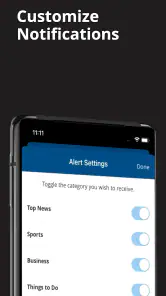
The app may support push notifications for important headlines, breaking stories, sports updates, and other timely coverage, depending on the version and your device settings. Notifications can be useful when you want fast alerts about Boston-area events, but they may become frequent during major news cycles. You can usually manage notification permissions through the app or your Android or iOS settings.
Can I read Boston Herald articles offline?
Offline reading depends on the features included in the current version of the Boston Herald app. Some news applications allow selected stories, editions, or downloaded content to remain available without an internet connection, while others require an active connection whenever an article is opened. If offline access is important to you, review the app description and test whether articles remain readable after temporarily disabling mobile data or Wi-Fi.
Pros
- Covers local Boston news
- politics
- sports
- and community events.
- Provides quick access to breaking stories and developing regional news.
- Includes opinion pieces and editorials alongside standard news reporting.
- Useful for readers who want a strong New England-focused news source.
- Articles are generally easy to browse on mobile devices.
Cons
- Some premium stories may require a subscription or account.
- Advertising can make parts of the app feel visually crowded.
- Coverage is heavily regional and may not suit readers seeking global news.
- Content updates and app performance may vary by device or connection.
- Some readers may find the editorial tone or opinions divisive.
- Category
- News & Magazines
- Version
- 10.0.60













