JobStack for Work | Daily Pay
- 3.24K
- 4.7
- Installs
- 500.00K
- Price
- Free
Screenshots
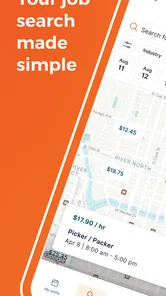
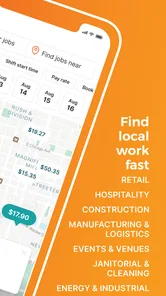
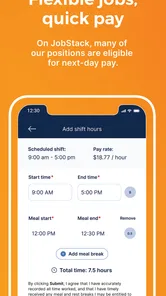


Analysis by Reviewed
When I look for work, I try not to treat every notification as a task I must handle immediately. A better routine is to decide what kind of shift or role I can realistically take, check opportunities at a set time, and keep notes on applications. JobStack can fit into that kind of system, especially if you want work opportunities surfaced on your phone rather than relying only on general job boards.
Set your priorities before you start browsing
Before opening a job app, I find it useful to name the practical limits that shape a good match: the days I can work, how far I can travel, and whether I need flexible hours or steadier employment. That small bit of preparation makes it easier to judge a listing on its actual fit instead of reacting to every alert. It also gives you a clear reason to pass on work that would disrupt the rest of your week.
JobStack is a free business app from TrueBlue®, and its focus is finding work and helping people earn money. It has a 4.6 average rating from around 36,000 ratings, with more than 500,000 installs. The app is rated for everyone, and version 1.72.0 supports Android 6.0 and later. Those details make it easy to try, but the real question is whether its job-search approach suits the kind of work you want.
Getting Started with JobStack
Let’s dive into how JobStack for Work | Job Search makes job hunting a breeze. The setup is a no-brainer. You download the app, fill in your profile, and voila! You're ready to explore. The interface is super user-friendly, almost like chatting with an old friend who knows exactly what you’re looking for.
Build a useful capture-and-review habit
When you add profile information, I’d treat it as a working record, not a form to rush through once and forget. Keep your experience and availability accurate, then revisit them whenever your schedule changes. A profile that reflects your current situation is more useful for matching than one left over from a previous job hunt. If you are balancing classes, caregiving, or another job, update your availability before relying on new suggestions.
One practical routine is to check listings at a predictable point in the day, decide which ones deserve action, and note any follow-up you need to make. That reduces the temptation to interrupt work or errands every time your phone lights up. For example, if you have a free afternoon and want to pick up work, you can review suitable opportunities then, rather than browsing in a hurry during your commute and accepting something you have not thought through.
Features that Stand Out
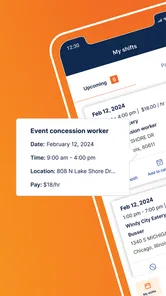
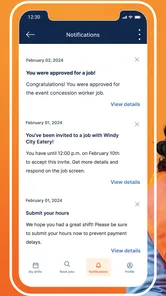
One of the coolest features I found is the instant job match. The app uses your profile data to connect you with jobs that fit like a glove. You get notifications for job openings that match your skills and preferences, so you never miss out on great opportunities. It's like having a personal assistant who keeps you in the loop 24/7.
More From Our News Desk

Weather by Xiaomi Review: Clear at a Glance, Less Clear Up Close

X Under Pressure: Can It Recover When Posting Goes Wrong?

Clash of Clans Is Won Between the Battles

Android Auto Makes the Case for Quieter Car Software

MobiOffice: Transforming Mobile Productivity with Seamless Integration

EA SPORTS FC™ Mobile Soccer: Redefining Mobile Sports Gaming
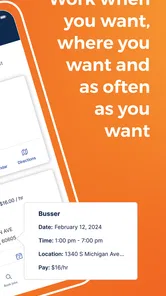
Another feature that deserves a shoutout is the flexibility of job options. Whether you’re looking for part-time gigs, temp jobs, or full-time positions, JobStack has got you covered. Plus, the app’s rating system for employers helps you avoid those nightmare gigs that are more stress than they’re worth.
Use matches as leads, not automatic decisions
I would still read each opportunity carefully and compare it with your own requirements. A match can save search time, but it cannot decide whether a location, schedule, or role works for your life. Employer ratings can be a useful point of reference, too, but I would treat them as one input rather than a guarantee that a particular assignment will suit you. If something is unclear, getting the details settled before committing is wiser than relying on a quick impression.
That distinction matters most when work is temporary or schedules change. A notification is a prompt to investigate, not a promise of income or a reason to stop considering other options. Keeping a simple note of roles you have checked can also help you avoid repeating the same search and make it easier to follow up on the opportunities you genuinely want.
Make a small decision log work for you
I like keeping a short note outside the app with three things for each promising lead: what caught my attention, what I still need to verify, and when I plan to check back. That can be as simple as “nearby, confirm start time, review tonight.” It turns a stream of listings into decisions I can revisit calmly. It is especially useful if you are comparing multiple shifts and do not want to rely on memory after a busy day.
This separate note is not busywork. A job feed helps you discover possibilities; a personal log helps you make choices across more than one channel. If you also check a general job board or an employer’s own site, keeping a common record prevents you from forgetting where you applied or assuming an alert was already handled. I would keep the note brief enough that maintaining it does not become a second job.
Why JobStack is a Game-Changer
In today’s fast-paced world, finding a job can be more stressful than the job itself. But with JobStack, it feels like the tables have turned. The app’s algorithm does the heavy lifting for you, filtering out irrelevant jobs and saving you hours of tedious searching. You get to focus on what matters most—preparing for interviews and landing that dream job.
Compared with broad job boards, a focused app can make the search feel less scattered when you want practical work leads rather than a long list of unrelated vacancies. But I would not make it your only channel if you are pursuing a specialized career, need a particular professional network, or want to compare a wide range of employers. In those cases, combine it with targeted company career pages or a field-specific job board. The useful trade-off is convenience versus breadth: a focused feed may be easier to act on, while a broader search can reveal options outside its lane.
Put it beside, not instead of, other search tools
The right comparison depends on what you are trying to accomplish. A broad job board is useful when you want to scan many industries or search for a specific title across employers. Direct company career pages are better when you already know which organizations interest you and want to understand their wider hiring picture. A professional network can help when relationships and a longer-term career move matter more than finding a shift soon. JobStack makes more sense as a practical source of leads when you are open to work options that fit your present availability.
I would avoid copying the same search routine across every service. Decide what each one is for: use this app to check relevant opportunities, use a broader board to catch categories you might otherwise miss, and reserve direct searches for employers or roles you have already identified. That division saves attention. It also makes it easier to notice if one channel is giving you useful leads or merely adding more scrolling to your day.
Where the workflow can break down
The main friction in any matching-based search is that the results are only as helpful as the information and preferences behind them. If your availability or experience changes, an old profile can lead you toward poor fits. Notifications can also become distracting if you treat every alert as urgent, so I’d review them in batches and adjust your routine if they start competing with work or personal time.
It is also worth setting expectations: an app can help organize discovery, but it cannot guarantee that a particular opening will remain available or that a role will match your needs once you learn the details. If you need highly predictable hours, a long-term position with a specific career path, or extensive employer research before applying, use JobStack as one part of a wider search rather than the whole plan.
And here's the kicker—JobStack isn’t just about finding jobs; it’s also about helping you grow professionally. You get access to resources like interview tips and industry insights right at your fingertips. It’s like having a career coach available 24/7, keeping you ahead of the game.
When a quick search needs a slower check
Speed is useful only when it does not push you into accepting work that clashes with real-life responsibilities. Before responding to a promising listing, I would check the practical details that matter to me: the location and travel time, the expected schedule, the nature of the work, and whether the arrangement fits around commitments I cannot move. If the listing leaves an important point uncertain, I would seek clarification before treating it as a workable plan.
That extra pause can feel counterproductive when you are eager to earn, but it protects your time. A shift that looks convenient on a screen may become a poor choice if getting there is difficult or the hours overlap with another obligation. I also would not assume that a good employer rating answers questions about a specific assignment. Use ratings as context, then judge the actual opportunity on its own terms.
A realistic day-to-day example
Imagine you have a part-time commitment in the morning, and you are available for additional work later in the week. Rather than checking your phone constantly, you could update your availability when that commitment changes, then set aside a short window in the evening to review matches. For each possibility, compare the schedule and location with your plans, save the ones that warrant a closer look in your own notes, and leave the rest without feeling that every alert needs an immediate answer.
The next day, you can follow up on the leads that still fit instead of starting your search from scratch. If your plans change again, update your profile and reassess the options. This approach is not a promise that the app will produce a particular result; it is a way to use its matching and notifications without letting them dictate your schedule. For me, that is the more sustainable benefit: a repeatable check-in, with enough space for judgment.
Who will get the most from it?
I see the strongest fit for people who want to find work opportunities on a phone and are open to flexible, temporary, part-time, or full-time options. It may be especially handy when your schedule changes week to week and you want a regular place to check for possibilities. Someone who prefers a structured daily search can use it as a dependable starting point, while still keeping a separate list of applications and follow-ups.
I would skip making it your primary tool if you are only interested in a narrow senior specialty, need extensive information before considering any employer, or want a traditional career-site experience with a broad overview of one company’s roles. A general job board or direct employer search may be better for those goals. Whichever route you choose, keep your profile current and make decisions based on the actual job details, not just the convenience of a match.
Questions worth answering before you rely on it
If you are wondering whether you can use it as your only job-search tool, my answer is usually no. It can be a focused place to look for opportunities, but people seeking a specific profession, a particular employer, or a wide comparison should keep other channels in the mix. A second question is whether a match means you should accept immediately. I would say no again: matching helps surface leads, while you still need to review the terms and decide whether the work fits.
You may also wonder how often to check. I prefer a planned routine over constant monitoring: choose a time that suits your day, review notifications together, and change the cadence if opportunities or your availability shift. And if a listing looks promising but leaves you unsure about a practical detail, do not treat the app’s convenience as a substitute for clarification. A little verification before committing is more useful than dealing with a mismatch later.
The Final Verdict
So, what’s the bottom line? If you’re in the market for a job and tired of endless scrolling and mismatched job alerts, JobStack for Work | Job Search is your go-to app. It’s efficient, intuitive, and packed with features that make your job search less of a chore and more of an adventure. Trust me, once you try it, you'll wonder how you ever managed without it.
For me, its best role is as one useful part of a sustainable job-search routine: set realistic criteria, keep your profile fresh, review matches thoughtfully, and use other channels when you need a wider or more specialized search. That approach makes it easier to stay active without letting the hunt take over your day.
Ready to give your job search a much-needed boost? Download JobStack for Work | Job Search today and start your journey towards your next career milestone.
JobStack for Work | Daily Pay Frequently Asked Questions
Can I browse JobStack for Work before deciding whether to apply?
JobStack is presented as an app for finding jobs and making money, so it may be useful if you want to explore work opportunities from your phone. The existing app description also says users can search for jobs and apply through the platform. Think about whether you are ready to pursue available opportunities before creating an account or sharing information in an application.
Is JobStack for Work suitable for someone new to using job-search apps?
JobStack for Work is a mobile job-search app intended to connect people looking for work with employers seeking workers. Its focus on searching for jobs and managing opportunities from a mobile device may suit someone who prefers handling a job search on a phone. If you are new to this kind of app, take time to review its screens and any terms before proceeding.
Who is JobStack for Work intended for?
JobStack for Work is aimed at people looking for employment and employers seeking workers, with its store summary emphasizing finding jobs and making money. It is a business app developed by TrueBlue®. Before downloading, consider whether a job-search app fits the way you want to look for work and manage opportunities from a mobile device.
What devices can run JobStack for Work?
JobStack for Work is available for Android devices running version 6.0 or later. Check your phone’s operating-system version before installing so you can confirm it meets that requirement. The app is free to download, and its content rating is Everyone, making it suitable for a general audience. Keeping your device’s software current can also help with app compatibility.
What is JobStack for Work and how does it work?
JobStack for Work is a mobile application designed to connect job seekers with employers in various industries. The app functions as a job marketplace, allowing users to search for jobs, apply directly through the platform, and manage their job applications. It offers real-time job matching based on your skills and preferences, making it easier to find suitable employment opportunities quickly and efficiently.
Pros
- User-friendly interface for easy navigation.
- Wide range of job categories available.
- Real-time job notifications.
- Quick application process.
- Job tracking feature included.
Cons
- Limited international job listings.
- Requires stable internet connection.
- Frequent app updates needed.
- Some jobs may require additional fees.
- Occasional app crashes reported.











