JetBlue - Book & manage trips
- 16.84K
- 4.6
- Installs
- 5.00M
- Price
- Free

Screenshots

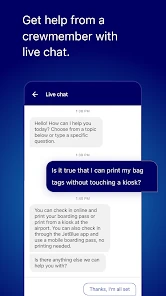
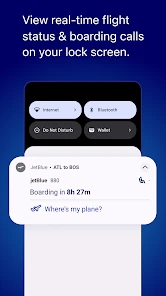
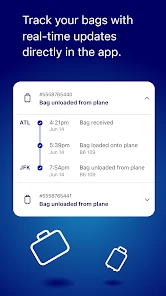
Analysis by Reviewed
Have you ever found yourself scrambling to book a flight at the last minute or trying to manage your travel plans on the go? Well, fret no more because the JetBlue - Book & manage trips app is here to save the day. This app is like having a personal travel agent in your pocket, making the whole process of booking and managing your flights as smooth as a perfectly timed landing.
Booking Made Effortless
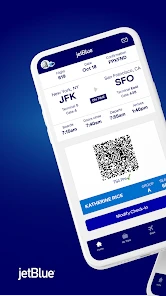
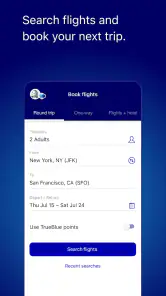
First things first, let's talk about the booking experience. The JetBlue - Book & manage trips app is designed with user-friendliness in mind. With just a few taps, you can have your flights booked and ready to go. The interface is clean and intuitive, which means you won't be squinting at your screen trying to figure out what to do next. It’s like the app knows exactly what you need and delivers it without any fuss.
One of the standout features is the ability to filter flights based on your preferences. Whether you're looking for the cheapest fare or the shortest travel time, the app's got your back. It’s like having a little genie granting your travel wishes! Plus, the app provides real-time updates on flight status, so you're never left in the dark.
Manage Trips with Ease
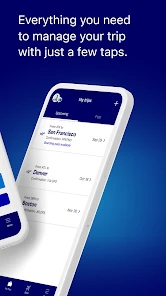
Managing your trips has never been easier. The app lets you keep track of all your bookings in one place. Need to change your seat or add extra baggage? No problem! The app's got options galore, and it’s all just a tap away. It's like having a travel control center in the palm of your hand.
And for all the frequent flyers out there, the app integrates seamlessly with your TrueBlue account. You can easily track your points and even use them to book flights directly from the app. Talk about convenience! It’s like having a rewards program that’s always at your service.
Why You'll Love It
Now, let's get to the part where I tell you why this app deserves a spot on your home screen. First off, the JetBlue - Book & manage trips app is perfect for anyone who values efficiency and convenience. The ability to book and manage flights anytime, anywhere, is a game-changer. Plus, the app's integration with your travel needs means you're always one step ahead.
Another thing to love is the app's sleek design. It's visually appealing without being cluttered, making navigation a breeze. And let's not forget about the personalized notifications that keep you updated on your travel plans. It's like having a friendly travel assistant who knows exactly what you need.
In conclusion, if you're a traveler looking for a hassle-free way to book and manage your trips, the JetBlue - Book & manage trips app is a must-have. It combines all the features you need in a travel app into one neat package. So, why wait? Give it a try and let it take your travel experience to new heights!
Pros
- User-friendly interface simplifies booking
- Real-time flight updates and notifications
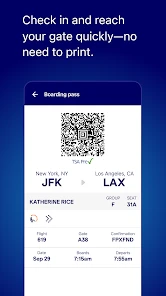
- Easy access to travel itineraries
- Seamless integration with TrueBlue rewards
- Secure payment options enhance safety
Cons
- Limited offline functionality
- Occasional app crashes
- Slow loading times on older devices
- Requires frequent updates
- Limited support for international flights

- Category
- Travel & Local
- Version
- 8.3.2