Invoice Maker - InvoiceBase
- 669.00
- 4.9
- Installs
- 1.00M
- Price
- Free

Screenshots

Analysis by Reviewed
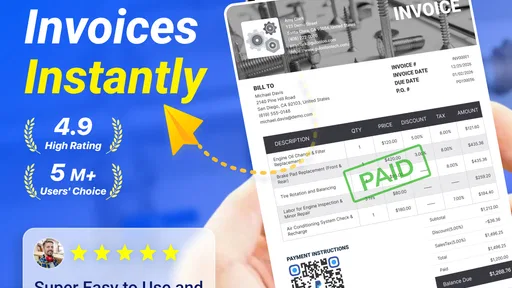
I find the most useful way to judge Invoice Maker & Estimate Maker is to treat it as a practical paperwork tool, not a replacement for every part of running a business. It is a free business app from Gulooloo Tech Co., Ltd., and it focuses on preparing invoices and estimates, then keeping their progress visible. That makes it appealing when I need to get a client document out promptly without opening a full accounting suite.
A repeatable routine beats starting from scratch
For a typical job, I would first prepare an estimate with the work and costs broken into clear lines, then add a note where a client might otherwise misunderstand what is included. After the client accepts, converting that estimate into an invoice keeps the paperwork connected and avoids retyping the same details. I’d still check the final document carefully: a quick conversion saves effort, but it does not remove the need to confirm the scope, amounts, and payment terms before sending.
For example, imagine a freelancer finishing a small design project between appointments. They can draft the estimate while the scope is fresh, send it for approval, and later turn the agreed figures into an invoice rather than rebuilding the document at the end of the job. Keeping payment statuses current is also more useful than relying on memory when several clients are at different stages. The app’s reminders can support follow-up, though I’d use a personal judgment about timing so a nudge feels professional rather than automatic or abrupt.
Small checks that prevent awkward corrections
Before using a document with a real customer, I would add the business logo and review how the description, notes, and terms appear together. A logo helps identify the sender, but clear line items do more of the work: clients should be able to tell what they are paying for without having to ask. If you work across currencies, check the selected currency on each document instead of assuming the last one carries over in the way you expect. That little habit matters when switching between local and international clients.
The app’s estimate-to-invoice path is particularly handy for repeat work, but it is worth treating each new project as its own agreement. Reusing a familiar structure can speed up drafting; copying old details without checking them can carry an outdated discount, description, or payment term into a new quote. I’d use saved habits as a starting point, then verify every client-specific detail before sending. This is a simple workflow improvement, not a claim that the app automates business judgment.
Where it fits in a small-business toolkit
Compared with writing invoices in a document editor, this app brings estimates, invoices, payment tracking, reminders, and reports into one focused place. That can be more convenient for a solo operator who wants to see whether a quote became a bill and whether the bill is still outstanding. A full accounting platform may be a better choice if your priority is broader bookkeeping and financial administration; this app’s appeal is the direct document workflow, not an all-in-one promise.
Its current version is 1.02.49.1125, it runs on Android 5.0 or later, and it is rated for Everyone. The app has a 4.8 average from around 40,000 ratings, with over 1 million installs and 527 written reviews. Those figures suggest that many people have tried it, but I would still judge it against the way you invoice: a high rating cannot tell you whether its workflow suits your industry or record-keeping needs. It is free to install, with in-app purchases ranging from $2.99 to $119.99 per item, so I’d check what is included before relying on a paid option for a regular process.
More From Our News Desk

Weather by Xiaomi Review: Clear at a Glance, Less Clear Up Close

X Under Pressure: Can It Recover When Posting Goes Wrong?

Clash of Clans Is Won Between the Battles

Android Auto Makes the Case for Quieter Car Software

MobiOffice: Transforming Mobile Productivity with Seamless Integration

EA SPORTS FC™ Mobile Soccer: Redefining Mobile Sports Gaming
Who will get the most from it—and who may not
I’d recommend it to freelancers, tradespeople, and small operators who need to prepare clear quotes, turn approved work into invoices, and follow outstanding payments without building a spreadsheet routine from scratch. It is less convincing as the main tool for someone who needs detailed accounting workflows or has complicated approval and reporting requirements. In that situation, a more comprehensive business platform may justify its extra complexity. If you only send an occasional invoice, a basic document template could be enough, though you would give up the convenience of tracking statuses and using the estimate-to-invoice flow.
The First Impression
Upon downloading and launching Invoice Maker & Estimate Maker, the first thing that caught my eye was its clean and user-friendly interface. No one wants to spend hours figuring out how an app works, especially when you have clients waiting. This app gets it right by keeping things simple yet effective. The dashboard is straightforward, allowing me to dive into creating invoices and estimates without a hitch.
Creating Invoices Made Easy
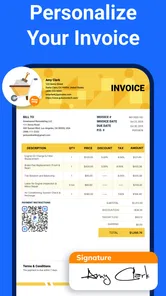
One of the standout features of this app is its invoice creation process. With just a few taps, I can customize invoices with my business logo, add detailed descriptions, and even include payment terms. It's like having a personal assistant who knows exactly how you like things done. Plus, the app supports various currencies, which is perfect for those of us dealing with international clients.
Estimating Like a Pro
Now, let's talk about the estimate maker feature. Whether you're in construction, consulting, or any field that requires project estimates, this app has got you covered. I was impressed with how easy it is to draft professional-looking estimates. You can break down costs, add discounts, and even attach notes for additional clarity. It’s a lifesaver when you need to send out quick quotes.
Additional Features Worth Mentioning
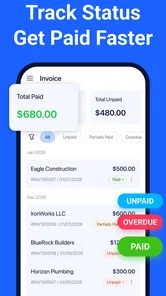
Aside from its core functions, the app offers a few extra features that make life even easier. For instance, the ability to convert estimates into invoices with a single tap is a real time-saver. The app also keeps track of payment statuses, so you're always in the loop about what's been paid and what's outstanding. Did I mention you can also send reminders? This feature ensures that you never miss out on due payments, which is crucial for maintaining cash flow.
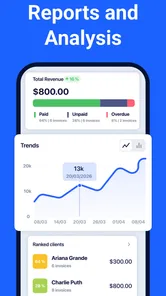
Additionally, the app provides insightful reports, giving you a clear picture of your financial health. I find this incredibly useful for making informed business decisions.
Keeping a clean record as work picks up
Once several jobs are active, the biggest benefit is not simply making a document faster; it is maintaining a dependable handoff from quote to bill. I’d settle on a consistent way to describe common work, then tailor each estimate to the actual scope instead of sending vague totals. That makes later review easier for both me and the client. If a project changes after approval, I would make the revised scope explicit rather than assuming the original estimate still explains the final invoice.
For a tradesperson moving between site visits, a useful habit is to record the job while the details are still clear: what was requested, which costs were agreed, and any condition that could affect the final amount. A short note can prevent a disagreement weeks later. The app gives me a place to present those details alongside the estimate, but it cannot decide what should be written or resolve a dispute. Careful descriptions remain the operator’s responsibility.
Settings and choices to review early
I would check the business identity and document presentation before sending anything externally, then make sure the logo, descriptions, notes, and payment terms look coherent together. Currency deserves its own check whenever the customer or job changes. These small decisions have an outsized effect on whether an invoice feels clear and trustworthy, especially when a client is seeing the business for the first time.
It is also sensible to explore what the free installation covers before making a paid option part of a routine. The app includes in-app purchases, and the listed per-item range runs from $2.99 to $119.99. I would not assume that every feature needed for a particular business is included at no cost; instead, I’d identify the exact task I need, check the available purchase details, and decide whether the recurring convenience is worth paying for. That prevents a workflow from depending on an option I have not evaluated.
Making follow-up useful rather than noisy
Payment reminders work best when they support a deliberate follow-up routine, not when they replace one. I’d review which invoices are outstanding, check the agreed terms, and then choose an appropriate moment to contact each customer. A reminder can save me from overlooking a due payment, but the relationship still depends on tone and context. A long-standing client with a temporary delay may need a different message from someone who has not responded at all.
Reports can add perspective when I look at them alongside current documents, but I would treat them as a summary rather than a substitute for bookkeeping. If I need a complete view of taxes, expenses, reconciliation, or formal financial records, I would use a dedicated accounting service as well. The app’s reporting is most useful for a quick operational check: what has been invoiced, what remains unpaid, and whether follow-up is slipping.
Where the focused approach has limits
The app’s simplicity is a strength when I need to create an estimate or invoice without navigating a broad suite. It can also become a limitation if several people need to approve work, if the business relies on complex accounting procedures, or if every document must follow a specialized process. In those cases, I would compare it with a full business platform before moving all records into a narrower tool. A simple interface is not automatically the right fit for a complicated operation.
There is also a trade-off between speed and control. A document editor gives me freedom to format almost anything, but leaves me to organize versions and payment status. This app brings common paperwork and tracking together, which is more convenient for routine jobs, while a customized document workflow may suit unusual contracts better. I would choose based on the work I actually repeat, not on the number of features I might theoretically use.
For someone who invoices only now and then, the initial setup and habit of keeping statuses current may not save much time. A reusable document template can be perfectly adequate for an occasional bill. The stronger case for this app appears when estimates regularly become invoices and several payments need watching at once. If that is not part of your week, the extra tracking may feel like another task rather than a benefit.
The Final Verdict
All in all, Invoice Maker & Estimate Maker is an app that delivers on its promises. It's efficient, user-friendly, and packed with features that cater to the needs of freelancers, small business owners, and anyone in between. If you're in the market for an invoicing solution that's both powerful and easy to use, this app is definitely worth a try.
So, go ahead and give it a whirl! You might just find that it's the invoicing companion you never knew you needed. Trust me, your future self—and your clients—will thank you!
My practical recommendation
I would start with one real but low-risk job: create an estimate, check its wording and currency, and follow it through to an invoice once the work is approved. That single cycle will show whether the flow matches how you communicate with customers. If it feels natural, keep a small routine of checking outstanding statuses and reviewing documents before they go out. If you need deeper accounting or tightly controlled team approvals, keep this as a document tool only—or choose a broader system instead.
Invoice Maker - InvoiceBase Frequently Asked Questions
Is Invoice Maker & Estimate Maker free to download?
Yes. Invoice Maker & Estimate Maker is free to download, so you can explore the app without paying upfront. Keep in mind that some options may involve in-app purchases. If you prefer to avoid unexpected charges, review any purchase prompt carefully before confirming it and decide whether a paid option fits your needs.
Who makes Invoice Maker & Estimate Maker, and what is its age rating?
Invoice Maker & Estimate Maker is developed by Gulooloo Tech Co., Ltd. It has an Everyone content rating, so it is marked as suitable for a broad audience. The app focuses on business tasks such as preparing invoices and estimates, which may be useful to freelancers and small-business owners who want to handle billing from a mobile device.
What does Invoice Maker & Estimate Maker cost, and are there in-app purchases?
Invoice Maker & Estimate Maker is free to download, so you can try the app without an upfront purchase. It also offers in-app purchases, with options ranging from $2.99 to $119.99 per item. Check the purchase details in the app before buying, and consider whether any paid option suits the way you plan to use its invoicing and estimate-making tools.
Which devices can run Invoice Maker & Estimate Maker?
The app is available for Android devices running version 5.0 or later. Before downloading, check your device’s operating system version and make sure you have enough available storage for the installation. The app is categorized for business use and has an Everyone content rating, making it suitable for a broad audience.
Who develops Invoice Maker & Estimate Maker, and how widely is it used?
Invoice Maker & Estimate Maker is developed by Gulooloo Tech Co., Ltd. It has an average rating of 4.8 from around 40,000 ratings and has been installed over a million times. Those figures suggest it has reached many users, although your own experience will depend on whether its invoice and estimate tools fit your business workflow.
Pros
- User-friendly interface
- Easy customization options
- Supports multiple currencies
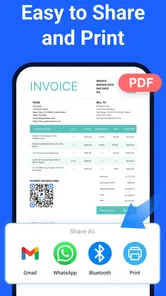
- Quick PDF generation
- Email invoices directly
Cons
- Limited free version features
- Occasional sync issues
- No offline mode
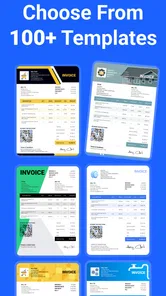
- Few template designs
- Customer support response time











