Indoor thermometer
- 187.00
- 4.6
- Installs
- 1.00M
- Price
- Free

Screenshots
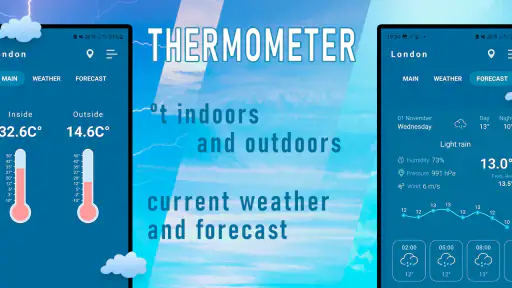
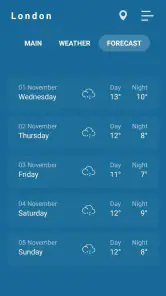
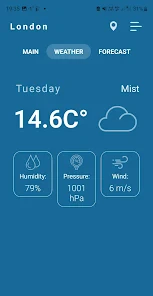
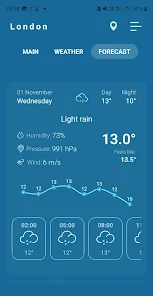
Analysis by Reviewed
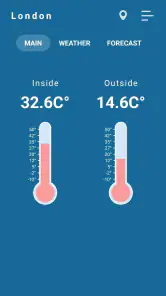
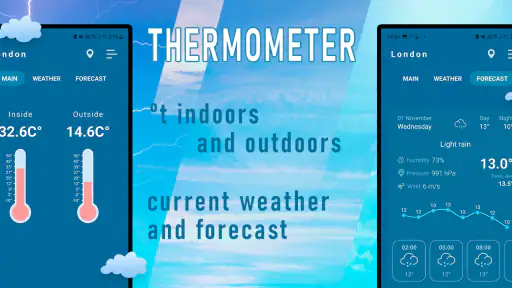
I like having a quick way to check whether a room feels cool because the heating is low or because I’ve simply been sitting still too long. Indoor Thermometer is aimed at that small, everyday question: it gives your phone a thermometer-style role for checking indoor and outdoor temperature. That simple focus is appealing, though it also means it’s worth understanding what a phone-based reading can—and cannot—tell you before relying on it.
A quick check, not a home-monitoring system
In ordinary use, I’d treat this as a convenient reference rather than a replacement for a dedicated room thermometer. A phone is not a measurement instrument placed permanently in the room, so where it has been sitting and how recently it was handled can affect how useful a reading feels. For a more consistent comparison, I’d leave the phone in one spot for a while, keep it away from direct sunlight or a heater, and check it under similar conditions each time. That makes the reading more helpful for noticing a change, even if I would not use it to settle a close argument over a thermostat setting.
That distinction matters most when the number will drive a decision. If I’m deciding whether to open a window, the app can be a handy prompt to check the room and compare it with how I feel. If I need dependable measurements for a baby’s room, storing temperature-sensitive items, or managing a health concern, I’d choose a purpose-built thermometer and follow the relevant professional guidance instead. The app’s convenience is real; precision-critical use is a different job.
Cost, expectations, and everyday value
The app is free to download, which makes trying it a low-commitment way to see whether a phone-based temperature check fits your routine. Sweetvrn is the developer, and the app is rated for Everyone. Its average rating is 4.6 from around 24,000 ratings, with more than a million installs. There are in-app purchases, listed from $1.99 to $26.99 per item, so free access should not be confused with every possible option being free. I’d check what a purchase actually unlocks in the app before paying; the price range alone doesn’t tell me whether an upgrade would be worthwhile for my needs.
For someone who only wants an occasional sense-check, the free starting point may be enough. Someone comparing rooms day after day, or expecting a full weather service with forecasts and alerts, should first make sure the available tools match that expectation. A standard weather app is usually the better choice for planning around rain, wind, and upcoming conditions; a standalone thermometer is the better choice when measurement consistency matters. This app sits between those habits: quick access on a phone, with fewer reasons to buy or carry another device.
When a phone check fits the day
The strongest case for this kind of indoor temperature app is convenience, not laboratory accuracy. I can imagine checking it while getting ready to leave, then deciding whether the room needs a little more ventilation before I start work. It can also be useful after returning from a walk: if the living room feels stuffy, a quick reading gives me another clue before I adjust the heating or open a window. The practical benefit is having a check close at hand, not having to hunt for a separate instrument for every small question.
There is a sensible routine that makes the result easier to interpret. I’d set the phone down on a stable surface, away from a window, cooking area, radiator, or other obvious source of heat, and give it time before comparing one check with another. I would avoid comparing a reading taken just after the phone has been in a warm pocket with one taken after it has rested in a cooler room. This is not a special setting or hidden feature; it is simply a way to reduce the influence of the phone’s immediate surroundings and make the app more useful as a rough reference.
More From Our News Desk

Clash of Clans Is Won Between the Battles

Android Auto Makes the Case for Quieter Car Software

MobiOffice: Transforming Mobile Productivity with Seamless Integration

EA SPORTS FC™ Mobile Soccer: Redefining Mobile Sports Gaming

How Microsoft OneDrive Became a Mobile Productivity Giant

How Google Translate Breaks Language Barriers Effortlessly
For example, imagine coming home on a chilly evening and finding the hallway comfortable but the bedroom noticeably cooler. Rather than changing the heating straight away, I could place the phone in the bedroom, let it sit undisturbed, and use the reading alongside how the room feels. If the number is clearly different from a later check under similar conditions, that may help me spot a pattern. I would still use a separate thermometer if the exact temperature mattered, but for a low-stakes decision about comfort, the phone check can help turn a vague impression into a more considered choice.
What the reading can tell you—and what it can’t
A temperature number has value only when I know what question I’m asking of it. A single reading can help me decide whether a room feels unusually warm or cool, but it cannot by itself explain why. Sunlight on one wall, a recently opened door, or a heater running nearby can all change the conditions around the phone. I’d use the app to prompt observation, then check the room itself and the heating controls rather than treating one number as a complete diagnosis of the home.
It is also worth separating indoor and outdoor checks in your mind. The app is described as covering both, but a phone carried outdoors is exposed to changing conditions and may have recently been indoors, in a pocket, or in direct sun. I would not assume that a quick outdoor check reflects the conditions across a whole neighborhood. For deciding what to wear, a dedicated local forecast is more useful because it is intended to help with coming weather, while this app’s appeal is the immediate temperature check.
That difference answers a common practical question: should this replace a weather app? I wouldn’t use it that way. A forecast service is the right tool when I need to know whether rain is coming, how conditions may change later, or what the wind will be like. This thermometer-focused app makes more sense when I want a quick temperature reference for the space around me. If I need both kinds of information, I’d keep the tools in their separate roles rather than expecting one to cover the other’s job.
What’s the Deal with Indoor Thermometer?
So, let’s dive into why the Indoor Thermometer app has become my go-to for checking indoor climate. First off, it’s available on both Android and iOS, which is fantastic because no one’s left out of the comfort club. The app uses your phone’s sensors to give you real-time data on the room temperature. It’s like having your own personal meteorologist, minus the green screen and awkward hand gestures.
Features That Make It Stand Out
One of the coolest things about this app is its user-friendly interface. Seriously, even if you’re not tech-savvy, navigating through its features feels like a breeze. You get instant readings, and it even provides historical data so you can see how your indoor environment changes over time. I found this particularly handy for figuring out when to adjust my thermostat. Plus, the customization options let you set alerts for when the temperature goes beyond your comfort zone.
Another highlight is the app’s neat design. It’s not cluttered with unnecessary features, just the essentials you need, which I appreciate because who needs more clutter in their life, right? And, it doesn’t drain your battery. I’ve had it running in the background for days without noticing any significant battery drop, which is a major win in my book.
Making the extra tools earn their place
Historical information and alerts can be helpful, but I’d use them with a clear purpose rather than turning every reading into a project. For instance, if a room repeatedly feels uncomfortable at a particular time of day, looking back at changes may help me decide whether to adjust a routine, such as when I open the curtains or switch on the heating. The useful question is not just “what is the temperature now?” but “does this room tend to change in a way I can act on?” A record is most valuable when it informs a simple decision.
Alerts make sense for someone who wants a nudge when a reading moves beyond a personal comfort range. I would choose a threshold that reflects a practical reason, then see whether the notification leads to a useful action. If alerts keep appearing without changing what I do, they are noise rather than value. And because a phone is not fixed permanently in a room, I would be cautious about treating an alert as proof that the whole home has reached a particular condition. It is better used as a reminder to check the space.
Before paying for anything, I’d first use the free access for the basic routine I actually need: check a room, compare it later under similar conditions, and decide whether that is enough. If I find myself wanting a paid option, I’d look at its exact in-app description and weigh it against a clear use case. The listed purchase range stretches from $1.99 to $26.99 per item, which is a broad enough range that I would not assume every purchase offers the same kind of value. Free installation is a reason to try it, not a reason to buy an upgrade without knowing what it does.
Another question I’d consider is whether this is a good fit for a shared household. It can be a convenient check for someone who already carries a phone around, but a phone that moves between rooms is not a fixed monitor everyone can consult. If several people need a stable reading in the same place, a dedicated thermometer left there is the clearer household solution. If one person mainly wants occasional context before adjusting the heating, the phone-based approach is easier to keep close.
Where it sits beside familiar alternatives
Compared with a basic room thermometer, the advantage here is that the check is bundled into a device I already have. The trade-off is that a separate thermometer can stay in one spot and provide a more consistent point of comparison. I would choose the standalone option for a room that needs regular monitoring, while this app makes more sense for casual checks in different places. Neither choice is automatically better; the deciding factor is whether portability or steady placement matters more to me.
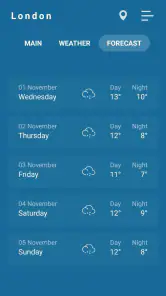
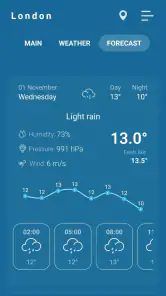
Compared with a full weather app, the focus is narrower. Forecasts are useful for planning a day, but they can be more information than I need when the immediate question is whether my room seems cool or warm. Conversely, when I am deciding whether to carry an umbrella or plan an outdoor activity, a forecast is plainly the better tool. The app’s value comes from staying close to a small, immediate task rather than trying to replace every kind of weather information.
I also wouldn’t treat it as a smart-home control system. A temperature check can inform a decision, but checking a reading is different from automatically controlling heating or maintaining conditions. If someone wants a hands-off setup, they should look for equipment designed for that purpose. This app is more appropriate for a person who is happy to check, interpret, and make a simple adjustment themselves.
Who will get the most from it
I think it suits people who want a straightforward temperature check now and then, especially renters or anyone who does not want another device on a shelf just to answer an occasional comfort question. It can also help someone notice whether a room is warmer in the afternoon or cooler in the evening, provided they compare readings sensibly. The appeal is modest but real: a familiar phone becomes a convenient place to start checking, and free access lets a curious user see whether that routine is useful.
I would skip it as a main measurement tool if accuracy is important, if the reading needs to remain stable while I’m away, or if the result will guide a health or safety decision. I’d also choose a forecast app instead if my main interest is upcoming weather, and a dedicated thermometer if I need a reliable reading in one specific room. Those are not criticisms of the app so much as boundaries around what a phone-based check can reasonably do.
The app is rated for Everyone, and its current version is 2.1.00, with Android support beginning at version 6.0. It has been available since July 13, 2021, and its average rating is 4.6. Those details give a little context for a free app with a sizable audience, but they do not change my basic advice: choose it for convenience, and judge each reading in light of where the phone has been and what you plan to do with the result.
Why You Should Give It a Go
If you’re like me and love tweaking your home environment to perfection, this app is a must-have. It’s perfect for those who want to ensure their living space is always at the perfect temperature. Whether you’re trying to save on heating bills or just want to make sure your home is always cozy, this app has got you covered. And the best part? It’s free to download!
My more measured recommendation is to try it if you want a quick, no-fuss reference and already understand that convenience is not the same as precision. Start with the free version, keep the phone in a sensible spot when comparing conditions, and see whether the information changes a decision you make. If it does, the app has earned its place in your routine. If you keep wanting a fixed, dependable reading or detailed weather planning, spend your attention on the tool built for that need instead.
In conclusion, the Indoor Thermometer app is a simple yet powerful tool that transforms your smartphone into a smart home assistant. It’s like having a trusty sidekick that helps you keep your indoor environment just right, all the time. So, if you’re tired of playing the guessing game with your home’s temperature, give this app a try. You might just find it’s exactly what you’ve been looking for!
Indoor thermometer Frequently Asked Questions
Can I use Indoor Thermometer to check the temperature in different rooms?
Indoor Thermometer is intended to show indoor and outdoor temperature, so it may be useful when you want a quick indication of conditions around you. For a room-to-room comparison, keep in mind that the reading can depend on the device and where it is placed. Treat it as a convenient reference rather than a precise room-monitoring instrument.
What should I consider before relying on a phone app as a thermometer?
A phone app can be a handy way to check temperature, but it should not automatically be treated as a replacement for a dedicated thermometer. Device capabilities and the conditions around the phone can affect readings, and accuracy matters more for some tasks than others. If a precise measurement is important, compare the app’s reading with a suitable thermometer.
Is Indoor Thermometer free to download, and are there in-app purchases?
Indoor Thermometer is free to download, so you can try its temperature display without paying upfront. The app also offers optional in-app purchases, with prices ranging from around $2 to $27 per item. Consider whether you need any paid extras before making a purchase; the core appeal is checking indoor and outdoor temperature in one app.
What is the main functionality of the Indoor Thermometer app?
The Indoor Thermometer app is designed to show indoor and outdoor temperature readings. Its straightforward purpose makes it useful when you want a quick sense of the conditions around you, whether you are checking your room or looking at the temperature outside. The app is listed in the Weather category and is developed by Sweetvrn.
Does the Indoor Thermometer app require an internet connection to function?
No, the Indoor Thermometer app does not require an internet connection to provide temperature readings. It works offline by utilizing the sensors available in your smartphone or tablet. However, an internet connection might be needed for additional features such as updates or accessing online support.
Pros
- Accurate temperature readings.
- User-friendly interface.
- Fast response time.
- Low battery consumption.
- No ads.
Cons
- Requires internet connection.
- Limited offline functionality.
- Not suitable for professional use.
- Occasional calibration needed.
- Limited to indoor measurements.
- Category
- Weather
- Version
- 2.1.00