

Homeschool: Good & Beautiful
- 177.00
- 3.5
- Installs
- 100.00K
- Price
- Free

Screenshots
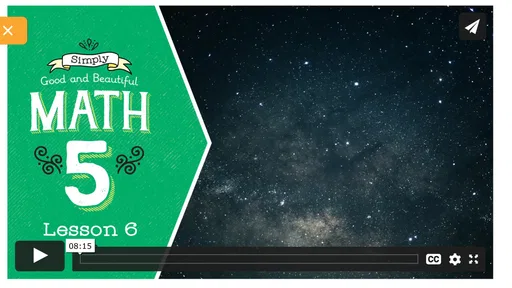
Analysis by Reviewed
I came away from Homeschool: Good & Beautiful thinking of it less as a complete homeschooling platform and more as a useful companion for families already interested in The Good and the Beautiful. That distinction matters. The app is free, aimed at everyone, and built by The Good and the Beautiful, but its real value is in bringing related media and the developer’s online store closer to a parent’s daily routine. It is not trying to replace every lesson planner, library app, video service, or learning management tool.
For the right family, that focused approach is convenient. Instead of searching through a browser whenever a lesson points toward an accompanying resource, parents can use one place to reach connected media and browse educational materials. For families who do not use this curriculum or who want a broad, independent education app, the experience is much less compelling. My overall view is positive but specific: this is a supporting tool, not the central engine of a homeschool.
What the app is really useful for
The first thing I noticed is that the app makes the most sense when it is used alongside physical or digital learning materials from The Good and the Beautiful. Its purpose is not to teach every subject through interactive exercises. Instead, it helps parents move between curriculum-related content and the developer’s shop without constantly opening separate browser tabs.
That can sound modest, but small points of friction add up during a busy school day. A parent may be preparing a history lesson, looking for a related piece of media, and checking whether another resource would fit an upcoming unit. Having those destinations gathered together can make the process feel more organized. The app’s usefulness comes from reducing that searching and switching, rather than from offering a large collection of independent activities.
I also appreciate that the app is clearly positioned for parents. A child may benefit indirectly from the material, but the main user is the adult choosing resources, planning lessons, and deciding what belongs in the family’s routine. That makes it different from a typical children’s learning game, where the child spends most of the time tapping through lessons or earning rewards.
The store connection is especially practical for families who already know what they want to investigate. It gives the app a shopping and resource-discovery role, not just a media-player role. I would use it when comparing materials for a new term, checking related content while planning, or revisiting resources after a lesson has raised a new question.
A realistic day with the app
Imagine a parent planning the next week’s lessons after breakfast. The family is already using materials from The Good and the Beautiful, and one topic would benefit from an accompanying video or other media. Rather than searching the wider web and sorting through unrelated results, the parent opens the app, checks the connected content, and then looks through the store for a suitable resource. Later, while teaching, the parent can return to the same app instead of trying to remember which browser tab contained the useful item.
More From Our News Desk

 Instagram
Instagram’s Power Comes From Its Place in Your Phone
A close look at how Instagram turns Meta’s reach, recommendation systems and everyday camera habits into durable platform power—and what that costs users.

 Gmail
GmailGmail in a Busy Inbox: Who Benefits Most?
From first account to crowded workday, Gmail earns its place through dependable search and flexible sorting—but its best fit depends on how much inbox maintenance you can tolerate.

 Prime Video
Switching to Prime Video: What Changes in Your Viewing Routine
Prime Video can make a compelling second home for streaming, but switching means learning a different catalog, rental layer, and route from browsing to playback.

 Universal TV Remote Control
Universal TV Remote Control Works Best as a Reliable Backup
A phone remote earns its place through quick setup and reliable habits. Here is how to get more from Universal TV Remote Control—and where its limits show.

 Weather - By Xiaomi
Weather by Xiaomi Review: Clear at a Glance, Less Clear Up Close
Xiaomi’s weather app makes everyday forecasts quick to scan, but its calm surface can leave useful details and recovery paths harder to find than they should be.

 X
XX Under Pressure: Can It Recover When Posting Goes Wrong?
A resilience-focused review of X, examining setup, mistaken posts, interruptions, weak connections, and the gaps that matter when recovery needs to be dependable.
Latest News



That workflow is not dramatic, but it is believable and valuable. Homeschooling often involves many small decisions, and a focused companion can help keep those decisions tied to the curriculum being used. The trade-off is that the workflow only becomes efficient when the family’s materials already align with this developer. Without that connection, the app has less reason to remain part of the daily routine.
The strongest part: connection rather than complexity
The best quality here is the relationship between the app’s media access and its online store. Those two functions support one another. Media can help a parent understand how a topic might be presented, while the store provides a place to explore the wider collection of materials. This is more useful than treating the app as a random shelf of educational content.
I would not describe the experience as a replacement for a full curriculum organizer. I would describe it as a bridge between planning and resource discovery. That is a narrower promise, but it is also the promise the app handles most naturally.
Another strength is accessibility at the starting line. The app is free, has an Everyone content rating, and supports devices running Android 7.0 or later. Those details make it approachable for many families, particularly parents who want to explore the ecosystem before committing their time to a larger collection of materials. Free access does not automatically make an app useful, but it lowers the risk of trying it.
The current version is 1.8.4, and the app has passed the early experimental stage that many small companion apps never get beyond. Its presence on Android has also reached over 100 thousand installs, while its average rating sits at 3.5 from around 374 ratings. I read that as a sign of moderate usefulness rather than universal enthusiasm. There is enough adoption to suggest that families are finding a reason to keep it, but the rating also encourages realistic expectations.
Where it fits beside familiar alternatives
Compared with a general web browser, the app’s advantage is focus. A browser can reach far more educational material, but it also brings distractions, inconsistent quality, and extra searching. If I already know that I want content connected to The Good and the Beautiful, a dedicated app can be quicker and less cluttered.
Compared with a broad homeschool planner, however, this app is much narrower. A planner is usually the better choice for tracking assignments, arranging a timetable, recording progress, or coordinating several children. I would not install this expecting it to replace those functions. The two types of tools can work together: the planner manages the family’s schedule, while this app helps locate related media and curriculum resources.
It also differs from children’s educational apps. Many learning apps are designed around independent use, with lessons, feedback, games, or progress systems intended to keep a child moving. This app is more parent-facing and resource-oriented. If your priority is independent practice in mathematics, reading, spelling, or another subject, a dedicated subject app will probably serve you better.
That comparison clarifies the app’s strongest audience. It is not competing successfully on breadth. It is competing on relevance for a particular curriculum community. In my opinion, that is a sensible choice, provided the app remains easy to navigate and parents understand what it is meant to do.
Useful habits that make the app work better
One practical habit is to open the app during planning rather than waiting until a child is already sitting down for a lesson. That gives the parent time to preview related content, decide whether it actually fits the child’s age and attention span, and prepare any materials needed afterward. Used this way, the app becomes part of preparation instead of an interruption in the middle of teaching.
A second habit is to treat the store as a discovery area rather than an automatic shopping list. The convenience of having resources close by can encourage impulse decisions. I would first identify the subject, the child’s current level, and the gap I am trying to fill. Then I would use the app to investigate relevant options. This keeps the tool connected to an educational need instead of turning browsing into the day’s main activity.
A third useful approach is to separate media from the core lesson. Related content can add context, but it should not automatically replace reading, discussion, writing, or hands-on work. I would preview anything before showing it, especially when teaching younger children, and decide what question the media is supposed to answer. That simple step can turn an extra resource into a purposeful part of a lesson rather than background noise.
There is also a broader planning benefit. When several children are studying different topics, parents can use the app as a central place to investigate resources before making separate decisions for each child. It will not solve the scheduling problem by itself, but it can reduce the number of places a parent must search when gathering ideas. The real gain is mental organization, not a new teaching method.
The weakness I would take seriously
The app’s narrow focus is also its main limitation. If a family expects a complete homeschooling dashboard, the experience may feel incomplete. Parents looking for detailed planning, assignment tracking, assessment tools, offline lesson management, or broad subject practice should look elsewhere or use additional tools. The app’s role is too specific to carry all of those responsibilities.
There is another possible source of friction: the value depends heavily on the user’s relationship with The Good and the Beautiful. Families following another curriculum may find the media and store connection less relevant. Even families who are curious about the developer’s materials may not want a dedicated app if a browser already handles occasional visits comfortably.
The store focus may also change the emotional balance of the experience. Some parents will appreciate being able to discover materials at the moment they need them. Others may prefer an app that concentrates entirely on lessons and keeps purchasing separate. Neither preference is wrong, but it is worth knowing that resource shopping is part of the app’s identity rather than an incidental extra.
I would also avoid assuming that a free app removes every cost from the wider experience. The app itself costs nothing, but parents may still be evaluating curriculum materials and other resources through the connected store. That is not a flaw in the app, yet it affects how I would judge it: as a convenient access point, not as a complete free education package.
Finally, the average rating of 3.5 suggests that the experience will not satisfy everyone equally. I would not treat that number as a reason to dismiss it, because a focused companion can be very useful to one curriculum’s users and nearly irrelevant to everyone else. Still, it reinforces my advice to install it with a clear purpose. Know whether you need connected media, resource browsing, or both before expecting more from it.
Who should install it?
I would recommend it first to parents already using, considering, or regularly researching materials from The Good and the Beautiful. For them, the app can shorten the path between a lesson idea, related media, and the developer’s wider collection. It is especially suitable for a parent who prefers a simple companion rather than a large platform filled with unrelated tools.
It may also suit families who are beginning to explore homeschooling and want a low-risk way to understand this particular educational ecosystem. Because it is free and rated for everyone, a parent can investigate its role without treating the first installation as a major commitment. The important point is to evaluate it alongside the curriculum, not as a standalone test of homeschooling itself.
I would be more cautious for families who need one app to coordinate everything. If you want a shared calendar, detailed records, automated grading, extensive independent practice, or support for many unrelated curricula, a dedicated homeschool management service is likely a better foundation. You can still keep this app as a supplementary resource, but it should not be the only tool in your setup.
I would also skip it if your children are expected to use an app independently for most of their learning. Its parent-oriented design and resource role do not make it the natural choice for a child seeking game-like practice or a structured sequence of interactive lessons. In that situation, a subject-specific learning app will offer a clearer purpose.
My final recommendation
After looking at what it does and what it leaves to other tools, I see Homeschool: Good & Beautiful as a focused convenience app with a clearly defined audience. Its strongest feature is not technological novelty; it is the way it connects curriculum-related media with resource discovery for parents who are already close to The Good and the Beautiful.
My recommendation is to use it as a companion, not as your entire homeschool system. Install it if you want a more direct route to connected content and the developer’s store, especially if those resources already form part of your plans. Keep a separate planner or subject tool for the responsibilities this app does not attempt to handle.
For the right family, that limited scope is a strength because it keeps the experience relevant. For everyone else, it may feel like an extra doorway to information they could reach another way. I would give it a try when its connection to your curriculum solves a real planning problem; otherwise, a broader homeschool organizer or a dedicated learning app will probably deliver more value.
Homeschool: Good & Beautiful Frequently Asked Questions
Can I use Homeschool: Good & Beautiful to access curriculum media and shop?
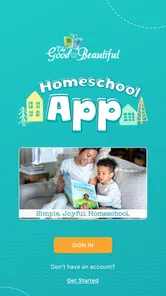
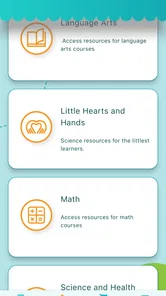
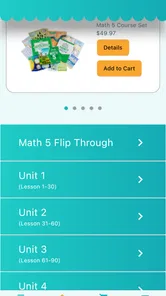
Yes. Homeschool: Good & Beautiful is presented as a convenient way for parents to access correlated media and shop The Good and the Beautiful’s online store. It is an Education app from The Good and the Beautiful, so it is most relevant to families already using or exploring that publisher’s homeschool resources. The app’s store and media functions can be useful companions, while the learning plan itself still depends on the materials your family chooses.
What devices and operating systems can run Homeschool: Good & Beautiful?
The app is available for Android and iOS, and the Android version requires Android 7.0 or later. If you are considering installing it on an older device, check the operating-system version first. A compatible system is only one part of a smooth experience: parents may also want to make sure the device is convenient for viewing media, browsing the store, and helping children use any resources accessed through the app.
What is Homeschool: Good & Beautiful?
Homeschool: Good & Beautiful is an educational app designed to support families who teach children at home. It typically complements The Good and the Beautiful curriculum with lessons, activities, reading resources, and organization tools. The content is aimed at making learning more engaging and structured, although the exact subjects, grade levels, and available materials may depend on the current app version and the resources your family uses.
Which ages and school subjects does Homeschool: Good & Beautiful support?
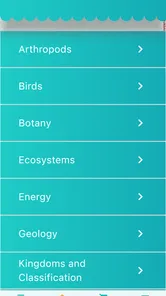
The app is primarily intended for homeschooling families with children in elementary and other early school years, but the available content can vary by grade and curriculum level. Depending on the materials provided, families may find support for language arts, reading, handwriting, mathematics, science, history, and related activities. Before downloading, it is worth checking the current grade coverage to ensure it matches your child’s learning stage.
Does Homeschool: Good & Beautiful require an internet connection?
An internet connection may be needed for the initial download, account access, content updates, streaming resources, or downloading lessons and media. Some materials may remain available offline after they have been saved to the device, but offline functionality can differ between sections. If you plan to use the app during travel or in an area with limited connectivity, test the desired lessons beforehand rather than assuming every feature works offline.
Pros
- Clear
- engaging lessons designed for home learning
- Strong focus on character building and family involvement
- Many printable resources support offline study
- Suitable for different ages and learning levels
- Beautiful presentation makes lessons enjoyable for children
Cons
- Some materials require printing
- ink
- and extra preparation
- The teaching style may feel too structured for some families
- Advanced subjects may have limited depth for older students
- Large resource libraries can be difficult to organize
- Some features and content may require paid purchases











