Hisense TV Remote
- 83.00
- 3.6
- Installs
- 100.00K
- Price
- Free
Screenshots
Analysis by Reviewed
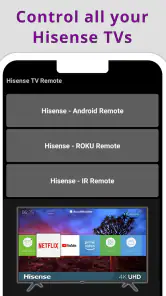
Ever been in that classic situation where you can't find your TV remote right when your favorite show is about to start? Well, let me introduce you to a nifty solution: the Hisense TV Remote app. This little gem is designed to turn your smartphone into a fully-functional TV remote, making TV time a whole lot more convenient.
Setting Up Your Virtual Remote
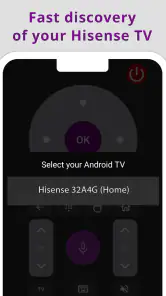
Getting started with the Hisense TV Remote app is as simple as pie. First off, you need to download the app from your respective app store—be it Android or iOS. Installation is straightforward, and within minutes, you're ready to roll. The app uses your smartphone's infrared (IR) blaster, or Wi-Fi, to connect with your Hisense TV, and the pairing process is surprisingly smooth. Just ensure your phone and TV are connected to the same network, and voila! You're in control.
User Interface: Simplicity at its Best
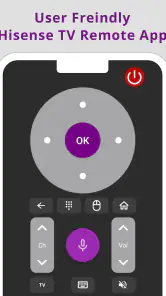
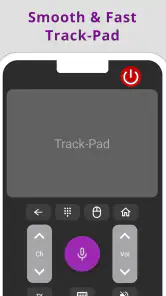
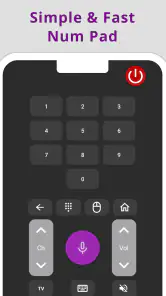
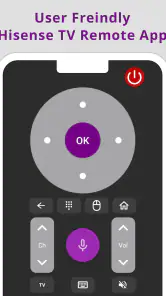
What I love about this app is its clean and intuitive interface. The design is minimalistic, making it easy to navigate even for those who aren't tech-savvy. You have all the basic controls at your fingertips, like volume, channel switch, and even a power button. The app also includes a keyboard feature, which is a lifesaver when you're typing in searches or entering passwords—no more clunky remote typing!
Features That Stand Out
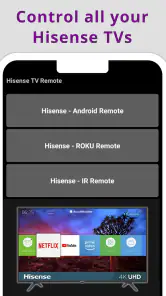
One standout feature is the voice control function. It allows you to command your TV using your voice, which feels like having a personal assistant at your service. Additionally, the app supports multiple Hisense devices, so if you’re a Hisense enthusiast with more than one TV, this app’s got you covered.
The app also keeps updating with new features and improvements, ensuring it stays relevant as technology advances. Plus, it’s super handy when you have guests over or kids who've misplaced the actual remote.
Ending Thoughts: Is It Worth It?
In a world where convenience is king, the Hisense TV Remote app is a must-have for anyone with a Hisense TV. It's not just about replacing a lost remote; it's about enhancing your viewing experience with modern tech. So next time you find yourself frantically searching for your remote, remember there's an app for that!
In conclusion, the Hisense TV Remote app is a game-changer, offering a blend of practicality and innovation. Whether you're tech-savvy or just looking for an easy way to manage your TV, this app is definitely worth trying out. Plus, who doesn't love a gadget that makes life easier?
Pros
- User-friendly interface for easy navigation
- Seamless connectivity with Hisense TVs
- Customizable remote buttons
- Supports voice commands for convenience
- Quick setup and installation process
Cons
- Limited to Hisense brand TVs only
- Occasional connectivity issues
- Ads can be intrusive
- Requires stable internet connection
- No support for older TV models
- Category
- House & Home
- Version
- 1.0.12mts