HiHello: Digital Business Card
- 2.17K
- 4.8
- Installs
- 500.00K
- Price
- Free
Screenshots
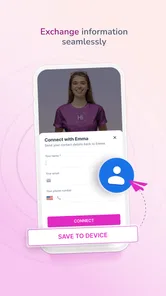
Analysis by Reviewed
I used to think the main problem with paper business cards was remembering to carry them. The bigger nuisance is what happens after a quick introduction: someone has to keep the card, type its details into a phone, and hope the information stays current. HiHello is designed to make that exchange easier by giving you a digital way to present your professional details. In my view, its value comes down to whether it saves time without making a simple introduction feel like a sales pitch.
Where the friction begins
That familiar exchange often looks efficient until you think about what comes next. Paper can be misplaced, details may need to be entered by hand, and an old card can keep circulating after someone changes roles or contact channels. A digital card addresses some of that hassle, but only if opening and sharing it is quick enough to fit naturally into a conversation.
I judge HiHello by that practical test, not by how polished a profile looks on its own. If I have to hunt through screens while someone waits, the convenience disappears. If I can bring up the right details promptly and let the other person choose how to save them, the app has earned its place in my routine.
A small setup choice that pays off later
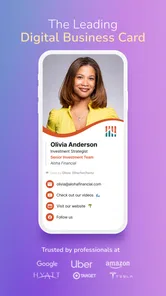
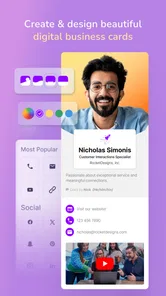
HiHello is a free business app from HiHello Inc, and the basics are approachable: add the contact details you want to share, then shape the card around how you introduce yourself. A photo or company logo can make it recognizable, while a job title and selected social links give a new contact useful context. I would keep the first version focused. A card is easier to scan when it answers “Who is this person, and how do I reach them?” rather than trying to display every account and credential at once.
The useful setup decision is not simply what to include, but which details belong on which card. The app supports multiple cards, so a freelancer could use one for client work and another for a community project, or an employee could keep a public-facing card separate from a more personal networking profile. Before an event, I’d check each version from the perspective of the person receiving it: does the name match the context, and is the preferred contact route obvious? That quick review helps avoid sharing a card that is technically correct but poorly suited to the conversation.
Getting Started with HiHello
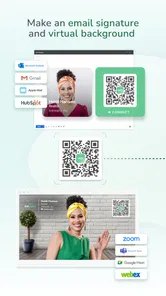
First off, let me tell you, setting up HiHello is a breeze. You simply download the app, and within minutes, you're on your way to creating a digital business card that's both sleek and professional. The app guides you through the process, letting you add your basic contact information, job title, and any social media links you'd like to include. I love how customizable it is! You can even add a profile picture or your company logo to give it that personal touch.
Make the first card easy to use
I would start with one everyday card rather than trying to build a complete set before sharing anything. Put the contact route you actually want people to use near the top of your mental checklist, and leave out links that do not help a new contact understand your work. It is easier to add a useful detail later than to make a crowded card feel focused.
More From Our News Desk

Weather by Xiaomi Review: Clear at a Glance, Less Clear Up Close

X Under Pressure: Can It Recover When Posting Goes Wrong?

Clash of Clans Is Won Between the Battles

Android Auto Makes the Case for Quieter Car Software

MobiOffice: Transforming Mobile Productivity with Seamless Integration

EA SPORTS FC™ Mobile Soccer: Redefining Mobile Sports Gaming
One small but worthwhile check is to read the card aloud as if you were introducing yourself: does the role make sense without extra explanation, and would a stranger know which channel to use? This catches a common setup mistake—building a profile around what the owner wants to display instead of what a recipient needs to follow up. I would also revisit the card after a job or contact-detail change, since a digital profile only helps avoid stale information when its owner keeps it current.
Sharing in the moment, not just at events
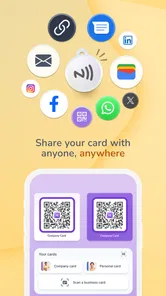
The QR code is most useful when both people are already face to face. At a conference, I could bring it up while wrapping up a conversation, let the other person scan it, and move on without searching for a paper card or spelling out an email address. It is also a practical fallback when I’ve left my wallet at home. I would still keep a short spoken introduction ready: a QR code handles the handoff, but it cannot explain why the person should remember the conversation.
There is a trade-off here. A digital exchange depends on the other person being comfortable scanning a code and having a phone available. Some people prefer a printed card, and in a busy room a screen can be less convenient than handing something over. I’d treat HiHello as a useful option rather than assuming it replaces paper in every setting. If a contact does not want to scan, sharing your details another way is still the considerate move.
Features that Stand Out
One of the standout features of this app is the QR code functionality. Every card you create comes with a unique QR code that can be scanned by anyone you're meeting. This eliminates the need for awkwardly handing over a physical card and ensures your contact details are saved directly on their device. Plus, it’s eco-friendly, which is always a win in my book!
But wait, there’s more! HiHello also allows you to create multiple cards for different personas. Whether you’re a freelancer, a full-time employee, or even a student, you can tailor each card to suit your specific needs. This feature comes in handy when you’re switching contexts and connecting with different networks.
When a digital handoff works best
A useful everyday scenario is leaving a client appointment and heading straight to a local professional gathering. At the appointment, I might want a card centered on my work and preferred business contact route; in a less formal conversation later, a different version could make more sense. Having those choices prepared in advance can save the awkward pause of editing a profile in front of someone.
There is also a quieter use case: a job seeker can share a consistent profile at career conversations without retyping the same details each time. A student meeting a potential mentor can use a card to make follow-up easier, while still keeping the introduction personal. In both cases, I would treat the card as a prompt for a real conversation, not a substitute for one. A scan does not explain what kind of opportunity or connection the sender is hoping for.
For the recipient, the important question is whether the exchange feels comfortable. I would offer the code rather than insist on it, and keep a simple alternative ready, such as saying the key contact detail aloud. That approach makes the app useful without making the other person responsible for adopting a particular networking habit.
Where it fits among familiar options
Compared with carrying paper cards, HiHello avoids the later chore of manually copying every detail, and a digital profile is easier to adjust when your role or preferred contact channel changes. Compared with simply giving someone your email address or social handle, a card can gather the details you choose in one place. The advantage is convenience; the trade-off is that a recipient may need to engage with a digital format they do not usually use. For a person who meets new contacts regularly, that exchange can be worthwhile. If you only share a number with a few people, a basic contact entry may be simpler.
A realistic use is a consultant moving between a client meeting and an industry meetup on the same day. A work-focused card can be shared in the meeting, while a separate version can suit informal introductions later. I’d decide which one to show before opening the app, rather than scrolling through options while someone waits. That small habit makes a multi-card setup feel like preparation instead of extra work.
The comparison with a standard contacts app is slightly different. A contacts app is usually the simpler choice when I am entering information for someone I already know; a shareable card is more useful when I am introducing myself and want to choose what goes across. Likewise, an email signature is convenient for ongoing correspondence but does not solve the in-person exchange as directly. HiHello sits between those habits: it is most compelling when introductions happen often enough that a reusable profile saves effort.
What to expect from the workflow
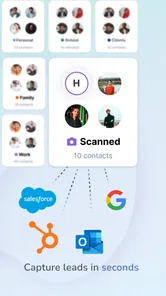
The app doesn’t just stop at creating digital cards. It integrates smoothly with various platforms like Gmail, Outlook, and more, making it super easy to update your contacts with just a few clicks. The user interface is intuitive, clean, and very user-friendly. Even if you’re not tech-savvy, you’ll find it easy to navigate through the app.
For someone deciding whether to rely on it, the key question is how much of their networking actually happens in person and how often their details change. A job seeker attending career events, an independent professional meeting clients, or a student building contacts may get more from a reusable, editable card than someone who rarely exchanges professional details. If you manage contacts for a team and need a tightly controlled company-wide system, I would first check whether an individual card-making workflow meets that need; a personal networking app is not automatically a substitute for an organization’s contact-management process.
HiHello is rated 4.8 on average, with around 12,000 ratings, and has passed 500,000 installs. It is free to start, with in-app purchases ranging from $8.99 to $129.99 per item, so I would explore the free experience before paying for anything. The app is rated for Everyone, and version 6.10.1 requires Android 7.0 or later. Those details make it accessible to a broad audience, though the purchase range is a reminder to check what an optional upgrade actually adds before committing.
Keeping the follow-up useful
Another cool feature is the in-app messaging system. It’s perfect for following up with new contacts without having to switch to another app. You can shoot a quick message or schedule a meeting, all within HiHello.
In practice, I would use a follow-up to refer to the conversation rather than send a generic note. A brief reminder of where we met or what we discussed gives the exchange a human touch and makes the digital handoff more useful. The app can help keep sharing and communication together, but it does not replace the judgment to follow up at an appropriate time or the effort of building a real professional relationship.
One useful habit is to decide what a successful exchange looks like before sharing: perhaps the person should have one clear way to reach you, or you want to continue a specific discussion. That keeps the card from becoming a collection of links with no purpose. I would also avoid treating every scan or new connection as permission for repeated messages; a considerate follow-up should reflect the conversation and the other person’s interest.
Limits and who should choose something else
The main limitation is not a complicated setup so much as dependence on a digital exchange. A recipient may not want to scan a code, may prefer to keep paper cards, or may simply be in a situation where taking out a phone interrupts the conversation. For those moments, a printed card or a brief exchange of contact details is more natural. I see the digital option as a convenient addition, not a universal replacement.
I would also separate personal networking from team administration. If your organization needs a shared directory, standardized records, or a managed process for tracking relationships, a personal card-making workflow may not be enough. HiHello makes more sense for an individual who wants control over the details they present than for someone expecting a full customer-management system.
It is a strong fit for freelancers, consultants, students, and professionals who meet new people repeatedly and want to avoid re-entering the same information. Someone who rarely exchanges work details, strongly prefers paper, or only needs to save a few familiar contacts may not gain enough to justify another app. The choice is less about being modern and more about whether repeated introductions currently cost you time.
Final Thoughts
So, is HiHello worth downloading? Absolutely! It’s more than just a digital business card app; it’s a powerful networking tool that keeps you organized and helps you make a lasting impression. Whether you’re attending a conference, a trade show, or just meeting a potential client for coffee, this app ensures you’re prepared to share your details in the most efficient way possible.
In today’s fast-paced world, having a digital business card like HiHello is a game-changer. It’s convenient, eco-friendly, and incredibly versatile. So go ahead, give it a try and take your networking game to the next level!
My recommendation is strongest for people who regularly meet new professional contacts and want a quick, editable way to share selected details. I would skip it if you rarely exchange contact information, strongly prefer physical cards, or need a full business contact-management system rather than a personal card and sharing workflow. For everyone else, the best test is straightforward: make one concise card, try sharing it in a real conversation, and see whether it removes more friction than it adds.
HiHello: Digital Business Card Frequently Asked Questions
Can I scan and organize business cards with HiHello?
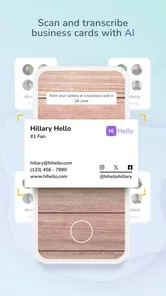
Yes. HiHello is designed not only for making and sharing digital business cards, but also for organizing contacts and scanning cards. This can be useful when you meet people who still use paper cards: you can keep contact details together rather than treating every exchange as a separate task. The app is intended to bring card creation, sharing, scanning, and contact organization into one place.
Who is HiHello intended for?
HiHello is a business app for people who want a convenient way to present and share their professional contact details. It may suit individuals who network in person or remotely, as well as people who want a digital alternative to carrying paper cards. You can make a card that reflects your personal or brand style and share it with others, so it can work for a range of professional situations.
What is HiHello: Digital Business Card and how does it work?
HiHello: Digital Business Card is an innovative app designed to replace traditional paper business cards with a more sustainable and modern digital format. Users can create personalized digital business cards with their contact information, which can be shared instantly via QR codes, email, or text. The app also supports integration with various contact management systems, ensuring your contacts are always up-to-date.
Is HiHello: Digital Business Card free to use?
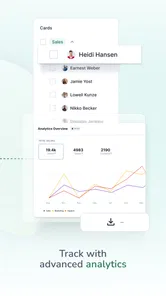
Yes, HiHello offers a free version with essential features that allow you to create and share digital business cards. However, for users looking for advanced functionalities, such as additional design options, premium templates, and enhanced integrations, HiHello offers paid subscription plans. These plans also include additional features like analytics and the ability to create multiple cards. In-app purchases are listed from $8.99 to $129.99 per item, so consider whether the free features meet your needs before choosing an upgrade.
What platforms is HiHello available on?
HiHello is available for download on both Android and iOS platforms, making it accessible to a wide range of smartphone users. The app can be found on the Google Play Store for Android devices and the Apple App Store for iOS devices. Additionally, HiHello offers a web version, allowing users to manage their digital business cards from any device with internet access.
Pros
- Eco-friendly
- no paper waste
- Customizable card designs
- Supports multiple contact types
- Easy sharing via QR code
- Syncs with phone contacts
Cons
- Limited free version features
- Occasional app crashes
- Requires internet for best use
- Complex interface for beginners
- Privacy concerns with data sync











