Hicut:Face Swap AI Video App
- 119.00
- 3.7
- Installs
- 1.00M
- Price
- Free

Screenshots

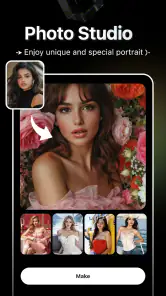

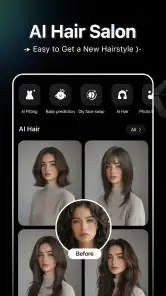
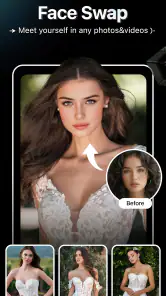
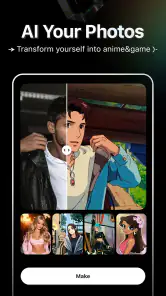
Analysis by Reviewed
I tend to judge face-swap apps by more than whether the result gets a laugh: the choices around uploading a face and sharing a finished clip matter too. Hicut:Face Swap AI Video App is an AI-focused video and art-creation app from Songzan, aimed at quick transformations rather than detailed editing. Its appeal is easy to grasp, but I’d approach any face-based tool thoughtfully, especially when other people appear in the material.
What a face-swap experiment asks of you
A face swap is not just a filter choice. The source image, the clip, and the way the result is presented all affect whether the joke feels harmless or uncomfortable. I treat the effect as an edit that involves a real person’s likeness, not as permission to use any face I can find. That distinction is especially useful when a clip might travel beyond a private chat.
I also wouldn’t assume that a polished-looking output tells me anything about how an app handles source material. I can judge the visible result and the choices I’m offered, but privacy claims should be based on clear, verifiable information rather than the fact that an effect works well. Before choosing a face-based tool, I look for understandable permission requests, visible options, and a way to make an informed decision about what I upload.
A sensible first workflow
For a low-pressure test, I’d use a short clip and my own image, or a friend’s image when they have agreed to it. I’d keep the source material ordinary and non-sensitive, make the swap, and watch the entire result before saving or sharing. This approach reveals whether the effect suits the footage while avoiding the unnecessary risk of testing the app with private or important material.
It’s also worth deciding what the final clip is for before starting. A private joke, a clearly labelled parody, and a video intended to look like real footage call for different levels of care. If the aim is simply to make friends laugh, I’d choose a scene that reads as playful without needing viewers to believe it happened. That makes the edit easier to understand and less likely to mislead someone who sees it without context.
Start with a small, low-stakes experiment
For a first try, I’d choose a harmless clip and a face I have permission to use, then check the result before sharing it. That keeps the experience playful and makes it easier to spot awkward edges, mismatched lighting, or expressions that don’t quite track. A short test also helps answer a practical question: does the effect fit the joke or idea, rather than simply adding a face swap because the option is there?
This is where Hicut makes most sense to me: a quick social post, a private joke among friends, or a playful creative experiment. It is less suited to someone who wants precise control over a full video project. A conventional editor is usually the better choice for trimming, arranging scenes, adjusting audio, and shaping a finished story; Hicut’s draw is the transformation itself.
More From Our News Desk

Weather by Xiaomi Review: Clear at a Glance, Less Clear Up Close

X Under Pressure: Can It Recover When Posting Goes Wrong?

Clash of Clans Is Won Between the Battles

Android Auto Makes the Case for Quieter Car Software

MobiOffice: Transforming Mobile Productivity with Seamless Integration

EA SPORTS FC™ Mobile Soccer: Redefining Mobile Sports Gaming
Have you ever wondered what you’d look like as your favorite celebrity? Or perhaps you've dreamt of swapping faces with your best friend just for laughs? Well, the Hicut: Face Swap AI Video app might just be the answer to your playful fantasies! This app brings the charm of face-swapping to life with a dash of AI magic, making it both entertaining and incredibly simple to use.
Getting Started with Hicut
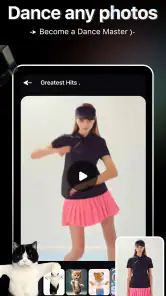
Upon launching the Hicut: Face Swap AI Video app, you’re greeted with a sleek and intuitive interface. Navigating through the app feels like a breeze, even for a newbie like me. All you need to do is upload a video or choose one from the app’s library, select the face you want to swap, and let the AI do its thing! The technology behind it is pretty impressive, delivering surprisingly accurate swaps that had me doing double-takes.
Choosing footage that helps the effect
For a more convincing result, I’d start with footage where the face is easy to see and not hidden by hair, hands, or a fast camera move. That is a practical way to improve the odds of a clean-looking swap without expecting the app to repair every difficult shot. If a clip has frequent cuts or several people crossing the frame, I’d test just one short section first rather than committing to a longer idea.
There’s a trade-off between the convenience of ready-made footage and the personal touch of uploading your own. A library clip can get me to a joke quickly, while my own video may have context that makes the result funnier to friends. But custom footage can include bystanders, private surroundings, or details I would not want to circulate. I’d crop or choose a more neutral source before upload when those details aren’t needed for the effect.
Features That Stand Out
One of the standout features of Hicut is its AI-driven engine that ensures seamless face swaps. The accuracy is mind-blowing, with the app capturing intricate facial expressions and movements. This isn’t just about static images; it’s about bringing those images to life. Whether you’re sharing a laugh with friends or creating content for social media, Hicut’s precision adds a professional touch.
Another neat feature is the extensive library of preloaded videos. If you’re feeling uninspired, simply browse through the collection and find something that tickles your fancy. From hilarious comedy clips to action-packed scenes, there’s a little something for everyone. I spent hours just exploring the various options and trying out different swaps.
Small choices that make testing easier
I’d keep the first experiment deliberately simple: one face, one clip, and one clear purpose. Changing several creative choices at once makes it harder to tell what caused a disappointing result. If the swap looks odd, I’d first try a better-lit, more front-facing moment rather than repeatedly reusing the same difficult footage. That saves time and helps separate a source-video problem from a limitation of the effect.
For a casual creator, this is a better fit than a full editing suite when the transformation is the whole point. It is not the tool I’d choose to build a sequence with precise cuts, captions, carefully mixed sound, or a consistent visual style across a longer piece. I’d make the face-swap moment in Hicut, then use a familiar editor if I needed to assemble a more considered video around it.
What to check before sharing
A useful habit is to preview the whole clip, not only the moment where the swap looks funniest. A face can seem convincing in one frame and less natural during a turn, a quick expression, or a change in lighting. I’d also compare a library video with an uploaded one before settling on a workflow: ready-made material is convenient, while your own footage gives you more personal context but calls for extra care around consent.
Hicut is free to install, with optional in-app purchases priced from $0.99 to $69.99 per item. I’d explore the basic experience before paying for anything and check what a purchase offers at the point of choice. If you only want an occasional gag, spending may not be necessary; if a paid option is presented, decide whether it solves a need you actually have rather than treating every extra as essential.
What a realistic everyday session looks like
Imagine I have a friend’s permission to make a silly birthday clip. I could browse the included footage for a scene that matches our shared sense of humor, try the face swap, and watch the full result before sending it privately. If the expression becomes strange during a turn, I’d switch to a simpler moment rather than insist that the first take is good enough. The practical win is a quick, personal gag; the sensible boundary is not posting it publicly unless my friend is comfortable with that too.
That kind of use suits Hicut better than trying to turn it into a daily editing workspace. Someone who makes occasional playful clips can accept a little trial and error. A creator who needs repeatable results, detailed adjustment, or a reliable production workflow will probably be happier with a dedicated editor and a more controlled compositing process.
My Experience Using the App
Using Hicut has been a blast! The app’s user-friendly design makes it accessible to anyone, regardless of their tech-savviness. I found myself swapping faces with famous movie stars, athletes, and even historical figures. The results were often hilarious and sometimes eerily realistic. Sharing these videos on social media was a hit, garnering plenty of likes and laughs from friends and followers.
One thing I appreciated was the app’s commitment to privacy. With all these face swaps happening, Hicut ensures your data is protected, which is always a plus in today’s digital age.
Permission, privacy, and what I can judge
I would not treat any broad reassurance about privacy as a substitute for checking the choices shown during use. Before selecting an image or video, I’d pay attention to permission prompts and read the options presented in the app. If I’m not comfortable granting a requested access or uploading a particular face, I can stop and use a different source—or choose an app that better fits my comfort level.
My rule is to keep sensitive material out of casual experiments. I wouldn’t use an image that could expose someone’s private life, or create a swap that could harm their reputation. Even when the output is clearly artificial to me, another person might encounter it without the original context. A simple caption or private sharing can help signal the joke, but neither replaces getting consent from the person whose likeness is used.
When Hicut is the wrong tool
I’d skip it if I needed a serious, polished video with tight control over every frame, or if I was uncomfortable working with face-based effects at all. For a more deliberate project, a conventional video editor offers a better foundation for arranging clips, sound, and pacing. For an effect that must be consistent and carefully reviewed, a specialist workflow may be preferable to a quick entertainment app.
It may also disappoint anyone who expects every source video to produce a convincing swap. Lighting, face angle, motion, and how clearly the face appears can all affect the impression. The useful mindset is to treat the first render as a draft, not a promise. If the effect looks off after a couple of sensible source changes, I’d choose another clip or drop the idea rather than spend too long trying to force it.
Age, access, and expectations
Hicut is listed for Everyone, and it requires Android 8.0 or later. The age label does not remove the need for adult guidance around consent, sharing, and misleading edits; those decisions are part of using face swaps responsibly at any age. The app is free to install, and Songzan is its developer. Its current version is 2.3.4, so I’d check that the device meets the stated Android requirement before deciding whether it is a practical fit.
It sits in the art-and-design category, with an average rating of 3.7 from around 4,700 ratings and over 1 million installs. I read that as a sign that the idea has found an audience, not as proof that every result will match my expectations. The main question is whether I want quick face-based play or a more controlled editing tool; the rating alone can’t answer that for me.
Trust, consent, and practical limits
Face swaps can make an edited clip look like a real moment, so I wouldn’t use someone else’s face in a way that could embarrass them or mislead viewers. Ask before using a friend’s image, and make the joke clear when sharing. For public figures, a clearly playful edit is still different from presenting invented footage as genuine. That judgment matters more than how polished the result looks.
Hicut sits in the art-and-design space, and its rating averages 3.7 from around 4,700 ratings; it has over 1 million installs. It is free, rated for Everyone, and its current version is 2.3.4, with Android 8.0 or later required. Those details make it accessible to many Android users, though the rating is a reminder that experiences can vary. I’d keep expectations focused on entertaining edits, not dependable professional compositing.
Final Thoughts
In conclusion, if you’re looking for a fun, engaging app that leverages the power of AI to deliver amazing face swap experiences, Hicut is definitely worth a try. It’s not just about entertainment; it’s about exploring new creative outlets and having a good laugh along the way. So go ahead, give it a whirl, and see where your imagination takes you!
My cautious recommendation is to try it if you enjoy quick visual jokes and are comfortable choosing footage and faces responsibly. Skip it if your priority is extensive timeline editing, fine-grained creative control, or avoiding face-based effects altogether. For a casual experiment, start with a short clip, review the result from beginning to end, and share only when everyone involved is comfortable with it.
My cautious verdict
I’d recommend Hicut to someone who wants a fast, playful way to experiment with face swaps and is willing to make thoughtful choices about source material. It is especially appealing when the goal is a short joke rather than a polished production. I would not recommend it as a replacement for a full video editor, or to anyone who wants to avoid uploading or processing face-based material.
The most useful way to approach it is to keep the first attempt low-stakes, use a face with clear permission, and review the entire output before it leaves your device. If those boundaries fit how you like to create, Hicut can be an entertaining art-and-design app to try. If not, a standard editor—or no face-swap tool at all—is the better choice for your project.
Hicut:Face Swap AI Video App Frequently Asked Questions
What is Hicut: Face Swap AI Video App?
Hicut: Face Swap AI Video App is a cutting-edge application designed to seamlessly swap faces in videos using advanced artificial intelligence algorithms. It allows users to create fun and entertaining videos by swapping faces with friends, family, or even celebrities. The app is available for both Android and iOS platforms, making it widely accessible for users who want to experiment with face-swapping technology.
How does the face swap technology work in Hicut?
Hicut utilizes advanced AI algorithms to analyze facial features and accurately map them onto a different face within a video. The app processes the video frame by frame to ensure smooth transitions and realistic swaps. Users simply upload a video, select the faces they wish to swap, and let the app do the rest. The technology behind Hicut is designed to deliver high-quality results with minimal effort from the user.
Is Hicut safe to use regarding privacy concerns?
Yes, Hicut prioritizes user privacy and data security. The app does not store user videos on its servers, ensuring that all content remains private and secure. Additionally, Hicut requires minimal permissions, only accessing necessary features such as the camera and photo library. Users can confidently use the app without worrying about unauthorized access to their personal data.
What are the system requirements for using Hicut?
To use Hicut effectively, users need a compatible device running at least Android 8.0 or iOS 12.0. The app requires a stable internet connection to process videos and apply face swaps accurately. Additionally, having a device with a good processor and sufficient RAM will enhance the app's performance, ensuring smoother and faster video processing.
Are there any in-app purchases or subscriptions in Hicut?
Yes, Hicut offers a range of in-app purchases and subscription options. While the basic features of face swapping are available for free, users can unlock additional effects, higher resolution outputs, and ad-free experiences through premium subscriptions. These purchases enhance the overall user experience, providing more flexibility and creativity for those who wish to explore advanced features.
Pros
- High-quality face swaps
- Intuitive user interface
- Fast processing speed
- Variety of filters available
- Fun and entertaining
Cons
- Requires internet connection
- Limited free features
- In-app purchases can be costly
- Occasional glitches
- Consumes significant battery life
- Category
- Art & Design
- Version
- 2.3.4











