

Glitter Wallpaper: Theme, Icon
- 1.17K
- 4.6
- Installs
- 10.00M
- Price
- Free

Screenshots
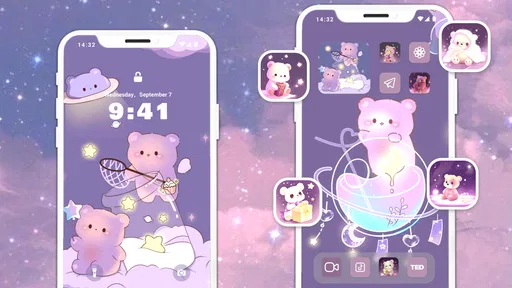
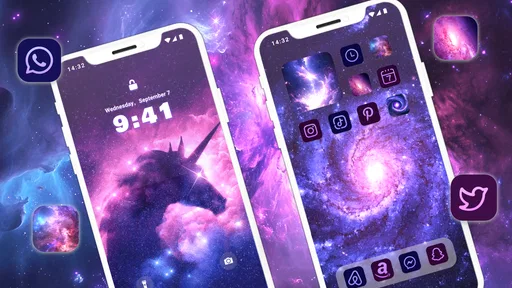
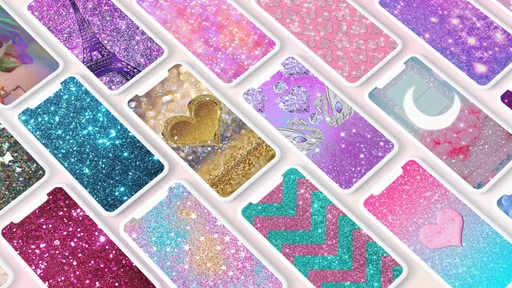

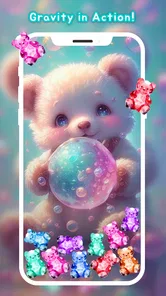
Analysis by Reviewed
I tend to notice a phone’s wallpaper most when I pick it up in a hurry: a quick check of the time, a message, then straight back to whatever I was doing. That makes a bright background feel like a small, personal touch rather than a major phone makeover. Glitter Wallpaper: Theme, Icon is a personalization app built around sparkly screen designs, and I can see it working especially well on a shared household device where people take turns using the phone and want its home screen to feel cheerful.
A small shared-device ritual
Picture a family tablet or a phone passed between people at home. Choosing a wallpaper together can be an easy way to make that screen feel welcoming without changing how anyone uses it. I’d treat the selection as a shared visual choice, though, not as a way to create separate profiles: a wallpaper changes the look of the device, while accounts and privacy settings need to be handled through the device itself.
That distinction matters if several people use one phone. A glitter design can make the screen recognizable at a glance, but it cannot separate messages, photos, or app activity between users. I’d settle the wallpaper with everyone who regularly uses the device, then keep personal accounts and sensitive content protected with the phone’s own settings.
Making a shared screen practical
A wallpaper choice can also be a small coordination exercise rather than a one-person decision. In a household where one person uses the tablet for recipes, another checks the calendar, and someone else uses it for music, the background should not make those common tasks harder. I’d ask the regular users to agree on a design, then check the screen with its usual icons and widgets in place. That quick test can reveal whether the sparkle distracts from the details people need to find.
If the device is used by someone who relies on visual consistency, I would avoid changing the background just because a new design catches my eye. A familiar screen can make routine use easier, especially for a child or an older relative who has learned where everything is. In that situation, I’d treat a wallpaper change as something to discuss first and make only when everyone who depends on the layout is comfortable with it.
Glitter and Glam at Your Fingertips
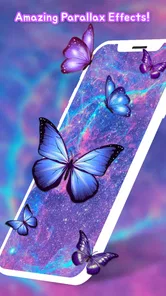
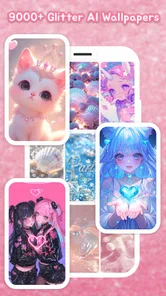
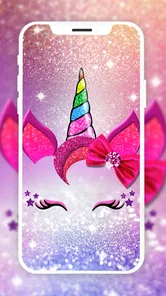
First off, let's talk about the sheer variety of options this app offers. From shimmering stars to sparkling patterns, the Glitter Wallpaper app has a dazzling array of choices. Each wallpaper is designed to make your screen pop and give it that unique flair. I’ve spent quite a bit of time scrolling through the extensive collection, and honestly, it’s hard to pick a favorite. Whether you're into subtle sparkles or bold, eye-catching designs, there's something here for everyone.
Picking a look that works for everyone
The practical challenge with a shared screen is not finding a design, but choosing one that stays comfortable to look at day after day. I’d start by considering the icons and widgets already on the home screen: a busy, high-contrast background may compete with labels, while a softer pattern can leave them easier to scan. Trying a candidate during ordinary use—checking the time, opening messages, and finding familiar apps—is more useful than judging it only on a full-screen preview.
More From Our News Desk

 Gmail
GmailGmail in a Busy Inbox: Who Benefits Most?
From first account to crowded workday, Gmail earns its place through dependable search and flexible sorting—but its best fit depends on how much inbox maintenance you can tolerate.

 Prime Video
Switching to Prime Video: What Changes in Your Viewing Routine
Prime Video can make a compelling second home for streaming, but switching means learning a different catalog, rental layer, and route from browsing to playback.

 Universal TV Remote Control
Universal TV Remote Control Works Best as a Reliable Backup
A phone remote earns its place through quick setup and reliable habits. Here is how to get more from Universal TV Remote Control—and where its limits show.

 Weather - By Xiaomi
Weather by Xiaomi Review: Clear at a Glance, Less Clear Up Close
Xiaomi’s weather app makes everyday forecasts quick to scan, but its calm surface can leave useful details and recovery paths harder to find than they should be.

 X
XX Under Pressure: Can It Recover When Posting Goes Wrong?
A resilience-focused review of X, examining setup, mistaken posts, interruptions, weak connections, and the gaps that matter when recovery needs to be dependable.

 Clash of Clans
Clash of Clans Is Won Between the Battles
Its raids are quick; its community is a long-term project of coordination, teaching, rivalry, and shared responsibility—with all the friction that entails.
Latest News



There is also a useful trade-off between a wallpaper that feels expressive and one that suits everyone who picks up the device. If one person wants a bold shimmer and another prefers a quieter screen, it may be better to choose a restrained design for the shared device and save more personal styling for an individually used phone. That is a simple coordination choice, not a special sharing feature.
Easy to Use and Navigate
What I really appreciate about this app is how user-friendly it is. Even if you’re not the most tech-savvy person out there, navigating through the app is a breeze. The interface is intuitive, and setting a new wallpaper takes just a few taps. Plus, the app runs smoothly without any annoying lags or crashes, which is always a plus in my book.
For a household, that straightforward approach makes it easier to let someone else browse without turning the choice into a long setup project. I’d still make the final change together if the phone belongs to more than one person, particularly if someone relies on a familiar screen layout. The wallpaper can change the mood of the device, but the home-screen arrangement is what helps people find what they need.
Keeping setup in the right boundaries
Glitter Wallpaper is free to download, so trying it does not require an upfront purchase. The app is made by Wallpaper World Designs, has a 4.6 average from around 34 thousand ratings, and has passed 10 million installs. There are in-app purchases, so I’d keep that in mind if a child is browsing on a device connected to a household payment method; checking purchase controls on the device is a sensible step before handing it over.
The app is rated Teen, which is worth considering for families deciding who should use it. That age label is not a substitute for a parent’s judgment or the device’s account settings. I’d use the same boundaries I would for any app on a shared phone: agree who can install or buy things, and avoid treating a decorative wallpaper app as a private space for any one person.
Choosing and applying a wallpaper thoughtfully
One practical way to avoid an impulsive choice is to browse with a purpose. I’d first decide whether the device needs a calmer background for everyday reading or a more decorative one for occasional use, then narrow the selection to designs that fit that goal. This keeps the browsing session from becoming an endless scroll through similar-looking options and makes it easier to explain the choice to other people sharing the screen.
Before applying a design, I’d check how it looks behind the lock screen and home screen in the way I actually use the device. A bright pattern may be enjoyable when the screen is open but less useful if it makes notifications or app names harder to pick out. If the wallpaper does not feel comfortable after a day of normal use, switching back is a reasonable choice; the point is to make the device more pleasant, not to preserve a selection that no longer works.
Customization Galore
One of the standout features of Glitter Wallpaper is the level of customization it offers. You can tweak the brightness, contrast, and even the glitter intensity to suit your personal taste. It’s these little touches that make the app feel more personalized and engaging. I had a lot of fun experimenting with different combinations to see what looked best on my screen.
For a shared device, small adjustments can be more helpful than repeatedly replacing the whole background. I’d test a chosen design with the screen brightness I normally use, since a sparkle that looks gentle in one setting may feel too strong in another. I’d also take a moment to check whether the altered look makes app labels easy to read; a pretty background is less successful if it makes routine taps slower.
When another wallpaper approach makes more sense
Compared with a general wallpaper library, this app is a more focused pick for people who specifically want glitter and shine. That focus is its appeal if a household agrees on a playful look, but it is also a limit: someone seeking landscapes, minimalist colors, or a broad mix of photographic styles may be better served by a general wallpaper app or the phone’s built-in backgrounds. I’d choose by the kind of screen I want to see every day, not by the size of a collection alone.
It is also not the right choice for someone who wants a complete shared-device management tool. Its role here is visual personalization, not coordinating separate users or protecting personal information. If those are the main needs, I’d look to the device’s account and privacy features first, then decide whether a glitter wallpaper is still a useful finishing touch.
Everyday use and performance
Another thing worth mentioning is the app's performance. Despite the heavy graphics, it doesn't seem to slow down my phone, which is a huge relief. I’ve tried other wallpaper apps in the past that have been real battery drainers, but thankfully, this isn’t one of them.
A realistic use for me would be changing the shared tablet’s background when the household wants a fresh look, then leaving it alone so everyone keeps a familiar screen. I would not rotate designs every day on a device used by someone who depends on consistent visual cues. The app runs on Android 7.0 and later, and its current version is 1.9.69, so I’d check the device’s Android version before planning to install it there.
Who will enjoy this particular style
I’d recommend it most to someone who already knows that glitter is the look they want: perhaps a person who enjoys decorative themes, wants a more playful home screen, or is choosing a cheerful background for a tablet used around the house. Its focused visual identity makes browsing feel relevant when sparkle is the goal. If I were shopping for a broad range of art, scenery, or understated colors, I’d start with a wider wallpaper library instead.
It is also worth thinking about the screen’s job. A personal phone used mainly for messages and casual browsing can be a good place for a more expressive background. A device used for work, accessibility needs, or frequent quick checks may benefit more from a quiet image with clear contrast. The right choice is not simply the prettiest preview; it is the one that remains comfortable during the tasks the device handles most often.
Final Thoughts
In a world where we spend so much time on our phones, why not make it a bit more fabulous with some glittery goodness? Glitter Wallpaper offers a fun and simple way to jazz up your phone, and with its extensive range of options, you’re bound to find something that catches your eye. So, if you're looking to add some sparkle to your daily routine, give this app a try. Who knows, you might just fall in love with it as much as I did!
My household verdict is that it suits people who enjoy a bright, decorative screen and are happy to make a shared choice without expecting account separation or family controls from a wallpaper app. I’d skip it if glitter is not your style, if a very plain background is essential for quick scanning, or if the main goal is managing different people’s access. For the right home screen, though, it offers an easy way to give a commonly used device a bit of personality.
One last household check
Before settling on it for a shared device, I’d make sure the people who use that screen are comfortable with both the look and the purchase boundaries. It is free to get started, but in-app purchases range from $9.99 to $49.99 per item, so a household should decide in advance who can make purchases and use the device’s available purchase controls. That is especially important when a younger user is allowed to browse independently.
For me, the best result is a wallpaper that adds personality without turning a shared screen into a source of friction. If everyone likes the sparkle and the background remains easy to use, this app is a pleasant, focused option. If the household needs distinct personal spaces, stronger control over access, or a less decorative look, the device’s built-in settings or a broader wallpaper alternative will be the more useful place to start.
Glitter Wallpaper: Theme, Icon Frequently Asked Questions
How much storage space should I have available before downloading Glitter Wallpaper?
It is sensible to leave some free storage before installing any personalization app, especially one built around browsing a large wallpaper collection. Glitter Wallpaper features over ten thousand glitter wallpapers and shining backgrounds, so the amount of space it ultimately uses may depend on how you use it and save content. Check your device’s available storage before downloading, and remove wallpapers you no longer want if space becomes tight.
Can I use a Glitter Wallpaper background on both my lock screen and home screen?
The app is intended to help personalize your device’s appearance with glitter-themed backgrounds. Whether a chosen image can be applied to the home screen, lock screen, or both can depend on the wallpaper controls available on your Android device. After choosing a design, check the options shown by the app or your device before applying it, so you can select the placement that suits your setup.
Does Glitter Wallpaper need an internet connection to browse or apply wallpapers?
An internet connection can be useful when first exploring a wallpaper app, particularly if you are browsing its collection or downloading images. Once a background is available on your device, applying it may be handled through your Android wallpaper settings. If you expect to use the app while offline, try opening a wallpaper you have already saved and check that it remains accessible without a connection.
What devices and operating systems can I use Glitter Wallpaper on?
Glitter Wallpaper is an Android personalization app, so it is intended for compatible Android devices rather than iOS. It requires Android 7.0 or later. Before downloading, check the Android version on your phone or tablet; if it meets that requirement, you can try the app and see how its glitter backgrounds look on your screen.
What is Glitter Wallpaper and how does it enhance my device's appearance?
Glitter Wallpaper is an application designed to provide your device with a sparkling, eye-catching background. It offers a wide range of glitter-themed wallpapers that can transform your screen into a dazzling display. Whether you prefer subtle shimmer or bold glitter, this app provides various options that can enhance the visual appeal of your smartphone or tablet. Its collection is described as including over ten thousand glitter wallpapers and shining backgrounds, giving you plenty of looks to browse.
Pros
- Stunning visual quality and vibrant colors.
- Easy to navigate user interface.
- Wide variety of glitter designs.
- Regular updates with new wallpapers.
- Low battery consumption.
Cons
- Contains ads that can be intrusive.
- Limited customization options.
- Requires internet for updates.
- Some designs are not free.
- Occasional app crashes.











