Galaxy SmartTag
- 29.00
- 2.8
- Installs
- 50.00K
- Price
- Free
Screenshots
Analysis by Reviewed
My first question about Galaxy SmartTag is a practical one: will it help with the kind of losing I actually do? For keys that have slipped between sofa cushions or a bag left somewhere nearby, a tracker can turn a frustrating search into a quick check. This Android app from zeecoder is free, rated for Everyone, and sits in the Libraries & Demo category. Its purpose is to connect with SmartTag devices, but I’d treat it as a companion for compatible tags rather than a general-purpose way to locate any missing object.
Think through the search before you rely on it
A useful way to judge a tracker is to picture the moment you need it, not the moment you install it. At home, the question is usually “Where did I put this?” Away from home, it becomes “Where was it last noticed?” Those are different problems, and this app is most convincing for the first: a nearby tag can help narrow down a messy room or a rushed morning without making you search every pocket and surface.
I’d set up a small routine around that distinction. Keep the tag on the object you genuinely misplace, learn where the sound option is in the app, and try it once when you are not in a hurry. If the item is not close, use the map as a starting point for retracing your steps rather than assuming it marks the object’s present location. That practical habit helps prevent a helpful clue from becoming false confidence.
Compatibility is part of the decision
Before relying on the app, check that your setup is a good fit. The published requirements list Android 7.0 or later, while the original SmartThings pairing instructions involve a Samsung Galaxy phone. That distinction matters: an Android phone meeting the minimum version does not automatically mean every SmartTag will work with every device. If you already use a Galaxy phone and have a compatible tag, the idea is straightforward; if you use another phone brand, confirm compatibility before making this part of your routine.
I’d also decide what you want to track before attaching a tag. Keys and a backpack are sensible choices because they tend to stay close enough for a nearby search. A pet is a more complicated case: a tracker is not a substitute for supervision, and a last-known location is not the same as live, continuous tracking. I would not make a tag the only safeguard for a child, pet, or anything whose safety depends on an immediate location.
What is the Galaxy SmartTag?
The Galaxy SmartTag is essentially a small Bluetooth tracker that helps you locate your everyday items. Whether it’s your keys, bag, or even your pet, this thing is designed to make sure you spend less time searching and more time doing, well, anything else. It’s super compact, about the size of a small cookie, and can easily attach to most items without any hassle.
Setting It Up
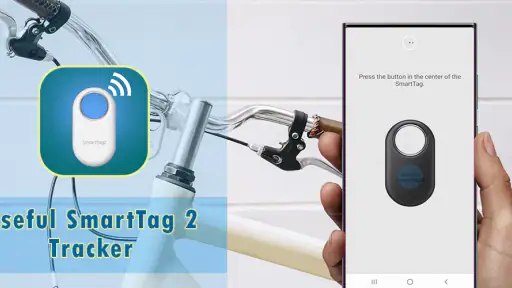
Getting started with the Galaxy SmartTag is a breeze. You just need to have a Samsung Galaxy smartphone, and you’re pretty much set. Once you have the SmartThings app installed, pairing the device is straightforward. Just follow the prompts, and within minutes, your SmartTag is ready to locate all those elusive items in your life. It’s seriously that simple!
More From Our News Desk

Clash of Clans Is Won Between the Battles

Android Auto Makes the Case for Quieter Car Software

MobiOffice: Transforming Mobile Productivity with Seamless Integration

EA SPORTS FC™ Mobile Soccer: Redefining Mobile Sports Gaming

How Microsoft OneDrive Became a Mobile Productivity Giant

How Google Translate Breaks Language Barriers Effortlessly
How It Works
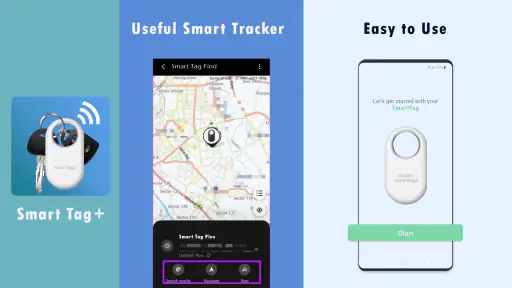
So, here’s the cool part. The SmartTag uses Bluetooth technology to connect to your phone. When something goes missing, just fire up the app, and you can either make the tag emit a sound or use the app’s map to see where your item was last located. It’s like having a personal detective for your belongings.
Now, the range is about 120 meters, which is decent for most situations. Plus, if your item is out of Bluetooth range, the app can leverage Samsung’s Galaxy Find Network. Basically, it uses other Samsung devices to help locate your item. It’s like crowdsourcing your lost and found efforts, which is pretty rad.
Practical Uses
Let’s be real, we’ve all had those panic moments when we can’t find our stuff. The Galaxy SmartTag eliminates that stress. It’s perfect for those who often misplace their keys or leave their bags behind. And if you’re a pet owner, you can even attach it to your pet’s collar, giving you peace of mind when they decide to go on their little adventures.
For a realistic routine, I’d put the tag on the keyring I use every day and keep the phone app easy to reach. If I’m heading out and the keys aren’t in their usual bowl, I can try the nearby sound first; if they are no longer close, the map’s last location gives me a place to start retracing my steps. That workflow is useful precisely because it separates two problems: finding something misplaced at home and figuring out where it was last seen away from home.
There is a trade-off in that second situation. A network-assisted location depends on another participating Samsung device being near the tag, so I wouldn’t assume it will update everywhere or instantly. In a busy public place, that wider network may help; in a quiet area, the last reported position may be all I have. If a missing item is urgent, I’d use the location as a clue and follow up with ordinary steps such as contacting the venue, rather than treating the map as proof of where the item is now.
Choosing between a tag and other ways to search
Compared with a basic Bluetooth tracker that only helps while your own phone is nearby, the Galaxy approach has the potential advantage of a wider community location network. Compared with a dedicated GPS tracker, though, it is a different tool: this is better suited to small belongings and occasional searches than to dependable live tracking. I’d choose based on the actual problem, not the promise of a map. Someone who regularly needs real-time monitoring should look at a purpose-built option instead.
There is also the no-extra-device alternative: a consistent place for keys, a bright key fob, or a habit of checking for a bag before leaving. Those approaches cost no setup time and do not depend on a phone or tag, but they cannot help much after an item is already misplaced somewhere unfamiliar. I see a SmartTag as a backup to good habits, not a replacement for them. It earns its place if the occasional search is frequent enough to justify keeping a tag attached and ready.
For someone comparing trackers, the important question is not simply which one has the broadest-sounding feature list. It is whether the phone in their pocket, the tag they can buy, and the network likely to be around them work together. If your household uses a different phone ecosystem, its native tracker may be a less frustrating choice even if the Galaxy option sounds appealing. Familiarity and compatibility matter more than having another app installed that cannot reliably pair with the hardware you own.
Make the tag easy to find and easy to keep attached
It’s also worth thinking about placement. A tag hidden deep inside a bag or surrounded by other objects may be less convenient to hear than one attached to an exposed keyring. I’d give it a quick test in the places where I usually put things down, so I know what the sound is like in my home and how quickly I can reach the location screen. That small rehearsal makes the app more useful when I’m already flustered.
A second small choice is deciding what not to tag. I would prioritize an item that gets carried regularly and would be genuinely annoying to replace, rather than attaching a tracker to every object in sight. Each additional tag means another thing to keep track of and another attachment point that could loosen. Starting with one keyring or one everyday bag makes it easier to learn whether this approach suits your habits before building it into more of your routine.
Another neat feature is the ability to control smart home devices with the SmartTag. Imagine coming home and with just a click, turning on the lights or the TV. It’s a small addition, but it definitely adds to the convenience factor.
Battery care and the limits of reassurance
One of the things I appreciate about the SmartTag is its battery life. It runs on a replaceable CR2032 battery, which can last for months. No need to worry about constant recharging. Plus, it’s fairly durable, able to withstand a bit of rough handling, which is a relief for someone as clumsy as me.
For day-to-day use, I’d treat the battery as something to check occasionally rather than forget about completely. A tracker is only reassuring when it is ready to respond, so if the app or tag indicates attention is needed, I’d deal with it before trusting the setup for travel or a busy week. I’d also attach it securely: a tag that comes loose from a keyring cannot help locate the keys, however convenient the app may be.
One question people naturally have is whether this makes sense for travel. I’d use it as a supplementary way to look for a tagged bag, especially when it may be nearby, but I would not treat it as a guaranteed recovery service. Keep identifying details and ordinary travel precautions in place; a map position can guide a search, but it cannot confirm that a bag is still there or that someone can retrieve it for you.
Who should choose it—and who should not
This app makes the most sense for someone already using a compatible Samsung phone who often misplaces a few small, valuable belongings. It is less compelling if you rarely lose things, do not have a SmartTag, or expect one app to track arbitrary objects without a tag. The app has an average rating of 2.8 from around 313 ratings, so I would go in with measured expectations and check that the experience fits my own phone and tag before depending on it.
The current version is 13.0, and it has passed 50,000 installs, but those figures do not change the central decision: this is a focused companion, not a universal locator. For someone inside the Samsung ecosystem, the nearby sound, last-known map position, and wider network can form a useful safety net for everyday items. For everyone else, a tracker designed for their phone platform—or simply a more reliable place to keep keys—may be the better choice.
The best fit is a person who wants a little help with repeat annoyances: keys that vanish in the house, a work bag put down in an unfamiliar room, or a quick check before leaving. It is less suitable for someone who expects a precise, uninterrupted trail, needs to track an object across any phone ecosystem, or cannot tolerate uncertainty when an item goes missing. In those cases, a different tracking system or a simpler routine may serve them better.
Overall, I’d consider it a practical option when the hardware and phone are already a match. Its strongest use is helping me find a tagged item without turning a small mix-up into a long search; its main limitation is that finding depends on range and, farther away, nearby network participation. I’d use it for keys or a bag, keep expectations sensible for pets and out-of-range items, and choose a different kind of tracker if continuous location is what I really need.
Galaxy SmartTag Frequently Asked Questions
What does the Galaxy SmartTag app do?
Galaxy SmartTag is a free app in the Libraries & Demo category, developed by zeecoder. Its short description is simply “Galaxy SmartTag,” and its summary says it connects to and helps find Smart Tag devices. Before downloading, keep in mind that the app’s purpose is to help you work with SmartTag devices rather than act as a general-purpose phone locator.
Is Galaxy SmartTag free, and what should I know about its ratings?
The app is free to download and is rated for Everyone. It has a 2.8 average from around 313 ratings, with around 29 written reviews, so user feedback is mixed. Those figures can help set expectations, but ratings alone do not show whether the app will suit your particular phone or tracking needs. Consider its stated SmartTag-focused purpose before installing.
What is the Galaxy SmartTag and how does it work?
The Galaxy SmartTag is a versatile tracking device designed to help you keep track of your belongings. It uses Bluetooth technology to connect to your smartphone, allowing you to locate your items through the SmartThings app. Once attached to an item, such as keys or a bag, you can use the app to make the tag ring, helping you find it quickly. Additionally, the app provides a map to show the last known location of the tag if it is out of range, ensuring you always know where your important things are.
Is the Galaxy SmartTag compatible with non-Samsung devices?
While the Galaxy SmartTag is designed to work best with Samsung devices, it can still be used with non-Samsung Android phones. However, to unlock its full potential, such as using the SmartThings Find network for offline tracking, it's recommended to use it with a Samsung device. Ensure your phone supports Bluetooth Low Energy (BLE) 5.0 or later for optimal performance.
How long does the battery last on the Galaxy SmartTag?
The Galaxy SmartTag is powered by a replaceable CR2032 battery, which can last up to 300 days under regular usage. This long battery life ensures that you don't have to worry about frequent recharges or replacements. When the battery does run low, it can be easily replaced, ensuring your SmartTag remains operational without interruption.
Pros
- Easy to attach to items
- Long battery life
- Wide Bluetooth range
- Seamless Samsung integration
- Precise location tracking
Cons
- Limited to Samsung devices
- Requires Samsung account
- No global tracking feature
- Bulky design for small items
- Limited color options
- Category
- Libraries & Demo
- Version
- 13.0











