

Freya - surge timer for labour
- 25.00
- 4.7
- Installs
- 50.00K
- Price
- $6.49

Screenshots
Analysis by Reviewed
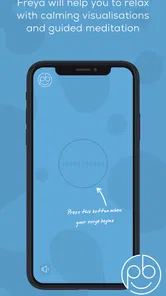
When I want a calmer way to prepare for labour, I’d rather have one clear place to focus than juggle timers, notes and unrelated advice. Freya - Surge Timer is a medical app from The Positive Birth Company, designed to guide users through labour with hypnobirthing techniques and contraction tracking. Its purpose is specific: it pairs a supportive approach to coping with labour with a practical way to follow contractions, rather than trying to be a general pregnancy planner.
From preparation to a useful labour routine
I’d treat preparation as the first part of using Freya, not something to leave until contractions begin. Getting comfortable with its hypnobirthing support in a calm moment can help you decide whether it feels reassuring, while also giving your support person a chance to learn how the contraction timer fits into your routine. That groundwork makes the next step—using the app during labour—feel more deliberate and less like another thing to figure out.
Choosing it before labour begins
I see this being most useful when someone has already decided they’d like to explore hypnobirthing and wants a tool ready before contractions start. The app costs $6.49, is rated for Everyone, and has a 4.7 average from around 470 ratings; those details make it easier to judge whether its focused approach is worth trying. It has over 50,000 installs, but popularity alone is less important than whether the guidance feels comfortable to you.
A sensible first step is to open it while you’re still at home and have time to become familiar with the experience. Try the guidance when you’re relaxed, rather than waiting until you’re tired or managing stronger contractions to work out what feels helpful. That small rehearsal matters: during labour, a familiar voice or routine can be easier to follow than instructions you’re encountering for the first time.
Making a personal plan before the phone becomes useful
I’d use a quiet practice session to decide what role I want the app to play, rather than assuming I’ll want it running constantly. For example, you might try its hypnobirthing support during a calm moment and notice whether it helps you settle, or whether you would rather have silence and your own breathing rhythm. That is a practical test of fit, not a commitment to use the same approach throughout labour.
It also helps to talk through the plan with whoever may support you. Agreeing that they can manage the phone, while you choose whether to listen or rest, avoids turning the app into another task you have to direct. If plans change and you no longer want spoken support, that is a valid choice; the point of preparing is to have an option, not to follow a script.
Using the timer without letting it take over
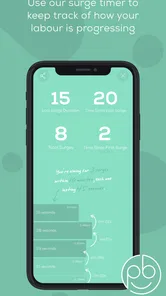
Once labour is under way, the contraction tracker gives the experience a practical anchor: you can record contractions and follow their pattern while using the app’s hypnobirthing support. I’d treat the timer as an aid to observation, not as a decision-maker. A pattern on a screen can help you describe what is happening, but it cannot assess how you or your baby are doing or replace advice from a midwife or doctor.
More From Our News Desk

 Gmail
GmailGmail in a Busy Inbox: Who Benefits Most?
From first account to crowded workday, Gmail earns its place through dependable search and flexible sorting—but its best fit depends on how much inbox maintenance you can tolerate.

 Prime Video
Switching to Prime Video: What Changes in Your Viewing Routine
Prime Video can make a compelling second home for streaming, but switching means learning a different catalog, rental layer, and route from browsing to playback.

 Universal TV Remote Control
Universal TV Remote Control Works Best as a Reliable Backup
A phone remote earns its place through quick setup and reliable habits. Here is how to get more from Universal TV Remote Control—and where its limits show.

 Weather - By Xiaomi
Weather by Xiaomi Review: Clear at a Glance, Less Clear Up Close
Xiaomi’s weather app makes everyday forecasts quick to scan, but its calm surface can leave useful details and recovery paths harder to find than they should be.

 X
XX Under Pressure: Can It Recover When Posting Goes Wrong?
A resilience-focused review of X, examining setup, mistaken posts, interruptions, weak connections, and the gaps that matter when recovery needs to be dependable.

 Clash of Clans
Clash of Clans Is Won Between the Battles
Its raids are quick; its community is a long-term project of coordination, teaching, rivalry, and shared responsibility—with all the friction that entails.
Latest News



One useful workflow is to let a birth partner handle the phone while you concentrate on breathing and relaxing. They can keep track of contractions and pass along the pattern if a care professional asks, leaving you less tempted to interrupt your focus to check the screen. If you’re labouring alone, it may help to decide in advance when you want to check the timer, rather than looking at it after every contraction.
Passing information to the people supporting you
The handoff from app to real-world care is important. A partner can use the timing information as a concise way to explain what they’ve observed when contacting a maternity team, while you continue with the coping techniques that feel right. I wouldn’t use an app reading to decide on its own when to seek help; follow the guidance from your care team and contact them whenever you’re concerned.
This is also where a dedicated contraction timer differs from a paper note or a basic stopwatch: it is intended to make tracking part of a labour-support experience, rather than leaving you to assemble a routine from separate tools. On the other hand, if you only want to record start times and durations, a simple timer or written log may be enough. The extra value here depends on whether the hypnobirthing guidance is something you actually want to use.
Deciding what to share and what to keep simple
Before labour, I’d make sure the person accompanying you knows how to summarize what the timer is showing in ordinary language. A care professional is more likely to need a clear account of the pattern than a complicated explanation of how you used an app. This small handoff keeps the tool in its proper role: it can help you notice and communicate, while clinical staff interpret the situation.
There is a useful trade-off between recording detail and keeping attention on the person in labour. If the partner is tracking, they can avoid interrupting after every contraction and instead share an update when it is useful or requested. If the app starts drawing both people into repeated screen-checking, scale back how often you look at it; the record should support the experience, not become its main event.
Where the routine can feel less convenient
The app’s focused design is a strength, but it also sets limits on who will enjoy it. Hypnobirthing is not a universal preference, and nobody should feel obliged to use a particular technique during labour. If spoken guidance distracts you, or you prefer to respond spontaneously without an app, the timer alone may not justify choosing this over a simpler option.
There is a practical trade-off too: using a phone during labour means someone has to keep it accessible and ready, and handling a screen may be the last thing you want to do during an intense moment. A partner can reduce that friction, but it is worth agreeing beforehand who will manage the timer. I’d also avoid making the app the only place your support person knows how to find useful information; the care team remains the right source for medical decisions.
Who benefits most, and who may prefer another route
I think this will suit someone who is curious about hypnobirthing, likes having a structured coping aid available, and would welcome a partner handling contraction records. It may also be useful for someone preparing a shared routine: one person can focus on staying present while the other watches the timing and communicates when needed. That division of attention is more meaningful than simply having another timer on a phone.
I’d be less inclined to recommend it to someone who dislikes guided audio or wants an app to interpret symptoms and tell them what to do. For that, a conversation with a maternity professional is the better route, and a plain timer or paper record may be enough for tracking. The app is also not an ideal choice if phone interaction itself is stressful; a familiar person keeping notes can be simpler and less distracting.
A grounded recommendation for the right person
The Positive Birth Company’s app is on version 7.2 and requires Android 7.0 or later. Those details are useful if you’re checking compatibility before paying, especially if you plan to rely on the app during a significant event. I’d install it and explore its approach well ahead of labour, then decide whether the guidance feels reassuring rather than assuming it will suit you in the moment.
One practical question is whether to keep the app as the sole record of contractions. I wouldn’t make that assumption: agree with your support person how they will communicate what they observe, and follow any preferences your maternity team gives you. The app can be one part of the routine without becoming the only way to remember or explain what is happening.
Overall, I’d recommend it to someone who wants hypnobirthing support alongside contraction tracking and is comfortable using a phone as part of their preparation. I’d steer someone seeking medical monitoring, tailored clinical advice, or only a bare-bones timer toward their care team or a simpler tracking method instead. Used for what it is—a companion for coping and keeping track, not a substitute for professional care—it can give a labouring person and their support partner a more organized starting point.
Getting Started with Freya
First off, downloading and setting up Freya is a breeze. Available on both Android and iOS, I was able to find it easily on the app store and had it installed within minutes. The app greets you with a clean, intuitive interface that even the most tech-phobic among us would find welcoming. The simplicity of the app is one of its strongest suits, allowing users to jump right in without a steep learning curve.
Features that Make a Difference
What sets Freya apart is its ability to track surge pricing in real-time, providing drivers with instant notifications when a surge is happening in their area. This feature alone can significantly enhance a driver’s earning potential, making it a must-have tool for anyone serious about maximizing their income. Additionally, the app provides historical data on surge patterns, allowing drivers to strategize their driving hours effectively.
Another standout feature is the customizable alerts. Users can set specific parameters for when they want to be notified about surges, ensuring they are always in the loop without being bombarded with unnecessary notifications. This level of personalization makes the app not just useful, but indispensable for those who rely on surge pricing to boost their earnings.
User Experience and Performance
Using Freya has been a smooth experience. The app runs seamlessly in the background, ensuring that you stay informed without draining your phone’s resources. I particularly appreciated the lack of intrusive ads, which is a rare find in free apps these days. The developers have clearly focused on creating an experience that prioritizes user needs over monetization, which is refreshing.
Performance-wise, Freya is reliable and quick. I haven’t experienced any lags or crashes, even during peak usage times. It’s clear that a lot of thought and care has gone into optimizing the app for real-world conditions, ensuring that it performs when you need it most.
Final Thoughts
In conclusion, Freya is a game-changer for drivers looking to capitalize on surge pricing efficiently. Its combination of real-time tracking, customizable notifications, and user-friendly design make it a standout choice in the crowded field of driver apps. Whether you’re a seasoned pro or just starting out, Freya offers tools and insights that can help elevate your driving game to new heights. So, next time you’re heading out to hit the road, make sure Freya is part of your toolkit.
Freya - surge timer for labour Frequently Asked Questions
Can Freya - Surge Timer coach me during labour, or does it only record contractions?
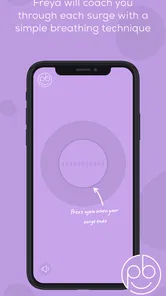
Freya is described as coaching you through labour using hypnobirthing techniques as well as tracking contractions. That makes it more than a simple timer: its purpose combines surge timing with supportive guidance during labour. If you are considering it for birth preparation, you can expect those two functions to be central to the app’s role, while keeping in mind that an app is not a substitute for advice from your maternity care team.
What is Freya - Surge Timer and how does it work?
Freya - Surge Timer is a specialized application designed to help users track and manage surges, particularly for activities related to timing contractions during labor. The app provides intuitive features to start, stop, and record the duration and intervals of surges, making it an essential tool for expecting parents. Users can easily monitor patterns and get insights into the timing of contractions, aiding in making timely decisions during labor. It also uses hypnobirthing techniques to coach users through labour, so timing and supportive guidance are brought together in one app.
Is Freya - Surge Timer available for both Android and iOS devices?
Yes, Freya - Surge Timer is available for both Android and iOS platforms. Users can conveniently download it from the Google Play Store for Android devices and the Apple App Store for iOS devices. The app is optimized for both operating systems, ensuring a seamless user experience regardless of the device being used.
Does Freya - Surge Timer require an internet connection to function?
Freya - Surge Timer does not require an active internet connection to track and record surge timings. The app is designed to function offline, allowing users to use all the core features without needing to be connected to the internet. This makes it reliable in situations where connectivity might be an issue, such as in hospitals or remote areas.
Are there any costs associated with using Freya - Surge Timer?
Freya - Surge Timer costs $6.49. This is a paid app rather than a free download, so users should expect to pay that price to get started. If you are comparing birth-support tools, the key consideration is whether you want a dedicated surge timer that also offers hypnobirthing coaching; check the relevant app store for the current purchase details before downloading.
Pros
- User-friendly interface
- Customizable settings
- Real-time tracking
- Supports multiple timers
- Minimal battery usage
Cons
- Limited free features
- Ads in free version
- No offline functionality
- Subscription required for premium
- Occasional sync issues











