Frame Crop - Samsung Frame TV
- 24.00
- 4.6
- Installs
- 1.00K
- Price
- $7.99

Screenshots
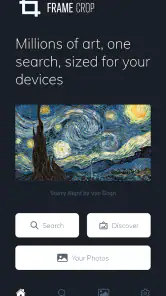
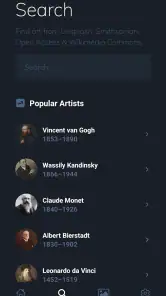
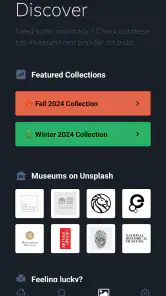
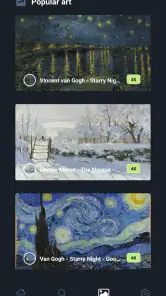
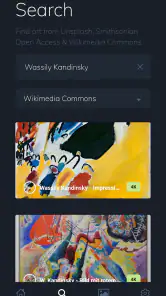
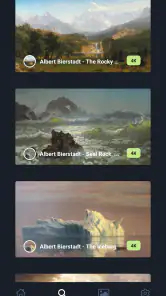
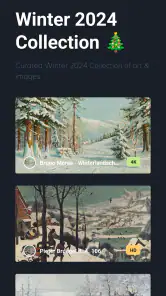
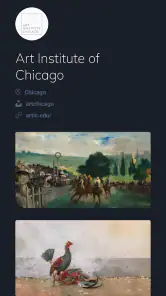
Analysis by Reviewed
So, I recently got my hands on this nifty app called Frame Crop - Samsung Frame TV, and let me just say, it’s a game-changer for anyone who owns a Samsung Frame TV. You know how these TVs are designed to look like a piece of art on your wall? Well, this app takes that concept and cranks it up a notch. Allow me to walk you through why this app is worth checking out.
Transform Your TV into a Masterpiece
First things first, what does Frame Crop - Samsung Frame TV actually do? In simple terms, it lets you customize the artwork on your Samsung Frame TV. The app allows you to crop and adjust your photos to perfectly fit the screen, ensuring that your TV looks like a seamless piece of art. No more awkward cropping or black bars on the sides – just a beautiful, full-screen image.
Features that Stand Out
One of the standout features of this app is its user-friendly interface. I mean, even if you're not tech-savvy, you can easily navigate through the app and get your photos cropped and ready in no time. It supports a wide range of photo formats, so you can use your favorite images without any hassle. Plus, the app offers a variety of editing tools, allowing you to adjust brightness, contrast, and even add filters to give your photos that extra pop.
Another cool feature is the ability to save your cropped images directly to your TV’s gallery. This makes it super easy to switch up your TV’s look whenever you feel like it. Feeling a different vibe? Just swap out the photos, and voila, a brand new aesthetic!
Why It’s Worth Your Time
Now, you might be wondering, "Is this app really necessary?" Well, if you’re someone who loves personalizing your space and making your TV look like a true piece of art, then yes, it absolutely is. The app enhances the overall experience of owning a Samsung Frame TV by allowing you to fully utilize its artistic potential.
Also, let’s not forget the community aspect. You can share your customized images with other users and get inspired by what others are doing with their TVs. It’s like a little community of art lovers, all sharing tips and tricks to make the most out of their Frame TVs.
In terms of performance, the app runs smoothly without any noticeable lags or crashes, which is always a big plus in my book. It’s reliable and efficient, making the whole process of customizing your TV a breeze.
Final Thoughts
To wrap it up, Frame Crop - Samsung Frame TV is a must-have app for any Samsung Frame TV owner. It offers a simple yet effective way to transform your TV into a personalized masterpiece. Whether you're an art enthusiast or just someone who loves a good aesthetic, this app will make your TV stand out in the best way possible.
So go ahead, give it a try and watch your living room transform into an art gallery. Trust me, you won't regret it!
Pros
- Easy to use interface.
- Supports various video formats.
- Efficient cropping tools.
- High-quality output.
- Seamless TV integration.
Cons
- Limited customization options.
- Requires Samsung TV compatibility.
- May lag on older devices.
- No cloud support for storage.
- Ads in free version.

- Category
- Photography
- Version
- 12.0.24











