

FortuneView - Earn Money
- 22.00
- 4.3
- Installs
- 50.00K
- Price
- Free

Screenshots
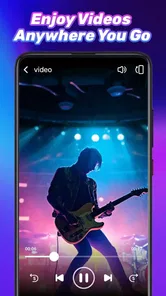

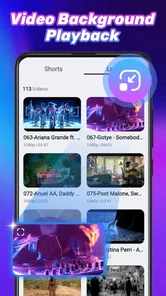

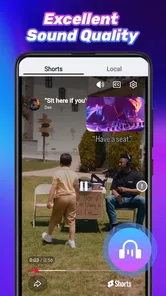
Analysis by Reviewed
When I look at a video app, I want to know more than whether it opens a clip quickly. I also want to understand what kind of control it gives me, how comfortable it feels during ordinary viewing, and whether its presentation encourages careful choices. That is the perspective I brought to FortuneView, a free video player and editor from FortuneView Developer. Its store summary presents it as a professional video playback tool, but the more useful question is where it fits in a real person’s phone.
My first impression is that this is a focused Android app rather than an all-purpose media suite. It belongs to the video players and editors category, carries an Everyone age rating, and works on Android 7.0 or later. The current release is version 1.0.2, so I would approach it as a relatively young product and pay attention to how its controls, permissions, and user-facing choices feel in practice.
The public response is encouraging without being overwhelming: FortuneView has a 4.3 average from around 194 ratings, with roughly 19 written reviews and over 10 thousand installs. That gives me enough feedback to take the app seriously, while still reminding me not to treat it as a universally proven replacement for long-established players. I would try it first with ordinary, non-sensitive videos rather than moving my entire media routine over immediately.
How FortuneView fits into everyday video playback
I use a simple routine to decide whether a video player deserves a place on my phone: check a few representative clips, notice where the playback flow slows me down, and only then decide whether to make it a regular option. That approach is especially useful with FortuneView, because it keeps the trial practical instead of turning a promising first impression into an assumption. Next, I look at which settings are worth reviewing before settling into that routine.
A practical starting point for local viewing
The most natural role for this app is straightforward playback on an Android phone. If I have a saved clip from a family event, a downloaded lesson, a short work recording, or a video I captured myself, a dedicated player can be more convenient than opening a full editing suite or relying on a general file manager. FortuneView’s positioning suggests that playback is its center of gravity, which is useful for people who want to get to their videos without navigating a large collection of unrelated tools.
I can imagine using it after recording a short demonstration for a colleague. Instead of sending the file immediately, I would open it in FortuneView, watch the beginning and end, check whether the sound is understandable, and decide whether the clip is ready to share. That small review step matters: it catches accidental pauses, an obstructed camera view, or a recording that looks fine in a thumbnail but is difficult to follow when played.
The app also makes sense for someone who keeps a mixture of personal and practical videos on a phone. A parent might check a school performance recording, a student might review a lecture clip, and a small business owner might inspect a product video before posting it. In each case, the value is not flashy editing. It is having a dedicated place to inspect video carefully before making the next decision.
More From Our News Desk

 Gmail
GmailGmail in a Busy Inbox: Who Benefits Most?
From first account to crowded workday, Gmail earns its place through dependable search and flexible sorting—but its best fit depends on how much inbox maintenance you can tolerate.

 Prime Video
Switching to Prime Video: What Changes in Your Viewing Routine
Prime Video can make a compelling second home for streaming, but switching means learning a different catalog, rental layer, and route from browsing to playback.

 Universal TV Remote Control
Universal TV Remote Control Works Best as a Reliable Backup
A phone remote earns its place through quick setup and reliable habits. Here is how to get more from Universal TV Remote Control—and where its limits show.

 Weather - By Xiaomi
Weather by Xiaomi Review: Clear at a Glance, Less Clear Up Close
Xiaomi’s weather app makes everyday forecasts quick to scan, but its calm surface can leave useful details and recovery paths harder to find than they should be.

 X
XX Under Pressure: Can It Recover When Posting Goes Wrong?
A resilience-focused review of X, examining setup, mistaken posts, interruptions, weak connections, and the gaps that matter when recovery needs to be dependable.

 Clash of Clans
Clash of Clans Is Won Between the Battles
Its raids are quick; its community is a long-term project of coordination, teaching, rivalry, and shared responsibility—with all the friction that entails.
Latest News



Where the “professional” wording should be treated carefully
I would not read the professional wording as proof that FortuneView replaces a complete desktop editor. A playback-focused application and a serious editing workstation solve different problems. If I need a multi-track timeline, detailed color correction, captions, transitions, audio mixing, or export presets, I would choose a mature editing application designed around those tasks.
That distinction is important because the category combines video players and editors, yet the store summary emphasizes playback. For me, this means the app may be most attractive as a viewing and checking tool, not as the only application in a creator’s workflow. I would use it to inspect source material and confirm a finished clip, then turn to a specialized editor when the project itself requires complex changes.
There is also a practical trade-off between a focused player and a familiar default app. The player already installed on a phone may open common clips automatically and may be deeply integrated with the device’s file browser. Switching to FortuneView only makes sense if its viewing experience feels clearer or more dependable for the files I actually use. I would judge that after testing several ordinary clips, not after watching one successful sample.
Trust begins with the choices visible on the phone
Because FortuneView is a newer app with a modest install base, I think trust should be built through observation rather than assumption. I would watch the first launch carefully: which screens appear, whether access requests are explained in plain language, and whether I can decline anything that is not needed for the immediate task. A video player should make its purpose understandable before asking me to hand over broader access to my device.
This is especially relevant when opening a private recording. I would first test the app with a harmless clip, then inspect what happens when I browse for another file. If the workflow lets me select only the item I want to view, that gives me more control than granting broad access without thinking. If Android presents a choice between limited and wider media access, I would begin with the narrowest option that still lets me complete the task.
I would also avoid treating a smooth interface as evidence of good data practices. A polished player can still deserve careful permission choices, while a simple interface can be perfectly adequate. My recommendation is to separate the two judgments: evaluate how well FortuneView plays video, and separately evaluate what it asks to access and how clearly it explains those requests.
Handling sensitive videos without unnecessary exposure
Video files can reveal much more than their images. A clip may contain voices, faces, a home interior, a child, a workplace document, or location clues in the background. For that reason, I would not use a new player as the first place to open the most private material in my library. I would begin with a sample clip that carries little personal information and see how the app behaves.
A sensible test is to create a small temporary folder containing two or three non-sensitive videos. I would open those files, close the app, and check whether the workflow remains understandable the next time I return. I would also pay attention to whether the app’s file picker shows a clear selection or makes the entire media collection feel exposed. This is not about being suspicious of every app; it is about matching access to the job.
When I finish viewing a sensitive clip, I would use the phone’s normal app and storage controls rather than assuming that closing the player removes every trace. I would avoid leaving confidential material in a broadly shared folder, and I would review Android’s permission manager from time to time. These habits remain useful even when an app behaves responsibly, because the operating system, backup services, and other applications can all affect where media travels.
Account control and the value of staying deliberate
For a basic video player, I prefer a workflow that does not pressure me into creating an account before I can perform a simple local task. If FortuneView presents account-related screens, I would read them rather than tapping through automatically. I would look for a clear explanation of why an account is needed, what information is requested, and whether the core playback function remains available without one.
I would use a unique password if registration became necessary, and I would avoid reusing a password from email, banking, or social media. If the app offers account controls, I would expect to find understandable ways to sign out, remove stored profile information, or manage access. These are ordinary safeguards, but they matter more when an application becomes part of a personal media routine.
I also think user agency includes the ability to stop using the app cleanly. Before making FortuneView my default player, I would confirm that I can return to the previous app through Android’s default-app settings. That keeps the decision reversible. A good test period should not feel like a permanent commitment: I should be able to compare the player with my usual option, revoke access, and remove it if it does not fit.
Three useful habits that improve the trial
My first practical tip is to test by file type and situation, not just by one video. I would try a short camera recording, a longer saved clip, and a file received from another person. The point is to discover whether the app suits my actual library. A player can feel excellent with one recording and less convenient with a different source, especially when I am moving between folders or checking several clips in sequence.
Second, I would separate viewing from sharing. After watching a clip, I would use the phone’s normal share controls and check the destination before confirming. This prevents a casual tap from sending a private recording to the wrong conversation or service. FortuneView may be the place where I inspect the video, but the final sharing decision still deserves my attention.
Third, I would keep the initial permission scope small and expand it only when a real task requires more. This is a better test of user control than accepting every prompt at once. If the app works with selected files, I would stay with that arrangement. If a broader choice is necessary for my library, I would make it knowingly and revisit it later through Android settings.
Who will appreciate it, and who should choose something else?
FortuneView is a reasonable candidate for Android users who want a free, dedicated way to inspect videos and who are comfortable evaluating a newer app for themselves. It may suit someone who regularly checks recordings before sending them, keeps videos in local storage, or wants an alternative to a cluttered default media experience. The Everyone rating also makes it approachable for general household use, although adults should still decide how children handle personal recordings and permissions.
I would be more cautious about recommending it as the only tool for a professional creator. If my work depends on advanced editing, predictable production controls, extensive format handling, or a deeply established ecosystem, I would use a specialist editor or a long-standing media player instead. I would also skip it if I want a service built primarily around streaming subscriptions, cloud libraries, or social sharing, because a playback-oriented tool is a different kind of product.
People who dislike testing permissions or comparing apps may prefer to remain with the player already integrated into their phone. The benefit of switching is not automatic. It has to come from a clearer workflow, better comfort with local video review, or a specific playback habit that the default option does not handle well for them.
My cautious verdict after weighing the trade-offs
I see FortuneView as a focused experiment worth trying, not an app I would install blindly and immediately trust with my entire media library. Its free price removes the financial barrier, and its 4.3 average suggests that many early users have found something worthwhile. At the same time, the smaller install footprint and relatively early version make a gradual trial the sensible approach.
My preferred setup would be simple: install it on a compatible Android device, open a few non-sensitive clips, keep permissions as narrow as possible, and compare the experience with the usual player. I would then decide whether the app saves time when checking recordings or merely adds another icon. That test answers the question that matters more than the store summary: does it improve my personal video routine without taking control away from me?
My recommendation is cautiously positive for everyday playback and pre-sharing checks. I would recommend FortuneView to a friend who wants a free video tool and is willing to make deliberate permission and account choices. I would not present it as a complete editing replacement or as an automatic upgrade for every Android user. Used within its likely strengths, and evaluated with sensible privacy habits, it can be a useful addition rather than a commitment.
FortuneView - Earn Money Frequently Asked Questions
Is FortuneView - Earn Money free, and what devices can run it?
FortuneView - Earn Money is free to download and is listed for devices running Android 7.0 or later. Its Everyone content rating makes it suitable for a broad audience, though individual activities or offers may have their own eligibility requirements. Before installing, check that your device meets the minimum operating-system requirement and review the app’s permissions during setup.
Who develops FortuneView - Earn Money, and what is it designed for?
FortuneView - Earn Money is developed by FortuneView Developer and is described as a professional video playback tool. It also presents itself as a rewards application, so users may encounter activities intended to earn points or rewards. The app has a 4.3 average from around 194 ratings, but individual experiences can differ depending on location, available activities, and how users engage with it.
What is FortuneView - Earn Money, and how does it work?
FortuneView - Earn Money is presented as a rewards application where users can complete available activities, such as viewing content, answering questions, or participating in promotional offers, in exchange for points. Those points may be converted into rewards after reaching the required threshold. The exact tasks, earning rates, and available options can vary by country, account status, and current campaigns.
Can I really earn money with FortuneView - Earn Money?
The app may provide legitimate opportunities to collect points or rewards, but it should not be considered a dependable source of income. Earnings are generally modest and depend on how many eligible activities are available, how frequently you use the app, and whether you meet each offer’s conditions. Always review the reward rules carefully before spending time on a task.
How can I withdraw my rewards from FortuneView - Earn Money?
Withdrawal methods and minimum payout requirements can differ depending on your location and the options currently supported by the application. Before completing activities, check the rewards or cash-out section to confirm the available payment services, required point balance, processing time, and any restrictions. Make sure your account details are accurate, since incorrect information can delay or prevent delivery.
Pros
- Simple interface makes earning options easy to find.
- Supports multiple reward activities in one app.
- Progress toward available rewards is easy to monitor.
- Suitable for users seeking casual
- low-effort tasks.
- Can provide extra entertainment alongside reward opportunities.
Cons
- Earnings may be too small to justify the time spent.
- Reward availability can vary by country or user profile.
- Some activities may require watching frequent advertisements.
- Cash-out thresholds could delay access to earned rewards.
- The app may collect usage data for personalization or advertising.












