

Football Wallpaper HD 4K
- 104.00
- 4.6
- Installs
- 10.00M
- Price
- Free
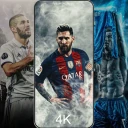
Screenshots
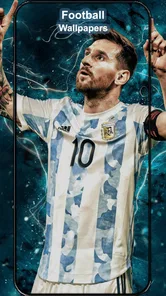
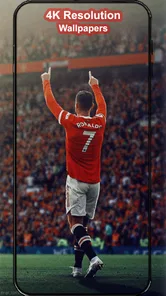
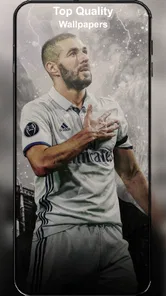
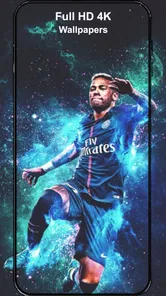
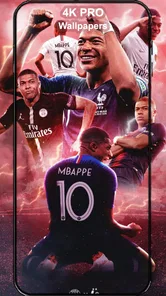
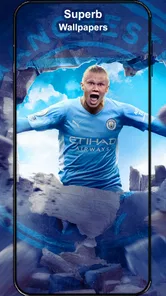
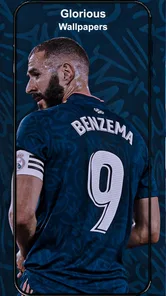
Analysis by Reviewed
I judge a wallpaper app by a simple test: can I find an image that suits my screen and my taste without turning a quick change into a chore? Football Wallpaper HD 4K is a free personalization app from Gigo Ltc, built for people who want football—not a generic landscape or abstract pattern—to be part of their phone’s look. Its appeal is straightforward: browse football imagery, pick a favorite, and make it your background.
The app has a 4.6 average from around 45,000 ratings and over 10 million installs, so it has clearly found an audience. It is rated for Everyone, and the current version is 1.5.2, with Android 6.0 as the minimum requirement. Those details make it easy to decide whether it is worth trying, but the more useful question is whether a dedicated football wallpaper library fits how you actually personalize your phone.
Decide what you want your screen to do
Before installing any wallpaper app, I’d think about where the image will appear and how often I’m likely to change it. A lock screen can handle a more dramatic composition because I mainly look at it briefly, while the home screen has to share space with icons, widgets, and notifications. Football Wallpaper HD 4K makes the most sense when the subject itself matters more to you than having a huge range of unrelated styles.
It is also worth deciding whether you want a particular player or club to be immediately recognizable, or simply want a football mood. Those goals can lead to different choices: a portrait puts one subject front and center, while a wider scene can feel less intense and leave more breathing room. I’d browse with that distinction in mind rather than choosing only by which thumbnail looks brightest.
Choose it for a football-first screen
If I wanted my lock screen or home screen to reflect a favorite player, club, or the sport in general, a focused collection would be more convenient than scrolling through a broad wallpaper app. The strongest reason to choose this one is that football is the point, not just one category among thousands. That focus makes it a natural fit for fans who change their wallpaper for a new season, a big match, or simply a fresh look.
There is a small practical distinction worth keeping in mind: an image that looks dramatic when opened full-screen may feel crowded once icons and widgets sit over it. I’d check the crop on the actual screen before settling on a busy design. A close-up or a composition with open space can work better as a home screen, while a detailed action image may be more enjoyable on the lock screen.
Unleashing the World of Football
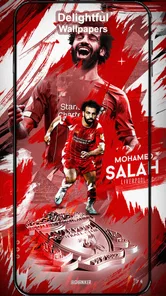
The first thing you’ll notice about the Football Wallpaper HD 4K app is its impressive collection. Whether you're a fan of Messi, Ronaldo, or just about any football club, there’s a wallpaper waiting for you. The images are in 4K, which means they are incredibly sharp and vibrant. It feels like you’re almost on the pitch alongside your favorite players.
More From Our News Desk

 Gmail
GmailGmail in a Busy Inbox: Who Benefits Most?
From first account to crowded workday, Gmail earns its place through dependable search and flexible sorting—but its best fit depends on how much inbox maintenance you can tolerate.

 Prime Video
Switching to Prime Video: What Changes in Your Viewing Routine
Prime Video can make a compelling second home for streaming, but switching means learning a different catalog, rental layer, and route from browsing to playback.

 Universal TV Remote Control
Universal TV Remote Control Works Best as a Reliable Backup
A phone remote earns its place through quick setup and reliable habits. Here is how to get more from Universal TV Remote Control—and where its limits show.

 Weather - By Xiaomi
Weather by Xiaomi Review: Clear at a Glance, Less Clear Up Close
Xiaomi’s weather app makes everyday forecasts quick to scan, but its calm surface can leave useful details and recovery paths harder to find than they should be.

 X
XX Under Pressure: Can It Recover When Posting Goes Wrong?
A resilience-focused review of X, examining setup, mistaken posts, interruptions, weak connections, and the gaps that matter when recovery needs to be dependable.

 Clash of Clans
Clash of Clans Is Won Between the Battles
Its raids are quick; its community is a long-term project of coordination, teaching, rivalry, and shared responsibility—with all the friction that entails.
Latest News



Easy Navigation and User-Friendly Interface
One of the things I appreciate the most about this app is how easy it is to navigate. The developers have done a fantastic job in ensuring that even the least tech-savvy person can find their way around. The interface is sleek and intuitive. You can browse through categories, search for your favorite team or player, and even save your top picks to a favorites list.
That favorites list is useful for more than collecting images I like. I’d use it as a shortlist: save a few candidates, compare how they look on my phone, then keep the one that remains readable behind my everyday apps. For a match-day change, this avoids starting the search from scratch. It also gives me a way to keep a calmer option alongside a more energetic player or team image.
Make the image work on your actual screen
When I compare candidates, I look past resolution and ask whether the main subject survives the phone’s crop. A sharply detailed image can still be awkward if the face, ball, or club colors land beneath the clock or icons. I’d preview each favorite in the intended position, then move to another option if the crop hides the part that made me save it. That quick check is more useful than assuming every image will fit every screen equally well.
One practical approach is to keep separate favorites for different jobs: a low-detail background for the home screen and a busier action image for the lock screen. Even without treating every saved wallpaper as a permanent choice, this gives me a ready-made pair when I want a quick change. It also helps avoid the common trap of picking the most exciting image and then finding that it makes app labels harder to pick out.
Customization at Its Best
What sets this app apart from others is the level of customization it offers. You can set wallpapers directly from the app, adjust them to fit your screen perfectly, and even use the app to create a slideshow of your favorite wallpapers. It’s like having a mini art gallery dedicated to football in your pocket.
Direct setting is handy when I want to try an image immediately, but I’d still check the preview carefully: cropping can change which player or detail becomes the focal point. If I’m choosing a slideshow, I’d keep the saved selection intentional rather than adding every appealing image. A smaller set with different compositions is less likely to make the screen feel visually repetitive.
A slideshow suits someone who enjoys variety more than someone who wants a carefully composed, consistent screen. If I used one, I’d select images that differ in framing and visual weight rather than several near-identical portraits. That way, the rotation feels like a change of scene instead of a small shuffle of the same look. For people who rarely notice their wallpaper, a single well-tested favorite is likely the simpler choice.
Regular Updates Keep It Fresh
Another highlight is the regular updates. The app frequently adds new wallpapers and updates existing ones to keep up with the latest matches and player transfers. This means you’ll always have fresh content to choose from and can stay updated with the latest in the football world.
For everyday use, I’d treat new additions as a reason to revisit the collection occasionally, not as a promise that every niche preference will be covered. Fans who want a particular club identity or player-focused look may enjoy the focused search; anyone who wants a specific artistic style above all else may have better luck with a general wallpaper app, where football is only one option among many.
How it compares with other ways to personalize
The main alternatives solve different problems. A phone’s built-in backgrounds are convenient when I want a quick, understated change and do not need a football subject. A general wallpaper library makes more sense if I switch between sports, scenery, illustrations, and abstract designs. A personal photo is often the better choice when I want a meaningful image that is not part of a themed collection. This app’s advantage is narrower but clear: it keeps the search centered on football.
That focus saves browsing time when I already know the kind of image I want, but it can become a limitation when my taste changes. If I want a muted color palette, a particular illustration style, or a subject outside football, I would not expect a dedicated sports app to be the most efficient place to look. I’d use it as a specialist option rather than replacing every other way I personalize my phone.
A realistic routine might be to save a few options before a weekend match, test one on the lock screen, and switch back to a less busy choice for the home screen if notifications become hard to scan. That small separation lets the football image stand out without sacrificing day-to-day readability. If I only wanted one static background and rarely changed it, I would browse once, choose carefully, and skip the habit of checking for new designs.
Small trade-offs to keep in mind
The most important trade-off is attention. Browsing for a specific player or club can be enjoyable, but it can also turn a quick customization into a longer search if I keep comparing similar images. I’d set a simple limit for myself: save a handful of candidates, preview them, and choose the one that works best rather than continuing to look for a theoretically perfect image.
High visual detail is not automatically an advantage on a small screen. A busy composition may look impressive when viewed by itself and less practical once notifications or app icons cover it. Likewise, a strong team image can make a phone feel more personal but may not suit someone who prefers a neutral look in every setting. Those are not reasons to avoid the app; they are reasons to choose the image for the screen’s everyday job, not just for its thumbnail.
And let’s not forget, the app doesn’t bombard you with ads. While there are a few, they’re not intrusive, which is a big plus in my book.
Who should make the switch?
I’d recommend it to football fans who want a dedicated place to find and try sport-themed backgrounds, especially if they enjoy changing their screen around key moments in the season. It is less compelling for people who prefer understated wallpapers, need a broad mix of subjects, or are already happy with a small personal photo collection. Since it is free, trying it is an easy way to see whether its football-focused approach suits you; the real cost is the time spent browsing and adjusting images until one feels right.
It is also a reasonable fit for someone who is unsure whether a football background will work on their device: the practical test is to choose one image, preview the crop, and use it for a normal day rather than judging it only in the gallery. If the lock screen feels more personal and the home screen remains readable, the app has done what you came for. If you find yourself removing the image because it competes with daily use, a calmer built-in background or a personal photo may be a better match.
In conclusion, if you’re a football enthusiast looking to spice up your device with some stunning visuals, the Football Wallpaper HD 4K app is the way to go. It’s simple, effective, and packed with features that every football fan will appreciate. So, go ahead, give your phone the football makeover it deserves!
Football Wallpaper HD 4K Frequently Asked Questions
Can I choose a wallpaper for my lock screen, home screen, or both?
Football Wallpaper HD 4K is designed for phone personalization, with football-themed images intended to give your screen a fresh look. Whether a selected image can be applied to the lock screen, home screen, or both depends on the options available in the app and your device’s wallpaper settings. Check the preview and apply controls before confirming your choice.
Will the wallpapers fit different phone screen sizes without looking blurry?
The app’s focus is football wallpapers in HD and 4K, which are intended to provide clear visuals on a phone screen. How an image looks can still depend on your device’s display and how the wallpaper is cropped or positioned. Preview an image before applying it, and adjust its framing with your phone’s wallpaper controls if needed.
Can I save wallpapers to my phone and change them later?
Football Wallpaper HD 4K is intended to help users browse football imagery and customize a phone screen. The published feature description says users can save favorite wallpapers and apply images to their device. Saving choices can be useful if you want to switch designs later; once an image is stored on your phone, it can be available without browsing for it again.
Is Football Wallpaper HD 4K suitable for younger users?
Football Wallpaper HD 4K is a personalization app rated Everyone, so its age classification makes it suitable for a broad audience. It focuses on football-themed images for customizing a phone screen. Parents can still review the app themselves and guide children through installing apps and choosing wallpapers, as they would with any download.
What features does Football Wallpaper HD 4K offer?
Football Wallpaper HD 4K offers a wide selection of high-resolution football-themed wallpapers that can be set as your device's background. The app provides images in 4K quality, ensuring crisp and clear visuals. Users can browse through various categories, save their favorite wallpapers, and easily apply them with just a tap.
Pros
- High-quality 4K resolution wallpapers.
- Wide variety of football teams and players.
- Regularly updated with new images.
- Easy to navigate and use interface.
- Lightweight app with fast loading times.
Cons
- Contains ads that can be intrusive.
- Limited customization options for wallpapers.
- Requires internet connection for updates.
- No option to download wallpapers for offline use.
- Some users report occasional crashes.











