

FiMe: Find Phone By Clap Hand
- 74.00
- 4.6
- Installs
- 1.00M
- Price
- Free

Screenshots

Analysis by Reviewed
When I misplace my phone at home, the problem is rarely that it has vanished; it is usually tucked beneath a cushion or buried in a bag while I am already trying to leave. That small, familiar hunt is where FiMe: Find Phone By Clap Hand makes sense. It turns a simple sound into a way to locate a nearby device, and the idea feels immediately useful. The bigger question, for me, is whether it becomes part of a routine after the first amusing test.
The first-week appeal
On first use, the appeal is easy to understand: instead of borrowing another device or retracing every step, I can clap and listen for a response. The app is a free personalization tool from GODHITECH JSC, with optional in-app purchases ranging from $1.99 to $19.99 per item. It is rated for everyone, and its 4.6 average from around 12,000 ratings suggests many people find the basic idea worthwhile. I would try it first in a quiet room, where it is easier to learn how my claps register before relying on it in a busy space.
A realistic test is getting ready to go out, setting down the phone while packing, then forgetting whether it is on the hallway shelf or under a jacket. A clap-based alert can shorten that search without requiring me to remember where I last used it. It is especially handy for people who misplace a phone within earshot at home, or for anyone whose hands are occupied and who can still clap. It is less suited to finding a phone left elsewhere: this is a nearby-finding aid, not a substitute for remote location or account-based recovery tools.
Who gets the most from a clap-based search
I can see this fitting people whose phone tends to disappear into the same few rooms rather than those who regularly leave it behind in shops or vehicles. It is also a more natural fit for someone who lives alone or shares a home with people who will not mind a brief alert. If you often work with your hands, a clap can be simpler than washing up, borrowing someone else’s phone, or stopping to search every pocket—provided you can clap safely and the device is close enough to respond.
There is a useful distinction between “I cannot see my phone” and “I do not know where my phone is.” FiMe is aimed at the first problem. If I remember leaving the device somewhere in the house, a sound response can help narrow the search. If I suspect it is outside the house, a remote-finding service is the more appropriate first move. Keeping both approaches in mind prevents a convenient local tool from creating false confidence when the phone is genuinely missing.
Using FiMe beyond the novelty
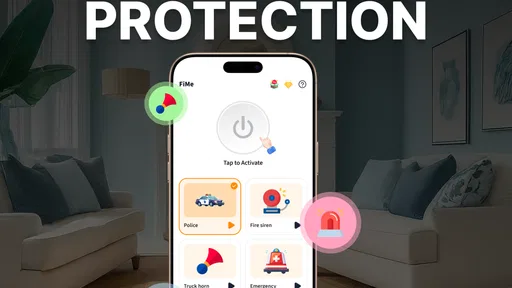
Setting up FiMe: Find Phone By Clap Hand is as straightforward as it gets. Once you download it from the app store, the installation is pretty much a breeze. The app's user interface is intuitively designed, so even if you're not the most tech-savvy person, you'll find your way around it quite easily. What's cool is that the initial setup allows you to customize the sensitivity of clap detection, ensuring that the app responds to your specific clap sound. Trust me, this feature is a game-changer, especially if you're in a noisy environment.
How It Works
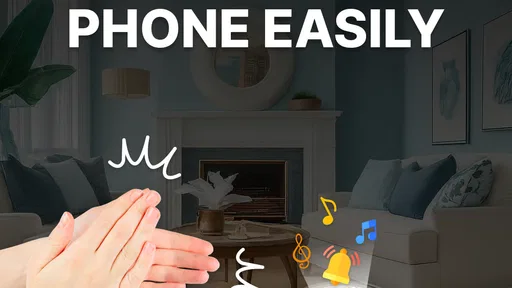
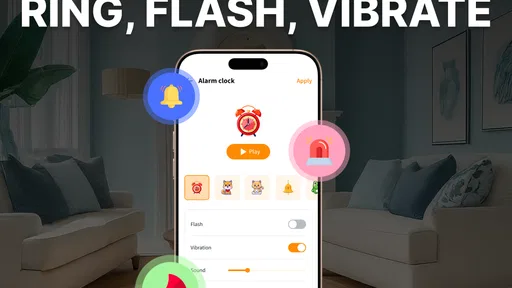
Imagine this: your phone is buried under a pile of clothes, or maybe it slipped into the abyss between your couch cushions. All you need to do is clap your hands, and voilà! Your phone starts ringing, flashing, or vibrating depending on the settings you choose. It's like having a search party at your fingertips. I've tested it in various scenarios, and the app's responsiveness is impressive. Plus, it's not overly sensitive, so you won't trigger it by accident. It's a sweet spot that I really appreciate.
More From Our News Desk

 Gmail
GmailGmail in a Busy Inbox: Who Benefits Most?
From first account to crowded workday, Gmail earns its place through dependable search and flexible sorting—but its best fit depends on how much inbox maintenance you can tolerate.

 Prime Video
Switching to Prime Video: What Changes in Your Viewing Routine
Prime Video can make a compelling second home for streaming, but switching means learning a different catalog, rental layer, and route from browsing to playback.

 Universal TV Remote Control
Universal TV Remote Control Works Best as a Reliable Backup
A phone remote earns its place through quick setup and reliable habits. Here is how to get more from Universal TV Remote Control—and where its limits show.

 Weather - By Xiaomi
Weather by Xiaomi Review: Clear at a Glance, Less Clear Up Close
Xiaomi’s weather app makes everyday forecasts quick to scan, but its calm surface can leave useful details and recovery paths harder to find than they should be.

 X
XX Under Pressure: Can It Recover When Posting Goes Wrong?
A resilience-focused review of X, examining setup, mistaken posts, interruptions, weak connections, and the gaps that matter when recovery needs to be dependable.

 Clash of Clans
Clash of Clans Is Won Between the Battles
Its raids are quick; its community is a long-term project of coordination, teaching, rivalry, and shared responsibility—with all the friction that entails.
Latest News



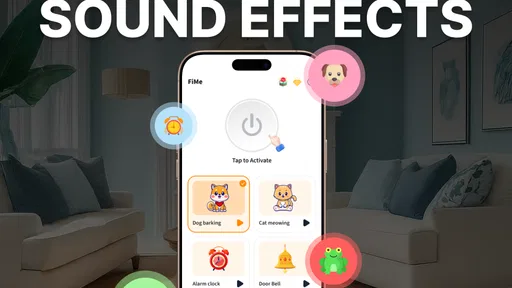
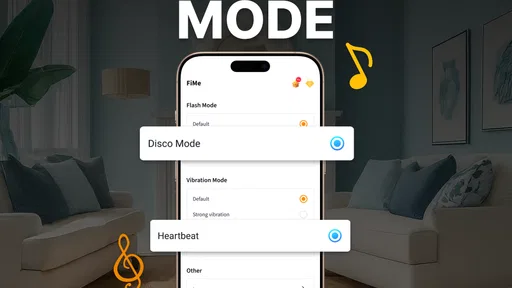
That flexibility makes the response easier to fit to a particular room. I would choose an audible alert when the phone may be hidden under bedding, but flashing or vibration can be more considerate if someone nearby is sleeping or working. There is a trade-off: a quiet response may be harder to notice when the device is buried, while sound can be disruptive in shared spaces. Testing the chosen alert before depending on it is a sensible habit, especially if the phone is often left on silent or in a bag.
Making the alert useful rather than surprising
A small setup tip is to test the full routine from the places where the phone actually gets lost. I would put it on the sofa, under a light throw, and in a bag I use at home, then try the clap and check whether the response is easy to notice. Those checks reveal more than repeatedly clapping beside the phone: they show whether a particular hiding place muffles the alert or whether the room makes the trigger difficult to pick up.
I would also choose the response with the household in mind, not just the loudest option. In a quiet bedroom, a sharp sound may make a search quick but could wake someone; a visual or vibration cue may be more polite but harder to detect if the phone is tucked away. In a shared home, agreeing on when to use the alert can avoid confusion, especially if clapping is likely to make someone think you are calling them rather than looking for a device.
Why You'll Love It
Now, let's talk about why FiMe is more than just a nifty trick. It's a real lifesaver for those of us who are perpetually on the go. I can't tell you how many times I've been late because I wasted precious minutes hunting for my phone. With FiMe, those days are behind me. The app is lightweight, so it won't hog your phone's resources, and it doesn't bombard you with ads, which is a massive plus in my book.
For month-to-month value, I would judge it by whether it saves time often enough to justify keeping it installed, rather than by how entertaining the first clap test feels. It has over a million installs, but popularity alone cannot make a household habit. If I only lose my phone once in a while, I might prefer the locating tools already built into my phone or account. Those are usually the better choice when the device is far away, while FiMe’s appeal is the quick, local search when I am close enough to make a sound and hear the alert.
To make the routine dependable, I would keep the phone in places where it can hear a clap and where its response is not muffled. A phone deep inside a closed drawer, surrounded by soft clothes, or in a noisy room can make any sound-triggered search less convenient. I would also test it after changing the phone’s usual sound setup, rather than assume the same alert will be noticeable in every situation. That small check is more useful than repeatedly adjusting settings without a clear reason.
Where the habit can wear thin
Clap detection is practical, but it depends on the environment and on remembering that the feature is available. In a quiet home it can feel almost effortless; in a shared office, public place, or room where clapping would attract attention, I would reach for another method. Background noise can also make a sound-based approach less dependable, so I would not make it my only plan for an urgent search. The app is designed for convenience, not for replacing careful storage or a device-recovery service.
There is also a small social trade-off: a phone reacting to a clap may surprise people nearby, and repeated testing can become annoying once the novelty wears off. I would set it up once, learn which alert works in my usual rooms, then leave it ready for the occasional misplaced-phone moment. If I find myself triggering it accidentally or avoiding it because the alert is awkward, that is a sign the habit is not paying its way for me.
What it asks of you over time
The maintenance burden seems less about constant attention and more about keeping the setup suited to changing routines. If I move desks, start leaving the phone in a different room, or begin sharing a workspace, I would retest the trigger and response in those new conditions. Sensitivity that felt right in a calm living room may not be the best fit everywhere. I would make one deliberate adjustment at a time, then use the app normally for a few days rather than changing settings after every missed or unexpected response.
It is also worth deciding where this tool sits alongside the phone’s built-in options. I would use FiMe for the quick “it is somewhere nearby” search and keep the account-based locator in mind for a device that is out of reach. That division is practical because each method solves a different problem: clapping is immediate when I am in the same general area, while remote tools are the sensible fallback when sound cannot help. Neither should be treated as a complete substitute for the other.
FiMe is available on Android, with a minimum operating-system requirement of version 8.0; version 3.0.2 is the current release. I would check that compatibility before installing, then treat the free download as a low-commitment trial. The optional purchases are worth considering only if the app’s extra paid options matter to my own use; I would not assume I need to spend money just to test the basic idea.
When another approach is better
I would skip a clap-based finder if I need to recover a phone that may be far away, if I cannot comfortably make a clap, or if my regular surroundings make sudden alerts inappropriate. Someone who works in a quiet library, shares a small office, or cares for a sleeping child may find the social cost outweighs the few minutes saved. A built-in locator or a consistent “phone goes in this place” habit is likely to serve better in those situations.
Likewise, this is not a replacement for preventing loss. A fixed drop spot near the door can be more reliable than any search app when the same departure rush happens every day. I would pair that habit with FiMe rather than expect the app to compensate for a phone repeatedly left in unpredictable places. The app is most compelling as a backup for ordinary household forgetfulness, not as a reason to stop building simple routines.
Before relying on it, I would ask myself a few practical questions: Is the phone usually within the same room or nearby? Can I make a clap without disturbing someone? Will I notice the selected alert through the places where I tend to put the device? If the answers are mostly yes, the app has a clear job. If not, trying it may still be harmless, but I would not expect it to become part of my daily routine.
Final Thoughts
In a world where we're increasingly attached to our devices, having an app like FiMe: Find Phone By Clap Hand is almost a necessity. It's practical, reliable, and quite frankly, a bit of a lifesaver. Sure, it might not be the most groundbreaking app out there, but it does its job exceptionally well, and that's all you can ask for. If you're someone who often misplaces your phone or just wants a fun and efficient way to find it, give FiMe a shot. Your future self will thank you.
For me, the lasting case is narrower but still useful: it can earn a place if I regularly leave my phone nearby and want a hands-free cue to find it. It is not the right pick if I need to locate a device across town, avoid making noise, or rely on a method that works regardless of the room. I would try it, tune it for my home, and keep it only if it continues to save more time than it adds friction.
FiMe: Find Phone By Clap Hand Frequently Asked Questions
Is FiMe free to download, and are there optional purchases?
FiMe: Find Phone By Clap Hand is free to download, so you can try its clap-to-find-phone feature without paying upfront. The app also offers in-app purchases, ranging from $1.99 to $19.99 per item. Check the purchase options in the app before confirming anything, especially if you only want to use its basic phone-finding function.
What permissions or setup might FiMe need before it can find my phone?
To respond to a clap, FiMe needs access to the microphone and may need permission to run in the background. You may also need to enable the feature in the app before misplacing your phone, since it cannot help locate the device if its listening function has not been activated. Review the permission prompts and your phone’s settings during setup.
Is FiMe suitable for children, and who develops the app?
FiMe is a personalization app developed by GODHITECH JSC, and its content rating is Everyone. Its central purpose is to help users locate a misplaced phone with a clap-triggered alert, rather than provide a game or social service. Parents can still review the app’s permissions and purchase options with children before allowing them to install or use it.
What is FiMe: Find Phone By Clap Hand, and how does it work?
FiMe: Find Phone By Clap Hand is a mobile application designed to help users locate their misplaced phones by simply clapping their hands. Once activated, the app listens for a specific sound pattern, such as clapping, and triggers an alert sound on the device, making it easier to find. This is particularly useful in situations where the phone is on silent mode or hidden under cushions.
Is FiMe: Find Phone By Clap Hand compatible with both Android and iOS devices?
The available app information lists FiMe for Android, with a minimum operating system requirement of Android 8.0. If you use an iPhone, check the relevant app store for availability and compatibility before downloading, as the Android listing does not establish iOS support. On a compatible Android device, ensure the operating system meets the minimum requirement for the app to run.
Pros
- Easy to use interface for everyone.
- Quickly finds phone with a clap.
- Customizable clap detection settings.
- Works even in silent mode.
- Minimal battery consumption.
Cons
- Clap detection isn't foolproof.
- May not work in noisy environments.
- Limited additional features.
- Requires microphone access.
- No offline mode available.











