

Filmm | Video Effects + Color
- 132.00
- 3.8
- Installs
- 500.00K
- Price
- Free

Screenshots

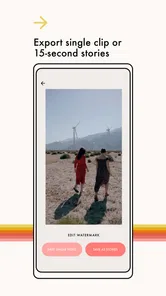
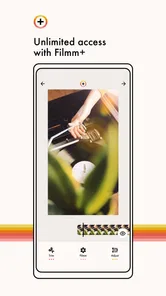
Analysis by Reviewed
I spent time with Filmm as a lightweight video-editing app rather than treating it like a full production suite. Its focus is clear: adding textures, filters, and light leaks to ordinary clips so they feel less flat and more deliberately styled. That narrow purpose is also its main appeal. I would not open it expecting a complete timeline editor, advanced audio work, or professional color-grading controls. I would open it when a short video needs atmosphere quickly.
The app comes from Filmm and sits in the video players and editors category. It is free to install, rated for Everyone, and works on devices running Android 7.0 or later. The current version is 1.0.30. With more than 500 thousand installs and an average rating of 3.8 from roughly 3.5 thousand ratings, it has attracted a meaningful audience, although the score suggests that the experience will not suit every editing style or every phone.
What Filmm is really useful for
My first impression was that Filmm works best as a finishing tool. Instead of asking me to build a video from several complicated layers, it encourages a simpler decision: choose a clip, find a visual mood, and adjust the result until the effect supports the footage rather than covering it up. That makes it especially practical for short social posts, travel moments, casual family clips, and quick edits that need a little personality.
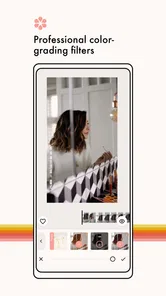
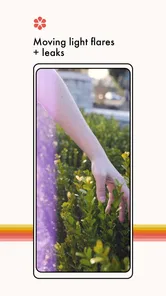
The combination of textures, filters, and light leaks gives the app a distinctly visual identity. A texture can make a clean digital recording feel more tactile, while a filter can push the overall tone toward something warmer, darker, softer, or more stylized. Light leaks are more noticeable, so I found them most useful when applied with restraint. They can add movement and warmth to a static shot, but too much of the effect can distract from the person or scene being recorded.
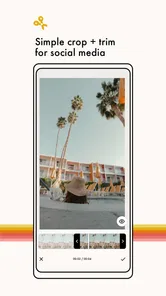
This is not the same job as cutting a long interview into chapters or assembling a multi-scene film. Filmm makes more sense at the end of a short workflow: trim or arrange your material elsewhere if necessary, then use this app to create a coherent visual treatment. That division of labor is important because it prevents disappointment. The app’s value comes from fast visual character, not from replacing every other editor on a phone.
My everyday workflow with the app
A realistic use case is a short weekend clip that looks technically fine but emotionally bland. Imagine recording a coffee shop, a street at sunset, or a few seconds of friends walking through a market. I would import the clip, preview several looks, and begin with the least aggressive option. Then I would add a texture only if the image still felt too clean, and test a light leak near a transition or bright area instead of leaving it across the entire shot.
That order matters. If I begin with the strongest overlay, it becomes difficult to judge the original footage. Starting with the filter lets me decide what the clip needs before adding extra visual noise. I also recommend checking the face, sky, and fine details after every change. A treatment that looks attractive over a dark wall may make skin tones strange or hide detail in a bright background.
More From Our News Desk

 Instagram
Instagram’s Power Comes From Its Place in Your Phone
A close look at how Instagram turns Meta’s reach, recommendation systems and everyday camera habits into durable platform power—and what that costs users.

 Gmail
GmailGmail in a Busy Inbox: Who Benefits Most?
From first account to crowded workday, Gmail earns its place through dependable search and flexible sorting—but its best fit depends on how much inbox maintenance you can tolerate.

 Prime Video
Switching to Prime Video: What Changes in Your Viewing Routine
Prime Video can make a compelling second home for streaming, but switching means learning a different catalog, rental layer, and route from browsing to playback.

 Universal TV Remote Control
Universal TV Remote Control Works Best as a Reliable Backup
A phone remote earns its place through quick setup and reliable habits. Here is how to get more from Universal TV Remote Control—and where its limits show.

 Weather - By Xiaomi
Weather by Xiaomi Review: Clear at a Glance, Less Clear Up Close
Xiaomi’s weather app makes everyday forecasts quick to scan, but its calm surface can leave useful details and recovery paths harder to find than they should be.

 X
XX Under Pressure: Can It Recover When Posting Goes Wrong?
A resilience-focused review of X, examining setup, mistaken posts, interruptions, weak connections, and the gaps that matter when recovery needs to be dependable.
Latest News



For a quick social post, I would make several small previews rather than endlessly adjusting one dramatic look. The fastest result is often the one that preserves the subject and uses the effect as a supporting layer. Filmm is well suited to that habit because its core appeal is experimentation without the intimidating feel of a desktop color suite.
Free access and paid value
The app is free, which makes it easy to test without committing money first. That is a genuine advantage here because visual effects are personal: a texture that feels cinematic to one person can look artificial to another. I would install it, try it on the kinds of clips I actually record, and only then decide whether the available paid options add enough value to my routine.
In-app purchases range from $0.99 to $9.99 per item. I would interpret that range carefully rather than assuming every effect is included or that the most expensive option is automatically worthwhile. The practical question is whether the free experience already gives me a look I can use repeatedly. If it does, paid content becomes a matter of expanding variety. If it does not, spending more will not fix a workflow that is fundamentally too limited for my needs.
This pricing structure makes Filmm more appealing to casual editors than to someone who needs a guaranteed, comprehensive toolset from the start. The free entry point lowers the risk, while the in-app purchases create room for users who want more visual choices. I would avoid buying anything until I had tested the app on several types of footage, including faces, outdoor scenes, and low-light clips.
There is also a difference between paying for occasional inspiration and paying for a daily production tool. If I edit one or two short videos a month, a small purchase may be enough to make the app feel worthwhile. If I create client work or publish frequently, I would compare the total cost of building a dependable effect library with a more complete editor that includes broader controls in one package.
Where the visual effects work best
Textures are most convincing when the original image has a simple composition. A plain wall, a quiet room, or a broad outdoor shot gives the texture space to add character. Busy footage already contains plenty of visual information, so layering a strong texture over it can make the image look messy rather than intentional.
Filters are useful when a set of clips needs to feel related. For example, if I record several moments during the same outing, applying a similar treatment can make them sit together more naturally in a short montage. I would still judge each clip individually because identical settings do not produce identical results when lighting and colors change.
Light leaks are the effect I would use most selectively. They can draw attention toward an edge of the frame or create a sense of motion in an otherwise still shot. They are less helpful when the subject is already moving quickly, when text must remain readable, or when the footage contains important detail near the brightest area. In those cases, a subtle filter or texture usually gives me a cleaner result.
One non-obvious benefit of this narrow toolkit is that it encourages consistency. Instead of stacking many unrelated effects, I can choose one visual direction and stop earlier. That restraint is valuable for beginners, because the most common mistake in mobile editing is not a lack of options but using too many of them at once.
Tradeoffs I noticed while judging the app
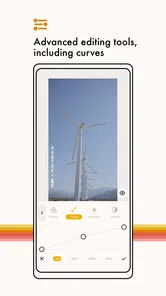
The first tradeoff is control versus speed. Filmm’s appeal depends on getting to a pleasing result without a long technical process. That is convenient, but anyone who wants precise, repeatable adjustments may find the experience restrictive. A dedicated editor is usually better when I need detailed control over individual color channels, exact timing, complex layer relationships, or a carefully managed audio track.
The second tradeoff is style versus flexibility. The app’s identity is built around a particular visual language: textures, filters, and light leaks. That makes it easier to create a recognizable mood, but it also means the tool is less useful for edits that should remain completely natural. If my goal is to correct exposure, preserve accurate product colors, or produce a clean instructional video, I would probably choose a more neutral editor.
The third tradeoff concerns consistency across different footage. A preset-like treatment can look excellent on one clip and disappointing on another. Indoor lighting, bright skies, skin tones, and dark shadows respond differently to overlays. I found that the app rewards previewing every result rather than assuming a favorite look will work everywhere. That adds a little time, but it is necessary if the final video should feel polished.
I would also be cautious about using it as my only editing app. Its strongest contribution is the visual finish, so users who regularly need substantial cutting, captions, transitions, voice-over recording, or detailed sound work may end up moving between several tools. That is not automatically a flaw, but it changes the value calculation. Filmm is easier to recommend as a focused companion than as a universal replacement.
How it compares with ordinary mobile editors
Most general mobile editors try to cover many jobs at once: cutting clips, adding music, placing text, changing speed, and exporting a finished project. Their advantage is breadth. I can often complete an entire short video without leaving the app. Their disadvantage is that the visual treatment may feel like an afterthought, with many effects that are technically available but not especially coherent.
Filmm takes the opposite approach. It is more appealing when the footage is already close to finished and the missing ingredient is mood. Compared with a broad editor, I would expect a quicker path to a textured or light-leak look, but less reason to use it for an involved sequence. Compared with a basic filter tool, it offers a more deliberate visual direction through the combination of surface texture and lighting effects.
That difference helps answer an important question: should a beginner choose Filmm instead of a standard editor? I would say yes if the beginner mainly wants attractive short clips and feels overwhelmed by large editing interfaces. I would say no if the beginner needs to learn the whole process of making a video, from organizing several clips to adding sound and text. In that situation, a general editor will provide a more complete foundation.
Who is likely to get the most value
I see the strongest fit for people who post short visual content and want a recognizable atmosphere without spending a long time editing. Travel diarists, casual creators, students making visual projects, and anyone who enjoys experimenting with phone footage can get useful results quickly. The app also suits people who prefer a small set of creative decisions over a screen crowded with technical controls.
It can be especially helpful for someone developing a personal visual style. Rather than changing every clip randomly, I can test a few treatments and notice which combinations suit my subject matter. A recurring texture or restrained color direction can make separate posts feel connected. The important word is restrained: the app gives me tools for identity, but I still have to make the editorial decisions.
I would be less likely to recommend it to a professional editor who needs exact color matching, a filmmaker building longer projects, or a business producing accurate demonstrations of products. Those users may value speed, but they also need control and repeatability that a focused effects app may not provide. I would also skip it if I dislike stylized overlays altogether; the app’s central purpose would then offer little benefit.
Practical questions before installing
Will it work on an older Android phone? The minimum requirement is Android 7.0, so it is compatible with a broad range of devices. Still, compatibility is not the same as an identical experience on every phone. I would keep expectations realistic when working with lengthy or high-resolution footage, and I would close unnecessary apps before editing if the device is older.
Is it suitable for all ages? The content rating is Everyone, which makes it appropriate as a general creative app rather than something designed for an adult audience. Parents or teachers looking for a simple way to explore visual editing may find that reassuring, while the actual suitability will still depend on how the finished videos are shared.
Do I need to pay immediately? No. The app is free to install, and the paid model uses individual in-app purchases priced from $0.99 to $9.99. My advice is to treat the free version as a trial of the workflow, not merely a preview of the purchase screen. If the basic editing process feels natural and the results suit your footage, then consider whether additional effects are worth buying.
Is it better than a full editor? Not in every situation. It is better when the main task is giving a short clip a particular visual mood. A full editor is better when I need a complete project assembled in one place. The right choice depends less on which app has more functions and more on whether I need focused styling or broad production control.
Can it make poor footage look professional? It can make footage feel more intentional, but effects cannot repair every recording problem. A heavy texture may hide minor distractions, yet it cannot replace good framing, stable movement, clear light, or understandable sound. I get the best results when I use Filmm to support a decent clip rather than rescue a fundamentally weak one.
My final buy-or-skip judgment
After weighing the free access, the paid range, and the focused feature set, I see Filmm as a worthwhile download for experimentation rather than an automatic recommendation for every mobile editor. Its free starting point makes the decision easy: test it with real footage, not just the most attractive preview. If textures, filters, and light leaks match the way you want your videos to feel, the app can add personality with relatively little friction.
The 3.8 average rating also feels consistent with that balanced conclusion. The app has a clear purpose, but a focused purpose naturally leaves some users wanting more control or more conventional editing tools. Its audience is likely to be happiest when it treats the app as a visual finishing step and accepts that a separate editor may still be useful for heavier work.
My recommendation is to try the free version first and pay only for effects you can name a real use for. I would choose it for quick, mood-driven clips, consistent social visuals, and low-pressure creative experiments. I would skip it as a primary editor for long projects, detailed correction, or professional workflows. Used within its limits, Filmm is a pleasant way to turn an ordinary phone video into something with more texture and atmosphere.
Filmm | Video Effects + Color Frequently Asked Questions
What devices and operating systems can run Filmm | Video Effects + Color?
Filmm | Video Effects + Color is an app in the Video Players & Editors category, and it runs on devices using Android 7.0 or later. Before downloading, check that your device meets this operating-system requirement and has enough room for the app and the video projects you plan to create. The app is free to download, so you can try it without an upfront purchase.
What is Filmm | Video Effects + Color, and what can I use it for?
Filmm | Video Effects + Color is a mobile video-editing app focused on cinematic effects, color adjustments, filters, textures, light leaks, dust, grain, and other visual overlays. After testing its editing workflow, I found it especially useful for creating stylized social-media clips, music videos, travel edits, and nostalgic film-inspired content. It is designed for quick creative edits rather than advanced professional post-production.
Is Filmm | Video Effects + Color free to download and use?
The app can generally be downloaded for free, but some of its effects, filters, editing tools, and export options may be restricted to a paid subscription or premium purchase. The free version is useful for trying the interface and testing selected presets, although users who want the complete creative library may need to upgrade. Check the current App Store or Google Play listing for pricing, trial terms, and renewal details. In-app purchases are available, with items ranging from $0.99 to $9.99.
Does Filmm | Video Effects + Color add a watermark to exported videos?
Whether an exported video includes a watermark can depend on the selected editing tools, account plan, and the current version of the app. Before completing an important project, it is worth making a short test export and checking the result carefully. Premium access may remove certain limitations, but the exact export conditions can change through updates, so review the in-app information before subscribing.
Can I use Filmm | Video Effects + Color for photos as well as videos?
Filmm is primarily known as a video-editing application, with its main strengths centered on animated effects, film-style overlays, color treatments, and video presets. Depending on the version and platform, some tools may also support photos or still-image projects, but the experience is generally more focused on moving content. Users mainly looking for a dedicated photo editor may find its features less comprehensive.
Pros
- Large library of filters
- overlays
- and cinematic effects to explore.
- Color tools make it easy to create a consistent visual style.
- Useful presets help beginners edit videos with minimal effort.
- Supports creative edits for social media posts and short-form content.
- Regularly updated effects can keep the editing experience feeling fresh.
Cons
- Some premium effects and tools require a subscription or purchase.
- Heavy effects may take longer to preview or export on older devices.
- The many options can feel overwhelming for first-time users.
- Export settings may be limited compared with professional editing apps.
- Some filters can look overly strong without careful manual adjustment.











