FEMA
- 1.90K
- 4.4
- Installs
- 1.00M
- Price
- Free
Screenshots
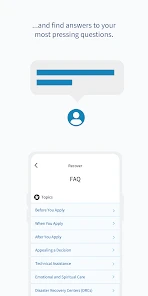
Analysis by Reviewed
I look at FEMA less as a replacement for a daily forecast app and more as a practical companion for thinking ahead when severe weather or another emergency could affect my plans. Its focus is preparation and safety information, which makes it useful even when the sky outside looks ordinary. I would keep it for a different reason than a weather app I check to decide whether to carry an umbrella.
Free access, with a specific purpose
The FEMA app is free, so there is no purchase decision or paid tier to weigh when deciding whether to try it. That makes it easy to keep alongside the weather service I already use. The meaningful question is whether its emergency-focused information suits my needs, not whether it replaces every other weather tool.
Free access is particularly useful for an app I might not open every day. I can install it, take time to become familiar with its emergency guidance, and leave it available without weighing the cost against a daily routine. I would still make a deliberate choice about notifications and storage on my phone: free does not mean it needs to become an app I check constantly. Its value comes from being prepared to consult it when a relevant situation arises.
Useful preparation, not a complete forecast routine
Made by the Federal Emergency Management Agency, this weather and preparedness app is built around disasters and practical response. The store summary is brief, but the value I look for is the chance to prepare before an event: reviewing safety guidance, keeping useful supplies in mind, and knowing where to turn for alerts. Its 4.4 average from around 5,700 ratings suggests many users find a reason to keep it, while the app’s 1 million-plus installs show that it has reached a broad audience.
A useful way to approach it is to explore the relevant guidance while you have time, rather than waiting until a warning arrives. If you live in an area exposed to seasonal storms, for example, you can use a quiet weekend to review what you would need and discuss a basic plan with household members. That turns an emergency app from something you open only in a crisis into a small part of ordinary preparation.
There is a useful distinction between reading advice and making it actionable. I would choose one likely disruption, such as losing power during a storm, and use the app’s guidance to prompt a practical household conversation: where essential supplies are kept, how family members will check in, and what the first steps should be. The app can help organize the thinking, but the actual plan needs to make sense for the people and home involved. A checklist is most useful when it leads to a decision, not when it simply becomes another screen to scroll through.
Where it fits—and where it doesn’t
I would not rely on FEMA as my only source for everyday conditions such as hourly rain or a detailed commute forecast. A conventional weather app is usually the better fit for those quick decisions; FEMA has a different job, centered on preparedness and emergencies. In a real event, I would also follow official local instructions and use more than one reliable source rather than treating any single phone app as the whole plan.
More From Our News Desk

Clash of Clans Is Won Between the Battles

Android Auto Makes the Case for Quieter Car Software

MobiOffice: Transforming Mobile Productivity with Seamless Integration

EA SPORTS FC™ Mobile Soccer: Redefining Mobile Sports Gaming

How Microsoft OneDrive Became a Mobile Productivity Giant

How Google Translate Breaks Language Barriers Effortlessly
For a commute, the distinction is easy to put into practice. I would use a forecast service to decide whether to leave earlier or change my route, then turn to FEMA for broader preparation and response guidance if severe weather becomes a genuine concern. These tools answer different questions. A forecast app is built around what conditions may do next; FEMA is more valuable when I need to think about how to prepare and respond. Choosing between them is less important than not asking one to do the other’s job.
It is also worth considering the limits of phone-based information. A device may have a weak connection, run low on battery, or be left behind. I would use the app to strengthen a plan while I have access to it, not make it the only place where that plan exists. Remembering key household arrangements and keeping necessary supplies accessible remain practical steps outside the app.
The main trade-off is that an emergency tool is only useful if you know how to use it before you need it. Take a few minutes to explore its guidance and notification settings when you are calm, and think through what you would do if your phone battery or internet access became an issue. Digital information can support a plan, but it cannot replace supplies, communication arrangements, or common sense.
Who should keep it
I see the strongest value for people who want a no-cost preparedness resource on hand, especially households planning around severe weather or other disruptive events. It may be less useful if all you want is a polished daily forecast, or if you do not want another app sending alerts. The app is rated for Everyone, and its current version is 3.1.4, with Android 5.1 as the minimum operating system.
It is also a sensible option for someone who is new to emergency planning and wants a starting point rather than a collection of scattered notes. I would not expect the same needs from every household: someone living alone may focus on personal supplies and a contact plan, while a household with children or older relatives may need to discuss who checks on whom. The useful part is having a prompt to think through those differences, not assuming that a generic plan automatically fits every person.
On the other hand, people who already have a well-practiced plan and only want precise neighborhood forecasts may get more day-to-day use from a specialized weather service. FEMA makes the most sense as a companion, not a universal replacement. If you prefer not to receive alerts, you can still decide whether its preparedness information is useful, but you should review notification choices rather than assuming the default setup will suit your routine.
FEMA has been available since August 24, 2011, and has collected around 1,900 reviews. Those figures are useful context, but I would still judge it by whether its safety information and alerts match the kinds of risks I actually plan for. I would check the notification choices early, since an alert that matters to one person may be noise to another.
For a household, a good first session does not need to turn into a major project. I would look at the topics that match local risks, decide which advice needs a real-world follow-up, and share the resulting plan with anyone who might need it. That might mean choosing a meeting point or agreeing on a check-in method. The benefit is not that installing the app completes preparation; it gives you a place to begin and a reason to make those decisions before pressure is high.
Understanding the Essentials of the FEMA App
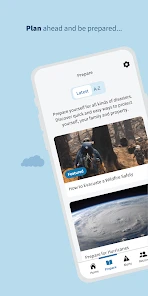
Okay, so first off, what's this app all about? Imagine having a pocket-sized emergency management assistant right on your phone. It’s designed to keep you informed about disasters, provide safety tips, and help you prepare for any unexpected situations. Pretty handy, right?
Features That Stand Out
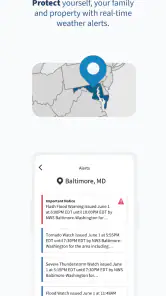
One of the main things I love about this app is its user-friendly interface. Seriously, even if you’re not tech-savvy, you'll find it a breeze to navigate. The app offers real-time alerts. So, if there's a hurricane, earthquake, or any other emergency, you’re going to know about it pronto!
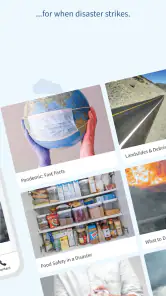
Another cool feature is the emergency safety tips. The app provides a wealth of information on what to do during specific disasters. It's like having a safety manual that updates in real-time based on your location.
And let’s not forget the emergency kit checklist! I found this feature super useful. It helps you organize and ensure you have all the necessary supplies. Trust me, when the going gets tough, you’ll be glad you checked off those items!
For me, the most practical way to use the checklist is as a review tool, not as a shopping order. Before buying anything, I would compare its prompts with supplies I already have at home, then note what needs replacing or is missing. That keeps the process grounded in what the household actually needs and avoids treating a digital list as a one-size-fits-all kit. It is also worth checking the supplies occasionally, since having once marked an item off a list does not mean it is still available when you need it.
The guidance can also help when a risk is approaching but has not yet disrupted the day. If I had a forecast of severe weather before a planned outing, I would use the time to review relevant safety steps, make sure the household knows how to reach one another, and decide whether the outing still makes sense. That is a more useful role for the app than opening it for routine temperature checks. It supports a decision-making process; it does not make the decision for me.
The User Experience
Now, let's talk about the user experience. The app runs smoothly without any pesky bugs, which is a relief because the last thing you want during an emergency is a glitchy app. The notifications are timely and not spammy, which is a big plus. And, if you’re concerned about data usage, rest easy. The app’s design ensures it doesn’t hog your data.
For a more realistic test than simply opening it once, I’d make a small household routine around the checklist: compare it with what is already in a cupboard, note what is missing, and revisit it before the season or trip that makes those supplies relevant. This avoids treating a digital checklist as proof that a kit is ready; the items still need to be gathered, checked, and kept somewhere accessible. It is a modest workflow, but it turns advice on a screen into preparation that can actually help.
Another practical point is deciding whose phone should receive alerts. If several people share responsibility for a home, setting up the app on one device is not the same as making sure everyone knows the plan. I would agree in advance who checks official updates and how the household will communicate if people are away from home. That small conversation matters because phones can be misplaced, run out of battery, or be unavailable precisely when plans change.
That division of responsibility is especially helpful when different members of a household are often in different places during the day. I would make sure the plan does not depend on one person seeing an alert first or being able to relay every detail. A shared understanding of where to look for official instructions and how to reconnect is more resilient than assuming everyone will have the same phone access at the same moment.
My Personal Take
In my opinion, the app is a must-have. It’s not just another app cluttering your phone; it’s a tool that offers peace of mind. Whether you’re dealing with minor power outages or significant natural events, this app provides the information you need to stay safe and prepared.
Sure, there are always areas for improvement, like integrating more local news updates or offering more personalized alerts. But overall, it does an excellent job of keeping users informed and ready for anything.
For that reason, I would treat it as one part of a small information routine, not as a single authority for every local development. If something serious is unfolding, I would check official instructions relevant to my area and use the app’s safety guidance alongside them. That approach keeps its strengths in perspective: it can help with preparation and alerts, while local directions and changing conditions still deserve attention.
So, if you haven’t already, give the app a download. Trust me, it’s like having a little safety net right in your pocket, and who wouldn’t want that?
A sensible decision before an emergency
My recommendation is to keep it if emergency preparation is something you want to make more concrete, rather than relying on memory when a warning arrives. For instance, before a weekend drive during unsettled weather, I would check the relevant safety advice, make sure the household knows the basic plan, and keep a separate forecast app for route conditions. That division of jobs is more useful than expecting FEMA to serve as both a preparedness guide and a detailed trip planner.
For a real everyday example, imagine I am getting ready to leave for a weekend visit while the weather is unsettled. I would use my regular forecast app to judge road and timing conditions, then use FEMA to review the emergency advice relevant to the situation and make sure the people at home know how to contact me. I would also check that any supplies I expect to rely on are actually available. That takes the app beyond a passive download without pretending it can predict every disruption or replace careful travel choices.
The choice is straightforward if you think about what you want from a weather-related app. If your priority is daily forecasts, maps, or commute planning, choose a service focused on those tasks. If you want a free tool that can prompt preparedness and provide emergency-oriented guidance, FEMA is worth keeping alongside it. I would install it, explore it before an emergency, and make a simple plan that does not depend on the phone alone. That is where I see its value: not as a promise of perfect safety, but as a practical nudge to be better prepared.
FEMA Frequently Asked Questions
Is the FEMA app free, and what devices can run it?
The FEMA app is free to download, so you can install it without paying for the app itself. It is available for Android and iOS devices, and the Android release requires version 5.1 or later. Check your device’s operating system before downloading, then use the relevant app store to find FEMA and install it.
Who develops the FEMA app, and what is it intended for?
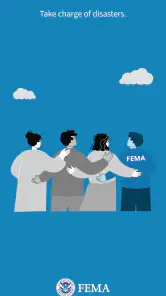
The app is developed by the Federal Emergency Management Agency (FEMA) and focuses on disaster preparedness and response. Its purpose is to help people find useful emergency information and prepare for disasters. The app’s short store description is simply “FEMA,” while its broader message is to help users take charge of disasters.
What is the FEMA app and what does it offer?
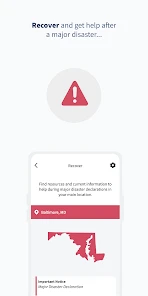
The FEMA app is a comprehensive disaster preparedness tool provided by the Federal Emergency Management Agency. It offers a variety of features including real-time alerts for disasters, tips for staying safe before, during, and after emergencies, and a customizable emergency kit checklist. Additionally, the app provides information on disaster recovery centers and shelters, making it an essential tool for anyone wanting to stay informed and prepared.
Is the FEMA app available for both Android and iOS devices?
Yes, the FEMA app is available for download on both Android and iOS platforms. Users can find the app on the Google Play Store for Android devices and the Apple App Store for iOS devices. It is designed to function smoothly on both operating systems, ensuring that users receive timely updates and alerts regardless of the device they use.
How does the FEMA app ensure user privacy and data security?
FEMA prioritizes user privacy and data security by implementing strict protocols and encryption methods. Personal information collected by the app is minimal and used solely for enhancing user experience and providing accurate alerts. The app does not share user data with third parties without explicit consent, ensuring that users can trust the app with their information.
Pros
- User-friendly interface for easy navigation.
- Real-time weather alerts and warnings.
- Comprehensive disaster preparedness tips.
- Offline access to emergency information.
- Customizable notifications for local updates.
Cons
- Limited international support and content.
- Requires stable internet for full features.
- Occasional app crashes reported by users.
- Limited interactive features for engagement.
- Notification settings can be overwhelming.
- Category
- Weather
- Version
- 3.1.4