Fax.Plus - Send Fax from Phone
- 5.22K
- 4.7
- Installs
- 1.00M
- Price
- Free

Screenshots
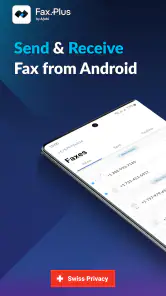
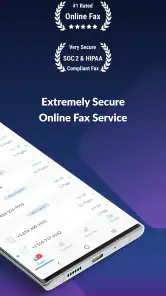
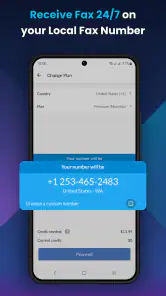
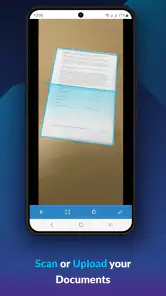
Analysis by Reviewed
When a form has to be faxed today and there’s no fax machine nearby, the hard part is often getting a clean copy ready, not pressing send. That’s the problem I’d turn to Fax.Plus - Send Fax from Phone for: it brings the task onto a phone, which can make an occasional piece of paperwork much less of a chore. It’s a free business app from Alohi, rated for Everyone, and its 4.7 average across around 28,000 ratings suggests plenty of people find the basic idea useful.
What to expect from a phone-based fax
This is not a replacement for every document workflow. It is most appealing when an organization still asks for a fax, but you don’t have access to office equipment. Instead of printing, scanning, and locating a machine, you can prepare a document on your phone and send it from there. The app has passed over a million installs, and the current version is 19.7.0; it runs on Android 8.0 or later.
I’d think of it as a focused utility rather than a full office suite. If you regularly send paperwork from different places, having the task on your phone is convenient. If you rarely fax anything and can easily use a workplace machine, the extra app and its purchase options may not be worthwhile. The app is free to install, while in-app purchases range from $8.99 to $949.99 per item, so check the available plan and its terms before relying on it for frequent sending.
Who gets the most value from it
I’d put this app on the shortlist for freelancers, small-business owners, and people who deal with paperwork while travelling or working away from a permanent office. Its strongest use is not replacing email or document storage; it is giving you a practical way to complete the occasional fax-required step when a recipient’s process has not moved online. If that happens only rarely, convenience is the main benefit. If it happens regularly, compare the app’s purchase options with your expected workload before choosing a routine.
It is less compelling for someone who already has a dependable office fax workflow, or whose documents are accepted through an online portal. A portal may offer a clearer submission path for a specific application, while email is usually easier when the recipient accepts attachments. I wouldn’t send a fax merely because the app makes it possible. First check what the receiving organization actually accepts; choosing the simplest valid route can save time and avoid sending personal paperwork through an unnecessary channel.
Getting Started with Ease
The setup process for Fax.Plus is as smooth as butter. With just a few taps, I had the app downloaded and ready to go on my phone. The user interface is sleek and intuitive, making it easy even for the less tech-savvy among us. Simply put, if you can use a smartphone, you can use this app. It’s as straightforward as sending a text message.
Preparing your first fax
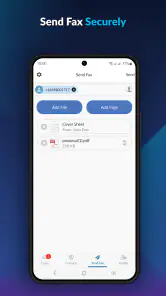
What I love about this app is its versatility. You can send faxes to over 180 countries, which is pretty impressive. The app allows you to send documents directly from your phone or cloud storage like Google Drive and Dropbox. How cool is that? No more running around looking for a scanner; just snap a picture of your document and send it on its merry way.
More From Our News Desk

Clash of Clans Is Won Between the Battles

Android Auto Makes the Case for Quieter Car Software

MobiOffice: Transforming Mobile Productivity with Seamless Integration

EA SPORTS FC™ Mobile Soccer: Redefining Mobile Sports Gaming

How Microsoft OneDrive Became a Mobile Productivity Giant

How Google Translate Breaks Language Barriers Effortlessly
For a first attempt, I’d start with a document you can review carefully before sending. A quick phone photo can save a trip to a scanner, but lighting, shadows, page edges, and small print can affect readability. Lay the paper flat, capture the whole page, and zoom in on the preview to check signatures and numbers. That small pause is especially useful for forms where a faint line or clipped corner could mean a second fax.
Making setup easier before you need it
Rather than waiting until a deadline to install and learn the app, I’d take a minute to prepare a low-pressure test workflow with a document that contains no sensitive information. Get familiar with where your files are stored and how you’ll select the right one. That way, when a real form arrives, you’re not trying to remember whether it lives in your phone’s files, a cloud account, or an email attachment while also checking a fax number.
Cloud storage can be especially useful when the document is already digital and you want to avoid taking a picture of a screen or printing a file just to scan it again. A phone photo is better suited to a paper original you can lay flat and inspect. These are different starting points, not interchangeable shortcuts: choose the version that preserves the clearest copy, then review the pages in the order the recipient expects.
Before relying on the app for a time-sensitive form, make sure you understand which purchase option fits the task and what it covers. The free installation does not mean every amount of faxing will be free. I’d avoid assuming a plan includes a particular volume or destination until I’ve checked its terms in the app. This matters most for someone sending paperwork in batches, since a one-off need and an ongoing business routine can have very different costs.
Another feature worth mentioning is the ability to add an electronic signature. This is super handy for those of us who are always on the go and need to sign documents quickly. Plus, the app offers a secure transmission, which is a big win for anyone handling sensitive information.
A realistic use case and a useful check
Using Fax.Plus - Send Fax from Phone was an absolute breeze. I had a last-minute contract that needed signing and sending. Usually, this would involve a lot of hassle, finding a printer, a scanner, and then a fax machine. However, with this app, I simply uploaded the document, signed it electronically, and sent it off—all in under five minutes. I felt like a tech wizard!
That kind of workflow suits a freelancer sending a signed page between appointments, or someone returning a form while away from home. Before sending, I’d make sure the destination number is copied exactly as the recipient gave it and that every page is in the right order. A fax can only be useful if it reaches the intended office with all the information intact, so checking the recipient and page preview is worth more than rushing through the final tap.
When a document needs extra care
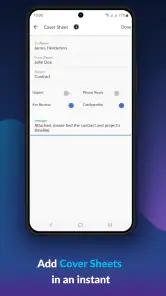
For multi-page paperwork, I’d treat page order and legibility as part of the sending process, not as details to sort out afterward. A cover page, if the recipient expects one, should be included in the right position, and any page with a signature or small reference number deserves a closer look. The convenience of sending from a phone can tempt you to move quickly; a deliberate final review is the better trade-off when a missing page could delay an application or payment.
I’d also separate the convenience of an electronic signature from the question of whether a particular recipient accepts it. Some organizations have their own instructions for signed forms, so it’s worth checking those before preparing the document. If they require a handwritten signature, you may need to print and sign first, then capture a clear image. The app can shorten the transmission route, but it cannot change the receiving office’s requirements.
A practical scenario is a small-business owner who receives a paper authorization form while away from the office. They can photograph the page in good light, inspect the preview, sign if the recipient allows an electronic signature, and send it without returning to a workplace machine. If the form includes several pages or tiny print, I’d rather use a proper scanner when one is readily available; convenience is useful only if the copy remains easy to read.
Keeping track and knowing when to choose another route
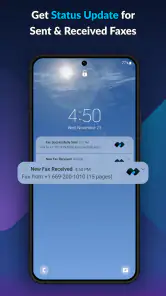
The app also keeps a record of all sent faxes, which is pretty neat because you can track what you’ve sent and when. It's like having a personal assistant keeping tabs on your communications.
That record is handy when you need to confirm which document you sent or refer back to the timing later. It doesn’t remove the need to follow up when a deadline matters: if a recipient needs proof of receipt or a particular confirmation, check what the app shows after sending and contact the office if anything is unclear. For a one-page form, this can be simpler than setting up a scanner; for a large batch that needs careful sorting, a desktop workflow may be easier to inspect before transmission.
One useful habit is to keep a note of the recipient, the date you sent the paperwork, and what you were trying to submit. The app’s sent record helps you revisit a transmission, but your own brief note can make it easier to discuss the right document if you call the office later. For especially important submissions, I’d ask the recipient how they confirm arrival rather than assuming that a sent item automatically means the paperwork has been processed.
Compared with email, faxing makes sense when the recipient specifically requires a fax rather than an attachment. Compared with a traditional fax machine, the phone approach avoids finding equipment, but depends on having the document ready digitally and on entering the destination correctly. I’d skip it if the recipient accepts a secure online form or ordinary email and those options fit the task better; there is little point in faxing just for the sake of it.
What can trip up a first-time user
The most likely friction is not the basic act of sending; it is preparing the right document and understanding the cost for the amount of use you expect. A photo that looks readable on a bright phone screen may not be clear enough when transmitted, and a mistyped number can send paperwork to the wrong place. I’d check both before sending, especially when the page contains personal or business information.
Another question worth settling early is whether the recipient wants a fax at all, and whether they have instructions about a cover page, signature, or page order. The app gives you a way to send from your phone, but the recipient controls what counts as a complete submission. If their instructions are unclear, a short call can be more useful than sending a guess and having to repeat the process.
People sometimes expect a fax app to work like a broad document-management tool. I’d keep expectations narrower: this is for getting a fax out without the usual machine, not for replacing every step of filing, editing, or organizing office records. If you need extensive document preparation, careful bulk review, or a team process built around shared files, a computer-based workflow may be less cramped and easier to check.
Is It Worth It?
I can honestly say that Fax.Plus is worth checking out if you find yourself needing to send faxes frequently or even just occasionally. The convenience it offers is unparalleled, and the peace of mind knowing your documents are sent securely is priceless. It's like having a mini-office in your pocket.
My main caution is to treat the free install and paid options as separate decisions. If you only fax now and then, look at the cost of the option you would actually use before making it part of your routine. If you handle sensitive paperwork, also take a moment to consider whether sending it from your phone is appropriate for that document and recipient. For ordinary fax-required forms, though, it can remove several annoying steps without asking you to find office hardware.
In conclusion, if you want to save time and avoid the frustration of dealing with traditional fax machines, this app is definitely for you. Say goodbye to the old-school way of faxing and embrace the future. Trust me, you won’t regret it!
Fax.Plus - Send Fax from Phone Frequently Asked Questions
Can I receive faxes with Fax.Plus, or is it only for sending?
Fax.Plus supports both sending and receiving faxes, so it can serve more than a one-way sending need. Incoming faxes are delivered digitally to your inbox, letting you manage them on your phone rather than relying on a physical fax machine. If receiving is important to your workflow, check the available plan details in the app to make sure the options fit your needs.
Who develops Fax.Plus, and what kind of app is it?
Fax.Plus is a business app developed by Alohi. It is built around sending and receiving faxes from a phone, making it useful for people who occasionally need to handle fax paperwork without a traditional machine. Its focus is practical document transmission, rather than replacing a broader office suite, so it is worth considering whether mobile faxing is the main task you need it for.
Can I send a fax with Fax.Plus without owning a fax machine?
Yes. Fax.Plus is a mobile faxing app designed to let you send documents from your phone without a traditional fax machine. The basic process is to upload a document, enter the recipient’s fax number, and send it through the app. It is a practical option when you need to fax paperwork while away from an office or do not have access to fax equipment.
What is Fax.Plus and how does it work?
Fax.Plus is a mobile application that allows users to send and receive faxes directly from their smartphone. It eliminates the need for a traditional fax machine by digitizing the process, making it convenient for users to manage their faxing needs on-the-go. To use the app, you simply upload a document, enter the recipient's fax number, and send the fax. The app also supports receiving faxes, which are delivered to your inbox in digital format.
Is Fax.Plus secure for sending confidential documents?
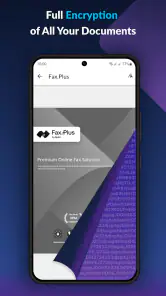
Yes, Fax.Plus is designed with security in mind, ensuring that your documents are transmitted securely. The app uses advanced encryption technologies to protect your data during transmission. Additionally, Fax.Plus adheres to strict privacy standards, making it suitable for sending sensitive and confidential information. Users can send faxes with confidence, knowing that their documents are protected from unauthorized access.
Pros
- User-friendly interface
- Supports multiple file formats
- Secure transmission
- Affordable pricing
- No need for a fax machine
Cons
- Requires internet connection
- Limited free version
- Advertisements in free version
- Occasional app crashes
- Limited customer support

- Category
- Business
- Version
- 19.7.0











