

Fan Noise for Sleeping - App
- 33.00
- 3.3
- Installs
- 10.00K
- Price
- Free

Screenshots
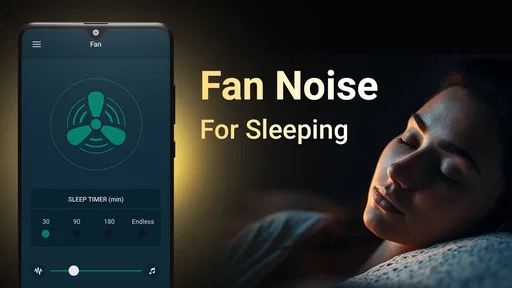
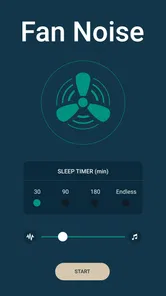
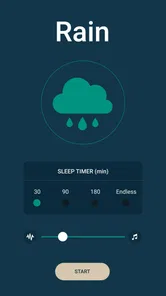
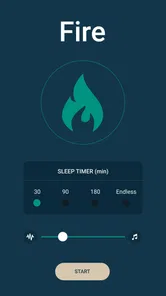
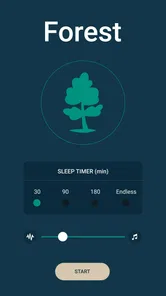
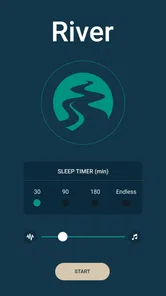
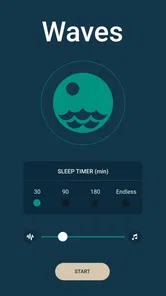
Analysis by Reviewed
I installed Fan Noise for Sleeping expecting a straightforward way to cover distracting sounds at bedtime, and that is exactly where this medical-category app makes the most sense. Developed by Geastorm, it focuses on white noise and nature-style audio rather than trying to become a full sleep diary, alarm clock, meditation course, or health tracker. My overall view is simple: it can be useful when a steady background sound helps you settle, but it is best approached as a focused sound tool rather than a complete sleep solution.
The app is free to start, rated for Everyone, and available for devices running Android 7.0 or later. It has reached over ten thousand installs, with an average rating of 3.3 from roughly a hundred ratings. That places it in the “worth trying, but inspect your own experience carefully” category for me. The current version is 1.0.8, and optional in-app purchases range from $2.99 to $29.99 per item, so I would spend time testing the free experience before paying for anything.
What the app does well at bedtime
I judge a bedtime sound app by whether it makes an actual interruption less noticeable without turning into another thing to manage. Here, the useful test is to choose one familiar sound, set it before settling in, and leave it alone long enough to see how it feels in your room. That practical starting point also makes it easier to understand where this focused approach has an edge—and where a different kind of app may suit you better.
A focused answer to sudden household noise
The most convincing use for Fan Noise for Sleeping is not creating a magical sleep atmosphere; it is reducing the contrast between silence and an unwanted interruption. A refrigerator clicking on, traffic passing outside, a neighbor moving around, or a partner watching something quietly can feel much more noticeable when the room is otherwise silent. A consistent fan-like sound gives the ear something stable to rest on.
I found that this approach works best when the volume is kept lower than the distracting sound, rather than turned up aggressively. The goal is not to overpower the room. It is to soften sharp changes in the background. That distinction matters because loud audio can become its own irritation, especially when I am already tired or sensitive to sound.
The store summary presents the app as a source of white noise and nature sounds for deep sleep, while the short description centers on fan noise. In practice, I would treat the fan-style option as the main reason to install it and the nature-oriented material as an alternative for people who find pure electronic noise too plain. Some sleepers relax with rain-like or outdoor ambience, while others become more alert because they start listening for individual sounds. The better choice depends on whether you want a smooth audio blanket or something more noticeable.
Why steady audio can be more practical than silence
One strength of a dedicated sound app is consistency. Playing a random video or streaming a playlist introduces distractions that have little to do with sleeping: changing volume, spoken words, advertisements, recommendations, and abrupt endings. A purpose-built sleep sound is easier to fit into a bedtime routine because it does not ask me to watch or follow anything.
More From Our News Desk

 Gmail
GmailGmail in a Busy Inbox: Who Benefits Most?
From first account to crowded workday, Gmail earns its place through dependable search and flexible sorting—but its best fit depends on how much inbox maintenance you can tolerate.

 Prime Video
Switching to Prime Video: What Changes in Your Viewing Routine
Prime Video can make a compelling second home for streaming, but switching means learning a different catalog, rental layer, and route from browsing to playback.

 Universal TV Remote Control
Universal TV Remote Control Works Best as a Reliable Backup
A phone remote earns its place through quick setup and reliable habits. Here is how to get more from Universal TV Remote Control—and where its limits show.

 Weather - By Xiaomi
Weather by Xiaomi Review: Clear at a Glance, Less Clear Up Close
Xiaomi’s weather app makes everyday forecasts quick to scan, but its calm surface can leave useful details and recovery paths harder to find than they should be.

 X
XX Under Pressure: Can It Recover When Posting Goes Wrong?
A resilience-focused review of X, examining setup, mistaken posts, interruptions, weak connections, and the gaps that matter when recovery needs to be dependable.

 Clash of Clans
Clash of Clans Is Won Between the Battles
Its raids are quick; its community is a long-term project of coordination, teaching, rivalry, and shared responsibility—with all the friction that entails.
Latest News



This also makes the app more useful for short rest periods. If I am trying to nap during the day, a fan-like background can make a bright, active home feel less exposed without requiring a long relaxation exercise. The same idea can help during travel, although I would be cautious about depending on a phone speaker in a noisy environment. The sound may be helpful in a quiet bedroom but insufficient beside heavy traffic or a loud hotel corridor.
A practical routine is to start the sound before getting into bed, set the phone at a safe distance, and avoid changing tracks repeatedly once I am comfortable. That small habit prevents the app from becoming another screen-based activity. If I keep reaching for the phone to adjust it, the benefit is partly undone.
Useful ways to test the sound before committing
I recommend testing Fan Noise for Sleeping across several situations instead of judging it after one night. First, try the fan sound while reading or winding down. Then test it with the room lights off, when small audio imperfections may become more noticeable. Finally, use it during a normal night when the usual disturbance is present. This reveals whether the sound actually masks the problem or merely feels pleasant in isolation.
There is also a useful volume trade-off. At a very low setting, the sound may disappear from awareness, which is ideal for some people but useless for masking a recurring noise. At a higher setting, it may cover more interruptions but make the room feel acoustically busy. I would increase it gradually and stop as soon as the unwanted sound becomes less prominent. More volume is not automatically better sleep.
Another overlooked point is placement. A phone on a bedside table can sound different from one placed farther away, and a hard surface may make the audio feel sharper than a soft surface. I would keep the device stable and away from the pillow, both for comfort and to avoid making the phone itself part of the sleeping space. The app cannot solve poor speaker placement, so a little experimentation is worthwhile.
Where it sits among familiar alternatives
Compared with a physical fan, the app is quieter in terms of equipment and easier to carry from room to room. A real fan also moves air and creates a familiar mechanical character, which some people find more convincing. If the airflow is part of what helps you sleep, an app cannot replace that physical sensation. On the other hand, Fan Noise for Sleeping is more convenient when the weather is cold or when running a fan all night is unnecessary.
Compared with music, the app is less likely to pull attention toward lyrics, rhythm, or a favorite performer. That is a meaningful advantage for people whose minds stay active when music is playing. Compared with podcasts or spoken sleep content, it demands no concentration and does not risk keeping me awake to hear the next sentence.
Nature-sound applications often offer a much wider range of scenes, mixing controls, playlists, or guided programs. I would choose one of those if I wanted to build elaborate soundscapes or switch between many detailed environments. Fan Noise for Sleeping is more appealing when I want a simple, repeatable background and do not want to spend bedtime browsing options.
The limitation that affects the whole experience
The app’s narrow focus is both its strength and its main weakness. It is not designed to investigate why someone sleeps poorly, measure sleep quality, coach breathing, or replace professional medical advice. Because it belongs to the medical category, I would be especially careful not to treat the app as a treatment for insomnia, anxiety, tinnitus, or another health condition. It is a comfort and masking tool, not a diagnosis or care plan.
Its average rating of 3.3 suggests that the experience will not be equally convincing for everyone. That is understandable with sound apps: a tone that feels soothing to one person can feel repetitive, artificial, or irritating to another. I would not interpret the rating as a medical judgment, but I would take it as a reason to test the app personally instead of assuming the description guarantees a good match.
The optional purchases are another point to consider. Since the app is free but offers items priced from $2.99 to $29.99, I would not unlock anything immediately. First, I would check whether the available sound is comfortable for a full bedtime routine and whether it addresses the particular noise I want to mask. Paying for extra content only makes sense if the free experience has already shown that this developer’s sound design works for me.
What it feels like in an everyday scenario
Imagine sharing a home with someone whose schedule starts earlier than yours. The other person is not making extreme noise, but doors, footsteps, and small movements become surprisingly noticeable after midnight. I would place the phone away from the bed, begin the fan sound while preparing to sleep, and choose a volume that smooths those brief peaks without dominating the room. In that situation, the app has a clear job: reduce the attention drawn to ordinary household sounds.
Now imagine the opposite situation: the room is already quiet, but you need an app to tell you when you are asleep, explain repeated waking, or guide you through a structured sleep program. Fan Noise for Sleeping would not be my first choice. Its value is strongest when the problem is environmental sound, not when the user needs tracking, education, or a broader health routine.
For a child, the Everyone rating may make the app appear broadly accessible, but I would still make an adult decision about volume, device position, and whether continuous audio is appropriate in that child’s room. The age rating does not remove the need for sensible supervision. The same applies to older adults or anyone with sound sensitivity: a gentle setting may be comfortable, while a louder setting could be unpleasant.
Small decisions that make a sound routine easier
One useful way to judge the app is to separate “I like this sound” from “this sound helps with my particular bedroom.” A pleasant noise can still be too soft to blur a recurring interruption, while a more effective masking level may become irritating after an hour. I would test it at the time of night when the disruption usually occurs, rather than relying only on a daytime trial.
If you share a room, agree on the sound and volume with the other person before making it part of the routine. What feels like unobtrusive background to one sleeper may be distracting to someone who prefers silence. This is also where a phone speaker has a practical advantage over headphones: it does not place audio directly against your ears, though it does mean the sound is audible to anyone nearby.
For travel, try the setup before you need it. A familiar sound can make an unfamiliar room feel less silent, but the phone still needs a stable place where it will not be knocked over or buried in bedding. I would not count on a small speaker to overcome a very loud environment; choosing a quieter room or addressing the source of noise is a better first step when that is possible.
Who should try it and who should skip it
I would recommend trying Fan Noise for Sleeping if you prefer a steady fan-like texture, live in a place with intermittent background noise, share a bedroom, or want a portable alternative to running a physical fan. It is also a reasonable choice if music and spoken audio keep your attention active. The app’s straightforward purpose can be an advantage for people who want fewer bedtime decisions.
I would skip it if you need extensive customization, detailed sleep records, guided relaxation, or a medically informed plan for persistent sleep problems. I would also look elsewhere if nature ambience is your main priority and you expect a large library of richly layered environments. The store positioning points toward fan noise first, so anyone seeking a complex sound studio may find the experience too limited.
People with ongoing insomnia, severe daytime tiredness, breathing concerns, or distress connected to sleep should not use this app as the only response. A background sound may make the bedroom more comfortable, but it does not address every reason sleep can be difficult. If the issue continues, professional guidance is more appropriate than endlessly changing audio.
My final view after weighing the trade-offs
Fan Noise for Sleeping succeeds when I judge it by a modest standard: provide a stable background that makes ordinary interruptions less attention-grabbing. It does not need elaborate features to be useful in that role. The free entry point makes experimenting easy, and its Android compatibility down to version 7.0 means it can suit people using older devices as well as newer ones.
Still, I would keep expectations realistic. The 1.0.8 version and relatively modest user response make this feel more like a focused utility to evaluate personally than a universally proven sleep companion. The in-app purchase range also makes patience important. Try the sound in the exact room where you plan to sleep, keep the volume restrained, and decide based on whether you wake less often or pay less attention to outside noise.
My recommendation is therefore specific: choose this app for simple fan-style masking, not for complete sleep management. If that is the problem you are trying to solve, Geastorm’s app is worth a careful free trial. If you want tracking, coaching, extensive mixing, or a substitute for medical care, another category of app is likely to serve you better.
Fan Noise for Sleeping - App Frequently Asked Questions
Will Fan Noise for Sleeping work on my phone?
Fan Noise for Sleeping is an Android app that requires Android 7.0 or later. If your device meets that requirement, you can install it and try its fan-noise playback. The app is listed as suitable for everyone, though individual comfort with continuous background sound varies. Check your device’s operating system before downloading so you can avoid installing an app your phone cannot run.
What is Fan Noise for Sleeping used for?
Fan Noise for Sleeping is designed to create a steady background sound that can make it easier to relax, fall asleep, or remain asleep through the night. The continuous fan-like audio may help mask distracting noises such as traffic, conversations, household activity, or sudden sounds. It can also be useful during meditation, studying, reading, or quiet rest when you prefer consistent ambient noise.
Does Fan Noise for Sleeping work without an internet connection?
In most cases, the app is intended to provide fan sounds directly on your device, allowing you to use it in places with limited or no internet access. However, features such as advertisements, updates, analytics, or additional sound downloads may require a connection. It is a good idea to open the app once while online and test the selected sound before relying on it during travel or overnight use.
Can I set a timer or keep the fan sound playing all night?
The app may offer playback controls or a sleep timer so you can choose whether the sound stops after a selected period or continues until you turn it off. A timer can be helpful if you only need background noise while falling asleep and want to conserve battery. If you prefer uninterrupted masking throughout the night, check the available timer options before starting playback.
Is Fan Noise for Sleeping safe to use while sleeping?
The application itself is generally simple and low risk, but the way you use it matters. Keep the phone at a comfortable distance, avoid setting the volume too high, and make sure notifications or other audio will not suddenly disturb you. If you have hearing sensitivity, tinnitus, sleep difficulties, or another medical concern, use a moderate volume and consider asking a healthcare professional for personalized advice.
Pros
- Simple interface makes it quick to start soothing fan sounds.
- Several fan recordings help create a more natural sleep atmosphere.
- Timer options can stop playback automatically during the night.
- Works well as background noise for masking household sounds.
- Low-effort design is suitable for bedtime use when you want fewer distractions.
Cons
- Sound variety may feel limited for users wanting more customization.
- Some features or sounds may require an in-app purchase.
- Continuous playback can reduce battery life during overnight use.
- The app may include advertisements that interrupt the listening experience.
- It may not offer advanced sleep tracking or personalized audio settings.











