EDGE Lighting -LED Borderlight
- 1.94K
- 4.7
- Installs
- 10.00M
- Price
- Free
Screenshots
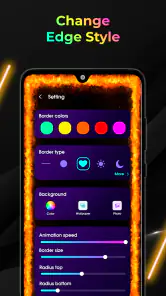
Analysis by Reviewed
When I consider a screen-personalization app, I want to know not only what it can change but how much control I have over the result. EDGE Lighting - LED Borderlight is aimed at people who enjoy a visible frame of color around their phone display. Its appeal is easy to understand, but the effect is a personal choice: it adds decoration rather than solving a practical phone problem. I’d treat it as a way to tailor the look of a device, not as an essential utility.
What to check before making it part of your routine
Because edge lighting is a visual layer on top of the usual screen experience, it’s worth deciding when you actually want to see it. A bright effect may suit a home screen or a quick glance, while a calmer color and slower motion may feel less distracting during work. I’d start with a restrained style, then adjust it after seeing how it looks against your wallpaper and icons. The best setting is the one that adds character without competing with the information you need to read.
That small test also helps answer a practical question: will the effect suit your particular phone and habits? Screen shapes, wallpapers, and personal sensitivity to movement vary, so no single look will work equally well for everyone. If you prefer a plain display, or find animated borders distracting, the phone’s built-in wallpaper and display options are likely a better fit. If you enjoy changing the visual mood of your device, this app offers a more animated direction than a static wallpaper alone.
Trust, permissions, and visible choices
I’m careful with apps that sit close to everyday phone use, especially when their presentation suggests lock-screen or caller-related effects. Before enabling any system access, I’d read the Android permission prompt itself and ask whether the requested access makes sense for the feature I intend to use. Permission wording can change what an app is able to do, so I wouldn’t approve a request automatically just to get through setup. If an option doesn’t feel necessary for the way I plan to use the app, I’d leave it off and see whether the basic lighting experience still works.
I also make a habit of checking the choices the app shows me rather than assuming every effect is active by default. A useful approach is to try one visual setting at a time, observe what changes, and keep only the parts I genuinely like. That makes it easier to spot an effect that feels too prominent and to return to a simpler setup. For a personalization tool, clear and reversible choices matter as much as a large palette.
Who may enjoy it, and who may not
This is best suited to someone who likes expressive phone styling and doesn’t mind spending a little time choosing colors and motion. I can see it fitting a casual evening routine: I change my wallpaper, set a softer border color to complement it, and keep the result as a small visual accent when I check the screen. Someone who wants a minimal interface, avoids animated decoration, or prefers not to grant extra system access should skip it or stick with the phone’s native customization tools.
There’s also a reasonable middle ground for people unsure about keeping an effect on all the time. I’d experiment briefly, compare a subtle setting with a more vivid one, and decide whether the added movement is still pleasant after the novelty wears off. That is a more useful test than choosing the brightest preset immediately. A border can look striking in a preview but become visual noise when it sits beside notifications and app icons.
More From Our News Desk

Weather by Xiaomi Review: Clear at a Glance, Less Clear Up Close

X Under Pressure: Can It Recover When Posting Goes Wrong?

Clash of Clans Is Won Between the Battles

Android Auto Makes the Case for Quieter Car Software

MobiOffice: Transforming Mobile Productivity with Seamless Integration

EA SPORTS FC™ Mobile Soccer: Redefining Mobile Sports Gaming
For context, Pixel Kraft Studios makes this free personalization app, which is rated for Everyone. It has a 4.7 average from around 160,000 ratings, and more than 10 million installs; its current version is 10.6 and it runs on Android 8.0 or later. Those figures suggest it has attracted a large audience, but they don’t tell me whether its style will suit your screen or comfort level. I’d make that decision by trying a restrained setup and reviewing the system prompts carefully.
A practical way to test the look
I’d judge the border in the settings I actually use, rather than relying on a single attractive preview. Try it over a light wallpaper and a dark one, then look at the screen with icons and notifications present. A color that stands out nicely over a plain background can disappear against a busy image, while a high-contrast outline may pull attention away from text. Testing against the normal home screen is a simple way to avoid spending time on a style that only works in an idealized view.
It also helps to change one element at a time. If the app offers choices for color, speed, and thickness, I’d first settle on a color, then adjust movement, and only then decide how prominent the line should be. This makes cause and effect easier to judge. Changing everything together may create a dramatic result, but it leaves you guessing which adjustment made the screen feel better—or more tiring.
Where a border effect fits in daily use
For a realistic everyday use, imagine checking your phone briefly between tasks while it sits on a desk. A modest outline can make the display feel more personal without requiring a new wallpaper or a wholesale redesign. At home, I might choose a color that echoes the wallpaper; in a shared office or a quiet room, I’d consider a less vivid look or switch the effect off if it becomes distracting. The value is in being able to shape the phone’s appearance around the moment, not in having a permanent light show.
That distinction matters if you are hoping for a functional alert system. A decorative edge can make the screen more noticeable, but I wouldn’t rely on a visual flourish as a substitute for the notification settings and accessibility options built into the phone. Those native controls are the better place to manage alerts you must not miss. I’d treat the border as atmosphere, and judge it separately from anything that affects how reliably I notice calls or messages.
How it compares with ordinary personalization
The usual alternative is to change a wallpaper, icon arrangement, or the phone’s built-in display theme. Those options are often enough if you want a cleaner color scheme or a still image that doesn’t move. EDGE Lighting takes a different route: its appeal is the animated outline, so it makes more sense for someone who wants the edges themselves to contribute to the look. It is less compelling if your main goal is a complete home-screen makeover or a practical change to how the phone works.
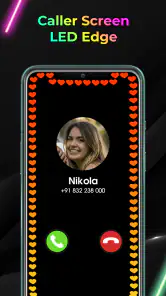
I’d also separate it from notification and caller tools, even though the app’s presentation mentions lock-screen and caller-related effects. Those functions can involve a different level of system interaction from choosing a visual style, so I’d decide whether I want them before granting access. If all you want is a decorative border, keep the setup focused on that purpose. If you want to change how incoming calls or lock-screen content behave, read each prompt and setting carefully instead of assuming the visual effect requires every available option.
One useful trade-off is that an animated border can feel more distinctive than a static theme but may also compete with what is already on screen. I’d choose native personalization for a quiet, consistent interface and use this app when the outline itself is the point. Neither approach is automatically better; the choice depends on whether movement adds something you enjoy or simply gives you one more thing to look at.
Questions worth answering during setup
Will it suit every screen? I wouldn’t assume so. Phone displays, wallpapers, and personal preferences differ, and a border that looks balanced on one setup may seem too heavy on another. Start with a subtle style and inspect it on your own screen before settling on a more vivid one. If the effect clips visually, feels poorly placed, or crowds the content you care about, the practical answer is to simplify it or return to the phone’s standard appearance.
Does choosing an effect mean every related feature must be enabled? I would not treat those choices as interchangeable. Decide whether you want only the visual edge or also want to explore options tied to the lock screen or caller display. Read each Android prompt in context, and pause when the requested access is unclear. The safest, most comfortable setup is the smallest one that gives you the effect you actually came for.
Is it a good choice for someone who rarely changes their phone’s appearance? Probably not. The app’s appeal is visual customization, and a person satisfied with a static wallpaper may get more value from leaving the phone as it is. On the other hand, if you enjoy coordinating colors with a new background now and then, trying a softer outline can be a low-commitment way to make the screen feel different. I’d keep expectations modest: this is styling, not a transformation of the phone’s core experience.
Keeping the effect comfortable
For a more considered setup, I’d think about where and when the phone is used. A high-contrast animated frame may be enjoyable while browsing at home but less welcome when you need to focus on reading, writing, or a work task. A restrained color can be a better everyday choice because it gives the screen character without turning the border into the main event. If even a gentle animation keeps catching your eye, that is a good reason to choose a static theme instead.
It’s also sensible to revisit the setup after the first few days. Initial novelty can make a bold effect feel better than it does during routine use. I’d ask whether I still notice useful details on screen easily, whether the movement bothers me, and whether I actually enjoy seeing the border when I unlock the phone. If the answer is no, there is little point keeping a decorative effect just because it took time to configure. Personalization should make the device feel more comfortable, not create another setting to tolerate.
Battery and performance are common concerns with visual overlays, so I’d pay attention to how the phone behaves rather than assume the effect is cost-free or problematic. If you notice an unwanted change in your own use, simplify the effect or stop using it and compare. I wouldn’t promise that every device will behave identically; the phone, display settings, and the way you use the effect can all shape the experience. A short, honest trial is more useful than making a blanket assumption either way.
Let me tell you about my latest digital rendezvous with the EDGE Lighting - LED Borderlight app. If you are someone who loves that extra dash of personalization for your smartphone, then this app might just be your next favorite download. It’s like giving your phone a new wardrobe every day, but for free!
What’s All the Buzz About?
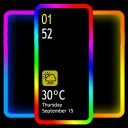
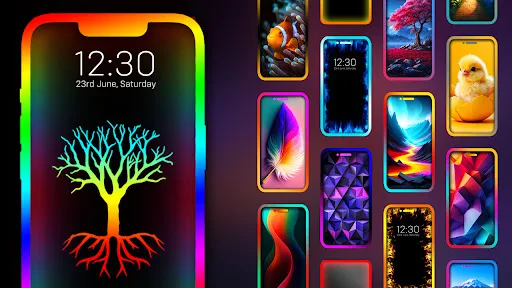
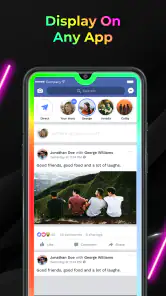
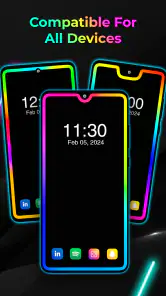
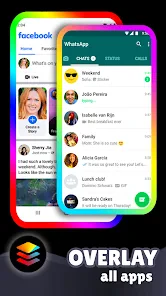
So, what's the deal with EDGE Lighting - LED Borderlight? Picture this: You've got this amazing phone, but the screen just sits there, all boring and static. This app steps in and spices things up by adding an LED border lighting effect to your screen. The lighting dances around the edges of your screen, creating a visual treat every time you glance at it. It's like having a mini light show in your pocket.
Features That Shine Bright
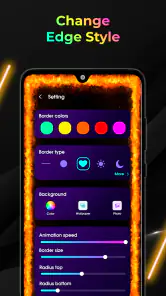
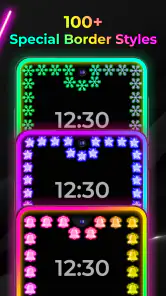
First off, the customization options are simply brilliant. You can choose from a plethora of colors and effects. Whether you want a soft blue glow or a vibrant rainbow swirl, it's all there. The app provides a variety of styles, so you can keep things fresh and exciting every time you power up your device.
Another feature that caught my eye is the ability to adjust the speed and thickness of the light. This means you can have a fast-paced, thin light for a subtle effect, or a thick, slow-moving light for a more dramatic look. It's all up to you and how you want to express your style.
User Experience: Smooth and Simple
Installing and setting up the app was a breeze. The interface is intuitive, making it easy even for those who might not be so tech-savvy. Just a few taps, and you're all set up to dazzle. I didn’t encounter any hiccups or crashes during my use, which speaks volumes about the app’s reliability.
Moreover, the app doesn’t hog your phone’s resources. It’s lightweight and doesn’t drain the battery, which is a huge relief. Nobody wants an app that turns their phone into a power-hungry monster!
The Final Sparkle
In conclusion, EDGE Lighting - LED Borderlight is a must-try for anyone looking to add some flair to their device. It's user-friendly, highly customizable, and just plain fun. Whether you're looking to impress your friends or just enjoy a personalized light show, this app delivers in spades. So, go ahead, give your phone the glow-up it deserves!
EDGE Lighting -LED Borderlight Frequently Asked Questions
Does EDGE Lighting - LED Borderlight require an internet connection to use its lighting effects?
EDGE Lighting - LED Borderlight is a personalization app for adding decorative effects to your phone, including screen-edge lighting and live wallpaper. Whether every feature works offline may depend on the specific function you choose, so it is sensible to check how the app behaves on your device after installation. The core appeal is customizing the screen’s appearance rather than using it as an online service.
Can I choose a subtle border effect instead of bright, animated lighting?
The app is intended for users who want to adjust the appearance of their screen-edge lighting, with options such as colors, patterns, animations, and border thickness. Those controls let you tailor the look rather than being limited to one fixed style. If you prefer a less noticeable effect, choosing a simpler color or pattern can make the border feel more understated.
Will EDGE Lighting - LED Borderlight work with my phone's lock screen and wallpaper?
The app’s description highlights screen-edge lighting on the lock screen, caller ID, and live wallpaper, alongside customizable colors. This makes it relevant if you want more than a static border decoration: the lighting can be part of how your phone looks in different contexts. The exact experience may depend on your device and how you choose to customize the app.
Is EDGE Lighting - LED Borderlight free to download, and is it suitable for all ages?
EDGE Lighting - LED Borderlight is free to download and is suitable for everyone. It is a personalization app from Pixel Kraft Studios, focused on adding a decorative light effect to your screen. You can explore its appearance options and decide whether the style suits your phone before choosing to keep it installed.
What is EDGE Lighting - LED Borderlight, and how does it enhance my phone's appearance?
EDGE Lighting - LED Borderlight is an app designed to add colorful LED lighting effects to the edges of your phone screen. This feature enhances the visual appeal of your device by creating a vibrant and dynamic border that can be customized with various colors, patterns, and animations. It provides a unique aesthetic that makes your phone stand out, especially in low-light environments.
Pros
- Visually appealing customization options.
- Enhances phone's aesthetic appeal.
- Easy to set up and use.
- Low battery consumption.
- Supports multiple screen types.
Cons
- Limited free features available.
- Ads can be intrusive at times.
- May not work on older devices.
- Occasional app crashes reported.
- Some features require in-app purchases.
- Category
- Personalization
- Version
- 10.6











