Ear Agent Live : Hearing Aid
- 262.00
- 4.7
- Installs
- 500.00K
- Price
- Free

Screenshots
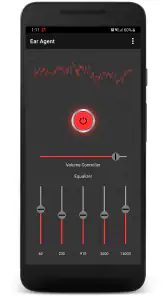
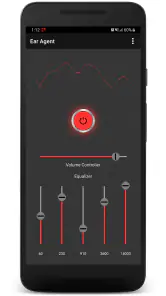
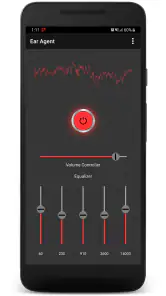
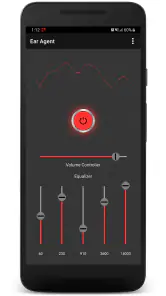
Analysis by Reviewed
Ear Agent Live: Hearing Aid is a communication app from One Music Player that turns an Android phone into a simple listening aid. After spending time with it, my view is fairly clear: it can be useful when you want to make nearby speech or environmental sound easier to hear, but it should be treated as a practical listening tool rather than a replacement for professional hearing care. Its appeal comes from being free to try, straightforward in purpose, and flexible enough for occasional situations where carrying dedicated equipment would be inconvenient.
The app has a 4.7 average from around 4.2 thousand ratings, with more than 500 thousand installs. Those figures suggest that many people find the basic idea worthwhile, but they do not remove the need to test it in your own surroundings. Phone microphones, headphones, room acoustics, and the kind of hearing difficulty involved all affect the result. In my experience, the most sensible way to judge it is not by expecting a medical device, but by asking whether it helps you follow a conversation or notice sound more comfortably in a specific everyday setting.
What the app is really like to use
A focused tool instead of a full communication suite
Unlike messaging apps, internet calling tools, or social platforms in the broader communication category, Ear Agent Live: Hearing Aid has one narrow job: supporting listening. That focus is its strongest quality. There is no need to learn a large collection of unrelated functions before trying the central experience. You open it when you want help hearing, connect suitable headphones or earbuds, and use the phone as the middle point between the surrounding sound and your ears.
This makes the app most interesting in situations where you are close to the sound source but still struggling to pick out words. A quiet conversation at home, a person speaking from a nearby chair, or a television that is difficult to follow can be more realistic use cases than a noisy restaurant or a busy street. The app may make sound more noticeable, but amplification alone cannot separate a voice cleanly from every competing sound.
I also appreciate that the concept is easy to explain to another person. If a family member asks what it does, the answer is not buried under technical language: it listens through the phone and sends the sound back through connected audio equipment. That simplicity matters for occasional users who do not want to spend a long time configuring a complicated accessibility system.
Where the phone should be placed
One of the most important practical details is phone position. A microphone only captures what reaches it, so placing the device on a table near the person speaking can work better than leaving it in a pocket or holding it behind your body. For a television, positioning the phone near the screen may give a more useful result than keeping it beside you on a sofa. This is a small change, but it can make the difference between understandable speech and a louder version of the same problem.
For a one-to-one conversation, I would place the phone between both speakers, keep the microphone unobstructed, and avoid touching the device while listening. If the speaker moves around, the benefit may drop because the phone is no longer aimed at the sound source. This is one reason I see the app as a flexible aid for controlled situations, not as something that automatically follows every voice around a room.
You May Like

Clash of Clans Is Won Between the Battles

Android Auto Makes the Case for Quieter Car Software

MobiOffice: Transforming Mobile Productivity with Seamless Integration

EA SPORTS FC™ Mobile Soccer: Redefining Mobile Sports Gaming

How Microsoft OneDrive Became a Mobile Productivity Giant

How Google Translate Breaks Language Barriers Effortlessly
There is also a trade-off between convenience and natural conversation. A phone placed visibly on a table can invite questions, especially in a meeting or social setting. Some people will not mind that, while others may prefer discreet dedicated hearing equipment. If privacy or appearance is important, this app may feel less comfortable even when the sound itself is helpful.
Headphones are part of the experience
The listening result depends heavily on the headphones or earbuds used with the phone. A poor fit, uncomfortable volume, or noticeable delay can make the experience frustrating. Before judging the app, I would test it with the audio equipment you already find comfortable, then adjust the setup in a quiet room. Starting with a moderate volume is important because making everything louder is not the same as making speech clearer.
Earbuds can be convenient for a short conversation, but they may also block some natural environmental sound. That matters if you need to remain aware of someone approaching, a doorbell, traffic, or another person speaking from the side. Over-ear headphones may feel more stable for television use, while smaller earbuds may be easier to carry. The best choice depends less on the app itself than on the balance between comfort, awareness, and clarity you need.
A useful habit is to compare the app with your normal listening setup rather than testing it in isolation. First listen without it, then place the phone correctly and activate the app, keeping the volume conservative. If the amplified version is louder but words are still unclear, the limitation may be background noise, microphone placement, or the headphones rather than a setting you have missed.
A realistic everyday scenario
Imagine an evening at home when a relative is speaking from the other side of a small living room. You normally ask them to repeat themselves, but you do not want the television turned up for everyone. Placing the phone on a table near the speaker and listening through comfortable headphones could give you a more personal way to follow the conversation. You can then lower the television for the rest of the household instead of raising the overall room volume.
That scenario shows where the app makes the most sense: a predictable environment, a nearby sound source, and a clear reason to improve one listener’s experience without disturbing everyone else. It also shows its weakness. If the relative walks into the kitchen, several people begin talking, or dishes and appliances become loud, the phone may capture a mixture that is still difficult to understand.
Useful habits that are easy to overlook
The smartest improvement is often placement, not volume. Users may instinctively increase the output when speech is unclear, but excessive volume can become uncomfortable and may make background noise more tiring. I would first move the phone closer to the speaker, remove anything covering its microphone, and reduce competing sound before raising the level.
A second useful workflow is to prepare the setup before the conversation begins. Connect the headphones, check that the phone is receiving sound, and decide where it will sit. Doing this in advance avoids fumbling with the device while someone is speaking. It also gives you a chance to notice whether the audio feels delayed or unnatural, which can be distracting during live conversation.
A third consideration is battery and attention. A phone being used as a live listening device is occupied, so you may not want to rely on it for another task at the same time. If you need to read messages, record notes, or move around continuously, a dedicated hearing solution may be less disruptive. The app is most effective when the phone can stay in one deliberate position and your attention can remain on listening.
What it should not be expected to do
Despite the hearing-aid language in its name, I would not treat this app as a substitute for a hearing assessment, fitted hearing aids, or medical advice. A general phone app cannot be assumed to correct a particular hearing profile. If hearing loss is persistent, worsening, one-sided, painful, or accompanied by other symptoms, professional evaluation is the safer route.
It is also not the right tool for every risky environment. I would be cautious about using amplified headphones while walking near traffic, cycling, operating equipment, or doing anything that requires full awareness of surrounding sounds. The convenience of hearing a nearby voice more clearly should not come at the cost of missing an alarm or warning.
People with tinnitus, sound sensitivity, or discomfort from amplified audio should approach it carefully. Begin quietly, stop if the experience feels unpleasant, and do not assume that a stronger signal is automatically better. The app can be useful for some listeners, but personal comfort is a more important measure than maximum loudness.
How it compares with the usual alternatives
The obvious alternative is simply increasing the television or asking people to speak louder. Ear Agent Live: Hearing Aid can be more considerate because it may let one person receive extra volume without changing the room for everyone else. It is also more portable than a television-specific listening accessory and easier to try than buying new hardware immediately.
Dedicated hearing aids are the stronger option when you need reliable support throughout the day. They are designed around the wearer, remain available without tying up a phone, and are generally better suited to movement between different environments. Their cost and fitting process can be significant, but that investment makes more sense for ongoing hearing difficulty than depending on a phone app for every conversation.
Some phones also include built-in accessibility listening features. Those may be preferable if you want system-level controls, a familiar interface, or integration with other accessibility tools. On the other hand, a focused app can be easier to discover when your immediate goal is simply live sound assistance. I would choose this app for occasional, low-pressure use and investigate dedicated or built-in options if I needed the function daily.
Free access and the paid side
The app is free to download, which lowers the barrier to testing it in your own home. There are in-app purchases ranging from $0.99 to $99.99 per item, so I would pay attention to any purchase screen and make sure I understood what an optional upgrade changed before confirming it. The free starting point is valuable because no description can predict how well a particular phone, room, and pair of headphones will work together.
My advice is to test the basic experience with a few different scenarios before spending money. Try a quiet conversation, a television, and a mildly busy room. If the app already solves your occasional problem, you may not need anything more. If it does not make speech clearer in those controlled tests, paying for an upgrade is unlikely to fix limitations caused by microphone position, background noise, or your audio equipment.
Compatibility and day-to-day expectations
On Android, the app requires version 8.0 or later and currently appears as version 6.1.0. That makes checking your phone’s Android version a sensible first step before installing. Compatibility is only the starting point, though. The physical microphone, headphone connection, Bluetooth behavior, and phone design can all influence how comfortable live listening feels.
Bluetooth equipment may introduce a delay that is acceptable for television but distracting in a face-to-face conversation. Wired headphones can sometimes feel more immediate, although the cable may be inconvenient. I would test the exact headphones you plan to use instead of assuming that every accessory will produce the same result.
The app is rated for Everyone, which fits its uncomplicated communication purpose, but that should not be confused with suitability for every hearing condition or every age-related need. A family member can help with the initial setup, yet the person using it should still be comfortable controlling the volume and removing the headphones quickly when necessary.
Who will get the most from it
I think Ear Agent Live: Hearing Aid is best for people who experience occasional difficulty hearing nearby speech and want an inexpensive experiment before considering more specialized equipment. It may also suit someone who needs extra volume for television or a quiet conversation but does not want to raise sound for the entire household.
It can be especially practical as a backup. A person who normally uses another listening solution might keep this app available for travel, visiting a family member, or handling a situation where their usual equipment is unavailable. The phone-based approach is not as seamless as dedicated hardware, but it can be better than having no option at all.
Families may also find it useful when helping an older relative test whether amplification makes a noticeable difference. I would treat that test as a conversation starter, not a diagnosis. If the app helps substantially, that may be a reason to explore professional hearing support rather than relying on the phone indefinitely.
Who should skip it
I would skip this app if you need discreet, all-day hearing correction, automatic adaptation to changing environments, or dependable performance while moving around. The phone must be positioned thoughtfully, the listening equipment must be comfortable, and the surrounding sound still determines much of the result. Those requirements are manageable for occasional use but tiring as a permanent routine.
It is also a poor fit for anyone expecting a medical-grade hearing aid from a free communication app. The name may create that expectation, but the practical experience is closer to live sound amplification through a phone. If your hearing difficulty affects safety, work, school, or most conversations, I would prioritize an audiology appointment and consider this only as a temporary convenience.
My final recommendation
One Music Player has made a focused tool that is easy to understand and inexpensive to try. The app’s strongest argument is not that it replaces specialist equipment; it is that it can help in a narrow, realistic situation without asking the whole room to become louder. Correct phone placement, sensible volume, and suitable headphones matter more than enthusiastic expectations.
After weighing those strengths against the dependence on a stationary phone, possible audio delay, background-noise limitations, and the need to manage your own safety, I would recommend it as an occasional listening aid. Use it as a practical experiment and a backup, not as a diagnosis or a permanent substitute for professional hearing support. For Android users on version 8.0 or later, the free entry point makes that experiment reasonable, while the Everyone rating keeps the app approachable for households helping someone explore better everyday listening.
My bottom line is simple: if your problem is a nearby voice or television that is just slightly too difficult to follow, this app is worth testing carefully. If your hearing needs are constant, complex, or safety-related, a dedicated solution is the better choice. That distinction is what makes the app genuinely useful: it works best when you give it a specific job it can realistically handle.
Ear Agent Live : Hearing Aid Frequently Asked Questions
Is Ear Agent Live: Hearing Aid free to download, and are there in-app purchases?
Ear Agent Live: Hearing Aid is free to download, so you can try its basic experience without paying upfront. The app also offers in-app purchases, with items priced from $0.99 to $99.99. Check the purchase details shown in the app before confirming anything, and consider enabling purchase controls on your device if other people, such as children, may use it.
Is Ear Agent Live: Hearing Aid compatible with my Android phone?
Ear Agent Live: Hearing Aid requires Android 8.0 or later. If your phone runs an older Android version, it will not meet the stated minimum requirement. Compatibility alone does not guarantee identical performance on every device: microphone placement, audio processing, and the headphones you use can all affect the listening experience. Check your phone’s Android version before downloading.
Is Ear Agent Live: Hearing Aid intended for children?
The app has an Everyone content rating, which indicates that its content is broadly suitable for general audiences. However, its amplified audio still calls for sensible supervision, especially for younger users. Keep the volume low, make sure headphones fit comfortably, and explain that the app is not a replacement for hearing care or a professionally fitted hearing aid.
What is Ear Agent Live: Hearing Aid, and how does it work?
Ear Agent Live: Hearing Aid is an Android app designed to amplify surrounding sounds through your phone and connected headphones or earbuds. After granting microphone permission, the app captures nearby audio and plays it back with increased volume. It can be useful for casual listening, conversations, or checking how clearly sounds are reaching you, but it is not a certified medical hearing aid.
Does Ear Agent Live: Hearing Aid really improve hearing?
The app may make some nearby sounds easier to hear, especially in quiet environments, but results depend heavily on your phone’s microphone, headphone quality, background noise, and personal hearing needs. It should not be expected to correct hearing loss or provide the same performance as professionally fitted hearing equipment. If you regularly struggle to hear, arrange a hearing assessment with a qualified healthcare professional.
Pros
- Amplifies nearby sounds through your phone’s microphone.
- Simple interface with quick start controls.
- Useful for short conversations in quiet environments.
- Works with standard wired headphones or earbuds.
- Can help users test hearing assistance before buying a device.
Cons
- Performance depends heavily on microphone and headphone quality.
- Background noise can become louder and harder to filter.
- Noticeable audio delay may affect conversations and lip-sync.
- Requires headphones to prevent feedback and audio echo.
- Not a substitute for a professional hearing aid or hearing test.

- Category
- Communication
- Version
- 6.1.0













