Download video no watermark
- 3.54K
- 4.5
- Installs
- 10.00M
- Price
- Free
Screenshots



Analysis by Reviewed
I find video-saving apps most useful when they solve a small, specific problem: keeping a clip handy to watch again, rather than building a whole editing setup around it. Download Video No Watermark is aimed at that straightforward job. The name sets an expectation, but the practical experience still depends on the link you bring to it and whether the source platform allows the clip to be retrieved. I’d treat it as a convenient option for personal viewing, not a promise that every online video will download in the same way.
Where people can get stuck
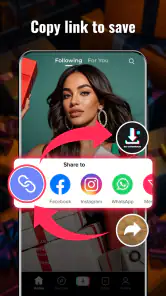
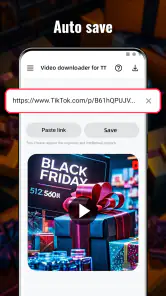
The first point of friction is often not the app itself but the link. A copied address may lead to a post, profile, or redirect rather than directly to a video, so pasting it and seeing no progress does not necessarily mean the download tool is broken. I’d reopen the original post, use its share or copy-link option, then try that address. If the source requires a sign-in or has restricted access, an external downloader may not be able to reach the clip.
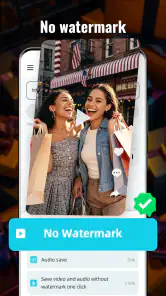
It also helps to be clear about what “without watermark” means in practice: removing a platform mark is not the same as improving a video or changing its original quality. Before saving something for a project, I’d check the result rather than assume the file is suitable for editing or reposting. Respect the creator’s rights and the source platform’s rules; a saved file is not permission to publish someone else’s work.
Small checks before you retry
If a download stalls, I’d start with ordinary checks instead of repeatedly tapping the same button: confirm the link opens in the source app or browser, make sure the phone has a working connection, and check that there is room to save a file. Then close and reopen the downloader and paste the link again. These steps don’t guarantee every clip will work, but they help separate a bad or inaccessible link from a temporary hiccup.
For anyone wondering whether the app costs money, it is free to install, with optional in-app purchases listed from $0.99 to $24.99 per item. It is rated for Everyone, and the developer is ETM Video Downloader. I’d begin with the free experience and only consider a purchase if the app itself clearly explains what it unlocks and that feature matters to my routine.
A practical fit for occasional saving
The app sits in the video-player and editing category, though its main appeal is saving clips rather than editing them. It has a 4.5 average from around 637,000 ratings and over 10 million installs, so it has attracted a substantial audience. It was released on August 27, 2021, and version 1.48.1 requires Android 8.0 or later. Those details make it easier to judge compatibility, but they don’t guarantee that every source link will behave alike.
Recovering a workflow without making a mess
When a link works, I’d save one clip first and play it back before collecting more. That quick check confirms the file is usable and avoids filling the phone with duplicates if the first attempt was unsuccessful. If I’m saving several videos for a trip or a reference folder, I’d use a simple naming or folder routine in the phone’s file manager where available, rather than relying on memory to locate each clip later. Keep only the versions you need; multiple retries can make it harder to tell which file is complete.
More From Our News Desk

Weather by Xiaomi Review: Clear at a Glance, Less Clear Up Close

X Under Pressure: Can It Recover When Posting Goes Wrong?

Clash of Clans Is Won Between the Battles

Android Auto Makes the Case for Quieter Car Software

MobiOffice: Transforming Mobile Productivity with Seamless Integration

EA SPORTS FC™ Mobile Soccer: Redefining Mobile Sports Gaming
A useful everyday case is saving a cooking demonstration before heading somewhere with an unreliable connection. I would test the link at home, confirm the saved clip plays, and then keep it for personal offline viewing. For a creator gathering references, the same approach can help with temporary study, but I would preserve source details separately and ask permission before reusing or sharing another person’s footage.
When another option makes more sense
Compared with a platform’s own save or offline-viewing feature, a downloader can be more convenient when you want a file on the device, but the platform’s option is usually the safer choice when you only need to watch a post later. Compared with a general video editor, this app is better suited to the retrieval step than to trimming, adding captions, or assembling a finished piece. If editing is the main goal, I’d save the clip only where permitted and then use an editor designed for those tasks.
People who need dependable batch handling, detailed file controls, or a polished editing workflow may find a dedicated manager or editor a better fit. I’d also skip this kind of app if the goal is to bypass access restrictions or repost watermarked content as original work. Its strongest use is modest: try an accessible link, save a clip for legitimate personal reference, and check the result rather than assuming every source behaves the same.
Getting Started with Ease
First things first, downloading the app is a breeze. Available on both Android and iOS, it's as simple as heading to the app store and hitting download. Once installed, you're greeted with a straightforward interface that doesn't require a tech degree to navigate. I mean, who has time to mess around with complicated setups, right?
Seamless Video Downloading
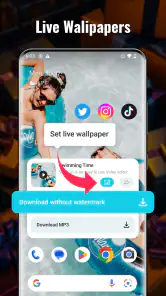
The app shines when it comes to grabbing your favorite videos. Just copy the link of the video you fancy, paste it into the app, and voila! The video starts downloading without any watermarks. It's like magic, but better because you get to keep the content you love, watermark-free. I tried a few different platforms, and the app performed consistently across the board.
Quality Matters
One of my top concerns was whether removing the watermark would affect the video quality. Thankfully, this app doesn't compromise on that front. Videos are downloaded in their original resolution, so whether you're watching on a big screen or your phone, everything looks crisp and clean. It's a delight for anyone who's picky about their video quality, like me.
User-Friendly Features
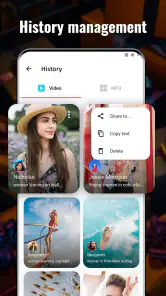
Beyond just downloading videos, the app offers a few handy features. For instance, you can organize your downloads into folders, making it easy to find what you're looking for later. Plus, there's a built-in video player, so you can watch your clips without ever leaving the app. It's little touches like these that make the app a pleasure to use.
Now, I'm not saying it's perfect. No app is. But, if you're looking for a reliable way to download videos sans watermark, Download Video No Watermark is a solid choice. It's user-friendly, efficient, and delivers on its promise. So, if you're tired of those annoying logos cluttering up your videos, give this app a try. You might just find it becomes one of your go-to tools.
Download video no watermark Frequently Asked Questions
Will the app work on my device’s operating system?
Before downloading, check your device’s operating system against the app’s compatibility requirements. Download Video No Watermark lists Android 8.0 as its minimum operating system. If you use another platform or an older device, confirm compatibility in the official app store before installing. Checking this first can help you avoid downloading an app that your device cannot run.
Who develops Download Video No Watermark, and what kind of app is it?
Download Video No Watermark is a video-downloading app in the Video Players & Editors category, developed by ETM Video Downloader. Its short description is “Download video,” and its summary describes it as a video downloader for TT and Pinterest videos without a watermark. The app is free to download, with optional in-app purchases available.
Can I download videos using an iPhone or Android device?
Download Video No Watermark is a video-downloading app for mobile devices. Before installing, check that your device’s operating system meets the app’s requirements; the listed minimum is Android 8.0. The app is free to download, though optional in-app purchases are available. Download it from an official app store and review the app details there to make sure you are choosing the version intended for your device.
What should I check before saving a video from someone else?
Before downloading or sharing a video, consider who created it and whether you have permission to keep or reuse it. Removing a watermark does not transfer ownership or grant usage rights. Social platforms may also have rules about downloading and reposting content, so check the applicable terms and respect creators’ wishes. Using the app for videos you own or are authorized to save is a sensible way to avoid problems.
What is Download Video No Watermark and how does it work?
Download Video No Watermark is an app designed to help users download videos from various social media platforms without the annoying watermarks. It works by allowing you to simply paste the video's link into the app, which then processes the video and provides you with a clean, watermark-free version to save directly to your device.
Pros
- Easy to use interface for quick downloads
- Supports multiple video platforms
- High download speeds
- No registration required
- Ad-free experience
Cons
- Limited editing tools within the app
- Requires internet connection
- Occasional bugs in older devices
- No batch download option
- Limited support for lower resolution videos
- Category
- Video Players & Editors
- Version
- 1.48.1












