Dayforce
- 18.25K
- 4.5
- Installs
- 5.00M
- Price
- Free

Screenshots
Analysis by Reviewed
I judge a work app differently from a shopping or entertainment app: it may touch schedules, pay information and other personal details, so convenience matters only if the experience also feels understandable and controllable. Dayforce is a business app from Dayforce, and its role is to give employees a mobile route into work-related tasks rather than replace every conversation with a manager or HR team. I would treat it as a useful workplace tool whose value depends partly on how an employer has set it up.
Trust begins with the kind of information involved
Opening an app to check a shift is one thing; looking at pay or benefits is more sensitive. That makes it worth being deliberate about where and when you use Dayforce. On a shared or public device, I would avoid leaving the app open, and I would check that I am looking at my own account before acting on anything. Those are practical habits, not a claim about a particular security setting.
Dayforce is free to download, has an Everyone age rating, and runs on Android version 10 or later. Its current version is 2025.7.1. The app has a 4.5 average from around 131,000 ratings and more than five million installs, which suggests many people use it, though popularity alone cannot tell me whether its controls suit a particular workplace. I would still read the on-screen prompts carefully and follow my employer’s guidance for access and account questions.
Make sensitive moments deliberate
A useful routine is to separate quick checks from decisions that need attention. Looking up a schedule before leaving home is low-friction; reviewing a payslip or submitting a request deserves a slower read, especially if a date, amount or status affects what you do next. I would make sure the information displayed matches the period or request I intended to review, rather than relying on a glance at a notification.
If something looks wrong, the app should be a starting point for checking the relevant work information, not a reason to guess at a correction. Keep a note of what you noticed and contact the appropriate workplace team if the next step is unclear. That approach is particularly sensible for payroll or time-sensitive requests, where a mistaken tap or assumption can create avoidable follow-up.
What is Dayforce All About?
Dayforce is a comprehensive cloud-based platform designed to streamline HR, payroll, and workforce management. It’s like having a personal assistant that never sleeps, ensuring everything from your paychecks to your time-off requests are handled smoothly. With its user-friendly interface, even the least tech-savvy among us can navigate through its features with ease.
Features That Make Dayforce Shine
Let me break it down for you. The app offers a plethora of features, but here are the ones that truly stand out:
More From Our News Desk

Weather by Xiaomi Review: Clear at a Glance, Less Clear Up Close

X Under Pressure: Can It Recover When Posting Goes Wrong?

Clash of Clans Is Won Between the Battles

Android Auto Makes the Case for Quieter Car Software

MobiOffice: Transforming Mobile Productivity with Seamless Integration

EA SPORTS FC™ Mobile Soccer: Redefining Mobile Sports Gaming
- Real-time Data: No more waiting for batch processes to run overnight. Dayforce updates data in real-time, giving you immediate access to the information you need.
- Integrated Platform: Whether it’s payroll, benefits, or talent management, everything is integrated into a single platform, reducing the headache of juggling multiple systems.
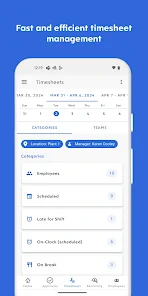
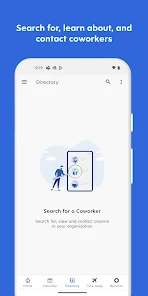
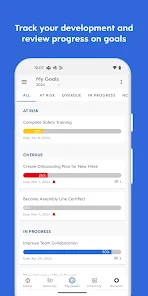
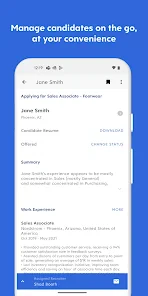
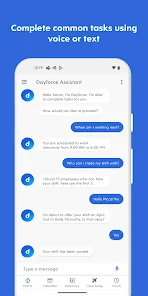
- Mobile Access: With the Dayforce app, you can manage your tasks on-the-go, making it super convenient for busy professionals.
- Intuitive Interface: The app is designed with the user in mind. Its intuitive interface means less time spent figuring out how to get things done and more time actually doing them.
Everyday use: fewer checks, better timing
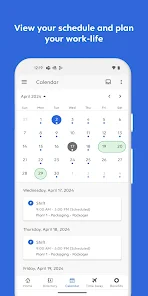
For a shift worker, the practical benefit is not simply having an app on a phone; it is being able to check the workday at the moment a question comes up. Imagine finishing a late shift and wanting to confirm the next start time before arranging a ride or childcare. I would check the schedule while I can still act on it, then revisit it if a change is communicated. That habit makes mobile access useful without treating a screen as a substitute for confirming an important change with a supervisor.
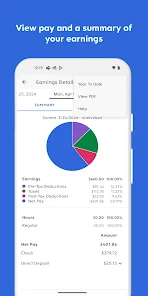
For employees who receive pay information through the platform, a calm monthly routine can help: review the relevant payslip when you have time, compare it with your own hours or records, and raise a specific question if something does not line up. This is more useful than opening the app in a rush after noticing a deposit, when it is harder to remember which period or shift a figure relates to. The app can centralize the check; your own records and workplace contact remain valuable.
Where it fits among work apps
Compared with relying on separate portals, email threads and paper notices, an integrated workforce platform can make routine details easier to find in one place. That is its clearest advantage for someone whose employer actively uses it across scheduling, payroll and HR. The trade-off is that it is not a general-purpose organizer: personal calendar apps may be better for combining work with family plans, while direct contact with a manager is still better for resolving an urgent ambiguity or negotiating a schedule change.
The app is most appealing if your workplace has made Dayforce part of its normal process and you want mobile access to work information. If your employer does not use it, or if you only need a simple personal calendar, installing a dedicated calendar app is likely more useful. I would also avoid assuming that every employee sees the same tools; what appears in a workplace app can depend on how the employer uses the platform.
Putting it to work without making it another chore
A practical way to make an employer-provided work app earn its place is to tie checks to moments that already exist in your routine. I would look at the next shift while planning the day, then use a separate quiet moment for anything involving pay or time off. This reduces the temptation to keep reopening the app just to feel certain, while still leaving room to verify a detail before it affects a real decision.
For a worker balancing changing shifts with family commitments, the useful sequence is to check the work schedule first, then copy the relevant commitment into a personal calendar if that is how the household plans. I would treat the personal calendar as the place for the whole family picture and Dayforce as the workplace reference. Keeping those roles distinct helps avoid expecting a staff platform to coordinate every part of life.
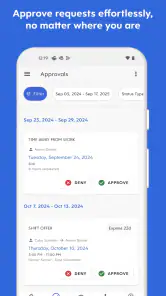
Another worthwhile habit is to distinguish a status check from an outcome. If you submit a request, return to the relevant screen to see what it says, but do not treat the act of submitting as approval. If the timing matters, ask the appropriate workplace contact what to expect. That small distinction prevents an ordinary workflow from becoming a costly assumption, especially when travel, childcare or shift coverage depends on the answer.
Why You’ll Love It
Imagine having all your work-related tasks sorted in one place. That's the beauty of Dayforce. It's not just about convenience; it's about efficiency. The app allows you to access payslips, manage schedules, and even communicate with HR without the usual back-and-forth emails. It's like your own personal office assistant, but digital.
One small but helpful approach is to use the app as a reference point rather than a memory aid: check the schedule before making plans, and revisit a request to see where it stands instead of assuming that submitting it means it has been approved. If a screen presents a choice or asks you to confirm an action, pause long enough to understand what you are submitting. That is especially worthwhile when a request affects time away from work.
Who benefits most—and who may not
I see the strongest fit for employees whose workplace already uses Dayforce for regular tasks and who need to check work details away from a computer. That could mean someone with rotating shifts who wants to verify a start time, or an employee who prefers to review payroll information in one dedicated workplace channel rather than search through messages. The benefit depends on the employer’s setup, so the app is most useful when it is part of an established process rather than an optional extra no one at work uses.
It is a weaker fit for someone looking for a standalone job-search tool, a personal planner, or a universal place to organize every commitment. It also may not be the best route for a complicated HR conversation: a phone app can help you locate information, but a person is better placed to explain an exception, discuss a sensitive concern or clarify a decision. I would not install it expecting it to replace those conversations.
Before relying on it for an important task, I would ask a workplace contact which items employees are expected to handle in the app and which still need another channel. That question is especially useful for new employees, people changing roles, or anyone whose workplace has recently changed its process. It turns the app from a vague promise of convenience into a tool with a clear job in your routine.
Keep your own say in how you use it
Mobile convenience can make work details feel always within reach. I would set a personal boundary around checking: look when there is a practical reason, not every time a notification or work thought interrupts home time. For sensitive tasks, use a private moment and keep your phone access protected in the ordinary way you protect other personal accounts. These habits do not depend on assuming any particular permission or account feature.
If you are deciding whether to install it, the key question is whether your employer relies on Dayforce for tasks you actually need to handle. Ask your workplace contact how employees sign in and where to go when access or information seems wrong. That gives you a clearer path than treating the app itself as the authority on every HR issue, and it keeps responsibility for workplace decisions with the people who can address them.
When considering trust, I would focus on what I can actually see and control in the moment: the account I am signed into, the information I choose to open, and the confirmation shown before I submit something. I would read any prompts rather than assume that a setting or action means more than it says. For questions about account access or how the workplace handles employee information, the employer is the sensible contact; I would not infer those answers from a convenient interface alone.
Plus, the security features are top-notch. With everything going digital, it's reassuring to know that your personal and financial information is kept safe behind robust security protocols.
A cautious recommendation
My recommendation is practical rather than universal: Dayforce can be a worthwhile companion when your employer uses it and you want to check work information away from a desk. Its combination of mobile access and connected HR, payroll and workforce tasks is more convenient than piecing together several workplace channels for routine checks. But convenience does not remove the need to review sensitive details carefully or ask a person when a decision is unclear.
So, is Dayforce worth the hype? Absolutely. It's a game-changer for businesses and employees alike, offering a seamless way to handle everything from payroll to performance reviews. Whether you’re an HR manager or an employee looking to simplify your work life, this app has something for everyone.
In a world where time is money, Dayforce helps you save both. Give it a go, and you might just find yourself wondering how you ever managed without it.
Dayforce Frequently Asked Questions
Can I use Dayforce without an account from my employer?
Dayforce is designed to connect employees with their organization’s Dayforce platform, so access generally depends on your workplace setup and account. Downloading the app alone does not provide access to workplace information or features. If you are unsure whether your employer uses Dayforce or how to sign in, check with your manager or HR team before installing.
Who is Dayforce intended for: employees, managers, or businesses?
Dayforce is a business app for managing work life on the go, and its usefulness depends on how an organization has configured its Dayforce platform. Employees may use it to access work-related information, while managers and HR teams may rely on the broader platform to support workplace processes. The features you see can differ according to your role and employer’s setup.
Is Dayforce free to download, and what should I know before installing it?
Dayforce is a free business app from Dayforce, with an Everyone content rating. Its store description is “Manage work life on the go,” reflecting its focus on accessing work-related information from a mobile device. Before installing, keep in mind that the app is intended to work with an organization’s Dayforce platform, so the features available to you depend on your workplace setup and account access.
What devices and operating systems can run Dayforce?
Dayforce is available for Android and iOS devices. The current version is 2025.7.1, and the minimum operating system requirement is version 10. The app has been available since September 15, 2011, and has reached over 5 million installs. Check that your device meets the operating system requirement before downloading, then use the relevant app store to install it.
What is Dayforce and what primary features does it offer?
Dayforce is a comprehensive human capital management (HCM) platform tailored for organizations of all sizes. It integrates payroll, HR, talent management, benefits, and workforce management in a single application. With real-time data processing, Dayforce provides accurate insights and analytics, empowering managers and employees with tools for better decision-making. Users can manage schedules, request time off, and access their pay and benefits information easily from their mobile devices.
Pros
- Intuitive user interface
- Comprehensive HR features
- Efficient payroll processing
- Seamless integration capabilities
- Strong analytics tools
Cons
- Steep learning curve
- Occasional system lags
- Limited offline functionality
- High subscription cost
- Complex initial setup
- Category
- Business
- Version
- 2025.7.1











