Day Counter. Count Up & Down
- 124.00
- 4.4
- Installs
- 100.00K
- Price
- Free
Screenshots
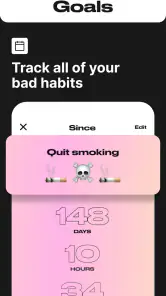
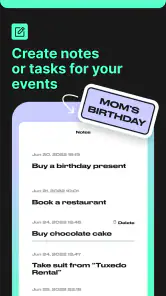
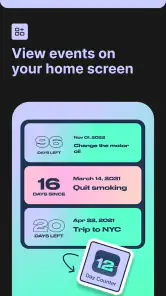
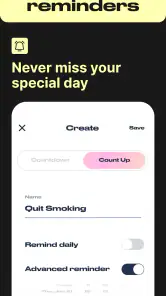
Analysis by Reviewed
I find Day Counter. Count Up & Down most useful when a date matters but doesn’t need a full calendar system around it. It turns birthdays, personal milestones, habits, and goals into clear counters: a future date can feel closer, while a past date can show how long you’ve kept something going. That focused approach is its main strength, though it also means this is not a replacement for a busy calendar or a detailed habit tracker.
A focused tool for dates that deserve attention
Day Counter is an events app from BITSENS, and its appeal is easy to understand: it gives important dates a dedicated place instead of burying them among appointments and reminders. The app is free to install, has a 4.4 average from around 976 ratings, and has passed 100,000 installs. It is rated for Everyone, so its subject matter and basic purpose are suitable for a broad audience.
The distinction between counting up and counting down makes it more flexible than a simple birthday countdown. I can use one counter for an upcoming trip and another to mark the time since I began a new routine. That mix works well for people who like seeing both what is ahead and the progress they have already made. The app’s current version is 1.38.0, and it supports Android 7.0 and later.
For me, the best way to judge a day counter is not by how many settings it has, but by whether it makes a date easier to remember and meaningful to revisit. This one keeps the central task straightforward. Its overall rating suggests that many users find that approach useful, although ratings alone cannot tell you whether its style suits your own routine.
Setting Up Your Countdown and Count Up
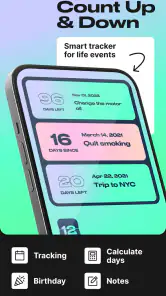
Getting started with the Day Counter. Count Up & Down app is as easy as pie. As soon as you open it, you're greeted with a clean, intuitive interface that makes setting up your events a breeze. I was pleasantly surprised by just how straightforward it is. You simply tap on the plus icon, and you’re off to the races. Whether you're counting down to a birthday, or counting up from the day you quit smoking, it's all at your fingertips.
What I love is the flexibility this app offers. You can name your event, select a date, and choose the type of counter, whether it's counting up from a past date or down to a future one. The app doesn't bog you down with unnecessary features, sticking to what it does best—helping you track time.
Customization Galore
One of my favorite things about this app is the level of customization. You can personalize your counters with different colors and backgrounds, making it not only functional but also visually appealing. It's a small touch, but it makes a big difference, especially if you're someone who appreciates a bit of flair in your apps.
More From Our News Desk

Weather by Xiaomi Review: Clear at a Glance, Less Clear Up Close

X Under Pressure: Can It Recover When Posting Goes Wrong?

Clash of Clans Is Won Between the Battles

Android Auto Makes the Case for Quieter Car Software

MobiOffice: Transforming Mobile Productivity with Seamless Integration

EA SPORTS FC™ Mobile Soccer: Redefining Mobile Sports Gaming
Furthermore, the app allows you to add widgets to your home screen, so you always have your countdowns and count-ups in view without even opening the app. It's all about convenience, and the app nails it.
Notifications and Reminders
Now, I’m the kind of person who needs a little nudge every now and then. Luckily, this app has a handy notification feature that reminds you of your upcoming events. You can set it to alert you a day before, a week before, or even on the day itself. It's like having a personal assistant keeping you on track.
The reminders are especially useful for those dates that tend to slip your mind. Trust me, I’ve had my fair share of last-minute scrambles because I forgot an anniversary or a friend's birthday.
A Touch of Motivation
Beyond just keeping track of dates, the app offers a surprising motivational aspect. Seeing the days tick down to a goal can be incredibly satisfying and inspiring. It’s like having a visual representation of time passing and progress being made. For instance, watching the days count up since I started a new habit has been a real morale booster.
This aspect of the app is perfect for anyone looking to stay motivated on a journey, whether it's a fitness goal, a sobriety milestone, or any other personal achievement.
Using counters without letting them become clutter
The most useful counters are usually the ones I can interpret at a glance. I’d give each event a name that makes sense outside my own head—“Mum’s birthday” is clearer than “June plans”—and use the color choices to distinguish types of dates rather than decorating every counter differently. For example, a calm color for personal milestones and a brighter one for deadlines can help a list stay readable as it grows.
There is a trade-off to having many counters visible: the more dates I add, the less each one stands out. I’d start with the few events I genuinely want to check, then add others only when they have a clear purpose. That keeps the home-screen widget useful instead of turning it into a wall of numbers I stop noticing.
A practical routine for birthdays and goals
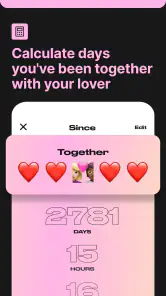
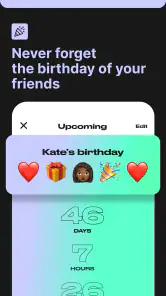
Imagine that I want to remember a friend’s birthday while also tracking a personal habit. I can create a future-facing counter for the birthday, choose a reminder that gives me time to plan, and keep a separate count-up for the habit’s start date. The birthday counter answers “how soon?” while the habit counter makes consistency visible. They serve different needs without requiring me to treat the habit as a scheduled appointment.
For birthdays, the reminder is only the first step. I would use the earlier alert to decide what I need to do—buy a card, make a call, or arrange a visit—rather than assuming a notification itself solves the problem. The app helps me notice the date; the actual plan still belongs in my calendar or task list if it involves several steps.
For goals, I’d treat a count-up as a record, not a verdict. If I miss a day or change direction, the number may not capture the work I have done. It can still be encouraging, but it is better suited to simple milestones than to tracking complex routines with flexible schedules, notes, or multiple measures of progress.
Widgets are useful, but visibility is a choice
A home-screen widget changes the role of a counter: instead of checking the app when I remember, I can see a selected date during ordinary phone use. That can be a gentle prompt for a long-term goal or an upcoming event. I’d reserve that space for one or two dates that benefit from frequent visibility; a date I only need occasionally can stay in the app and avoid adding visual noise to the home screen.
This also makes the app less suited to someone who prefers keeping personal milestones out of sight. A visible counter can motivate, but it can also make a goal feel like a daily pressure. If seeing the number is more stressful than helpful, I’d leave that counter off the home screen and check it only when I choose.
Where it differs from a calendar or habit tracker
A standard calendar is better when an event has a time, needs to be moved, or involves other people and several reminders. A task manager is better when a date is only one part of a sequence of actions. A dedicated habit tracker is the stronger choice when I need to log individual completions, examine patterns, or manage a routine with more detail than elapsed days.
This app occupies a narrower but worthwhile middle ground: it gives a date a persistent visual presence without asking me to organize a whole schedule around it. I would use it alongside a calendar rather than instead of one. For instance, a countdown can keep a holiday in view, while the calendar holds travel arrangements and appointments. That division avoids expecting a simple counter to handle planning work it was not designed for.
Reminders need a little judgment
The available reminder timing is practical for one-off dates: a week’s notice can help with preparation, while a same-day alert may be enough for a casual greeting. I would choose the lead time based on what the event requires rather than setting the same alert for everything. Too many early reminders can become background noise, which defeats the point of being reminded.
For events that repeat every year, I’d also make sure the date I enter is the next relevant occurrence and check the counter after the event has passed. A day counter’s value depends on the date it is given, so a quick review is a sensible habit when an occasion rolls around. This is a small bit of upkeep, but it helps prevent an old date from quietly becoming misleading.
When a simpler counter is the better choice
If all I need is a quick calculation between two dates, a search or calculator can be faster than setting up an event. If I need a shared family calendar, detailed recurrence rules, or coordinated invitations, a calendar app is a more natural home. And if my main goal is to build a habit through daily check-ins, I’d choose a tracker built around recording actions rather than watching elapsed time.
Day Counter makes more sense when I want a date to stay named, visible, and emotionally meaningful. It suits someone who enjoys a small visual cue and does not need a complete planning system. People who dislike widgets, notifications, or keeping personal goals in view may find the central idea less appealing, even if setting up a counter is straightforward.
Free to start, with purchases to consider
The app is free, which makes it easy to try with a handful of dates before deciding whether its approach fits. It also offers in-app purchases priced from $2.99 to $19.99 per item. I’d treat those as optional rather than assuming they are necessary for the basic idea of counting days; the free starting point is enough to judge whether having dedicated counters actually changes how I manage important dates.
Before paying for anything, I’d first use the app for a real mix of events: one birthday, one upcoming goal, and one past milestone. That test reveals whether I like checking counters, whether a widget earns its home-screen space, and whether reminders help or merely add alerts. It is a more useful decision than buying extra options before knowing how often I will return.
What I would check before relying on it
For an important occasion, I’d make sure the event name and date are correct immediately after creating it, then choose a reminder with enough lead time for whatever preparation I need. I would not rely on a counter alone for a time-sensitive appointment or a multi-step plan; those belong in a calendar or task list too. The app is strongest as a clear marker, not as a substitute for every other planning tool.
Likewise, I’d think about which dates are private or emotionally sensitive before displaying them on a home screen. A widget is convenient precisely because it is visible. If that visibility is not welcome, the counter can still serve as an occasional check-in rather than a constant prompt.
One practical question is whether this works for both future dates and past milestones: yes, the two counter directions make those complementary uses possible. Another is whether it can remind me before an event: the app provides the day-before, week-before, and event-day choices described above. Those options help with simple dates, while more complicated scheduling remains better handled elsewhere.
Final Thoughts
All in all, Day Counter is a nifty app that does exactly what it promises, and does it well. It's simple, effective, and a joy to use. The customizable features, ease of use, and handy reminders make it a must-have for anyone looking to keep track of important dates and milestones.
If you're in search of a reliable day counter app, this one should definitely be on your radar. So go on, give it a whirl, and start counting those days with confidence!
My recommendation
I’d recommend it to people who want birthdays, goals, and personal milestones to feel present without building a complicated system around them. Its combination of count-ups, countdowns, visual customization, widgets, and simple reminders gives everyday dates a useful home. The strongest case is for someone who likes a glanceable nudge and will keep the list focused.
I would skip it if I needed shared planning, detailed recurring schedules, or a record of each habit session. Those needs call for tools designed around calendars, collaboration, or logging. For the narrower job of keeping meaningful dates visible and giving progress a simple measure, though, this is a pleasant, low-friction option. I like that it stays centered on time itself—and I’d use it as a companion to, not a replacement for, the planning tools I already rely on.
Day Counter. Count Up & Down Frequently Asked Questions
Can Day Counter: Count Up & Down track habits and goals as well as dates?
Yes. Day Counter: Count Up & Down is intended for more than marking special dates: it can also help you keep track of habits and goals. Its count-up and countdown approach gives you a simple way to follow something you are working toward or a day you want to remember, alongside occasions such as birthdays.
What is Day Counter: Count Up & Down used for?
Day Counter: Count Up & Down is an app designed to track important dates and events by counting up from or down to a specific day. It's perfect for keeping tabs on anniversaries, birthdays, deadlines, or any significant day you want to remember. The app also offers customizable notifications to remind you as the date approaches.
Is Day Counter: Count Up & Down free to use?
Yes, Day Counter: Count Up & Down is free to download and use. In-app purchases are available, so some optional items may cost extra. The app is developed by BITSENS and is rated for Everyone, which gives prospective users a quick sense of its intended audience and basic pricing model.
How accurate is the app's countdown feature?
The app's countdown feature is highly accurate, providing real-time updates down to the second. Users can rely on it for precise tracking of days, hours, minutes, and seconds leading to their important events. The app's reliability ensures that you are always informed about how much time remains until your deadline.
Can I customize notifications in Day Counter: Count Up & Down?
Yes, the app allows users to customize notifications based on their preferences. You can set reminders for days, hours, or even minutes before the event occurs. This customization ensures that you never miss an important date, as you can adjust the alert settings to suit your schedule.
Pros
- User-friendly interface for quick setup.
- Customizable widgets for home screen.
- Multiple countdowns and count-ups supported.
- Notifications for upcoming events.
- Syncs across devices seamlessly.
Cons
- Limited free features without upgrade.
- Occasional ads can be intrusive.
- No integration with calendar apps.
- Limited color options for themes.
- Requires internet for full functionality.
- Category
- Events
- Version
- 1.38.0