

DamonSX2 Pro - PS2 Emulator
- 299.00
- 3.3
- Installs
- 1.00M
- Price
- Free

Screenshots
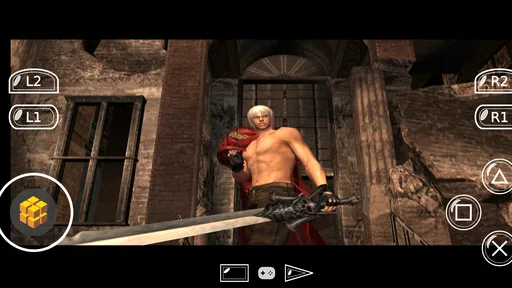
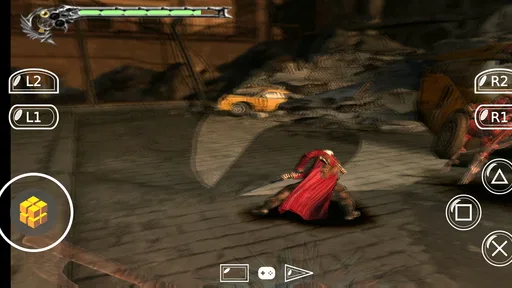
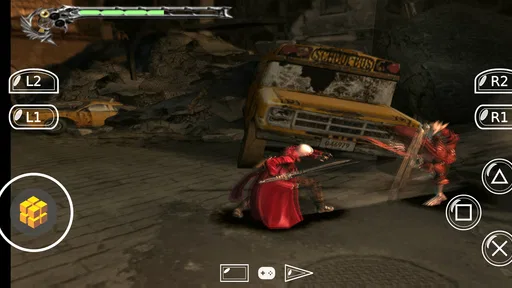
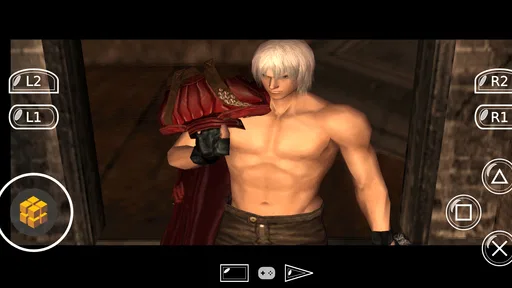
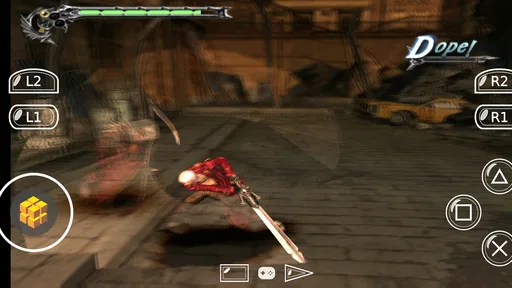
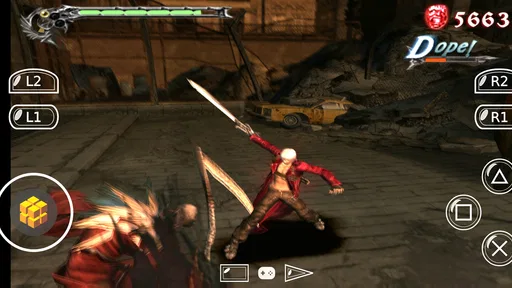
Analysis by Reviewed
I like the idea behind PS2 emulation on a phone most when it solves a practical problem: bringing a game you already own into a spare moment without needing to sit at a television. DamonSX2 Pro - PS2 Emulator is a free app from Reinferno Pvt. Limited in the Libraries & Demo section, and its central appeal is turning a compatible mobile device into a way to run PlayStation 2 software. That promise is exciting, but it also asks for patience: emulation is not the same as launching a lightweight mobile game, and results can depend heavily on the game and the phone.
What PS2 emulation changes
An emulator recreates the behaviour of a console in software, so the phone has to do more than simply display a game. That is why familiar titles can feel different from ordinary Android games: setup, device performance and control layout all matter. I would approach this as a way to revisit a personal library, not as a guaranteed plug-and-play replacement for a console.
The app’s source summary describes it as open-source under the LGPL, a detail that may interest technically curious users. In practical terms, though, the useful question is still whether it handles the games and device you intend to use. Its current version is 420, and it is intended for devices running Android 8.0 or later.
The Nostalgic Dive
The first thing that hits you with the DamonSX2 Pro is the wave of nostalgia. From the first boot, it feels like you’re being welcomed back home to the classics. The app is designed to emulate the PS2 environment near perfectly, and it does a commendable job. From the iconic startup sound to the interface, it’s like stepping back into your old gaming den.
User-Friendly Interface
Now, let’s talk about the interface. Setting up the emulator is relatively straightforward, even for someone who’s not super tech-savvy. The developers have ensured that the process doesn’t feel like rocket science. You can easily load your favorite PS2 games and start playing without much hassle. The controls are intuitive, and the customization options are a nice touch, allowing you to tailor the experience to your liking.
For a first session, I’d keep the setup simple: choose one game you know well, test the controls, then change one setting at a time if the experience needs adjustment. That makes it easier to tell whether a change helped, rather than leaving you unsure which tweak caused a problem. Touch controls are convenient for a quick check, but a long session may suit a physical controller better if you already use one with your phone.
Performance and Compatibility
Performance-wise, the DamonSX2 Pro packs quite a punch. It supports a wide array of games, and most of them run smoothly without any hiccups. Of course, like any emulator, your mileage may vary depending on the game and your device’s specs. But on a decent smartphone, the experience is pretty seamless. The developers have continually improved the app, ironing out bugs and expanding compatibility, which is a major plus.
More From Our News Desk

 Gmail
GmailGmail in a Busy Inbox: Who Benefits Most?
From first account to crowded workday, Gmail earns its place through dependable search and flexible sorting—but its best fit depends on how much inbox maintenance you can tolerate.

 Prime Video
Switching to Prime Video: What Changes in Your Viewing Routine
Prime Video can make a compelling second home for streaming, but switching means learning a different catalog, rental layer, and route from browsing to playback.

 Universal TV Remote Control
Universal TV Remote Control Works Best as a Reliable Backup
A phone remote earns its place through quick setup and reliable habits. Here is how to get more from Universal TV Remote Control—and where its limits show.

 Weather - By Xiaomi
Weather by Xiaomi Review: Clear at a Glance, Less Clear Up Close
Xiaomi’s weather app makes everyday forecasts quick to scan, but its calm surface can leave useful details and recovery paths harder to find than they should be.

 X
XX Under Pressure: Can It Recover When Posting Goes Wrong?
A resilience-focused review of X, examining setup, mistaken posts, interruptions, weak connections, and the gaps that matter when recovery needs to be dependable.

 Clash of Clans
Clash of Clans Is Won Between the Battles
Its raids are quick; its community is a long-term project of coordination, teaching, rivalry, and shared responsibility—with all the friction that entails.
Latest News



A realistic use is a short commute or a break between errands: launch a game you have already tested at home, resume your progress, and play for a few minutes. I would not use an unfamiliar title as a last-minute travel download, because troubleshooting is much less pleasant when you have little time or a weak connection. Before heading out, it is worth checking that the game loads and that the controls feel manageable on the screen you will actually use.
Compared with playing on original hardware, a phone is easier to carry but less predictable as a complete gaming setup; the console offers its intended controls and display without emulation adjustments. Compared with lightweight mobile games, this app is for someone who values access to a PS2-era library enough to accept extra setup and variable performance. It is not the better choice if you want a quick, uniform experience across every game.
One practical trade-off is that a phone session can compete with the same device’s ordinary jobs. If I plan to play away from home, I would close other demanding apps first and check that the phone is not already running hot. That is not a special emulator trick; it is simply a way to reduce avoidable interruptions when the game is already asking the device to recreate console behaviour. For a short test, this matters less than for a long session, so I would start with a brief play before settling in.
There is also a useful distinction between “the game starts” and “the game is comfortable to finish.” A familiar opening section is a good compatibility check, but it does not prove every later scene will behave the same way. I would test a save point and a few different types of play before making this my only way to continue a long adventure. If the app suits one title particularly well, that does not automatically make it the right setup for every game in a collection.
For users comparing emulator choices, I would focus less on a broad promise of compatibility and more on the exact title they want to play, how much setup they tolerate, and whether their device is comfortable for sustained gaming. A traditional console is the straightforward option if you want the original living-room routine. A simpler mobile game is better if you have only a few minutes and do not want to manage files or controls. This app makes sense in the narrower middle ground: portable access to PS2 software for someone willing to test their own setup.
However, it’s worth noting that some high-end games might require a bit more tweaking to get them running perfectly. But hey, that’s part of the fun, right? Tweaking settings and finding that sweet spot can feel incredibly rewarding once you get it just right.
The trade-off is that experimentation can consume the time you hoped to spend playing. I’d avoid changing several settings at once, and I’d keep a note of what worked for a particular game so you can return to a stable setup later. If a title remains troublesome, switching to another game is often more useful than endlessly adjusting options; compatibility is not a promise that every demanding release will behave equally well.
I would also treat saving and resuming as something to check early, rather than assuming a quick phone session will be effortless. Try your normal way of making progress during the first test, then confirm you can return to it before depending on the emulator during a busy day. That small check helps separate a convenient portable session from one that leaves you repeating the same section later. It is especially worthwhile for a long game, where losing momentum can matter more than a little initial setup.
Another sensible workflow is to make one game your test case instead of loading a whole library at once. It lets you see whether the file is recognised, whether the on-screen controls suit your hands, and whether the phone remains comfortable to use. If those basics do not work for the title you care about, adding more files will not solve the underlying mismatch. This focused approach also makes it easier to decide whether the app belongs in your regular routine or is better kept for occasional nostalgia.
Legal and Ethical Considerations
While the emulator itself is a technical marvel, it’s important to touch upon the legal side of things. Emulators are legal, but downloading games you don't own is a different story. It’s crucial to stick to legal channels when acquiring game ROMs. The app doesn’t provide any games, so you’ll have to source these yourself, which is something to keep in mind.
That distinction matters before you install: the emulator is not a game catalogue, and getting a game ready is your responsibility. If you want an app where you tap a store page and immediately start playing, a conventional mobile game is a simpler option. I would also make sure you understand how you are obtaining and using game files rather than treating an emulator as permission to download any title.
In everyday terms, this means the app is not a shortcut around having a game ready to use. I would sort out the file question at home, when I can take time to check what I am doing, instead of expecting to find a title on the way to work. This is one of the biggest differences from a standard mobile game: the convenience comes after the preparation, not before it. If that extra step is precisely what you do not want, choosing a game distributed directly through a regular app store will be less frustrating.
Who will enjoy it—and who may not
I can see this fitting a patient player who already has a specific PS2 game in mind, enjoys revisiting older releases and is comfortable testing an app before relying on it. It is less suited to someone who expects every title to work flawlessly, dislikes configuration, or wants games included from the start. The app is rated for Everyone, but that age label does not change the practical need to choose suitable games and manage your own files.
Its audience is substantial, with over 1 million installs, though the average rating is 3.2 from around 4,100 ratings and it has 293 written reviews. I read that as a reason to keep expectations measured rather than assuming a universal experience. It is free to try, which makes a careful test with a game you know a sensible first step; the store short description calls it “DamonSX2 Pro,” while the longer product name identifies its PS2-emulator purpose.
The clearest answer to “will it work on my phone?” is that meeting the Android 8.0 minimum is only a starting point, not a promise of equal results on every device. The game itself and the phone’s capability both affect the experience, so I would test the title I actually care about instead of deciding from the operating-system requirement alone. If a smooth, consistent result matters more than portability, original hardware or a less demanding mobile alternative is the safer fit.
Parents or anyone choosing games for a younger player should also read the Everyone age label as an app rating, not as a recommendation for every game used with it. The emulator is a tool; the content comes from the games the user brings to it. That makes game selection and file sourcing part of the decision, rather than something the app handles for you.
For a practical first run, I would install it when I have time to troubleshoot, pick one familiar title, and check the controls before committing to a longer session. If the opening feels awkward, I would try a physical controller only if I already have one, or adjust the layout gradually rather than hunting for a perfect configuration immediately. This approach suits a curious tinkerer; someone who sees setup as a chore may be happier with a console or a ready-to-play phone game.
Final Thoughts
In conclusion, the DamonSX2 Pro - PS2 Emulator is a fantastic tool for reliving the glory days of the PS2. It’s a blend of nostalgia, modern tech, and a dash of DIY spirit. Sure, there are some hoops to jump through, and it’s not 100% perfect, but the joy of playing classics like Final Fantasy X or God of War on your phone is simply unmatched. So, if you’re a fan of the PS2 era and want to carry your favorite games wherever you go, this emulator is definitely worth a shot. Just remember to game responsibly!
My recommendation is to treat it as a focused way to revisit games you already know you want to play, rather than a universal replacement for a console or a no-prep mobile pastime. Its appeal is strongest when portability matters and you are willing to prepare, test, and accept that individual games may vary. If that balance sounds right, a careful trial costs nothing and can tell you more than a general compatibility claim; if you want everything to work immediately, another kind of gaming setup will likely suit you better.
DamonSX2 Pro - PS2 Emulator Frequently Asked Questions
Is DamonSX2 Pro available for my Android version?
DamonSX2 Pro is an Android app, and its minimum operating system requirement is Android 8.0. Check your device’s Android version before downloading so you can tell whether it meets that baseline. The app is listed as suitable for Everyone, though individual games and their performance may vary depending on the device.
Who develops DamonSX2 Pro, and what kind of app is it?
DamonSX2 Pro is developed by Reinferno Pvt. Limited and is categorized as a Libraries & Demo app. Its store summary describes DamonSx2 as an open-source LGPL emulator. The app’s short description is simply “DamonSX2 Pro,” so users should consider its emulator purpose and check that it suits their needs before installing.
What is DamonSX2 Pro - PS2 Emulator?
DamonSX2 Pro is a high-performance PlayStation 2 emulator for Android devices. It allows users to play PS2 games on their smartphones and tablets, providing a mobile gaming experience. The emulator supports a wide range of PS2 titles with high compatibility, smooth graphics, and excellent sound emulation, making it a popular choice for gaming enthusiasts.
Does DamonSX2 Pro require a powerful device to run?
Yes, to achieve optimal performance, DamonSX2 Pro requires a device with robust hardware specifications. Ideally, a smartphone or tablet with a high-performance CPU, ample RAM (at least 4GB recommended), and a powerful GPU is necessary to run games smoothly. Devices with lower specifications might experience lag or compatibility issues.
Is DamonSX2 Pro - PS2 Emulator free to use?
DamonSX2 Pro is free to download. The app has an average rating of 3.2 from around 4,100 ratings, giving prospective users a general sense of how it has been received. Before installing, consider whether an emulator fits the way you want to play and whether your device meets the operating system requirement.
Pros
- High compatibility with PS2 games.
- Smooth and stable performance.
- Customizable control settings.
- Supports cheat codes.
- Frequent updates improve features.
Cons
- Requires a high-end device.
- Some games might lag.
- Limited free version features.
- Ads can be intrusive.
- Initial setup can be complex.










