

Cullman Oktoberfest
- 0.00
- 0.0
- Installs
- 0.00
- Price
- Free
Screenshots
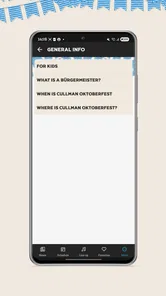
Analysis by Reviewed
When I’m heading to a local festival, I want the practical details close at hand, not scattered across old posts, search results, and messages from friends. Cullman Oktoberfest is an event-focused app from City of Cullman Parks & Recreation, built around the German heritage celebration in Cullman, Alabama. Its purpose is appealingly specific: give visitors one place to orient themselves around the event. That focus is useful, though it also means the app’s value depends on whether it has the detail you need at the moment you need it—and whether your phone can reach that information.
Decide what you need the guide to do
Before installing, I’d ask one simple question: am I looking for help with this particular celebration, or do I need an all-purpose guide to the area? This app makes the most sense in the first case. If you’re visiting specifically for Oktoberfest, having an event-centered reference can keep planning focused; if you’re choosing among several things to do around North Alabama, a broader local resource will probably be more useful as your starting point.
That distinction also helps set realistic expectations about connectivity. A phone guide is convenient when you can reach it, but an event day can involve moving between places, checking in briefly, and coordinating with other people. I’d treat the app as one part of the plan rather than the plan itself: use it to get oriented, then make sure the group knows how to regroup if someone’s phone is unavailable.
Useful when plans depend on current details
I see this as a companion for planning and navigating a visit, rather than an all-purpose travel guide or a general events calendar. If Oktoberfest is the reason you’re going to Cullman, a dedicated guide can be easier to consult than searching through unrelated local listings. The app is free, rated for Everyone, and listed as version 1.0.0, so the basic decision to try it is straightforward. It requires Android 9 or later; that requirement matters if you’re preparing an older spare phone for the day.
The app’s connection to the event is its clearest strength. City of Cullman Parks & Recreation is the developer, which gives the guide a direct local context rather than making it feel like a broad directory that happens to include Oktoberfest. I would still treat the app as a useful reference, not as a substitute for judgment: event plans can change, and the usefulness of any digital guide depends on how current its information is when you check it.
Before leaving home, make the important checks
I’d use the app while I still have a reliable connection to get oriented and identify the information I’ll want to revisit. A practical approach is to check the guide before setting out, then note essential details somewhere you can quickly reach them, such as a written plan or a message shared with your group. That isn’t a claim that the app saves pages for offline use; it’s simply a sensible backup for any event visit where signal, battery, or a crowded screen could get in the way.
This preparation is especially useful if you’re coordinating with family or friends. Before splitting up, agree on a meeting point and a time to regroup rather than assuming everyone will be able to open the same screen immediately. If a visitor is relying on the app to decide what to do next, checking the relevant information in advance can turn a rushed search into a quick reference. The key trade-off is simple: a central guide reduces the need to hunt around, but it doesn’t remove the need to plan for a phone that may not be available at every moment.
More From Our News Desk

 Gmail
GmailGmail in a Busy Inbox: Who Benefits Most?
From first account to crowded workday, Gmail earns its place through dependable search and flexible sorting—but its best fit depends on how much inbox maintenance you can tolerate.

 Prime Video
Switching to Prime Video: What Changes in Your Viewing Routine
Prime Video can make a compelling second home for streaming, but switching means learning a different catalog, rental layer, and route from browsing to playback.

 Universal TV Remote Control
Universal TV Remote Control Works Best as a Reliable Backup
A phone remote earns its place through quick setup and reliable habits. Here is how to get more from Universal TV Remote Control—and where its limits show.

 Weather - By Xiaomi
Weather by Xiaomi Review: Clear at a Glance, Less Clear Up Close
Xiaomi’s weather app makes everyday forecasts quick to scan, but its calm surface can leave useful details and recovery paths harder to find than they should be.

 X
XX Under Pressure: Can It Recover When Posting Goes Wrong?
A resilience-focused review of X, examining setup, mistaken posts, interruptions, weak connections, and the gaps that matter when recovery needs to be dependable.

 Clash of Clans
Clash of Clans Is Won Between the Battles
Its raids are quick; its community is a long-term project of coordination, teaching, rivalry, and shared responsibility—with all the friction that entails.
Latest News



In a crowded event setting, keep the phone routine simple
At a busy celebration, people tend to use their phones in short bursts: check something, put the phone away, then return to it later. That’s a better fit for this kind of event guide than constantly browsing while walking. I’d stop somewhere safe before reading or searching, especially if I were with children or moving through a busy area. Keeping the app ready before heading into a crowd also avoids having to work through menus while trying to keep track of companions.
For a realistic day-out scenario, imagine arriving with friends who want to make their own way around and meet later. I’d open the guide while the group is together, use it to orient our plan, and agree on a fallback meeting arrangement before anyone wanders off. If one person loses reception or has a low battery, the rest of the group still has a shared plan. The app can support coordination, but it cannot replace a clear agreement between people.
There’s also a useful distinction between looking up event information and using a phone for navigation. A festival guide may help with event-specific context, while a map app is usually the more familiar choice for getting around town or planning a route to Cullman. I wouldn’t expect one tool to do both jobs equally well. Using the event guide for the celebration and a regular map for the journey keeps expectations sensible and avoids trying to make a specialized app serve as a complete travel planner.
When the connection falters, have a fallback
Network access can become less dependable precisely when many visitors are checking their phones in the same place. I can’t assume every screen will load instantly, so I’d avoid making a time-sensitive decision that depends on refreshing the app at the last second. Check what matters ahead of time, and if something appears unavailable, try again when you have a stronger connection rather than repeatedly tapping without knowing whether anything has changed.
If the app stops responding or the information you need doesn’t appear, a calm recovery routine is more useful than relying on a single source: close and reopen the app, check your connection, and consult another trustworthy event or local information source if the matter is urgent. That is general troubleshooting advice, not a claim about special recovery tools inside the app. For a group, it helps to have one person check the guide while another keeps the shared plan in mind, rather than making everyone depend on the same uncertain connection.
I’d also keep the phone charged before going out and avoid draining it on unnecessary browsing. That advice is particularly relevant if the same device is being used for directions, calls, photos, and coordinating a ride. A dedicated guide is useful only while the phone remains usable, so treating battery life as part of the day’s preparation is not overcautious; it’s an easy way to avoid turning a small technical snag into a bigger inconvenience.
Use mobile data deliberately
Because this is a guide for a specific event, I’d open it when I have a connection and use it with a purpose rather than repeatedly checking it out of habit. That approach is helpful if you’re watching mobile data, conserving battery, or simply trying to spend more of the day enjoying the celebration than looking at a screen. I wouldn’t infer from the app’s event-guide role that it offers offline access, nor would I assume how much data it uses; those are details to assess from your own experience and device settings.
If you’re concerned about data use, connect to a trusted Wi-Fi network before leaving when that is practical, and check your phone’s data controls if you need to keep usage in check. Avoid relying on unfamiliar public networks for anything sensitive. For ordinary event information, the more important habit is to load what you need when conditions are good and keep a simple backup for essential plans. That gives you flexibility without pretending the app guarantees a particular connection experience.
Parents and visitors arranging a group outing may find a little preparation more valuable than frequent app checks. Decide who will keep an eye on event information, share the essentials with anyone who needs them, and set a meeting plan that does not depend on every person having working data. This is not a workaround for a missing feature; it’s a practical way to use any mobile event guide in a place where people may be moving around and checking their phones at different times.
Who will get the most from it?
I’d recommend trying Cullman Oktoberfest if you’re specifically attending the celebration and want an event-centered starting point rather than piecing together information from general search results. It is also a reasonable choice for someone helping a group plan the day, because one person can check the guide before everyone arrives and share the plan in plain language. Since it is free and intended for Everyone, there is little cost barrier to seeing whether it suits your visit.
It may be less useful if you’re not going to the event, if you need a broad guide to North Alabama, or if your main concern is turn-by-turn travel planning. In those cases, a general map or a wider local events resource is likely the better first stop. The app’s narrow focus is both its point and its limitation: it can be more relevant to Oktoberfest than a general-purpose tool, but that relevance does not make it a complete substitute for other travel and communication apps.
The app is listed as released on September 30, 2026, with version 1.0.0, and it has 0+ installs. Those details make it sensible to approach it as a new, focused option rather than an established tool with a long track record. I wouldn’t use install count as a measure of whether it will help on your particular visit; what matters more is whether its event information matches the questions you need answered and works well on your device.
A focused guide, with sensible expectations
My overall view is positive but practical. The strongest reason to use this app is that it puts the celebration—not a broad directory—at the center of the experience. That can make planning feel more direct for visitors who are actually going to Oktoberfest. Its usefulness is naturally tied to the event, and a phone connection should be treated as a convenience rather than something to build every plan around.
I’d install it on a compatible phone, check the information before heading out, and pair it with a basic backup plan for meeting up and getting around. If you expect it to replace maps, provide guaranteed access in a weak-signal situation, or serve as a guide to the whole region, you may be disappointed. If you want a focused event companion and are comfortable using it alongside ordinary planning tools, Cullman Oktoberfest is a sensible app to have ready before your visit.
Make the app part of a shared plan
One useful way to get more from a single-event guide is to decide who in the group will check it, instead of asking everyone to search independently. For instance, the person handling the day’s schedule can review the app before the group leaves and pass along the key points verbally or in a group message. That reduces duplicate browsing and gives less confident phone users a simple plan to follow. It also avoids turning a slow connection into several people troubleshooting at once.
I’d keep any shared notes brief and practical: the agreed meeting arrangement, the next decision the group needs to make, and who to contact if plans change. This is particularly helpful when adults and children are moving at different paces or when friends arrive separately. The trade-off is that a copied note can become outdated, so use it as a backup and check the guide again when a reliable connection is available and a detail genuinely matters.
Choose the right tool for each part of the outing
Compared with a general search or a broad events calendar, a dedicated Oktoberfest app has the potential advantage of keeping the event itself in focus. The usual alternatives remain valuable, though: maps are better suited to routes, messaging apps help people coordinate, and wider local listings make more sense when you have not settled on one event. I’d use these tools together rather than expect a single festival guide to answer every travel question.
That approach is especially useful for visitors arriving from outside Cullman. Before the trip, use a map for the journey and agree on how the group will stay in touch; once the celebration is the main focus, consult the event guide for its relevant information. If you’re only passing through or deciding whether to attend, general local sources may help with the broader decision. The app is most persuasive after Oktoberfest is already part of your plan, not as a replacement for researching the region.
For Android users, the minimum requirement is Android 9, so I’d check the phone intended for the visit before relying on it. That matters if you plan to use an older backup handset or give a device to a family member for the day. The app’s age rating is Everyone, but compatibility and comfort using the phone still matter: a child’s device, for example, should be prepared by an adult rather than treated as the group’s only source of event information.
Keep expectations grounded on event day
People often want to know whether an event guide can answer every last-minute question. I would use it for the event information it presents, but I wouldn’t treat any phone app as a guarantee that plans will remain unchanged or that every detail will be reachable in a crowded network environment. If timing or a change of plans would affect your whole group, verify important details before leaving and have a sensible alternative for finding help or regrouping.
My practical verdict remains that this is worth considering when Cullman Oktoberfest is the reason for your visit. It is free to try, focused on one celebration, and comes from the local parks and recreation department; those qualities make it a sensible event companion, not a complete travel system. I’d download it on a compatible device, review it while connected, and then spend the day relying on a mix of prepared notes, ordinary maps, and clear communication with the people I’m meeting.
Cullman Oktoberfest Frequently Asked Questions
What is Cullman Oktoberfest?
Cullman Oktoberfest is the official app for information about the annual Oktoberfest celebration in Cullman, Alabama. It can help visitors explore event details such as schedules, activities, entertainment, food, and practical festival information. The exact features and listings may change from year to year, so check the app’s current content and the event’s official announcements before making plans.
Can I use the app to find the event schedule and activities?
The app is intended to make Oktoberfest information easier to access, and it may include schedules, activity descriptions, entertainment details, or other event updates. Availability can vary depending on the festival year and the app’s latest version. Review the listings before you travel, and confirm time-sensitive details with official event channels in case the schedule changes.
Is Cullman Oktoberfest free to download, and are there in-app purchases?
The app’s download price and any in-app purchases depend on the listing in the Apple App Store or Google Play at the time you install it. Check the store page for the current price, purchase disclosures, and supported devices before downloading. The app itself may provide event information, but admission, food, merchandise, parking, or individual activities may have separate costs.
Does Cullman Oktoberfest work without an internet connection?
Some information already loaded on your device may remain available offline, but features that fetch updated schedules, maps, announcements, or links may require an internet connection. Offline behavior can differ by app version and device, so it is sensible to open the app before arriving and save or note any essential details. Mobile coverage and Wi-Fi availability at the event are not guaranteed.
What permissions or personal information might the app require?
Permissions and data practices can change as the app is updated, so review the permission prompts and the privacy information shown on its app-store listing before installation. Depending on its features, it may request access to notifications, location, or network connectivity; some permissions may be optional. You can usually manage access in your device settings, though disabling it may limit related features.
Pros
- Free admission makes it easy to stop by without buying a ticket.
- A lively mix of live music
- food
- and festival attractions.
- Suitable for families as well as groups of friends.
- Local vendors offer a chance to discover Cullman-area businesses.
- The Oktoberfest setting gives the event a distinctive community feel.
Cons
- The event is seasonal
- so it may not be available when you want to visit.
- Crowds can make parking and moving around the festival challenging.
- Food
- drinks
- and some attractions may require extra spending.
- Outdoor activities may be affected by rain or other weather conditions.
- Popular performances and attractions can involve waiting in lines.











