

CubixPlayer
- 0.00
- 0.0
- Installs
- 100.00K
- Price
- Free

Screenshots
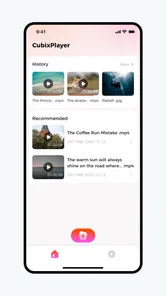
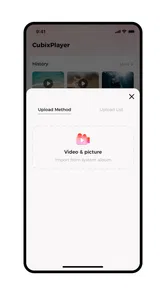
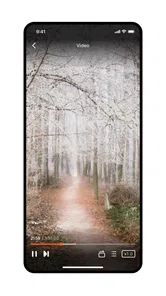
Analysis by Reviewed
Watching a video on a phone sounds simple until the connection becomes the most noticeable part of the experience. A clip pauses, the picture drops in quality, or a file takes longer to start than expected, and suddenly the player matters as much as the video itself. I spent time looking at CubixPlayer from that practical angle: not as a flashy editing suite, but as a straightforward app in the Video Players & Editors category from Fluxconverge.
Its store summary is simply video playback, and that description is useful because it sets the right expectation. This is not an app I would choose when I want to cut together a travel montage, add captions, or build a polished social post. I see it as a focused viewing tool. The free download makes it easy to try, while optional purchases ranging from $3.99 to $29.99 per item mean that anyone considering extra functionality should check the in-app choices before treating it as a completely cost-free experience.
The app is rated for Everyone, works with Android 7.0 and later, and has reached over 100 thousand installs. It arrived on April 21, 2026, with version 3.0.0 as the current release. Those details make it approachable for people using older compatible phones as well as newer devices, although the real experience will still depend on the phone, the video file, and the quality of the connection involved.
How CubixPlayer feels when connectivity is part of the problem
I find the network question most useful when I treat it as part of the whole viewing routine rather than judging the player by a single pause. Before relying on CubixPlayer away from home, I would try a short video on the connection I expect to use and notice whether interruptions follow one source or happen across several. That quick check helps set up a practical next step: deciding what to do before a journey, not after reception has already become unreliable.
When the network is doing the heavy lifting
The first distinction I would make is between the player and the source of the video. CubixPlayer is designed around video playback, but a playback app cannot remove every problem caused by a weak network. If a video is being reached through an online source, the connection can influence how quickly it begins and whether viewing remains smooth. That is not a flaw unique to this app; it is the basic trade-off of watching over a network.
In a strong home connection, the experience is naturally less stressful. I can start a video and pay attention to the content instead of watching for a loading interruption. On a busy public network, the same video can feel less dependable because congestion sits between the app and the source. This is why I would judge CubixPlayer differently in a living room than on a crowded train platform.
One useful habit is to test the exact viewing situation you care about rather than assuming a good result at home will carry over everywhere. If your main use is watching clips beside a reliable router, network behavior may barely enter your decision. If you expect to watch during commutes, in waiting rooms, or in buildings with uneven reception, connection quality becomes a central part of the choice.
More From Our News Desk

 Instagram
Instagram’s Power Comes From Its Place in Your Phone
A close look at how Instagram turns Meta’s reach, recommendation systems and everyday camera habits into durable platform power—and what that costs users.

 Gmail
GmailGmail in a Busy Inbox: Who Benefits Most?
From first account to crowded workday, Gmail earns its place through dependable search and flexible sorting—but its best fit depends on how much inbox maintenance you can tolerate.

 Prime Video
Switching to Prime Video: What Changes in Your Viewing Routine
Prime Video can make a compelling second home for streaming, but switching means learning a different catalog, rental layer, and route from browsing to playback.

 Universal TV Remote Control
Universal TV Remote Control Works Best as a Reliable Backup
A phone remote earns its place through quick setup and reliable habits. Here is how to get more from Universal TV Remote Control—and where its limits show.

 Weather - By Xiaomi
Weather by Xiaomi Review: Clear at a Glance, Less Clear Up Close
Xiaomi’s weather app makes everyday forecasts quick to scan, but its calm surface can leave useful details and recovery paths harder to find than they should be.

 X
XX Under Pressure: Can It Recover When Posting Goes Wrong?
A resilience-focused review of X, examining setup, mistaken posts, interruptions, weak connections, and the gaps that matter when recovery needs to be dependable.
Latest News



I also avoid blaming the player too quickly when a video pauses. The source may be slow, the network may be overloaded, or the phone may be handling several demanding tasks at once. A sensible troubleshooting order is to try another video, move to a stronger connection, close unnecessary background activity, and then reopen the player. That simple sequence helps separate a source problem from an app problem.
A realistic mobile routine
My most believable use case for CubixPlayer is the ordinary phone-viewing moment: someone receives a video, wants to watch it without opening a full editing application, and needs a player that stays out of the way. The screen is small, attention is divided, and the connection may change while the video is playing. In that setting, simplicity is more valuable than a long list of tools I will never touch.
For a commute, I would start by checking the connection before pressing play. If the video depends on online access, I would avoid beginning it just as the train enters a tunnel or the bus moves through an area with poor reception. That sounds obvious, but it is exactly the kind of small decision that prevents a frustrating stop halfway through a clip.
For a lunch break at work, I would use the same approach in reverse. A stable office or café network may be enough for casual viewing, but shared networks can become unpredictable when many people are connected. I would keep expectations modest and avoid relying on the app for something time-sensitive, such as a presentation that must begin immediately.
On a phone with limited storage, I would also be careful about treating any video player as a complete media-management solution. Playback and storage are related, but they are not the same task. Before collecting many large files, I would check how much space remains and decide whether the phone is really the right place to keep them. This is a practical limitation of mobile viewing, not something a player alone can solve.
Why the Android version matters
Support for Android 7.0 and later gives CubixPlayer a broad compatibility range. That is helpful if you are keeping an older phone as a spare, using a budget device, or avoiding an upgrade solely to watch videos. Still, compatibility does not guarantee identical performance across every handset. Older hardware may take longer to open demanding files, and battery condition can matter during longer viewing sessions.
I would therefore be cautious about judging the app from a single short clip. A brief video may play comfortably even on a tired phone, while a longer or more demanding file can expose heat, battery, or memory limitations. If your device is older, try the types of videos you actually watch and pay attention to whether the phone becomes warm or the connection changes during playback.
This is also where a dedicated player can be preferable to a broader editor. An editing application often brings timelines, export controls, effects, and a more crowded interface. For someone who only wants to watch, that extra weight can make the basic task feel unnecessarily complicated. CubixPlayer’s focused identity is its strongest argument, provided your needs really stop at viewing.
What happens when playback goes wrong
Everyday reliability is not measured only by a perfect first launch. I care more about what happens after an interruption. If a video stops because the network changes, I would first pause rather than repeatedly tapping the screen. Repeated attempts can make it harder to tell whether the source has recovered. Waiting briefly, checking the connection, and restarting the video once is a calmer recovery method.
If the problem affects only one video, I would suspect the source or file before suspecting CubixPlayer itself. If several videos fail in the same way, I would close and reopen the app, check the network, and confirm that the phone has enough free working space. These steps are not glamorous, but they are more useful than immediately uninstalling an app that may not be the real cause.
A connection change is especially common on mobile data. Moving between Wi-Fi and cellular service can interrupt a session or alter how quickly content arrives. I would avoid switching networks in the middle of an important viewing session whenever possible. If I know I will be moving, I would start only after the phone has settled on the connection I intend to use.
There is another recovery lesson here: do not confuse an interrupted stream with a damaged video. A temporary pause does not automatically mean the file is broken. Trying the same video again after the connection improves can save time. Conversely, if the issue follows the file across different conditions, I would look for another copy or another playback method rather than repeatedly changing network settings.
Using less data without making viewing miserable
People often think about data usage only after receiving a warning from their carrier. I prefer to make the decision before watching. On a limited mobile plan, I would reserve longer viewing for Wi-Fi and use cellular data for short clips. This is particularly sensible when the video is not urgent and can wait until I reach a more dependable connection.
I would also avoid repeatedly restarting the same video while troubleshooting. Each fresh attempt may request the content again, which is wasteful if the real issue is a weak signal. One careful retry after checking the connection is better than a cycle of opening, stopping, and reopening. This small habit is one of the easiest ways to reduce unnecessary traffic.
Public Wi-Fi brings a different trade-off. It may reduce cellular usage, but it can be crowded and inconsistent. I would not assume that a network is good for video just because the phone says it is connected. A connection can be technically active while still struggling with sustained playback. If the video matters, I would choose reliability over saving a small amount of mobile data.
Battery use is connected to the same decision. A weak signal can make a phone work harder while trying to maintain communication, and long video sessions already keep the screen active. On a low battery, I would prefer a stable connection and lower screen brightness rather than spending the session chasing a fluctuating network. CubixPlayer can be part of a sensible routine, but it cannot override the physical limits of the phone and signal.
Where a different app may be the better choice
I would recommend CubixPlayer to someone who wants a video playback app and does not need a creative workspace around it. It makes sense for casual viewers, people using an older compatible Android phone, and anyone who finds large media suites distracting. The free entry point also lowers the risk of testing it with a few normal viewing situations before deciding whether it fits.
I would steer a different way for someone whose priority is editing. If you need trimming, transitions, subtitles, filters, or export settings, a dedicated editor will be a more natural choice. A general-purpose media app may also suit you better if you want one place for organizing a large personal library, syncing across devices, or handling many kinds of media in a broader workflow.
I would also be cautious if your main requirement is dependable viewing in places with poor or changing reception. A playback app cannot turn an unreliable connection into a reliable one. For travel or remote areas, the decisive question is how your videos are made available before the journey, not just which player opens them. I would test that complete workflow rather than assuming the app alone will solve the problem.
The optional purchase range deserves a practical mention too. Because the app is free to start but includes individual in-app purchases from $3.99 to $29.99, I would not pay for an extra item until I understood exactly what it changes in my routine. If the free experience already covers simple viewing, paying may not add meaningful value. If a paid option removes a specific annoyance you encounter often, it could be easier to justify, but that decision should come from your own use rather than the price alone.
My verdict for connected and mobile viewing
After looking at CubixPlayer through the lens of real mobile conditions, I see a focused app with a clear place in the Android video-player landscape. Its appeal is not that it can defeat weak reception, conserve every byte of data, or replace a full editor. Its appeal is that it keeps the central task—watching video—at the center.
I would install it when I want a simple starting point, especially on a phone running Android 7.0 or later and in situations where I can control the connection. I would test it with both a reliable Wi-Fi network and the mobile conditions I expect to use, because that tells me more than a perfect indoor session ever could. I would also keep the purchase options in mind instead of assuming every useful addition is included at no cost.
My honest recommendation is conditional but positive: CubixPlayer is worth trying for straightforward playback, casual phone viewing, and users who do not want an editing-heavy interface. I would skip it as my main solution if offline preparation, advanced editing, media organization, or guaranteed performance on unstable networks is the real priority. For everyone else, its free starting point and focused purpose make it a sensible app to test before reaching for something more complicated.
CubixPlayer Frequently Asked Questions
Will CubixPlayer work on my phone or tablet?
CubixPlayer is a video player app from Fluxconverge, and its listed minimum operating system is Android 7.0. Before downloading, check that your device runs a compatible version of Android and has enough storage for the app and the media you plan to play. If you use an iPhone or iPad, check its App Store page for device compatibility and availability.
What is CubixPlayer and what can I use it for?
CubixPlayer is a media player designed for playing video and audio files on a mobile device. Depending on the version available for your Android or iOS device, it may support locally stored media, playlists, subtitles, and common file formats. It is useful for users who want a straightforward player rather than a full streaming service, but you should check the app description to confirm supported formats and features before downloading.
Is CubixPlayer free to download and use?
CubixPlayer is free to download, with in-app purchases ranging from $3.99 to $29.99 per item. The price of optional items may matter if you only want a basic player, so review the purchase details before confirming anything in the app. Check whether a feature you want requires a purchase, and make sure you understand the cost before proceeding.
Which video and audio formats does CubixPlayer support?
Format compatibility is one of the most important points to verify before using CubixPlayer. The app may handle popular formats such as MP4, MKV, AVI, MP3, or AAC, but support can depend on the operating system and the device’s available codecs. If you have files encoded with unusual codecs, test a sample first or consult the official listing to avoid playback, audio, or subtitle problems.
Does CubixPlayer support subtitles, playlists, and background playback?
CubixPlayer may include convenient playback features such as subtitle loading, playlist management, playback controls, and background audio, but these options are not guaranteed on every version. During testing, users should look for subtitle synchronization, font or language support, repeat and shuffle controls, and screen-lock behavior. Feature availability can also differ between Android and iOS because of system restrictions.
Pros
- Supports multiple video and audio formats without extra codecs.
- Simple interface makes playback easy for first-time users.
- Provides smooth playback on most modern Android and iOS devices.
- Useful playback controls include seeking
- pause
- and volume adjustment.
- Can reduce the need for separate media player apps.
Cons
- Advanced subtitle and audio-track options may be limited.
- Some formats may play poorly on older or less powerful devices.
- The app may offer fewer streaming features than full media platforms.
- Interface customization options are not especially extensive.
- Free versions may include ads or require in-app purchases.











