

CommCare
- 14.00
- 4.4
- Installs
- 1.00M
- Price
- Free

Screenshots

Analysis by Reviewed
When I look at CommCare, I see a practical tool for teams whose work happens outside an office and depends on keeping useful information with them. It is a free app in the libraries and demo category, developed by Dimagi, Inc., and its focus is frontline work rather than general note-taking or personal health tracking. That distinction matters: it makes the most sense when an organization has a defined process for workers to follow, not when someone simply wants a flexible form builder for individual use.
Who gets the most from a frontline platform?
I’d consider it when a team needs more than a digital clipboard: workers need a consistent way to record visits, keep track of ongoing cases, and continue working in places where a connection may be unreliable. The key question is not simply whether staff can use phones. It is whether the work itself benefits from a shared process that carries from one visit to the next. When that is true, a dedicated field app can reduce the scatter of paper notes, personal spreadsheets, and messages that are hard to reconcile later.
It is less compelling for a solo user who wants to jot down observations or build a one-off survey. In that situation, setting up a team-oriented process can create more structure than the job requires. I would also hesitate if no one has time to explain the workflow or help maintain it; the app can support an organized program, but it cannot decide what information the program should collect or how staff should respond to it.
A realistic day in the field
Picture a community worker beginning the day with a list of households to visit. At one home, the worker records the visit while speaking with the family; at the next, mobile coverage drops out. The useful approach is to keep the visit focused, enter the relevant information in the app, and avoid turning a weak signal into a reason to postpone the work. At the end of the day, the worker can use a dependable connection to complete the team’s syncing routine and flag anything that needs follow-up.
The small but important lesson is to decide in advance what “finished” means. A visit may be recorded on the device yet still need to pass through the team’s established handoff before colleagues can act on it. I would make that distinction clear in training, especially for staff who assume that saving a form automatically means everyone else can see the result. A brief end-of-shift check can prevent missed handoffs without asking workers to interrupt every visit to troubleshoot connectivity.
Questions worth settling before rollout
Before choosing it, I would ask who will prepare and maintain the forms, how staff will learn any changes, and what the team should do when a device cannot sync. Those are operational questions, not reasons to avoid the app. Answering them early makes it easier to judge whether the tool fits the organization’s capacity as well as its fieldwork.
I would also run a short trial using a real but ordinary workday, rather than a polished demonstration. Include a repeat visit, an unclear answer, and a period without reliable internet. That exercise tests whether the form language makes sense under time pressure and whether the team knows how to handle exceptions. If users need to stop repeatedly to ask what a question means, the form needs attention before the program expands.
More From Our News Desk

 Gmail
GmailGmail in a Busy Inbox: Who Benefits Most?
From first account to crowded workday, Gmail earns its place through dependable search and flexible sorting—but its best fit depends on how much inbox maintenance you can tolerate.

 Prime Video
Switching to Prime Video: What Changes in Your Viewing Routine
Prime Video can make a compelling second home for streaming, but switching means learning a different catalog, rental layer, and route from browsing to playback.

 Universal TV Remote Control
Universal TV Remote Control Works Best as a Reliable Backup
A phone remote earns its place through quick setup and reliable habits. Here is how to get more from Universal TV Remote Control—and where its limits show.

 Weather - By Xiaomi
Weather by Xiaomi Review: Clear at a Glance, Less Clear Up Close
Xiaomi’s weather app makes everyday forecasts quick to scan, but its calm surface can leave useful details and recovery paths harder to find than they should be.

 X
XX Under Pressure: Can It Recover When Posting Goes Wrong?
A resilience-focused review of X, examining setup, mistaken posts, interruptions, weak connections, and the gaps that matter when recovery needs to be dependable.

 Clash of Clans
Clash of Clans Is Won Between the Battles
Its raids are quick; its community is a long-term project of coordination, teaching, rivalry, and shared responsibility—with all the friction that entails.
Latest News



What is CommCare All About?
Let’s dive right in! CommCare is a mobile platform that’s primarily geared toward frontline health workers. It’s used to collect data, manage cases, and deliver educational information in low-resource settings. This app is particularly crucial in areas where healthcare access is limited, helping health workers provide better care and keep track of patient data efficiently.
Interface and Usability
Now, let’s talk about its interface. I found the design to be pretty straightforward, which is exactly what you want in an app of this nature. No frills or unnecessary complications. Everything is laid out in a way that makes sense, even for those who aren't tech-savvy. The app is user-friendly, allowing health workers to focus on what really matters — the patients.
From what I’ve seen, CommCare runs smoothly on both Android and iOS platforms, which is a huge plus. Whether you’re using a smartphone or a tablet, the app adapts well, ensuring that the user experience remains consistent across devices. It is available on Android from version 6.0, so teams should check the phones they plan to use before rolling it out. Its Everyone age rating also makes the app suitable for a broad audience, though the work itself may involve sensitive information and needs appropriate organizational practices.
Features That Stand Out
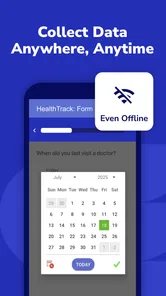
Alright, let’s get into the nitty-gritty. One of the standout features of CommCare is its offline capability. This is a lifesaver for health workers operating in areas where internet access is spotty at best. They can enter data, manage cases, and once they’re back online, everything syncs seamlessly. How cool is that?
For a field team, the practical benefit is more than avoiding a blank screen without signal: a worker can keep the visit moving, record what happened while the details are fresh, and leave connectivity issues for later. I’d still treat synchronization as a deliberate step in the daily routine. A sensible workflow is to check for a connection at the start or end of a shift, allow pending work to upload, and confirm the team’s process for handling a device that has not synced. Offline access is helpful, but it does not remove the need for a reliable handoff and data-management routine.
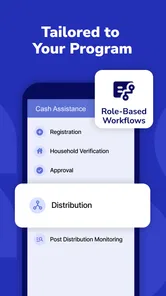
Another feature worth mentioning is the customizable forms. Health workers can tailor these forms to fit their specific needs, ensuring they’re collecting the right data for each case. Plus, the app supports multiple languages, making it accessible to a diverse group of users worldwide.
Customization can improve consistency, but it also creates a trade-off: forms need to reflect the actual workflow, and changes should be explained to everyone using them. Before a team adopts a form, I’d walk through a realistic visit with it, including what happens when an answer is unknown or a case needs follow-up. That small test can reveal confusing wording or unnecessary steps before they slow down field work. A language option is useful too, but the organization should make sure the chosen wording is clear to the people completing the form, not just technically translated.
Where It Fits in a Field Team’s Day
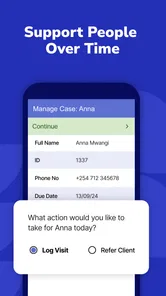
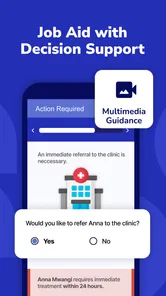
Imagine a community worker visiting households in an area where mobile coverage comes and goes. They can use the app to follow a case, record information during the visit, and provide relevant educational material without stopping to search through paper folders. Later, when the worker reaches a dependable connection, syncing can bring that work into the team’s wider process. This kind of continuity is where a dedicated frontline platform can be more useful than a collection of generic notes and spreadsheets.
Compared with ordinary form or survey apps, CommCare is a better fit when information needs to connect to ongoing cases and repeat visits, rather than ending as a one-off questionnaire. Paper can be easier to start with and requires no device, but it can make retrieving a history or sharing updates cumbersome. A general notes app offers flexibility, yet it does not provide the same purpose-built approach to case work. The right choice depends on the workflow: for a small task that only needs a simple checklist, a basic form tool may be lighter; for organized field programs, CommCare’s focus is more relevant.
Setup, Scale, and Practical Limits
I would not treat it as an app that installs and automatically designs a program for you. The value depends on having forms, case processes, and a team routine that match the work. Someone should be responsible for explaining the workflow, helping new users practice, and keeping changes understandable. Without that preparation, even a clear interface can feel like extra administration rather than support.
It may also be more than an individual needs. If you are looking for a personal symptom diary, a general-purpose task manager, or a quick way to collect a few informal responses, a simpler app is likely easier to maintain. CommCare’s strengths are most compelling when several workers need a shared, repeatable approach and offline field activity is part of the job. Teams should also consider whether the organization can support the devices and procedures used to protect and manage work information.
Impact and Community
Now, beyond its technical capabilities, what really struck me about CommCare is its impact. It’s more than just an app; it’s a tool that empowers communities by improving healthcare delivery. I’ve read about numerous success stories where CommCare has been instrumental in reducing child mortality rates and improving maternal health in developing regions.
There’s also a fantastic community supporting it. Users and developers regularly contribute to its evolution, ensuring that the app stays relevant and effective in the field. It’s heartening to see technology being used in such a meaningful way.
The app has been available since June 22, 2012, and its current version is 2.60.0. That gives existing users a concrete version to check when deciding whether to update, while the release date shows that this is an established product rather than a newly launched experiment. The current version alone does not tell me what changed in any particular release, so I would focus on practical checks after an update: confirm the forms still match the team’s process, verify that workers can complete their usual tasks, and make syncing part of the test. That is more useful than assuming an update will change everyone’s workflow.
For a sense of its wider adoption, CommCare has over one million installs and an average rating of 4.4 from around 3,800 ratings. Those figures suggest that many people have tried it, but they cannot tell an organization whether its own setup will be a good fit. I would judge that through a small, realistic pilot: have a few workers complete normal visits, including one with weak connectivity, then review whether the recorded information is clear and the handoff works as intended.
What I would watch during a trial
I would pay attention to the moments when the planned workflow meets ordinary interruptions: a worker needs to revisit a case, a form answer is uncertain, or a connection disappears before the day’s work is synced. These situations reveal more than a smooth demonstration because they show whether staff understand what to do next. A useful trial should include time for workers to describe where they hesitated, not just a check that they reached the final screen.
For existing users, I would treat each update as a reason to verify the tasks that matter to their own program, rather than expecting a new version number to signal a particular change. That means checking the team’s commonly used forms and case process, then confirming that the handoff still makes sense. If an organization depends on a specific routine, its own quick regression check is a more reliable guide than assumptions about what an update might have altered.
So, there you have it! If you’re in the healthcare sector or just curious about apps making a real-world impact, I’d definitely recommend checking out CommCare. It’s practical, effective, and most importantly, it’s making a difference. Until next time, keep exploring and happy app hunting!
CommCare Frequently Asked Questions
Can I use CommCare on an iPhone or iPad?
CommCare is an app for Android devices, and its minimum operating-system requirement is Android 6.0. If you are planning to use it on an iPhone or iPad, check the relevant app store for availability and compatibility before downloading. For Android users, it is worth confirming that the device meets the operating-system requirement and that the organization’s CommCare setup is ready for the intended work.
Who develops CommCare, and what is it intended for?
CommCare is developed by Dimagi, Inc. Its store summary describes it as a digital platform for impactful frontline work everywhere. The app is in the Libraries & Demo category, but its practical focus is supporting frontline work through mobile data collection and service delivery. Its suitability depends on whether the organization or project using it has configured CommCare for the tasks workers need to complete.
What is CommCare and how does it work?
CommCare is a mobile data collection and service delivery application designed to support frontline workers in low-resource settings. It's primarily used by organizations for health, education, and agriculture projects. Users can create custom forms via its web interface, which can then be accessed through the app on Android devices. The app allows workers to collect data offline and sync it once they have internet access.
Is CommCare free to use?
CommCare is free to download. The app is rated Everyone, and it has a 4.4 average from around 3.8K ratings. Its mobile app is part of a wider platform used by organizations, so whether a particular project has access to the features and services it needs can depend on that organization’s setup. Before relying on it for a project, check that the project administrator has arranged the appropriate CommCare account and configuration.
Can CommCare be used offline?
Yes, one of the key features of CommCare is its ability to function offline. This is particularly important for users in regions with unreliable internet access. Data can be collected and stored on the device, and once the user has internet access, the app will sync the data to the central server. This ensures continuous data collection without interruption.
Pros
- User-friendly interface.
- Offline functionality.
- Customizable forms.
- Secure data storage.
- Strong community support.
Cons
- Steep learning curve.
- Limited free features.
- Occasional sync issues.
- Resource-intensive.
- Requires internet for updates.










