ComEd
- 5.71K
- 4.2
- Installs
- 500.00K
- Price
- Free

Screenshots
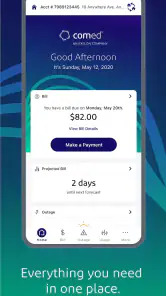
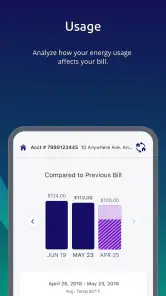
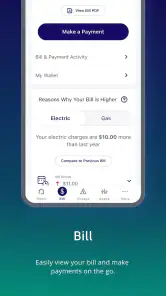
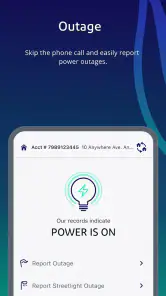
Analysis by Reviewed
I think of ComEd as a practical account companion rather than a full energy-management system. It is aimed at customers who want to check in on their utility account while away from home, and that narrow purpose is useful: instead of waiting until I sit down at a computer, I can make routine account tasks part of an ordinary day. It is a free business app from An Exelon Company, with an Everyone age rating, so it is broadly suitable for household account holders.
Everyday account access, without the desktop routine
The main appeal is convenience, not a promise that an app will automatically lower a bill. I would reach for it when I want to deal with an account matter promptly, especially if I am out, traveling, or handling household errands. If I already manage everything through a browser and rarely need mobile access, the app may not change much for me. Its value is strongest when a quick phone check is easier than finding a laptop and signing in there.
Speed expectations and a useful routine
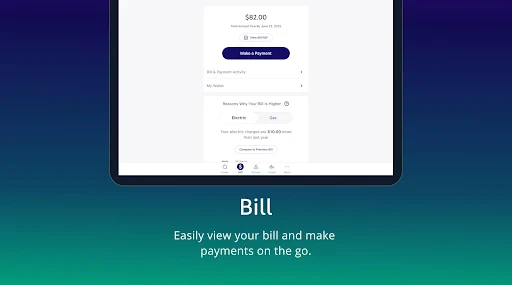
For a utility account app, I care more about getting to the task I need than about flashy transitions. In normal use, I would expect the benefit to be direct access to account information on a phone; I would not treat it as a replacement for every conversation or process involving the utility. A sensible routine is to check the account when a bill arrives, make any needed payment through the available account tools, then return later if I need to verify the account status. Keeping those steps together can help prevent a bill from becoming an easy-to-forget item.
ComEd has an average rating of 4.2 from around 16,000 ratings, and it has been downloaded over 500,000 times. Those figures suggest that many people find a mobile account option worthwhile, but they are not a guarantee that every task will feel equally smooth on every phone or connection. The app’s current version is 25.3.2, and it supports devices running Android 7.0 or later.
Busy moments and the trade-off with other options
A realistic use case is noticing a bill reminder while away from home and taking care of the account before the day gets busy. That is where a phone-based utility app can beat a desktop browser: it is already within reach. A browser may still be the better choice when I want a larger screen for careful review, or when I am already managing several household finances at a computer. The app is best seen as a convenient route to ComEd account information, not a universal replacement for web access.
During a busy moment, I would avoid assuming that every account action will finish instantly. Network conditions, signing in, and the particular task can all affect how quickly I get through it. If something does not appear to have completed, I would check the account status before trying again; repeating a payment action without confirming what happened can create needless uncertainty. That small pause is a useful habit for any billing app.
Reliability, recovery, and device fit
For a utility app, reliability means being able to return to an account task when I need it, not just having a polished first screen. I would keep my sign-in details somewhere secure and make sure I can access the account through another route if my phone is unavailable. If the app closes or a screen takes longer than expected, reopening it and checking the account before repeating an action is a calmer recovery plan than tapping through the same step repeatedly.
More From Our News Desk

Clash of Clans Is Won Between the Battles

Android Auto Makes the Case for Quieter Car Software

MobiOffice: Transforming Mobile Productivity with Seamless Integration

EA SPORTS FC™ Mobile Soccer: Redefining Mobile Sports Gaming

How Microsoft OneDrive Became a Mobile Productivity Giant

How Google Translate Breaks Language Barriers Effortlessly
It is a sensible fit for customers comfortable doing routine account work on a phone. Someone using an older supported Android device can install it from Android 7.0 onward, but device compatibility alone does not tell me how responsive a particular phone will feel. On a cramped screen, I would take extra care when reviewing account details; for a complicated matter, I would switch to a larger display or contact the utility through an appropriate support channel.
Who will get the most from it
I would recommend the app most readily to ComEd customers who want account access in their pocket and already handle everyday tasks on a phone. It can also suit someone sharing responsibility for household bills: a quick account check can make it easier to coordinate who is taking care of the next step. It is less compelling for people who do not have a ComEd account, prefer not to manage utility matters on mobile, or only need to check their account occasionally and are happy using a browser.
The app has 5.7K reviews, and its release date is April 18, 2012. Its long presence does not by itself tell me how it will perform on a particular device, so I would judge it by whether the account tasks I need are straightforward in my own routine. For a focused utility app, that is a more useful test than expecting it to offer broad budgeting tools or advice about household energy choices.
Choosing the right way to manage a household account
Compared with a general budgeting app, ComEd serves a narrower purpose: it is tied to one utility account rather than designed to organize spending across banks, cards, and household bills. That focus can be an advantage when I want to deal with a ComEd matter without sorting through unrelated finances. It is not the right replacement for a budgeting tool if I am trying to build a complete monthly spending picture, and it will not be useful to someone whose electricity account is with another provider.
There is also a practical difference between a dedicated account app and keeping a browser tab bookmarked. The browser route avoids installing another app and can be more comfortable for comparing information on a large screen. The phone app makes more sense when I want account access during errands or want a quick check without reopening a full desktop session. I would choose based on where I actually handle bills, rather than assume that installing an app automatically makes account management easier.
For a shared household, I would use the app as a point of reference before discussing who will take care of a bill or account task. A quick check can help everyone work from the same current account information, but it does not replace agreeing on who is responsible. If more than one person handles the household finances, keeping that division clear is more useful than relying on a reminder or a single person’s memory.
Small habits that make account tasks less stressful
One useful habit is to open the account with a specific purpose in mind: confirm a detail, handle a due bill, or check whether a previous action appears complete. That keeps a short visit focused and reduces the temptation to rush through screens while distracted. I would avoid starting a payment while walking, driving, or dealing with anything that makes it hard to review the final details carefully. The convenience of a phone is valuable, but it is not a reason to hurry an important transaction.
If I am checking an account while traveling, I would make sure I can sign in before I actually need to resolve something time-sensitive. That is a simple preparation step, not a claim that the app works in every situation or on every connection. Knowing that my access route is ready can prevent a last-minute scramble; if I cannot get in, the sensible fallback is the provider’s other account channel rather than repeatedly guessing at sign-in details.
For a bill that looks unexpected, I would use the app as a starting point for reviewing the account, not jump straight to a conclusion based on one figure. A utility bill can be easier to understand when I compare the account information with my household’s recent routine and then investigate through the appropriate support route if something still seems wrong. The app can make the account more accessible, while careful follow-up remains my responsibility.
Features That Stand Out
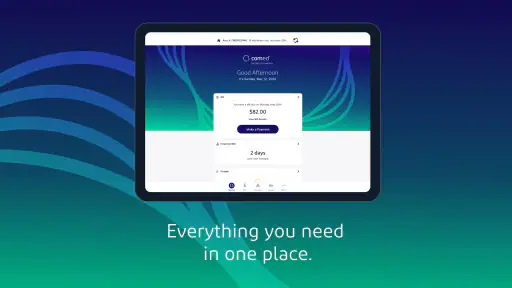
This app isn’t just about paying bills, although it does that exceptionally well. The moment you open it, you’re introduced to a dashboard that displays your current energy usage. This real-time data is a goldmine for anyone keen on understanding their consumption patterns. Curious about what’s guzzling your electricity? The app breaks it down for you.
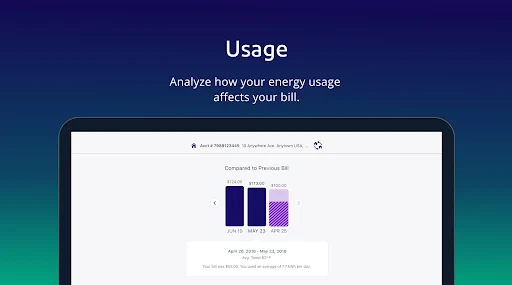
Another feather in its cap is the usage history feature. You can compare your current usage with previous months, which is a fantastic way to track your progress in energy conservation. Plus, if you’ve got solar panels, the app integrates seamlessly to show you how much energy you’re generating versus consuming.
The User Experience
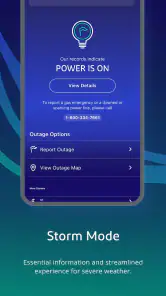
From my experience, using the ComEd app is like having a personal energy consultant in your pocket. Notifications and alerts keep you updated about everything from bill due dates to outage updates in your area. The bill payment process is smooth, with various options that cater to everyone’s preferences.
And let's not forget about the customer support. Within the app, there’s an option to chat directly with support agents, which is a lifesaver when you need quick help. I tried it out, and the response time was impressive.
Performance and practical limits
The app’s strongest performance case is a focused one: opening a utility account on a phone to take care of a task without switching to a computer. I would judge its speed by whether the account information I need becomes accessible in time to act, not by animations or a crowded home screen. If I am on a weak connection or signing in takes longer than expected, I would give the process a moment and confirm the account state before repeating any action.
Nothing about an app’s broad popularity tells me how much storage, battery, or memory it uses on an individual device, so I would not install it expecting a particular resource footprint. On an older but supported phone, I would keep the operating system current where possible and close other demanding tasks if the device feels sluggish. If the screen is difficult to read or navigate, a browser on a larger display is a reasonable alternative for detailed account work.
For recovery, I prefer a deliberate sequence: reopen the app if it stops responding, sign in again if needed, and check whether the account reflects the action I started. This is especially important around payments, where uncertainty can lead to unnecessary duplicate attempts. If the account does not show what I expect, I would use an appropriate ComEd support route rather than assume the app or the transaction has failed.
Who should skip it, and when another route is better
I would skip this app if I do not have a ComEd account, rarely use a smartphone for financial tasks, or prefer to keep utility matters in a browser. It is also not a substitute for broader energy advice or household budgeting: its value is connected to access to a particular utility account. Customers who need to review a complicated matter may find a larger screen or direct support more comfortable than trying to resolve everything on a phone.
On the other hand, it is a reasonable choice for a customer who wants a convenient mobile route to routine account information. The developer is An Exelon Company, and the app is free, which makes trying it a straightforward option for someone who already manages ComEd service. I would still decide whether it fits my habits after using it for the specific account tasks I handle, rather than expecting a utility app to transform how I manage energy.
Ending Thoughts
So, is the ComEd app worth your time? If you’re someone who likes having control over their energy usage and saving a few bucks while doing so, then absolutely! It’s a tool that’s designed with the user in mind, offering a plethora of features that are both practical and easy to use. Whether you’re tech-savvy or just dipping your toes into the world of apps, it makes energy management accessible and straightforward.
All in all, this app is a solid companion for anyone looking to optimize their energy usage and stay ahead of their bills. So go on, give it a whirl and see how it transforms your energy habits!
ComEd Frequently Asked Questions
Can I use ComEd to manage an electricity account for someone else or for more than one property?
ComEd is designed around access to an electricity account, so it may be useful if you are responsible for keeping track of another household’s account or a property you manage. Whether you can view multiple accounts depends on the account access available to you. Before downloading, consider whether you can sign in with the credentials associated with the account you need to manage.
What should I check before installing the ComEd app on my phone or tablet?
Check that your device is compatible with the app and that you can connect to the internet, since account access is its central purpose. The app is available for Android and iOS devices, and the minimum Android requirement is version 7.0. It is rated for Everyone, so its content rating is suitable for a broad audience.
Who is the ComEd app intended for, and can I use it without a ComEd account?
ComEd is a business app for customers who want to access their electricity account while away from home. It is most useful when you need to check account information or manage electricity-related tasks on the go. If you do not have a ComEd account, the app may have limited usefulness, since its main purpose is to provide access to account services.
What is ComEd and what does it offer to its users?
ComEd is an application designed to provide users with easy access to their electricity account and services. It allows users to manage their electricity bills, view usage history, and receive outage alerts. The app also offers energy-saving tips and notifications about upcoming maintenance that may affect electricity service. Ideal for ComEd customers, it enhances the overall experience of managing electricity needs efficiently.
How do I create an account or log in to the ComEd app?
To create an account or log in to the ComEd app, you need to download the app from the Google Play Store or Apple App Store. Once installed, open the app and select the 'Register' option if you are a new user or 'Log in' if you already have an account. You'll need your ComEd account number and a valid email address to complete the registration process. Existing users can simply enter their credentials to access their account.
Pros
- User-friendly interface for easy navigation
- Real-time outage updates and alerts
- Convenient bill payment options
- Detailed energy usage reports
- Customizable notifications for account alerts
Cons
- Limited features for non-residential users
- Occasional app crashes reported
- Requires stable internet connection
- Limited customer support availability
- Some features may be hard to find
- Category
- Business
- Version
- 25.3.2











