Coloring games: speed drawing
- 36.00
- 3.7
- Installs
- 1.00M
- Price
- Free
Screenshots
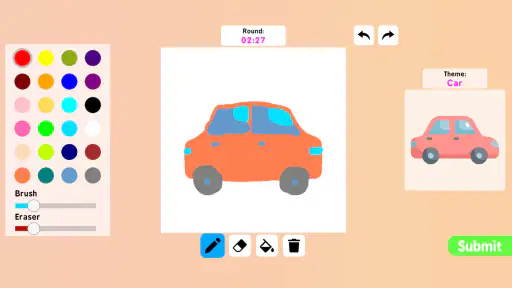
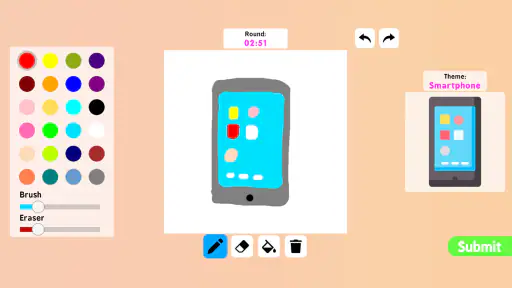
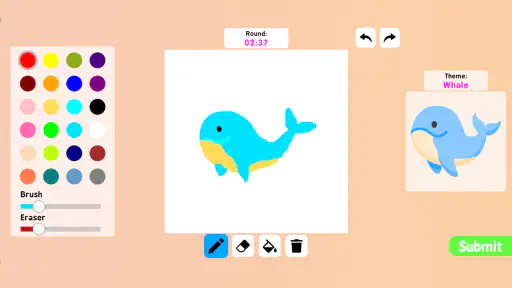
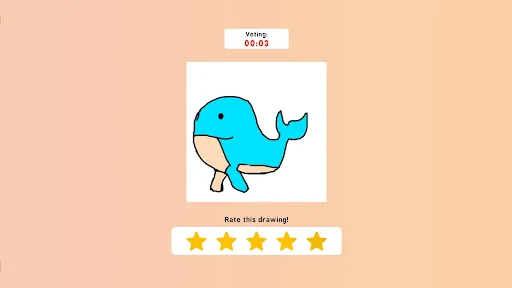
Analysis by Reviewed
When I’m deciding whether to try a coloring app, I look beyond the pictures: I want to know what kind of experience it offers and whether I can make sensible choices while using it. Coloring Games: Speed Drawing is a free art-and-design app from Akarau Multiplayer online & offline io & car games. Its speed-drawing angle gives coloring a more active feel than a straightforward digital coloring book, though the best fit depends on whether you want a quick creative break or a more detailed drawing workspace.
A quick creative break, with a timer in the mix
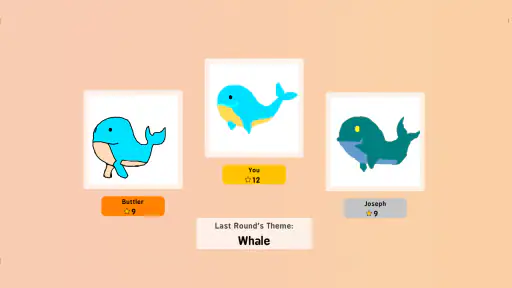
The speed-drawing mode is the most distinctive reason to choose this app over a standard coloring book. Coloring against a time limit can make a short session feel like a small challenge, which suits a spare moment between other tasks. I’d use that mode when I want to get started quickly rather than spend time planning a finished illustration. If I’m trying to make careful, polished work, though, the clock may feel like pressure rather than fun; a conventional coloring app or a dedicated drawing tool is a better match for that mood.
One useful way to approach a timed round is to decide on a simple color plan before filling details: choose a few colors, work on the larger areas first, and save small touches for the end. That keeps the challenge focused on making quick choices instead of repeatedly reconsidering the palette. It is also a practical way to see whether speed drawing appeals to you without treating every result as something that has to be perfect.
Who is likely to enjoy it
I can see this working well for someone who likes casual coloring and wants a little structure to get moving. It may also suit families looking for an easy creative activity to try together, although the experience will depend on whether each person enjoys the timed element. The app is rated for Everyone, and it runs on Android devices starting with version 5.1, so it is approachable for a broad range of users. Its 1M+ installs suggest that many people have tried it, while its 3.7 average from around 1.5K ratings is a reminder to set expectations: it has an audience, but it is not a universal favorite.
A realistic use case is opening it during a quiet break, completing a quick design, and then deciding whether to save or share the result. That makes more sense here than expecting a full illustration studio. If you want layers, advanced brush control, or a workflow built around refining a drawing for a long time, I would look at a dedicated art app instead. The appeal here is a lighter, more immediate activity, not a replacement for professional drawing software.
Small choices that make a session easier
Color selection can shape the whole experience. Rather than changing shades for every area, I’d pick a compact palette that gives the picture a consistent look and leaves less to decide while the timer is running. For a slower session, trying contrasting colors can make a simple design feel more personal. These are small choices, but they help separate a quick playful result from a more deliberate one without requiring advanced drawing skills.
Saving and sharing can be useful when a result is worth keeping, but I’d treat sharing as an optional step rather than the point of the activity. If I’m using a creative app in a private moment, I can simply finish a picture and move on. Before sharing anything, it’s sensible to check what is being sent and choose the destination carefully, particularly if a child is using the device. I don’t assume that a share option tells me anything by itself about broader privacy practices.
More From Our News Desk

Clash of Clans Is Won Between the Battles

Android Auto Makes the Case for Quieter Car Software

MobiOffice: Transforming Mobile Productivity with Seamless Integration

EA SPORTS FC™ Mobile Soccer: Redefining Mobile Sports Gaming

How Microsoft OneDrive Became a Mobile Productivity Giant

How Google Translate Breaks Language Barriers Effortlessly
Getting Started with Coloring Games: Speed Drawing
First off, downloading and setting up Coloring Games: Speed Drawing is a breeze. Available on both Android and iOS, this app caters to a wide audience. Once installed, you're greeted with a vibrant interface that's both intuitive and engaging. The app offers a plethora of templates to choose from, making it easy for users of all ages to find something they love. From intricate mandalas to simple doodles, the options seem endless.
Features That Stand Out
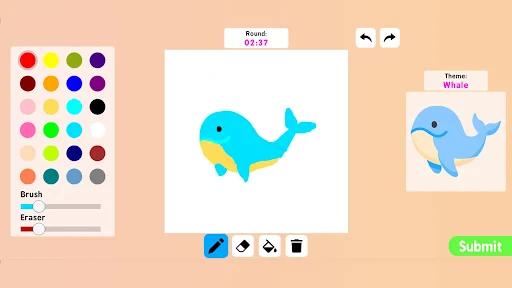
One of the standout features of this app is its speed drawing mode. This mode challenges you to color within a set time, adding a fun twist to the traditional coloring experience. It's like a mini-race against the clock that keeps you on your toes and adds a dash of excitement to your creative process.
Another feature worth mentioning is the variety of color palettes available. Whether you're feeling vibrant and bold or calm and pastel, the app's palette options cater to every mood. Plus, the ability to customize your own palette means you can truly make each piece your own.
The User Experience
Now, onto the user experience itself. The app runs smoothly, with no noticeable lag, ensuring that your creative flow remains uninterrupted. The touch controls are responsive and precise, allowing for detailed work on even the smallest areas of your design. And let's not forget the undo and redo options that come in handy more often than you'd think. It's the little things like these that make the app user-friendly and enjoyable.
What I particularly love about this app is its shareability. You can easily save your masterpieces and share them with friends and family directly from the app. It’s a great way to showcase your talent and perhaps even inspire others to join in on the fun.
Why You Should Give It a Try
In a world where we are constantly bombarded with information and stress, finding an activity that offers a moment of peace is invaluable. Coloring Games: Speed Drawing does just that. It’s not just an app; it's a form of therapy that allows you to express yourself without any judgments or rules. And best of all, it’s accessible to everyone, regardless of age or artistic ability.
So, if you're looking for a new hobby or just need to unwind after a long day, I highly recommend giving this app a try. Who knows, you might just rediscover your love for coloring and find a new way to relax and recharge. Happy coloring!
A measured recommendation
The app is free, which makes trying it a low-commitment way to see whether timed coloring suits you. It was released on September 14, 2024, and its current version is 12. Those details help identify the app, but they do not answer every question a privacy-conscious user might have. I would check the permissions Android or iOS displays during installation and use, and make choices based on the prompts actually shown on my device rather than assuming the app needs or avoids particular access.
For parents, I’d make the first session a shared one: look at the on-screen choices together, agree on whether to save or share artwork, and keep the activity focused on coloring. For adults, the same approach makes it easy to judge whether the timer feels motivating or distracting before settling into longer use. I wouldn’t choose this app for someone seeking a clearly documented privacy workflow or serious drawing tools; I would choose it for a casual, low-pressure coloring session when a quick challenge sounds appealing.
Overall, I’d recommend giving it a try if you enjoy simple creative activities and are curious about adding a race-against-the-clock twist. Its strongest appeal is that it can turn a few spare minutes into a small, colorful task. Keep expectations practical, make sharing choices deliberately, and switch to a slower coloring book or a more capable art app when detail and control matter more than speed.
Coloring games: speed drawing Frequently Asked Questions
What devices and operating systems can run Coloring Games: Speed Drawing?
Coloring Games: Speed Drawing is an art and design app for Android devices running Android 5.1 or later. Check that your device meets this requirement before downloading, and make sure you have enough available storage for the app and anything you save while using it. The app is free to download, so you can try its coloring activities without paying an upfront purchase price.
Who developed Coloring Games: Speed Drawing, and how popular is it?
The app is developed by Akarau Multiplayer online & offline io & car games. It has been downloaded over one million times and has an average rating of 3.7 from around 1,500 ratings, giving prospective users a sense of its reach and reception. These figures can help with expectations, but the best way to decide whether its drawing and coloring style suits you is to explore the app yourself.
What are the main features of Coloring Games: Speed Drawing?
Coloring Games: Speed Drawing offers a variety of features that cater to both kids and adults. Users can choose from a wide range of drawings and color palettes to unleash their creativity. The app includes tools for freehand drawing, speed challenges to test your coloring skills, and options to save and share your artwork. Furthermore, it provides a calming and engaging experience, making it a perfect app for relaxation and creative expression.
Is Coloring Games: Speed Drawing suitable for all age groups?
Yes, Coloring Games: Speed Drawing is designed to be user-friendly and suitable for all age groups. The app offers simple and intuitive controls that are easy to navigate, making it an excellent choice for both children and adults. It provides educational benefits for kids by enhancing their color recognition and fine motor skills, while also offering a relaxing and enjoyable experience for adults who want to unwind. Its content is rated Everyone, though parents may still wish to check the app together with younger children.
Does the app require an internet connection to function?
Coloring Games: Speed Drawing does not require an active internet connection to function, making it highly convenient for users who wish to use the app on-the-go. However, certain features, such as downloading new coloring pages or sharing artwork online, may require internet access. This offline capability ensures that users can enjoy uninterrupted coloring sessions at any time and place.
Pros
- Easy-to-use interface for beginners
- Offers a wide variety of coloring templates
- Includes tools for detailed artwork
- Enhances creativity and relaxation
- Suitable for all age groups
Cons
- Limited free content available
- Occasional ads interrupt the experience
- In-app purchases can be costly
- Requires internet for full features
- Some users report occasional bugs

- Category
- Art & Design
- Version
- 12











