Coinbase Wallet: NFTs & Crypto
- 13.87K
- 4.1
- Installs
- 10.00M
- Price
- Free

Screenshots
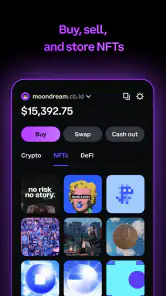

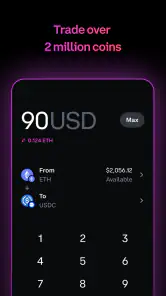
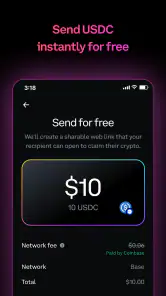
Analysis by Reviewed
When it comes to the world of cryptocurrency and non-fungible tokens (NFTs), having a reliable and secure wallet is essential. Enter the Coinbase Wallet: NFTs & Crypto, an app that promises to be your gateway to the crypto universe. I decided to take it for a spin and see if it lives up to the hype.
Getting Started: Setting Up Your Crypto Journey
First things first, downloading and setting up the Coinbase Wallet: NFTs & Crypto is a breeze. Whether you're on Android or iOS, the app is available across both platforms, making it accessible to a wide audience. The installation process is straightforward, and within minutes, I was ready to dive into the crypto world.
Once you open the app, you're greeted with a clean and intuitive interface. It's designed to be user-friendly, even for those who might be new to cryptocurrencies. The app walks you through the setup, helping you to create your wallet with a recovery phrase that ensures your assets are safe. This is crucial, and I appreciated how the app emphasizes security from the get-go.
Exploring the Features: What Sets It Apart?
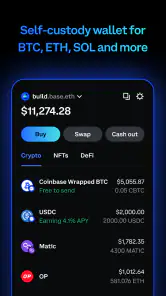
The Coinbase Wallet: NFTs & Crypto offers a plethora of features that cater to both crypto enthusiasts and novices alike. One of the standout features is its ability to store all your crypto and NFTs in one place. No more juggling between different apps or platforms - everything you need is right here.
Another feature worth highlighting is the app's seamless integration with decentralized apps (dApps). This opens up a whole new world of possibilities, from trading cryptocurrencies to participating in decentralized finance (DeFi) projects. The in-app browser makes it easy to explore and interact with these dApps without leaving the app.
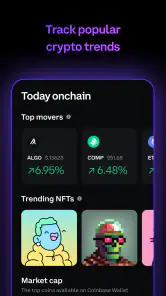
For those interested in NFTs, the app shines with its dedicated NFT gallery. It allows you to showcase your collection in style, complete with detailed information about each asset. Browsing through my NFT collection felt like curating my own digital art gallery, and I was truly impressed by how well the app handles this aspect.
Security and User Experience: A Safe Haven
Security is a top priority for any crypto wallet, and the Coinbase Wallet doesn't disappoint. With features like biometric authentication and a private key vault, you can be assured that your assets are well-protected. Plus, the app's emphasis on educating users about security practices is a nice touch.
The user experience is smooth, with fast transaction speeds and minimal lag. Whether I was sending or receiving crypto, or simply browsing through my assets, the app performed flawlessly. It's clear that a lot of thought has gone into optimizing the user experience to ensure it's both enjoyable and efficient.
Final Thoughts: A Must-Have for Crypto Enthusiasts
In conclusion, the Coinbase Wallet: NFTs & Crypto is a solid choice for anyone looking to manage their crypto and NFT portfolios with ease. Its robust features, coupled with top-notch security, make it a standout in the crowded crypto wallet market. Whether you're a seasoned crypto investor or just starting out, this app provides the tools you need to navigate the digital asset space confidently.
So, if you're in the market for a reliable and user-friendly crypto wallet, give the Coinbase Wallet: NFTs & Crypto a try. It's not just an app; it's a gateway to the future of finance.
Pros
- User-friendly interface for beginners.
- Supports a wide range of cryptocurrencies.
- Integrated DApp browser.
- Secure with biometric authentication.
- Easy connection to DeFi services.
Cons
- Limited customer support options.
- High transaction fees at times.
- No desktop version available.
- Complexity in advanced features.
- Limited educational resources.

- Category
- Finance
- Version
- 29.72.0











