

Chahal Retro Player
- 0.00
- 0.0
- Installs
- 10.00K
- Price
- Free

Screenshots
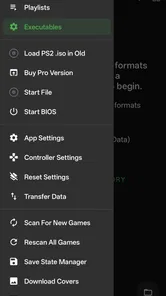
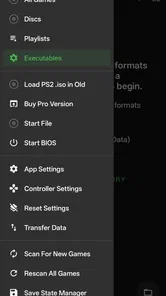
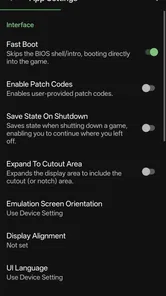
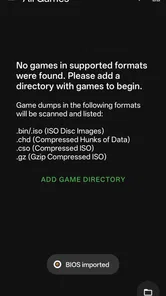
Analysis by Reviewed
Choosing a retro player is less about chasing the longest feature list and more about deciding what kind of old-school gaming experience you want on your phone. Chahal Retro Player is an Android app in the Libraries & Demo category, developed by AbdullahDevolper. Its focus is straightforward: bring retro games to an Android device. I’d consider it when I want a simple place to explore that idea, rather than a broad gaming platform that promises to do everything.
A useful first question: what do you want to play?
Before I install any retro-focused app, I think about what I expect to do with it. Am I hoping to revisit a familiar game, browse a personal collection, or build a carefully tuned setup with lots of control? Those are different jobs. A retro look or name doesn’t guarantee that an app will suit all three, so I’d start with the goal rather than the nostalgia.
That distinction matters particularly if I have one specific game in mind. A player and a collection of games are not automatically the same thing. Before planning a session around a title, I’d check what the app actually makes available and whether that matches what I want to play. It’s a small step, but it prevents the familiar disappointment of installing a player while expecting a particular game to be ready.
How it fits into a phone-based gaming routine
Chahal Retro Player is aimed at people who want to play retro games on Android. Its appeal is easy to grasp if you’re curious about older gaming styles and would rather begin on a phone than set up a separate device. The app is free, has an Everyone content rating, and requires Android 8.0 or later. It has over 10,000 installs, which tells me others have tried it, though popularity alone can’t tell me whether it fits your tastes.
What makes a useful phone-based player
On a phone, convenience matters as much as nostalgia. I’m more likely to return to a retro game if I can open the app during a short break, understand what to do without hunting through menus, and play comfortably on a touchscreen. A device can be technically capable while still feeling awkward for older games, especially when their controls were designed around physical buttons.
That is why I would judge Chahal Retro Player by a practical routine rather than by its name alone: launch it, find the experience I want, try a brief session, and see whether the phone’s controls feel manageable. Pay attention to how easily you can reach the controls without covering the part of the action you need to see. If you prefer a controller or a very particular button layout, test that preference early instead of assuming every retro player handles it the same way.
Where Chahal Retro Player makes sense
The strongest case for this app is its direct focus. If you’re interested in classic-style games and want to try them on Android without paying for the app itself, it is a reasonable starting point. I like that the idea is easy to grasp: this is not presented as a general-purpose modern game library, but as a player for people drawn to retro gaming.
More From Our News Desk

 Gmail
GmailGmail in a Busy Inbox: Who Benefits Most?
From first account to crowded workday, Gmail earns its place through dependable search and flexible sorting—but its best fit depends on how much inbox maintenance you can tolerate.

 Prime Video
Switching to Prime Video: What Changes in Your Viewing Routine
Prime Video can make a compelling second home for streaming, but switching means learning a different catalog, rental layer, and route from browsing to playback.

 Universal TV Remote Control
Universal TV Remote Control Works Best as a Reliable Backup
A phone remote earns its place through quick setup and reliable habits. Here is how to get more from Universal TV Remote Control—and where its limits show.

 Weather - By Xiaomi
Weather by Xiaomi Review: Clear at a Glance, Less Clear Up Close
Xiaomi’s weather app makes everyday forecasts quick to scan, but its calm surface can leave useful details and recovery paths harder to find than they should be.

 X
XX Under Pressure: Can It Recover When Posting Goes Wrong?
A resilience-focused review of X, examining setup, mistaken posts, interruptions, weak connections, and the gaps that matter when recovery needs to be dependable.

 Clash of Clans
Clash of Clans Is Won Between the Battles
Its raids are quick; its community is a long-term project of coordination, teaching, rivalry, and shared responsibility—with all the friction that entails.
Latest News



That focus can suit a casual player who wants to explore in small bursts. Imagine having ten minutes before an appointment. Rather than committing to a large, ongoing game, you could open a retro player and see whether a quick session scratches the nostalgia itch. For that kind of use, a phone is already in your hand, and the free price makes experimenting feel low-pressure.
There’s also a useful distinction between trying retro gaming and building a serious setup. If you’re just figuring out whether you enjoy playing older games on a touchscreen, you don’t necessarily need to begin with a complicated arrangement of apps and settings. A focused Android player gives you a place to start. My advice is to treat the first session as a comfort test: check whether navigation makes sense, whether the game experience is pleasant on your screen, and whether you want to come back.
For a more deliberate trial, choose a quiet moment rather than testing it while walking or multitasking. Retro games can rely on precise timing, and tapping on glass may feel very different from using physical controls. If the first attempt feels clumsy, try again somewhere you can hold the phone steadily. That helps distinguish a control issue from a game that simply isn’t your kind of entertainment.
The app is currently at version 434 and was released on August 16, 2026. Those details help identify the build and its release timing, but I wouldn’t treat a version number by itself as proof of particular features or performance. The practical question is whether the current experience works well for your device and the way you want to play. Its Android 8.0 minimum also means it is intended for a range of Android devices, though an individual phone’s screen and controls will still shape how comfortable it feels.
Small checks that make the first session better
One non-obvious tip is to decide what you want from the session before opening the app. If you want to revisit a specific kind of game, first check that the app’s available experience matches that goal. If you’re simply curious, go in without a fixed title in mind and evaluate the controls and navigation instead. Those are two different tests, and mixing them can lead you to blame the player for a mismatch in expectations.
A second useful check is how you plan to hold the phone. A case with raised edges, a small display, or an uncomfortable grip can affect virtual controls more than it affects ordinary tapping apps. Try a short session in portrait or landscape only if the app presents those choices; don’t assume a particular orientation is supported. If the controls feel cramped, that is a meaningful trade-off for your device, not a reason to spend a long evening forcing it to work.
Third, think about whether you want a quick novelty or a lasting library. A player can be a satisfying way to sample retro gaming, but people who carefully curate large collections may care more about organization, configuration, and controller options. These priorities are worth identifying before you invest time in setting up any one approach. Starting with the use case can keep a free download from turning into an unnecessary project.
How it compares with other ways to play
Compared with broader emulation tools, a focused player may be easier to approach, but it may not suit someone who wants extensive control over a collection or a highly customized setup. I would look at a more configurable alternative if your enjoyment depends on adjusting controls, managing many games, or fine-tuning how an experience behaves. Those needs are different from simply wanting to try retro play on a phone.
On the other hand, someone who mainly wants a polished, ready-to-play game may prefer a dedicated retro title or a collection designed around specific games. That route can feel more straightforward if you don’t want to think about the player side of the experience. The trade-off is that it may be less flexible than a general player. Neither approach is automatically better; it depends on whether you value convenience, choice, or a particular game most.
If you already own a handheld gaming device, that may remain the better choice for longer sessions. Physical controls can be more comfortable for games that demand quick inputs, and a phone has competing uses and notifications. Chahal Retro Player makes more sense as a convenient option for someone who wants to explore on a device they already carry, not necessarily as a replacement for dedicated gaming hardware.
I’d also steer away from it if you expect a modern, story-heavy experience, current online competition, or a guaranteed match for one specific classic title. The app’s retro focus is its reason to exist, but that is not a universal substitute for contemporary games. Likewise, if you strongly dislike touchscreen controls and don’t want to test a controller-based setup, a phone-first player may not be your best route.
Who should give it a try—and who should pass
I think it is most promising for someone who is curious rather than committed: a player who wants to see whether short retro sessions fit into ordinary phone use, without first building a collection or buying a separate device. It may also suit someone who remembers the feel of older games but is happy to judge the experience on a modern touchscreen instead of expecting an exact match for dedicated hardware.
I would be more cautious if I were choosing it for a child based only on the Everyone rating. That rating indicates broad age suitability, but it doesn’t settle whether the accessible games, screen time, or style of play are right for a particular family. I’d look through the app together and decide based on the actual experience, rather than treating the rating as a substitute for parental judgment.
Switching is easy; expectations matter more
Trying a free app is a low-cost way to explore, but switching between retro options still takes time. You may need to learn a different interface, figure out which games are available, and decide whether the controls suit you. If you have already organized a collection elsewhere, moving to a different player can also interrupt a setup that currently works. I would avoid switching just because another app sounds more nostalgic; first identify the exact problem you want to solve.
A sensible approach is to test Chahal Retro Player alongside your current routine without deleting anything you rely on. Use it for one short session, then ask whether it made retro play easier or merely added another step. If it feels welcoming and works for casual sessions, keep it as a convenient option. If your main frustration is a lack of customization or physical control, look for an alternative built around that specific need instead.
Because it is free, the decision is less about a purchase and more about time, comfort, and fit. The Everyone rating also makes its intended age suitability broad, though parents should still use their own judgment about any app and the games accessed through it. I find that more useful than assuming a general rating answers every question about a child’s individual use.
My recommendation
I’d recommend Chahal Retro Player to Android users who are curious about retro gaming, want a simple place to begin, and are comfortable judging the experience on their own phone. AbdullahDevolper has kept the app’s purpose focused, and its free availability makes a cautious trial sensible. Start by checking that the games or experience you want are accessible, then spend a few minutes testing navigation and touchscreen comfort before deciding whether it deserves a regular place on your device.
I’d skip it if you need a highly configurable collection manager, prefer physical controls for every session, or are looking for a specific modern feature set rather than a retro-focused experience. In those cases, a dedicated game, a more advanced emulator-style alternative, or handheld hardware may fit better. For everyone else, the best reason to try it is simple: it offers a low-pressure way to find out whether playing retro games on your Android phone is enjoyable for you.
Overall, I see it as a starting point rather than a promise that every retro setup will feel effortless. Keep your first expectations modest, test it during a relaxed break, and let the controls and available experience decide. If those suit your habits, Chahal Retro Player can be a handy way to bring a little old-school play into an ordinary day.
Chahal Retro Player Frequently Asked Questions
What is Chahal Retro Player, and what can it do?
Chahal Retro Player is presented as a retro-style media player, but its exact features may depend on the version and the source from which you download it. Before installing, check the app listing for supported audio or video formats, playback controls, and any additional features. Do not assume it includes licensed music, films, or streaming access unless the developer clearly says so.
Is Chahal Retro Player available for Android and iOS?
Availability can vary by platform, region, and release. Check the official Google Play Store or Apple App Store listing to confirm that Chahal Retro Player is currently offered for your device and that the developer name matches the intended app. If you find it only on an unfamiliar download site, take extra care: unofficial packages may be outdated, altered, or unsafe.
Is Chahal Retro Player free, and does it include ads or in-app purchases?
The price and monetization model can change between versions and app stores. Review the listing before downloading for a purchase price, advertisements, subscriptions, or in-app purchases, and check whether any optional payments renew automatically. If pricing is not clearly disclosed, avoid entering payment details until you have verified the terms with the developer or the store.
What permissions or personal information might Chahal Retro Player require?
A media player may request access to files or media on your device so it can find and play content, but the permissions required by Chahal Retro Player should be checked on the installation screen and in your device settings. Consider whether each request makes sense for playback, read the app’s privacy information, and avoid granting unrelated access. You can usually review or revoke permissions later.
How can I download Chahal Retro Player safely, and what should I check first?
For the safest installation, use the official app store for your device and verify the app’s name, developer, recent update history, and user reviews. Confirm that your operating system meets the listed requirements and that you have enough storage. Avoid modified versions and unfamiliar APK websites, and remember that ratings and feature descriptions can change, so check the current listing before installing.
Pros
- Retro-inspired interface gives the music library a distinctive look.
- Quick access to playback controls keeps common actions convenient.
- A lightweight design can be a good fit for older or less powerful devices.
- Useful for listeners who prefer a simple local music player.
- Offers a nostalgic alternative to more modern-looking music apps.
Cons
- The retro styling may feel dated or cluttered to some users.
- Local playback features may be less useful for streaming-focused listeners.
- Compatibility with newer Android versions may vary by release.
- Limited advanced audio options may disappoint enthusiasts.
- Availability and ongoing updates may depend on the app's developer.










