

Celebrity Twin - Funny Filter
- 156.00
- 4.2
- Installs
- 1.00M
- Price
- Free

Screenshots
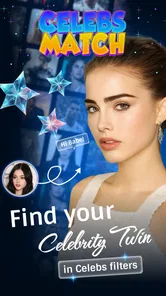
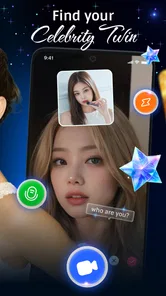
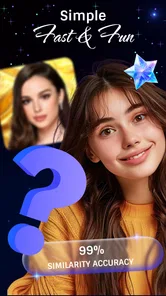
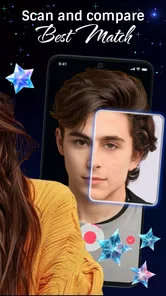
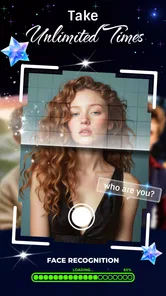
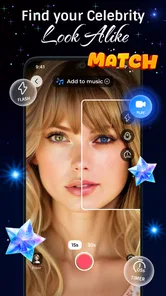
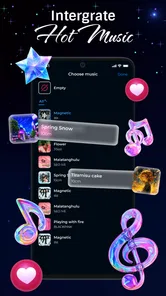
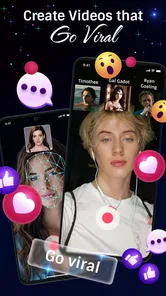
Analysis by Reviewed
I’d judge a celebrity-look-alike app as a light diversion, not a serious test of resemblance. The appeal is the quick reveal: choose a photo, see which famous face the app pairs with yours, and decide whether the result is worth showing friends. Celebrity Twin - Funny Filter is built for that kind of low-stakes entertainment, so it makes the most sense when you’re in the mood to laugh rather than looking for a careful portrait analysis.
That distinction matters when you’re choosing between this and other ways to play with photos. A general face filter is better if you want lots of visual effects, while a photo editor suits someone who wants control over retouching and composition. This app’s narrower idea is its advantage: the celebrity comparison gives a group something specific to react to. Its trade-off is that the fun depends on whether you enjoy the match and the filter, not on getting a reliable answer about who you look like.
What’s the Buzz About?
Okay, let's get into it. Celebrity Twin - Funny Filter is designed to do exactly what its name suggests. It pairs your facial features with a celebrity look-alike using some pretty advanced facial recognition technology. I mean, who wouldn’t want to know if they share a doppelgänger with someone from Hollywood?
Features That Stand Out
Now, let’s talk features! The app is pretty straightforward and user-friendly, which is something I always appreciate. You can simply snap a photo or upload one from your gallery, and the app does its magic in seconds. The interface is clean, without unnecessary clutter, making it super easy to navigate. Plus, it has a decent lineup of celebrities in its database. From A-list movie stars to pop music icons, the app covers a wide range of personalities.
One useful approach is to try a clear, front-facing image before testing more expressive shots. A neutral photo gives you a simple baseline; then a second picture with a different expression or hairstyle can turn the comparison into a better conversation starter. I’d avoid treating different results as a contradiction. The point is to see how the playful match changes with the photo, not to establish a fixed look-alike identity.
One cool feature is that it doesn’t just stop at matching. It offers some hilarious filters that can morph your face with your celeb twin. It’s like Snapchat filters but with a celebrity twist. You can save these images and share them on social media, which is a hit for Instagram stories!
Making the Match More Fun
For a casual user, the best way to approach a result is as a prompt rather than a verdict. I’d ask what made the pairing amusing: the face shape, the expression, or simply the unexpected celebrity name. That turns a quick scan into a small game, even if nobody in the group thinks the resemblance is strong. It also takes pressure off the app to deliver one definitive answer.
More From Our News Desk

 Gmail
Gmail in a Busy Inbox: Who Benefits Most?
From first account to crowded workday, Gmail earns its place through dependable search and flexible sorting—but its best fit depends on how much inbox maintenance you can tolerate.

 Prime Video
Switching to Prime Video: What Changes in Your Viewing Routine
Prime Video can make a compelling second home for streaming, but switching means learning a different catalog, rental layer, and route from browsing to playback.

 Universal TV Remote Control
 Works Best as a Reliable Backup
A phone remote earns its place through quick setup and reliable habits. Here is how to get more from Universal TV Remote Control—and where its limits show.

 Weather - By Xiaomi
Weather by Xiaomi Review: Clear at a Glance, Less Clear Up Close
Xiaomi’s weather app makes everyday forecasts quick to scan, but its calm surface can leave useful details and recovery paths harder to find than they should be.

 X
X Under Pressure: Can It Recover When Posting Goes Wrong?
A resilience-focused review of X, examining setup, mistaken posts, interruptions, weak connections, and the gaps that matter when recovery needs to be dependable.

 Clash of Clans
 Is Won Between the Battles
Its raids are quick; its community is a long-term project of coordination, teaching, rivalry, and shared responsibility—with all the friction that entails.
Latest News



If you’re testing several pictures, changing one thing at a time makes the comparison easier to understand. Keep the lighting and framing similar while changing the expression, for example, then try a different hairstyle or angle afterward. This is not about finding a scientifically “correct” match; it is a practical way to see whether the output is responding to the picture you chose or just producing a surprise for entertainment.
There is a trade-off between a photo that is convenient and one that is useful for a playful comparison. A group selfie may be ready to hand, but an individual, forward-facing image is easier to interpret and avoids confusion about whose face is being matched. If the result looks odd, I’d try another clear image before deciding the app itself has nothing to offer.
My Experience with the App
Let me tell you about my experience. I tried it out with a couple of photos, and while I can't say the matches were spot-on every time, it was still a lot of fun. For example, I got matched with Ryan Gosling once, which I suppose is a compliment, right? The filters were entertaining, and I found myself giggling at how my face blended with different celebs.
I can picture using it while friends are waiting for food or during a relaxed get-together: everyone can take a turn, compare the results, and pick the funniest blend. For a smoother group moment, I’d let each person choose their own photo rather than passing around one phone and selecting images for them. That keeps the joke friendly, and it avoids turning someone’s face into a surprise post they didn’t agree to share.
Saving and sharing is an option, but I’d treat that as a separate choice from trying the filter. A picture that gets a laugh in a private chat may not be something everyone wants on a public profile. If you’re using a friend’s photo, ask first; if you’re using your own, check the saved image before posting so the final result is the one you meant to share.
In terms of accuracy, it might not be perfect, but hey, it's called a "funny filter" for a reason. The app is more about having a good laugh and enjoying the process rather than expecting a precise match.
How It Compares with Other Photo Apps
The usual alternatives fall into a few different camps. Broad filter apps give you more ways to change a picture, so they make sense when the effect itself is the main attraction. Editing apps are better when you want to crop, retouch, or carefully build a finished image. Celebrity Twin has a more focused appeal: it gives you a celebrity comparison to react to, then lets you play with a blend based on that idea.
That focus is useful when you want an easy activity rather than a toolbox. You do not need to decide which of many effects to apply before the joke begins; the celebrity-match premise gives the session a natural starting point. The flip side is that users who do not care about celebrity comparisons may run out of reasons to open it sooner than they would with a general-purpose filter or editor.
I’d also separate this kind of entertainment from apps that claim to evaluate facial similarity in a more serious way. A fun match can be inconsistent and still do its job, while someone who wants a repeatable or meaningful likeness assessment should look for a tool designed around that purpose. Here, the worthwhile question is whether the result makes you smile, not whether it proves anything about your appearance.
Who It Suits—and Who May Prefer Something Else
This is a good fit for people who enjoy quick photo jokes, celebrity culture, and sharing silly results with friends. It also works for someone who wants a simple activity without learning a complicated editing workflow. If you mainly want polished portraits, detailed face adjustments, or a dependable likeness assessment, a dedicated editor or a more analytical tool will be a better match. The celebrity angle is the whole point here, and it won’t replace those other jobs.
There’s little of a learning curve in the basic photo-to-result routine, so the cost of trying it is mostly your time and attention. The app is free, and it’s rated for Everyone; it was released on Dec 24, 2024, and its current version is 1.2.1. I’d still make the usual sensible choice about which personal photos I select and share, especially when testing it with children or friends. A fun image is not worth making someone uncomfortable.
As an entertainment app from CEM SOFTWARE LTD, it has an average rating of 4.2 from around 12K ratings, with 156 written reviews and over 1M installs. Those figures suggest it has reached plenty of curious users, but they don’t tell me whether a particular match will feel convincing to you. It supports Android 7.0 and later, which is useful to know before installing it on an older device.
A Practical First Try
If you want to see whether the app fits your sense of humor, I’d start with a photo you already feel comfortable using rather than searching through old albums for something personal. Choose a clear solo image, run the match, and decide whether the result is entertaining enough to try with another expression. This small test helps you judge the central appeal without turning the first session into a project.
For a low-key evening, it can also work as a turn-taking activity: each person chooses a picture, gets a result, and decides whether to save it. That last decision matters. Keeping the session playful does not require sharing every image, and a funny result can be enjoyable even if it stays on the device. I’d keep the focus on voluntary participation, especially if the group includes people who do not like being photographed.
One reasonable question is whether a match should be repeated when it seems surprising. I would try a second image if the first is poorly lit, cropped awkwardly, or caught at an unusual angle. But I would not keep feeding in photos just to chase a particular celebrity name. That changes a quick joke into a search for validation, which is not what this app is best suited to provide.
Another useful boundary is to treat the saved result as a new image, not automatically as something ready for public use. Look at the blend at full size, check that it is the version you intended to keep, and think about whether the people pictured would be comfortable with it being posted. Those habits are especially useful when the joke involves someone else’s face or when a child is taking part.
Privacy, Sharing, and Expectations
Photo-based entertainment naturally raises questions about what happens to an image after you select it. I would review the app’s current privacy details and the permissions shown on your device before choosing personal photos, rather than assuming every photo app handles images in the same way. If that feels like more uncertainty than you want for a passing joke, using a less personal picture—or skipping the app—is a sensible choice.
For sharing, I’d choose the audience before choosing the caption. A private message to friends has a different feel from a public story, and a result that seems harmless to you may not land the same way for the person pictured. Asking first is a simple way to keep the fun from becoming awkward. If the image is only funny because it catches someone off guard, that is a good reason to pause before posting it.
It is also worth keeping expectations modest about the celebrity pool and the meaning of a match. The experience depends on the available comparisons and on the photo you use, so a result can feel random or fail to reflect the person’s own impression. I would judge it by the entertainment value of the whole interaction, including the filter, rather than by whether every comparison feels convincing.
Cost of Trying It—and of Moving On
Because the app is free, trying it does not require a purchase decision. The more practical cost is whether the short novelty holds your attention. If you enjoy the first few matches, it can be an easy thing to revisit with a different photo or with friends; if you are hoping for a deep collection of editing controls, you may quickly prefer a broader photo app.
Switching to another option is straightforward in terms of the task itself: a general filter app can take over when you want visual effects, and an editor can take over when you want to shape a final portrait. What you lose is the specific celebrity-match premise that makes this app easy to turn into a shared joke. I’d keep it for that occasional social use rather than expecting it to become my main camera or editing tool.
The app’s reach and average rating can help a new user understand that it has attracted interest, but they are not a guarantee of a personally satisfying match. The clearest way to decide is to try one comfortable photo, see how the result feels, and stop there if the central idea does not appeal. You do not need to commit to a new photo routine to find out whether this particular kind of entertainment is for you.
Final Thoughts
To wrap it up, Celebrity Twin - Funny Filter is a delightful little app for anyone looking to have some fun with their photos. Whether you're at a party or just lounging on the couch, it's a great way to pass the time and maybe even discover your celebrity twin. Just remember, it's all in good fun, so take the results with a grain of salt and enjoy the laughs!
If you're curious to see if you resemble a celebrity, give it a shot. It might surprise you, or at the very least, give you a good chuckle!
Celebrity Twin - Funny Filter Frequently Asked Questions
What devices can run Celebrity Twin - Funny Filter?
Celebrity Twin - Funny Filter is an entertainment app for Android devices running Android 7.0 or later. Before downloading, check your device’s operating system so you know it meets that requirement. The app is free, and its lighthearted celebrity-match concept is designed for quick photo-based fun rather than a complex editing workflow.
What is Celebrity Twin - Funny Filter?
Celebrity Twin - Funny Filter is an entertaining app that allows users to discover their celebrity look-alike using advanced facial recognition technology. It provides a fun and engaging way to compare your face with famous personalities, offering a range of filters and effects to enhance the experience. The app is available for both Android and iOS platforms.
How does Celebrity Twin - Funny Filter work?
The app uses sophisticated facial recognition algorithms to analyze your facial features and compare them with a database of celebrity images. Once you upload or capture a photo, the app processes the image to find a match with a celebrity. It then presents you with your closest celebrity twin, along with amusing filters and effects to enhance the comparison.
Is my data safe with Celebrity Twin - Funny Filter?
Yes, Celebrity Twin - Funny Filter prioritizes user privacy and data security. The app ensures that all uploaded images are processed securely and are not stored without consent. It adheres to strict privacy policies and uses encryption to protect user data, ensuring that your personal information remains confidential and secure.
Are there any costs associated with using Celebrity Twin - Funny Filter?
The app is free to download and use, providing users with a variety of features at no cost. However, it may offer optional in-app purchases or subscriptions to unlock premium features, such as additional filters, ad-free experience, and faster processing times. Users can choose to enjoy the free version or enhance their experience with paid options.
Pros
- Fun and engaging face swap feature.
- Easy-to-use interface for all ages.
- Wide variety of celebrity options.
- Fast processing and results.
- Regular updates with new features.
Cons
- Occasional glitches in face detection.
- Limited free options available.
- Ads can be intrusive at times.
- Requires internet connection.
- In-app purchases can be pricey.













