CCTV Camera Video Recorder App
- 89.00
- 4.1
- Installs
- 5.00M
- Price
- Free

Screenshots


Analysis by Reviewed
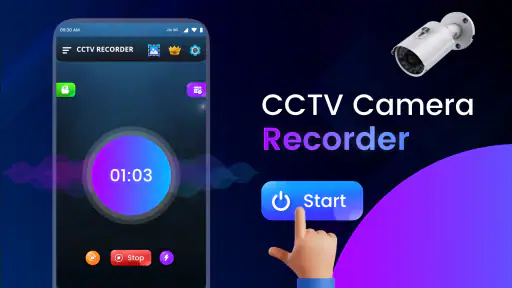
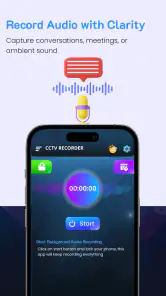
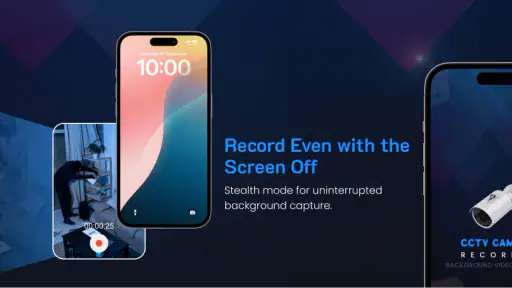
Before installing CCTV Camera Video Recorder App, it helps to set a modest goal: use your phone to record a view for a short, planned period, rather than treating it as a replacement for a dedicated security system. I find that expectation makes the app easier to judge. It is a free sports-category app from Cyber Magic, rated for Everyone, and its focus is background video recording, including the option to lock the phone screen. That combination may suit someone who wants a spare phone to capture a room or work area, but it is not the same as a network of purpose-built cameras.
What to expect from a phone-based recorder
A phone is convenient because it is already in your hand, but it also brings practical trade-offs. It needs a stable position, a clear view, and enough battery for the recording session. If you need continuous coverage, remote viewing, or a system designed to stay installed in one place, a dedicated security camera is usually the more sensible choice. For a temporary recording or a quick check on a space, a phone app can be a simpler starting point.
The app has an average rating of 4.1 from around 9,700 ratings and over 5 million installs. Those figures suggest it has reached a broad audience, but they do not guarantee that it will behave identically on every device. Cyber Magic has released version 10.1, and the app is free to install with in-app purchases listed at $14.99 per item. I would check the purchase screens carefully before confirming anything, especially if you only need basic recording.
Getting ready for a first recording
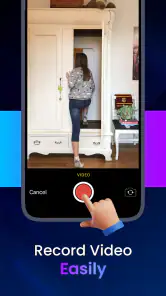
After installing, take a moment to decide where the phone will sit and what the camera should capture. Try a short test before relying on it for anything important: frame the area, begin recording, lock the screen if that is part of your plan, then return and check the result. This simple trial answers the most useful first question—whether the app and your device work together the way you expect—without leaving you with a long recording that misses the view.
One useful trade-off is that a locked screen can make a phone less distracting while it records, but it also makes it easier to forget that recording is underway. I would keep the device somewhere secure, make sure it is not likely to be moved, and check the saved result before leaving it to run unattended. A phone propped behind a stack of papers may technically be recording while capturing mostly a wall; a test clip catches that kind of mistake early.
The Setup: Easy Peasy Lemon Squeezy
Getting started with the CCTV Camera Video Recorder App is a breeze. I was pleasantly surprised by how user-friendly the interface is. With just a few taps, I had the app up and running. The installation process was seamless, and the app guided me through every step, making sure I didn’t miss a beat. You don't need to be a tech wizard to figure this one out!
Features That Make You Go "Wow!"
Once you're set up, the app opens up a world of possibilities. The real-time video recording is as smooth as butter, allowing you to monitor what's happening in real-time. One standout feature is the motion detection alert. Imagine getting a notification when there's unexpected movement in your monitored area. It's like having a sixth sense!
More From Our News Desk

Weather by Xiaomi Review: Clear at a Glance, Less Clear Up Close

X Under Pressure: Can It Recover When Posting Goes Wrong?

Clash of Clans Is Won Between the Battles

Android Auto Makes the Case for Quieter Car Software

MobiOffice: Transforming Mobile Productivity with Seamless Integration

EA SPORTS FC™ Mobile Soccer: Redefining Mobile Sports Gaming
For a first meaningful use, I would choose a familiar, low-stakes task: recording a brief stretch of activity at a desk or checking whether a delivery area is visible from the phone’s position. Start the app, confirm the framing, and review the clip afterward. That workflow is more reassuring than immediately trusting a phone with an entire evening’s monitoring, because it lets you spot problems such as poor placement or an obstructed view while there is still time to adjust.
Making a recording useful rather than merely long
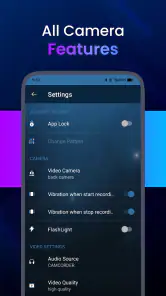
Another cool feature is the ability to schedule recordings. Whether you're at work or on vacation, you can set the app to start recording at specific times. It's like having a personal assistant for your surveillance needs. Plus, the app supports both front and rear camera use, maximizing your coverage. Talk about versatility!
Using the front or rear camera is not just a matter of preference: it changes how you can place the phone and what you can keep out of view. I would first choose the camera that gives the clearest angle, then place the phone so the lens is not blocked and the device cannot easily tip over. For a scheduled session, a short test at the intended time is worthwhile; it confirms the setup before you depend on it for a period when you will not be nearby.
Where this approach fits—and where it does not
This app makes the most sense for someone who already has an extra phone or needs an occasional, simple recording setup. It is less suitable if you need dependable round-the-clock monitoring, a dedicated camera feed, or a system that several people can manage. Compared with opening the phone’s ordinary camera app, a recorder built around background use and a locked screen is more convenient for hands-off sessions. Compared with dedicated CCTV equipment, though, the phone-based approach depends more on placement, power, and the device being left undisturbed.
There is also a privacy consideration I would not skip. Record only in places where you have a legitimate reason to do so, and be considerate of other people who may enter the frame. A discreet setup is not automatically an appropriate one. If your goal is to keep an eye on a shared space, make sure the people affected understand the arrangement and that the camera is aimed only where needed.
Performance: Reliable and Robust
In terms of performance, this app doesn’t disappoint. I tested it under various conditions, and the video quality was top-notch. The app runs smoothly without any hiccups, which is crucial when you’re relying on it for security purposes. The battery consumption is also quite reasonable, so you won't have to worry about your phone dying on you in the middle of a recording session.
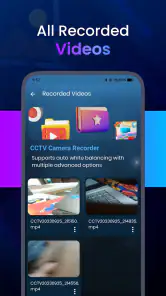
My practical advice is still to treat battery life and recording reliability as things to verify on your own phone. A longer session is a different test from a quick clip, and the phone’s position, charge level, and camera view can all affect whether the result is useful. If the recording matters, check the file afterward rather than assuming that a running app guarantees a usable capture.
Conclusion: A Must-Have for DIY Security Enthusiasts
All in all, the CCTV Camera Video Recorder App is a solid choice for anyone looking to beef up their security setup without breaking the bank. It's user-friendly, packed with features, and reliable. Whether you're looking to keep an eye on your home, office, or just want to experiment with a bit of tech-savvy surveillance, this app has got you covered. So why not give it a shot? You might just find it’s the perfect addition to your security toolkit!
I would start with one short, ordinary recording and decide from the result whether the app suits your routine. If you want a convenient way to use a phone as a temporary recorder, its background-recording focus is appealing. If you need a dependable permanent security setup, I would choose dedicated equipment instead. That distinction is the key to getting a useful first experience without expecting a phone app to do more than it is built for.
CCTV Camera Video Recorder App Frequently Asked Questions
Is CCTV Camera Video Recorder App free to download?
CCTV Camera Video Recorder App is free to download, so you can try the app without paying an upfront price. In-app purchases are available at $14.99 per item, which is worth keeping in mind before you choose any optional paid features. The app is rated for Everyone, making it broadly accessible to users.
What features does the CCTV Camera Video Recorder App offer?
The CCTV Camera Video Recorder App provides users with a range of features including real-time video recording, motion detection alerts, cloud storage options, and remote access to live feeds. It also supports multiple camera setups, allowing users to monitor different locations simultaneously, making it an ideal choice for home and business security. Its store summary also describes BVR background video recording with the phone screen locked, which may suit users looking for recording to continue while their device is not actively in use.
Is the CCTV Camera Video Recorder App compatible with all cameras?
While the app supports a wide array of camera models, it is crucial to check the compatibility list on the app's official website or within the app description on the download page. Compatibility may vary depending on the camera's brand and model, so ensuring your equipment is supported will guarantee optimal performance.
How secure is the footage stored in the CCTV Camera Video Recorder App?
Security is a top priority for the CCTV Camera Video Recorder App. It employs encrypted data transmission and storage to protect your footage from unauthorized access. Additionally, users have the option to enable two-factor authentication and set up secure passwords to enhance the security of their recorded videos.
Can I access live footage remotely using the CCTV Camera Video Recorder App?
Yes, the app allows users to access live footage from anywhere in the world as long as there is an internet connection. By logging into the app on a smartphone or tablet, users can view real-time video feeds and control camera settings remotely, providing peace of mind when away from the monitored location.
Pros
- High-quality video recording.
- Motion detection feature.
- User-friendly interface.
- Cloud storage support.
- Night vision capability.
Cons
- Consumes a lot of battery.
- Requires stable internet.
- Limited free storage.
- Ads in free version.
- No remote access.
- Category
- Sports
- Version
- 10.1





