Cat Maker: Cat Emoji Sticker
- 101.00
- 3.8
- Installs
- 1.00M
- Price
- Free

Screenshots
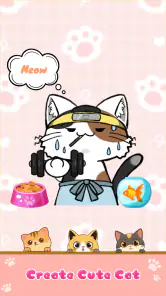
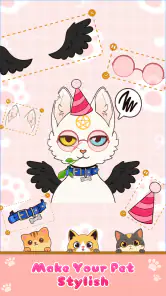
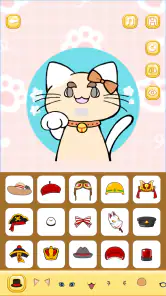
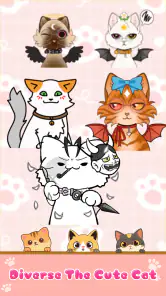
Analysis by Reviewed
I usually judge a sticker maker by what happens after the first burst of curiosity: can I make something I’d genuinely send, and does the creative process stay enjoyable once I’m past the novelty? That is the useful way to approach Cat Maker: Cat Emoji Sticker. It is a focused art-and-design app for building cat-themed chat images, so its appeal depends less on having a huge toolbox and more on whether making a small character of your own sounds fun.
Trust begins with the choices you can see
I’m careful about separating visible user choices from assumptions about an app’s privacy or data practices. With a sticker maker, the clearest choice is often what I put into the design and where I decide to share it. I’d treat a finished sticker as something that may travel beyond its original conversation once I send or post it, especially if it includes a name, a recognizable face, or a very specific personal joke.
That doesn’t mean I’d avoid ordinary, harmless designs. It means I’d keep the creative brief simple when making something for a group or public post: an expression, a color, or a familiar cat-like mood can carry the joke without exposing personal details. For a one-to-one chat, I might make the reference more specific, but I’d still pause before sharing anything that another person could reasonably consider private.
Choosing a sensible workflow before you create
One small habit makes this kind of app more useful: decide where a sticker is meant to appear before spending time on it. A reaction for a fast-moving group chat needs to read immediately; a sticker for a close friend can be more tailored. I’d make the most general version first, then decide whether it needs a more personal variation rather than trying to make one design serve every audience.
I’d also keep a mental distinction between making a sticker and distributing it. Creating a design is the enjoyable part; sending or posting it is a separate decision. If I’m unsure whether an image is suitable for a wider audience, I can keep the idea generic or simply not share it. That is practical user control, without pretending it tells us anything about permissions, storage, or account settings.
Who will get the most out of making cat stickers?
I’d recommend this app most to someone who likes adding a personal touch to casual chats. A custom cat sticker can turn a quick “thanks” or a reaction to a friend’s photo into something that feels more like your own voice. It is also a light, low-pressure creative activity: you can make a design for a particular person, an inside joke, or simply a mood you use often.
A realistic use is making a small set of reactions before a busy group chat or family conversation. Rather than searching through a large general sticker library, you can create a cat that fits the moment and reuse it when the same kind of message comes up. I’d keep the design focused on expressions you actually send; a few useful reactions are likely to get more use than a large collection of elaborate one-offs.
More From Our News Desk

Weather by Xiaomi Review: Clear at a Glance, Less Clear Up Close

X Under Pressure: Can It Recover When Posting Goes Wrong?

Clash of Clans Is Won Between the Battles

Android Auto Makes the Case for Quieter Car Software

MobiOffice: Transforming Mobile Productivity with Seamless Integration

EA SPORTS FC™ Mobile Soccer: Redefining Mobile Sports Gaming
The Purr-fect Introduction to Cat Emoji Creation
When I first stumbled upon the Cat Maker: Cat Emoji Sticker app, I was intrigued. Who wouldn't want to craft their own personalized cat emojis, right? The app boasts a simple yet engaging interface that makes it easy for anyone to jump right in and start creating. I was pleasantly surprised to find how intuitive it was. Even if you aren't tech-savvy, you'll find it a breeze to navigate.
Cat Maker: Cat Emoji Sticker is a free art-and-design app from Anfona Tech. Its average rating is 3.8 from around 2,200 ratings, and it has over a million installs. Those figures suggest that plenty of people have tried it, though I wouldn’t treat popularity as a guarantee that its style or workflow will suit everyone. It is rated Everyone 10+, runs on Android 6.0 or later, and version 1.0.9 is the current version.
Features That Will Make You Purr
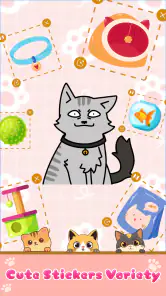
Now, let's talk about the features — because that's what we're really here for. The app offers a variety of customizable options. You can tweak everything from the fur pattern and color to the expression and accessories. Want your cat to sport a pair of funky glasses or a cute little hat? No problem! The level of customization is impressive, allowing you to create something truly unique.
Another feature I enjoyed is the sticker pack creation. Once you're done designing your masterpiece, you can turn it into a sticker pack to use in your messaging apps. Imagine the delight on your friends' faces when they receive a message with a sticker of a cat you designed. It's a fun way to express yourself and share a laugh with friends.
For a more useful result, I’d start with a recognizable base look and change one or two details at a time. That makes it easier to see whether a pattern, color, expression, or accessory is doing the work, instead of ending up with a busy design that loses its character at chat size. Before making a whole pack, try a single sticker in a real conversation; small details that look clear while designing can become harder to read when displayed small.
From a fun design to a sticker you’ll actually use
A practical way to avoid spending time on designs that never leave the editor is to build around messages you already send. If you often react with a laugh, a confused face, or a cheerful greeting, start there and make the cat’s expression do most of the communicating. Accessories can add personality, but too many competing details may make the sticker less legible when it appears beside a short message.
I’d test a design in the context where I expect to use it before creating several variations. A sticker that looks charming on a larger preview may feel cluttered in a chat bubble, and a subtle expression may not read quickly on a phone screen. This is a useful trade-off: a simpler design can feel less elaborate while being more effective as a reaction. Once I know the basic look works, I can make a small set with distinct moods rather than near-identical versions.
For someone who mainly wants a quick answer to “what should I send?”, a ready-made sticker collection will usually be faster. The point of this app is the personal result, not necessarily the shortest route to a reaction. I’d choose the custom route when the fun of shaping the cat is part of the goal, and choose an existing library when speed and variety matter more than having a character that feels like mine.
Getting Creative with Cat-tastic Designs
The app not only allows for creativity but encourages it. I found myself spending more time than I'd like to admit tweaking the tiniest details to get my cat just right. It's a bit like playing dress-up but with cats. And let's be honest, cats in costumes are always a win.
One of the highlights is the ease with which you can share your creations. Whether you want to send them directly to a friend or post them on social media, the app provides seamless sharing options. It's a great way to show off your feline artistry to the world.
The main trade-off is that this is a focused cat-sticker tool, not a general-purpose drawing studio. If you want to sketch freely, work with layers, or build a broader illustration from scratch, a conventional art app will be a better fit. If you mainly want playful, ready-to-share cat designs, its narrower purpose can be an advantage: you can spend your time adjusting the character rather than building an entire image around it.
I’d also think about the audience before sharing. A sticker made for a close friend may rely on a private joke, while one posted publicly works better when its expression and idea make sense without explanation. That small choice helps keep a personal design personal and makes shared work easier for other people to understand.
Where this focused editor fits among alternatives
Compared with browsing a standard sticker library, making your own cat gives you more say over the character’s look and the feeling it conveys. The trade-off is that browsing is immediate: a ready-made pack can cover many moods without asking you to design anything. I’d use a library when I need a broad selection in a hurry, and turn to this app when I want a cat reaction that feels distinct or connects to a particular person.
Compared with a general drawing app, the balance runs the other way. A drawing tool is the stronger choice if I want to control a full composition, develop a detailed illustration, or use a subject beyond cats. A dedicated cat-sticker maker makes more sense when I want a playful character and a shareable result without treating the project like a full art session. Neither route is automatically better; the right one depends on whether I value open-ended drawing or a narrow, sticker-focused activity.
There is also a middle ground: a general sticker editor may suit someone who already has artwork or photos and mainly wants to arrange them for messaging. I’d choose that kind of tool if the source image matters more than designing a cat from adjustable elements. This app is the more appealing option when the process of shaping the cat itself is the reason I’m opening it.
Trust, control, and the choice to share
When an app is used to make something personal, I pay attention to the choices I can actually see: what I decide to create, where I choose to send it, and whether sharing is something I initiate. Here, the practical point is to treat each finished sticker as something you control at the moment you share it. I’d make a design first, then choose a recipient or social destination deliberately rather than sharing automatically out of habit.
I would not use a sticker maker for sensitive material simply because the finished image feels casual. A cat design can still include a face, a name, or an in-joke that identifies someone. If I were creating something based on another person, I’d leave out details they would not want passed around. This is a sensible way to enjoy customization without assuming anything about app permissions or data handling that I cannot verify.
For a parent or anyone setting up a device for a younger user, I’d make the same distinction: the age rating is one consideration, while the content they create and share is another. A lighthearted cat design can still become personal if it uses someone’s name, photo, or private reference. I’d talk through what is appropriate to share rather than treating a playful subject as a reason to skip ordinary care.
Questions I’d settle before making a whole pack
Would I need drawing experience? I wouldn’t expect this to be aimed at people who already know illustration software; the appeal is approachable character customization. Still, anyone hoping to draw every detail freely should be more comfortable in a full art app. I’d approach it as a way to assemble a cat’s look, not as a replacement for an open canvas.
Can I make something useful for everyday chats? That depends on whether I choose clear expressions and familiar situations. A small reaction set is a sensible first project because it gives each sticker a job: greeting, approval, surprise, or a laugh. If I only make designs that look amusing in isolation, I may enjoy creating them but use them less often.
Is it the best choice for someone who wants lots of ready-made variety? Probably not. A general sticker collection is more convenient when I want many different subjects and moods immediately. This app is better suited to someone who values customizing a cat character, even if that means spending time on the design before sharing it.
And should I post every creation publicly? I wouldn’t. Sharing is a choice, not the measure of whether a design was worthwhile. Some stickers work best as private jokes between friends, while others are broad enough to make sense in a public post. Keeping those audiences separate is an easy way to enjoy the creative side without oversharing.
Final Thoughts: Is It Worth the Download?
So, is the Cat Maker: Cat Emoji Sticker app worth your time? I'd say yes, especially if you're someone who enjoys personalization and loves cats. It's a quirky little app that brings joy and creativity to your fingertips. While it might not revolutionize the app world, it certainly brings a bit of feline fun into it. Plus, who doesn't love sending a silly cat emoji to brighten someone's day?
In conclusion, if you're looking for an app that combines creativity, fun, and cats, this one's a winner. Give it a try and unleash your inner cat artist. You might just find that creating cat emojis is your new favorite pastime!
My cautious recommendation is to try it if the appeal is specifically making cat characters and turning them into stickers. Someone who wants a broad toolkit, extensive control over a finished illustration, or a different subject should choose a general art app or a sticker editor built around their needs instead. For cat lovers who want a playful way to make chat reactions feel more personal, though, this is an easy idea to understand and a cheerful little creative outlet.
Cat Maker: Cat Emoji Sticker Frequently Asked Questions
Who is Cat Maker: Cat Emoji Sticker designed for?
Cat Maker: Cat Emoji Sticker is an Art & Design app for people who enjoy making playful cat-themed stickers and emojis. Its content rating is Everyone 10+, so it is intended for a broad audience while still being aimed at users aged 10 and older. The focus is on personal creativity: users can shape cat designs to match their own sense of humor and style.
What is the current version, and when was Cat Maker: Cat Emoji Sticker released?
Cat Maker: Cat Emoji Sticker was released on November 4, 2024, and its current version is 1.0.9. Knowing the version can help you check whether your installed copy is up to date when troubleshooting or looking for the latest app improvements. The app is developed by Anfona Tech and is presented as a tool for creating distinctive, funny, and adorable cat stickers.
What is Cat Maker: Cat Emoji Sticker and what features does it offer?
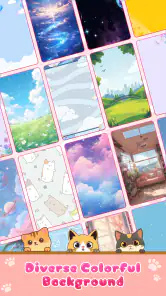
Cat Maker: Cat Emoji Sticker is a fun and creative app that allows users to design and customize their own cat emojis. It offers a wide range of features including a variety of cat breeds, accessories, and backgrounds to choose from. Users can mix and match elements to create unique and personalized cat stickers that can be used in messaging apps and shared on social media.
Is Cat Maker: Cat Emoji Sticker free to download and use?
Yes, Cat Maker: Cat Emoji Sticker is free to download and use. However, it may offer in-app purchases for additional features, accessories, or premium content. Users can enjoy creating basic cat emojis without any cost, but purchasing additional items can enhance the experience and provide more creative options.
Can I share my created cat emojis with friends on social media?
Absolutely! Cat Maker: Cat Emoji Sticker allows users to easily share their created cat emojis on various social media platforms. Once you've designed your perfect cat sticker, you can instantly share it with friends through apps like Instagram, Facebook, and Twitter, or use it in messaging apps like WhatsApp and Messenger.
Pros
- User-friendly interface
- easy to navigate.
- Wide variety of cat emoji stickers available.
- Option to customize your own cat emojis.
- High-quality graphics and animations.
- Regular updates with new features.
Cons
- Limited free features
- most are paid.
- Some ads can be intrusive.
- Occasional app crashes reported.
- Customization options can be overwhelming.
- Requires regular internet connection.
- Category
- Art & Design
- Version
- 1.0.9











