

Cash Advance Now - PayDaySay
- 775.00
- 4.6
- Installs
- 100.00K
- Price
- Free
Screenshots
Analysis by Reviewed
Cash Advance Now - PayDaySay is a finance app aimed at people who need to explore a small payday cash advance from a phone. I approached it as a quick-access money tool rather than a full banking replacement, and that distinction matters. The experience is built around urgency: you open the app when an unexpected expense appears, enter the requested information, and move through the available process without visiting a branch.
That convenience is also the main reason to slow down before using it. Borrowing money is not like checking a balance or setting a reminder. A fast application can help when timing is genuinely important, but it can also make it easier to commit before thinking through repayment. My overall impression is that this app is most useful as a focused option for investigating short-term borrowing, provided you read every condition carefully and treat the result as a financial decision rather than a simple tap-to-cash service.
How PayDaySay fits a real mobile borrowing situation
I’d use this section to think through the decision before opening a borrowing flow: what the expense is, how soon it must be covered, and what amount would solve it without stretching repayment. That small pause helps separate a temporary timing gap from a recurring budget problem. From there, the next section can look at how the app’s mobile process fits into a real situation.
A practical role for an urgent expense
The clearest use case is a gap between an immediate bill and your next expected income. Imagine a phone repair is needed before a work shift, or a household payment arrives a few days earlier than expected. In that situation, a mobile application can be more convenient than searching for a nearby lender or waiting for a traditional bank process. PayDaySay, developed by PayDaySay, is designed around that kind of quick-access request.
I would not treat it as a general-purpose personal finance companion. It is not the app I would open to build a monthly budget, monitor investments, or compare every lending product in one place. Its value is narrower: it puts a cash-advance request in a mobile workflow. That narrow focus makes the purpose easy to understand, but it also means you should already know how much you can repay and when.
The app is free to install, which removes an initial download cost, but that should never be confused with borrowing being free. The meaningful financial questions are the terms presented during the process, the total repayment, the timing, and any conditions attached to approval or funding. I would read those details on the final review screen rather than relying on the short description or the speed implied by the app’s presentation.
Why the phone connection matters
The experience depends heavily on connectivity at the moments that matter most. Opening an app may feel instant, but a borrowing request normally involves sending information, receiving responses, and loading current screens. If you start while moving through a weak signal area, inside a crowded building, or on an unreliable public network, the process can become frustrating precisely when you are already under pressure.
More From Our News Desk

 Instagram
Instagram’s Power Comes From Its Place in Your Phone
A close look at how Instagram turns Meta’s reach, recommendation systems and everyday camera habits into durable platform power—and what that costs users.

 Gmail
GmailGmail in a Busy Inbox: Who Benefits Most?
From first account to crowded workday, Gmail earns its place through dependable search and flexible sorting—but its best fit depends on how much inbox maintenance you can tolerate.

 Prime Video
Switching to Prime Video: What Changes in Your Viewing Routine
Prime Video can make a compelling second home for streaming, but switching means learning a different catalog, rental layer, and route from browsing to playback.

 Universal TV Remote Control
Universal TV Remote Control Works Best as a Reliable Backup
A phone remote earns its place through quick setup and reliable habits. Here is how to get more from Universal TV Remote Control—and where its limits show.

 Weather - By Xiaomi
Weather by Xiaomi Review: Clear at a Glance, Less Clear Up Close
Xiaomi’s weather app makes everyday forecasts quick to scan, but its calm surface can leave useful details and recovery paths harder to find than they should be.

 X
XX Under Pressure: Can It Recover When Posting Goes Wrong?
A resilience-focused review of X, examining setup, mistaken posts, interruptions, weak connections, and the gaps that matter when recovery needs to be dependable.
Latest News



My advice is to begin only when the phone has a stable connection and enough battery for the whole session. Do not assume that a form completed on screen has been received just because the next page appears slowly or the application stops responding. A connection interruption can leave you uncertain about whether to retry, wait, or start again, and repeating an action without checking its status may create confusion.
This is one of the less obvious trade-offs of a mobile cash tool: speed is partly a network experience. A strong connection does not guarantee approval or funding, but it does reduce avoidable friction while information is being submitted and returned. I would avoid beginning the process from a train, an elevator, or a place where the signal repeatedly changes.
Using it in everyday mobile contexts
PayDaySay makes the most sense when your phone is already the device you use for urgent financial tasks. You can consider it while at home, during a lunch break, or before paying an unexpected expense, but the setting affects how carefully you review the details. A quiet room is better than a checkout line because you need enough attention to distinguish the amount requested from the amount you may ultimately repay.
There is also a privacy angle to mobile use. I would avoid entering financial information while someone is looking over my shoulder or while connected to an unfamiliar shared network. Even when the app itself is convenient, your surroundings are part of the security picture. Locking the phone afterward and closing the session are sensible habits, especially if other people use the device.
A useful workflow is to prepare before opening the app. Know the approximate amount needed, identify the date when repayment would be realistic, and check your own account records first. This prevents the app from becoming the place where you discover your financial situation for the first time. It also helps you recognize whether the request is genuinely temporary or whether a recurring shortfall needs a different solution.
What happens when the process does not go smoothly
Any finance app can feel more difficult when a page fails to load or a submission appears stuck. With this type of service, I would resist the urge to tap repeatedly. First, check whether the phone still has a connection, then confirm whether the screen has changed or whether a message has appeared. If you close the app, make a note of the last completed step so you do not blindly duplicate information later.
Recovery is easier when you keep your own record of what you entered. I would write down the requested amount and save any confirmation screen that the app makes available to you, without storing sensitive details in an exposed notes app. If you receive a message that indicates a request was submitted, use that as your reference rather than immediately submitting another request after a delay.
This is also where PayDaySay differs from visiting a branch or speaking directly with a lender. A face-to-face process gives you someone to ask immediately when the screen is unclear. A mobile flow gives you privacy and convenience, but more responsibility for recognizing whether you are viewing an estimate, an application status, or a completed agreement. I would not make a second financial decision until the first request’s status is clear.
Keeping mobile data use sensible
A short finance session is unlikely to be the same as streaming video, but data-conscious use is still worthwhile because the important issue is reliability rather than volume. If your mobile plan is limited, connect to a trusted Wi-Fi network before starting, while avoiding networks that require you to expose sensitive information in an unsuitable setting. The goal is a stable, private connection, not simply the cheapest available signal.
I would also avoid repeatedly reopening the app just to check whether something has changed. That can waste data and battery while adding little clarity. Instead, complete one careful session, read the status shown, and return only when you have a reason to do so. Keeping the phone charged is especially important because an interrupted session can be harder to interpret than a normal failed page.
Another useful habit is separating research from commitment. When connected reliably, review the borrowing information first and decide whether the repayment fits your budget. Only then should you move forward. This two-step approach reduces the chance that a poor signal, a rushed moment, or a low battery turns a financial choice into an accidental one.
How it compares with familiar alternatives
Compared with asking a bank for a conventional personal loan, a payday cash-advance app can feel more direct and better suited to a small, urgent gap. A bank may be preferable when you need a larger planned amount, want a longer repayment structure, or already have a relationship that gives you clearer support. The traditional route may take more effort, but that extra friction can encourage a more deliberate decision.
Compared with using a credit card, PayDaySay may appeal to someone who does not want to increase card usage or does not have suitable available credit. On the other hand, a card can be easier to understand if you already know its interest and repayment rules. Neither option should be chosen from the headline speed alone; compare the total cost and the consequences of missing repayment.
Compared with borrowing from a friend or family member, an app offers privacy and a formal mobile process, but personal borrowing can sometimes avoid financial charges. That alternative can also create relationship pressure, so it is not automatically better. The right comparison is the complete cost, the repayment certainty, and the effect on your future budget, not merely how quickly money might become available.
Who will appreciate it, and who should skip it
I can see the appeal for an adult who needs to investigate a short-term cash option from a smartphone and is comfortable reading financial conditions carefully. The app is rated for Everyone, runs on Android devices using version 6.0 or later, and its current release is version 1.26. Those details make it accessible to a broad range of compatible phones, though compatibility alone says nothing about whether borrowing is suitable for a particular person.
I would skip it if the expense is ongoing, if your next income is uncertain, or if you already rely on borrowing to cover ordinary living costs. A payday advance can bridge timing; it cannot repair a budget that is short every month. In that situation, a bank adviser, nonprofit financial counselor, payment arrangement, or carefully planned expense reduction may be more appropriate than another fast application.
I would also avoid using it while distracted or emotionally pressured. The app’s mobile convenience is useful only when you can pause and understand what you are agreeing to. If you cannot explain the repayment plan in your own words before proceeding, that is a strong sign to stop and gather more information.
What the public response suggests, and what it does not prove
The app has an average rating of 4.6 from around 15 thousand ratings, with over 100 thousand installs. That level of adoption suggests many people are willing to try the service, and the rating indicates that a substantial portion of users find the experience useful. Still, a rating measures user satisfaction with an app experience, not whether a loan is affordable for you or whether every request will produce the same result.
For me, the more important test is whether the workflow helps you make a clear decision under pressure. A polished or highly rated interface cannot replace checking the total repayment and your own cash flow. I would view the rating as a reason to investigate the app, not as a reason to skip the careful reading that borrowing requires.
Small habits that make the experience safer
Start with a stable, private connection and enough battery to finish reviewing the request.
Decide the maximum amount you can repay before entering the app, rather than letting the available option set your budget.
Read the complete repayment information on the review screen and distinguish the amount received from the amount owed.
After a network interruption, check the request status before trying again.
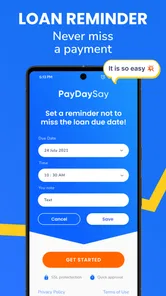
Keep a personal reminder of the repayment date and leave room for ordinary expenses that arrive before then.
These habits are not decorative precautions. They address the main weakness of a fast mobile borrowing process: the phone makes action easy, while the financial consequences remain just as serious as they would be through a slower channel.
My connectivity verdict
My view of Cash Advance Now - PayDaySay is cautiously positive for a specific audience. It offers a focused way to explore an urgent cash advance from a mobile device, and its free availability, broad Android compatibility, and strong user response make it easy to consider. The experience is most convincing when you have a temporary need, a dependable repayment plan, and a reliable connection.
The app is not a substitute for budgeting, emergency savings, or personalized financial advice. Its biggest practical limitation is that connectivity and speed can encourage a rushed decision, while a failed or interrupted session can leave you unsure about what happened. I would use it only after checking my own numbers, on a private stable network, and after reading the full terms presented in the process.
My recommendation is to treat PayDaySay as a carefully checked option, not an automatic answer. If the expense is genuinely short term and the repayment fits comfortably, the mobile format may save time. If repayment depends on another loan, an uncertain paycheck, or cutting essentials, I would choose a slower and more supportive alternative instead.
Cash Advance Now - PayDaySay Frequently Asked Questions
Is Cash Advance Now - PayDaySay available for iPhone?
Cash Advance Now - PayDaySay is an app in the finance category, and its listed device requirement is Android 6.0 or later. Before downloading, check that your phone meets that requirement and that you are viewing the correct app from PayDaySay. If you use an iPhone, confirm availability through the app store for your device before proceeding.
Who develops Cash Advance Now - PayDaySay?
Cash Advance Now - PayDaySay is developed by PayDaySay. Knowing the developer can help you identify the intended app when searching in an app store and distinguish it from similarly named services. Before sharing sensitive financial or identity information, make sure the app you install is the one published by PayDaySay and review its permissions and any privacy information shown during setup.
What does Cash Advance Now - PayDaySay offer?
The app’s short store summary describes borrowing money for an instant payday cash advance, including a reference to needing extra 200. Treat that as a brief description rather than a guaranteed offer: an advance, if available, depends on eligibility and the provider’s terms. Review the complete details presented to you before deciding whether to proceed.
Is Cash Advance Now - PayDaySay free to download?
Cash Advance Now - PayDaySay is free to download and is listed for everyone. Keep in mind that a free app download does not mean borrowing through the app is free. If you receive an offer, review its fees, interest, repayment amount, and other conditions before agreeing, since the cost of a cash advance depends on the provider and the terms offered to you.
What is Cash Advance Now - PayDaySay?
Cash Advance Now - PayDaySay is a financial service app designed to help users explore short-term cash advance options through a mobile device. After providing personal and financial information, eligible users may be connected with lenders or service providers. It is important to understand that the app may not be the lender itself, and approval, loan amounts, fees, and repayment terms can vary by provider.
Pros
- Fast application process with minimal paperwork
- Clear eligibility requirements before submitting a request
- Convenient access from a mobile device at any time
- May help cover unexpected short-term expenses
- Simple interface that is easy for first-time users
Cons
- Approval is not guaranteed after completing the application
- Loan offers may vary depending on your location and profile
- Short repayment periods can make budgeting difficult
- Late payments may lead to additional fees or collection activity
- Sharing financial and personal data raises privacy concerns











