Cartoon Photo Editor ・Toon AI
- 130.00
- 4.2
- Installs
- 1.00M
- Price
- Free
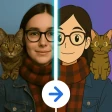
Screenshots
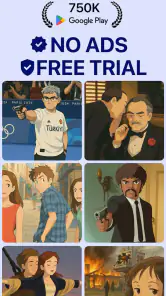
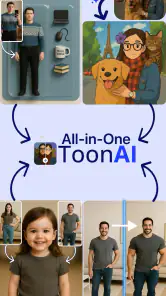
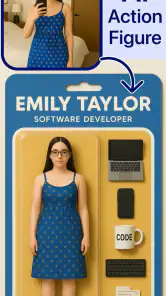
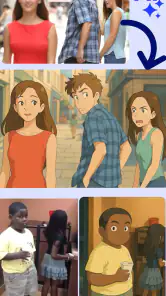
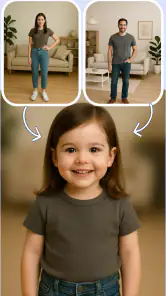
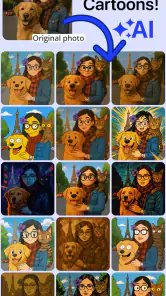
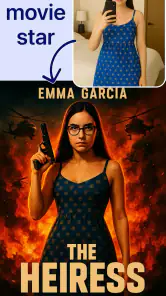
Analysis by Reviewed
For a first try with Cartoon Photo Editor ・Toon AI, I’d keep the goal simple: choose a clear photo, try a cartoon treatment, and decide whether the result feels like you. That small test is more useful than expecting a full editing studio. The app is free to install, though in-app purchases range from $9.99 to $199.99 per item, so I’d check what an option costs before buying anything.
What to expect from a cartoon portrait
This is an art and design app from Digital Social Apps, aimed at turning photos into illustrated versions of their subjects. Its store summary points to anime, baby-face and avatar styles, so it makes most sense for playful portraits rather than careful retouching or detailed graphic design. The audience rating is Everyone, and the app has a 4.2 average from around 46,000 ratings, with over a million installs.
I’d approach the result as an interpretation, not a faithful hand-drawn portrait. An AI transformation can change the feel of facial details, and a style that looks charming on one picture may not suit another. For a profile image, a group-chat joke, or a small personal gift, that looseness can be part of the fun. If you need precise control over every line, color, and facial feature, a conventional editor with manual tools is likely a better fit.
Transform Your Photos with Ease
First things first, let's talk about how easy it is to use. You know how some photo editing apps make you jump through hoops just to get started? Not this one. From the moment you open Cartoon Photo Editor ・Toon AI, you're greeted with a user-friendly interface that practically begs you to upload your first photo. I was impressed by how intuitive everything felt, even for someone who's not exactly tech-savvy.
Start with a photo that gives the effect a fair chance
For your first attempt, choose a well-lit picture with one clearly visible face and a simple background. That is not a special setting; it is a practical way to judge the transformation without a busy scene competing for attention. A tightly cropped selfie can be easier to assess than a distant portrait, while a picture with sunglasses, strong shadows, or several people may make it harder to tell whether the style has captured the expression you wanted.
Once you have a result, compare it with the original before sharing. I find it helpful to ask one specific question: does the image still feel recognizable, or is the appeal mainly that it looks amusing? That distinction matters if you want a dependable avatar, but it matters less for a one-off joke among friends. Saving a couple of different versions, if the available options suit your photo, can also help you choose without treating the first output as final.
The Magic of AI
What really sets this app apart is its use of AI technology. This isn't just some basic filter that slaps a cartoonish layer over your picture. The AI actually analyzes the photo and creates a unique cartoon version that retains the essence of the original. I tried it with a few different photos, and each one came out looking like something straight out of a comic book. It's like having your own personal cartoonist!
More From Our News Desk

Clash of Clans Is Won Between the Battles

Android Auto Makes the Case for Quieter Car Software

MobiOffice: Transforming Mobile Productivity with Seamless Integration

EA SPORTS FC™ Mobile Soccer: Redefining Mobile Sports Gaming

How Microsoft OneDrive Became a Mobile Productivity Giant

How Google Translate Breaks Language Barriers Effortlessly
And let's not forget about the variety of styles available. Whether you're into classic cartoons or something more modern, there's a style for everyone. Plus, the app frequently updates its library, so there's always something new to explore.
Where it fits among photo apps
Compared with a general photo editor, a cartoon-focused tool is appealing when you want a quick, themed result rather than a set of sliders for exposure, color, and cropping. Compared with making an avatar by hand, an AI-generated portrait can be a faster starting point, but it gives you less deliberate control over the final look. I’d use this app when the point is to see how a photo translates into a cartoon style; for precise retouching, a designed illustration, or a polished image that must match a brand, I’d reach for a more manual tool.
A realistic use is updating a casual profile picture before joining a new group chat. I’d test a familiar selfie first, pick the version that still looks recognizable at the small size used for an avatar, then keep the original alongside it. That last step is useful because a picture that reads well as a playful icon may not be the one you want for every account or audience.
Sharing the Fun
Once you've created your masterpiece, sharing it is a breeze. The app seamlessly connects to social media platforms, so you can show off your cartoon self to friends and family in just a few taps. It's a great way to add a little fun to your online presence, and let's face it, who doesn't love a good cartoon version of themselves?
Another cool feature is the ability to save high-resolution copies of your cartoon photos. This means you can print them out and hang them on your wall, or even use them as a quirky gift for someone special.
Before you settle on a result
One common point of confusion with AI portrait apps is expecting every photo and style to produce the same kind of likeness. I’d treat each combination as a fresh attempt, and choose pictures where the face is easy to see if recognition is your priority. If the output feels too exaggerated, try a different source photo or style rather than assuming the app is meant to correct the original image. For a gift, check that the person would enjoy a comic treatment before printing or sending it; the joke works best when the recipient is in on it.
The app is free, but its in-app purchases can be substantial, with items listed from $9.99 to $199.99. That makes it sensible to explore the free experience first and pause at any purchase screen to understand the specific item and price. The current version is 1.1.2 and it requires Android 8.0 or later. If you are choosing between this and a paid, manual editor, the trade-off is straightforward: this is geared toward quick cartoon experimentation, while a manual editor is better when detailed adjustments matter more than speed.
Make the first attempt count
For a smoother first session, decide what the picture is for before you start choosing effects. A tiny chat avatar needs a clear face and a strong silhouette; a portrait you plan to share at a larger size can benefit from details that remain appealing when viewed closely. This simple distinction gives you a better way to judge results than choosing the most dramatic-looking option by default.
I’d also keep a clean copy of the source image outside the editing process. That gives you a reliable reference if a transformed version changes the expression or makes the face less recognizable. It is especially helpful when you are comparing several looks: judge them against the same original rather than relying on memory, and pick the one that suits the intended audience.
When the likeness matters
If you want a portrait that people immediately recognize, start with a photo where the face is unobstructed and the expression is easy to read. The goal is not to repair a difficult picture but to give the transformation clear material to interpret. A dramatic pose or heavily shadowed selfie might still produce an entertaining image, but it is a less dependable choice for a work profile, a family keepsake, or anything where resemblance matters more than novelty.
For a group image, I’d be more cautious. When several faces compete for attention, the result may be harder to evaluate and less useful as a single avatar. Cropping to one person before trying a portrait treatment is a practical workaround if that is what you want to share. For a group-chat gag, by contrast, the unpredictability may be welcome; just think of it as a playful experiment rather than a uniform portrait set.
Cost and expectations
Because the app is free to install but offers paid items, I’d treat any purchase prompt as a decision point rather than part of the basic first-run routine. Check the price attached to the exact option you intend to use, and make sure it solves a real need before proceeding. The listed purchase range extends from $9.99 to $199.99 per item, so it is worth slowing down rather than tapping through on autopilot.
That pricing makes the app easiest to recommend to someone who can enjoy a quick experiment without feeling obliged to buy more. If your goal is a single cartoon portrait, try the free experience first and see whether the available result is enough. If you expect a long editing workflow, repeated exports, or fine adjustments, compare the cost and control with a conventional editor before committing. The best choice depends on whether you value a fast transformation or hands-on flexibility.
A small, useful sharing workflow
For a casual profile update, I’d make the cartoon version, view it at the size it will actually appear, and ask a friend whether they can still tell it is you. Tiny icons hide subtle details, so a result that looks polished full-screen might become indistinct once reduced. If it loses its expression at small size, a simpler-looking treatment may work better than one with more visual flair.
For a gift, the same idea applies in reverse: look at the image at the size it will be printed or sent, and consider whether the recipient enjoys stylized portraits. A cartoon can feel personal because it starts from a familiar photo, but the altered features are part of the joke and may not suit everyone. I’d choose a picture the person already likes rather than using an awkward snapshot just because it is available.
Who will enjoy it—and who may not
I can see this being a good fit for people who like changing profile images, making lighthearted pictures for friends, or exploring anime-inspired and other cartoon looks without drawing from scratch. It is also approachable for someone who has not used a design app before and wants a quick creative result instead of learning a complicated set of tools. The appeal is the transformation itself, not a deep workspace for building an illustration.
I would skip it if your main aim is precise portrait retouching, consistent character design, or a professional asset that must follow exact colors and proportions. An artist who wants control over linework will be better served by an illustration app; someone who simply needs brightness or cropping adjusted should use a regular photo editor. This app occupies a narrower, more playful corner of art and design, and that focus is useful as long as it matches what you want to make.
Final Thoughts
All in all, Cartoon Photo Editor ・Toon AI is a delightful app that's sure to bring a smile to your face. Whether you're looking to jazz up your social media profile or just want to have a bit of fun with your photos, this app delivers on all fronts. It's simple, effective, and most importantly, a whole lot of fun.
So if you're ready to see yourself in a whole new light, give Cartoon Photo Editor ・Toon AI a try. Trust me, you won't be disappointed!
Cartoon Photo Editor ・Toon AI Frequently Asked Questions
What kinds of images can I create with Cartoon Photo Editor ・Toon AI?
The app focuses on turning photos into cartoon-style images, with its description highlighting anime art and baby-face toon avatars. That makes it worth considering if you want a playful portrait or a stylized avatar from a photo. The final look depends on the selected effect and the source image, so a clear, well-lit portrait is a sensible place to start.
Who develops Cartoon Photo Editor ・Toon AI, and when was it released?
Cartoon Photo Editor ・Toon AI is developed by Digital Social Apps and was released on April 3, 2025. It is an Art & Design app built around AI-assisted cartoon and avatar transformations. If you are comparing it with other photo editors, those details can help identify the app and its developer before you install it; the current version is 1.1.2.
Do I need an internet connection to turn a photo into a cartoon?
An internet connection may be needed for AI-powered processing and to access the app’s online features. If you plan to edit while away from Wi-Fi, check whether the app works as expected with your mobile connection before starting. The core idea is straightforward: choose a photo, select a cartoon style, and let the app create an edited image.
What should I check before installing Cartoon Photo Editor ・Toon AI on my device?
Check that your device meets the app’s operating-system requirement and has enough available storage for an image-editing app and the photos you plan to use. Cartoon Photo Editor ・Toon AI is an Art & Design app from Digital Social Apps, and it is rated for Everyone. Looking over the app’s permissions and privacy information before granting access to your photos is also a sensible step.
What is Cartoon Photo Editor ・Toon AI and how does it work?
Cartoon Photo Editor ・Toon AI is a cutting-edge application that allows users to transform their photos into cartoon-style images using advanced AI technology. By utilizing sophisticated algorithms, the app analyzes your photos and applies various artistic filters to give them a cartoonish look. Users can simply upload their photos, choose from a variety of styles, and let the AI do the rest, resulting in unique and personalized cartoon images.
Pros
- User-friendly interface with intuitive controls
- Variety of cartoon effects available
- High-quality output resolution
- Fast processing times
- Supports both photos and videos
Cons
- Limited free features; in-app purchases required
- Occasional ads interrupt workflow
- Requires stable internet for best results
- Some effects look similar
- Consumes significant battery during use

- Category
- Art & Design
- Version
- 1.1.2











