Cancel Subscriptions - Subee
- 327.00
- 4.2
- Installs
- 100.00K
- Price
- Free

Screenshots

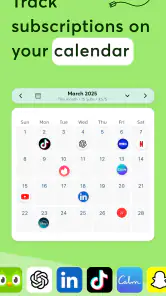
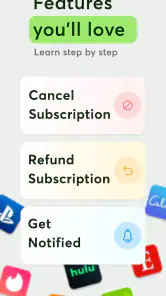
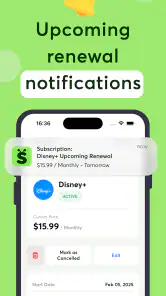
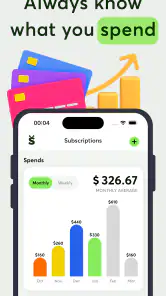
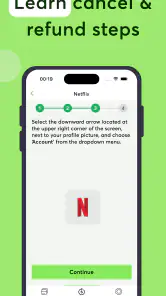
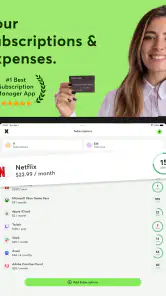

Analysis by Reviewed
Managing subscriptions sounds simple until small recurring charges begin hiding among everyday spending. I tested Cancel Subscriptions - Subee as a finance app built around finding, tracking, stopping, and potentially requesting refunds for subscriptions. My first impression was that its value depends less on flashy budgeting tools and more on how quickly it helps you turn a vague feeling of “I am paying for too many things” into a clear list of services worth checking.
The app is developed by VUNYO and is available free of charge, although it includes optional in-app purchases ranging from $4.99 to $99.99 per item. It is rated for Everyone, works on Android 7.0 and later, and currently sits at version 1.2.35. With an average rating of 4.2 from around 6,800 ratings and more than 100,000 installs, it has clearly attracted a useful audience without feeling like an established household name.
How Subee feels when your connection is doing the work
The most important thing to understand is that a subscription-management app is naturally tied to current information. Whenever Subee needs to identify services, refresh account-related details, or guide me toward a cancellation or refund action, a reliable network connection becomes part of the experience. That connection is not just a background convenience; it affects whether the app feels immediate or whether I end up waiting and wondering if something has failed.
In a strong connection, the workflow feels much more practical than manually searching through old emails and bank statements. I can approach the task with a specific goal, such as checking which entertainment subscriptions are still active, and use the app as a central place to investigate them. The benefit is not that every financial problem disappears automatically. The benefit is that the first stage—remembering what I am paying for—becomes less scattered.
When the network is slow, the same process becomes less comfortable. Subscription information is sensitive to timing: a renewal may be close, a trial may be ending, or I may be trying to stop a service before another charge appears. In those moments, a delayed screen or an incomplete result makes me less confident, even if the problem is temporary. I would not open Subee for a last-second cancellation while standing somewhere with unreliable reception. I would use it earlier, while connected to dependable Wi-Fi or a strong mobile signal.
That is one of the app’s less obvious trade-offs. A subscription tracker is useful because it gathers scattered financial details, but gathering and updating those details can be more dependent on connectivity than a simple offline spending note. If you only want to write down a reminder such as “review music plan next month,” a basic notes app may be faster. Subee becomes more worthwhile when you want an active investigation rather than a static memo.
Finding subscriptions is more useful than simply listing them
The strongest everyday use case is a monthly cleanup session. I would open the app after noticing several small charges, identify the services I still recognize, and separate them from subscriptions I had forgotten. This is especially helpful after changing phones, joining a family plan, finishing a trial, or signing up for a service for one specific event. The app’s purpose is well matched to those moments because it encourages me to look at recurring commitments as a group instead of treating each charge as an isolated annoyance.
More From Our News Desk

Clash of Clans Is Won Between the Battles

Android Auto Makes the Case for Quieter Car Software

MobiOffice: Transforming Mobile Productivity with Seamless Integration

EA SPORTS FC™ Mobile Soccer: Redefining Mobile Sports Gaming

How Microsoft OneDrive Became a Mobile Productivity Giant

How Google Translate Breaks Language Barriers Effortlessly
A practical tip is to use the first review as an audit, not as a cancellation spree. I would verify the service name, decide whether I still use it, and then check the cancellation route before confirming anything. Some subscriptions are tied to an app store, while others may be billed directly by a company or through a separate account. Subee can help me locate and organize the problem, but I still need to understand where the final billing relationship lives.
This distinction matters because finding a subscription and stopping a subscription are not always the same action. The app is designed to support both tasks, yet a user should not assume that tapping a cancellation-related option automatically settles every billing question. I would always look for a confirmation message from the actual service and keep it until the next billing cycle has passed.
Using it on a phone, at home, and between errands
Subee makes the most sense on a phone because subscription problems often appear in mobile contexts: I notice a charge while checking a banking notification, remember a forgotten trial while commuting, or decide to review expenses during a lunch break. The compact format is useful for starting the process immediately, but I would reserve more complicated account checks for a calm moment when I can read each screen carefully.
That recommendation is not just about comfort. A cancellation or refund request can involve details that are easy to overlook on a small display. If I am walking, distracted, or switching between a payment notification and the app, I am more likely to confuse two similarly named services or miss an important step. My preferred workflow is to use the phone to identify the subscription, then complete the decision when I have enough time to verify the account and billing details.
The app can also fit a household review. For example, I might sit with a partner and compare the recurring services each person remembers paying for. The useful insight here is that subscription waste often comes from overlap rather than from one obviously expensive service. Two people may pay for similar entertainment platforms, cloud storage, fitness tools, or productivity services without realizing it. Subee is helpful as a conversation starter because it turns a private, scattered concern into a list that can be discussed.
Still, I would not treat it as a replacement for a complete household budget. Its focus is recurring subscriptions, not every category of spending. Rent, groceries, one-time purchases, debt payments, and cash expenses remain outside that narrow purpose. If I wanted forecasting, category-based budgeting, or investment tracking, I would choose a broader finance app and use Subee only for the subscription portion.
What happens when a scan, cancellation, or refund does not go smoothly
The most important recovery habit is patience. If a page loads slowly or a result looks incomplete, I would avoid repeating the same action several times. Repeated attempts can create confusion, especially when the action involves cancellation or a refund request. Instead, I would check whether the app has finished loading, confirm the connection, and then revisit the subscription from the beginning.
A second useful habit is keeping an independent record. Before cancelling, I would note the service name, the account used, and the date of the request. Afterward, I would save any confirmation screen or email. This is not a criticism unique to Subee; it is simply sensible whenever an app helps direct a financial action but the final decision belongs to another billing provider.
Refunds deserve extra care. The store summary presents refund support as part of the app’s purpose, but a refund request is not the same as a guaranteed refund. I would use Subee to understand where to begin, then read the final request screen closely and make sure the reason and transaction match what I intend to submit. If a charge is unfamiliar, I would also check the original payment account rather than assuming every unknown charge is a subscription.
If the app does not immediately recognize a service, I would not conclude that the subscription is gone. I would compare the app’s results with bank or card records, email receipts, and the subscription pages provided by the relevant platform. This three-way check is one of the most valuable workflows I found: use Subee for discovery, use the billing record for confirmation, and use the provider’s own account page for final status.
That workflow also explains who should skip the app. If you have only a few subscriptions, already know exactly where each one is managed, and prefer handling cancellations directly, Subee may add an extra step rather than saving time. It is better suited to people who have lost track of recurring services, manage several accounts, or want a dedicated place to review possible cancellations and refund paths.
Keeping mobile data use sensible
Because the app’s useful work involves current subscription information, I would use it deliberately rather than opening it repeatedly throughout the day. A scheduled review—perhaps when I am already on home Wi-Fi—makes more sense than refreshing screens whenever I remember a possible charge. This reduces friction and keeps the process focused.
I would also avoid starting a large review in a weak-signal location. An underground station, crowded event, or rural trip is a poor setting for checking billing information because a partial result can be harder to interpret than no result at all. If I notice a subscription concern while offline or poorly connected, I would write down the service name and deal with it later rather than trying to force the entire process immediately.
Another practical tip is to separate research from action. First identify which subscriptions need attention. Then, once the connection is stable, handle cancellations or refund requests one at a time. This makes it easier to notice whether the app has completed each stage and prevents a rushed sequence of taps. It also gives me a cleaner personal record of what I asked for and when.
I would not judge the app solely by how fast it opens. The meaningful test is whether it helps me make fewer mistakes with recurring charges. A quick interface is useful, but accurate attention is more important. For that reason, I prefer a careful review over a constant background habit. Subee works best as a focused finance tool, not as something I need to monitor every hour.
Where it stands beside ordinary alternatives
The usual alternative is manual checking: search email for renewal notices, inspect card statements, and visit each provider separately. That approach costs more time but gives me direct access to the original billing records. Subee’s advantage is organization and convenience. It gives the problem a dedicated home and can make the first discovery stage less intimidating.
A general budgeting app is another alternative. Those tools are often better when I want a full picture of income, spending categories, savings goals, and cash flow. Subee is more specialized. Its narrower focus can be a strength because it avoids burying subscription cleanup inside a much larger financial dashboard. On the other hand, users who want one app for all money management may find the separation inconvenient.
A spreadsheet or notes app is still useful for people who prefer total control. I can record renewal dates, prices, and cancellation links exactly as I choose. The weakness is that I must discover every subscription myself and keep the information updated. Subee is more appealing when the main obstacle is not record keeping but remembering what needs to be recorded in the first place.
The free entry point makes trying the basic experience straightforward, but the in-app purchase range means I would inspect any paid option carefully before committing. I would ask whether the feature saves enough time to justify the particular purchase and whether I actually need it for my number of subscriptions. Someone with a complicated recurring-payment situation may see more value than a person with only one or two services.
My verdict on connectivity and the overall experience
After using Cancel Subscriptions - Subee, I see it as a focused assistant for subscription cleanup rather than a complete personal finance system. Its biggest strength is helping me approach a messy, forgetful task with more structure. It is particularly useful when I suspect that small recurring payments are slipping through the cracks, when several people share household services, or when I need help deciding which subscriptions deserve a closer look.
Its connection dependence shapes the experience in a noticeable way. With a stable network, the app feels purposeful and convenient. With weak connectivity, every delay matters more because subscription actions can be time-sensitive and financially meaningful. I would therefore use it during a planned review, preferably with dependable access, and confirm important outcomes through the original provider.
The app is not the right choice for someone seeking detailed budgeting, investment tools, or a guaranteed refund outcome. It also should not replace checking bank records or reading cancellation confirmations. But for its specific job, it offers a useful middle ground between scattered manual searches and a much broader budgeting platform.
My bottom line is simple: Subee is most valuable when forgotten subscriptions are the problem, while careful verification remains the solution. The free download makes it easy to test, and its Everyone rating keeps the audience broad. If you want a dedicated way to find, review, track, and act on recurring services, I think it is worth trying. Just use it with a stable connection, treat every cancellation as something to confirm, and choose paid extras only when they solve a real problem for your own finances.
Cancel Subscriptions - Subee Frequently Asked Questions
Which devices can run Cancel Subscriptions - Subee?
Cancel Subscriptions - Subee is a finance app from VUNYO for managing subscription-related information. On Android, it requires version 7.0 or later, so check your device’s operating system before downloading. The app is free to install, though in-app purchases are available. Review the app’s page for your device to make sure it is compatible and that you are downloading the intended app.
What is Cancel Subscriptions - Subee used for?
Cancel Subscriptions - Subee is designed to help you organize and manage recurring subscriptions from one place. It can make it easier to review services you regularly pay for, keep track of renewal dates, and identify subscriptions you may no longer use. Before relying on it, remember that the app may help you manage information and cancellation steps, but it may not automatically cancel every subscription on your behalf.
Can Subee cancel any subscription automatically?
Not necessarily. Cancel Subscriptions - Subee may provide guidance, reminders, or shortcuts for ending certain recurring services, but the actual cancellation process often depends on the company that bills you. Subscriptions purchased through Google Play, the App Store, a website, or a mobile carrier can have different procedures. Always confirm the cancellation directly with the provider and check for a confirmation message or email.
Is Cancel Subscriptions - Subee free to download and use?
The app may be available to download at no initial cost, but some features can require a subscription, a one-time purchase, or an in-app payment. Pricing, trial periods, and renewal terms can vary by platform and region. Before starting a trial, review the payment screen carefully, including the renewal date and price, and cancel through the correct store settings if you decide not to continue.
Does Subee protect my personal and payment information?
You should review the app’s privacy policy and the data-safety information shown on its Google Play or App Store listing before entering sensitive details. Avoid sharing passwords, full payment-card numbers, or account verification codes unless you clearly understand why they are needed. Subscription management tools may require account or billing information, so check what data is collected, stored, and shared.
Pros
- Tracks recurring subscriptions in one organized dashboard.
- Helps identify unused services and potential monthly savings.
- Provides renewal reminders before charges are processed.
- Simple interface makes subscription management quick to understand.
- Useful overview of recurring spending across multiple services.
Cons
- Some features may require a paid plan or in-app purchase.
- Subscription data may need manual entry or regular updating.
- Bank and account integrations may vary by country and provider.
- Privacy-conscious users may hesitate to share financial information.
- Limited value if you only have a few subscriptions to manage.
- Category
- Finance
- Version
- 1.2.35











