BIGVU Teleprompter & Captions
- 1.25K
- 4.1
- Installs
- 5.00M
- Price
- Free

Screenshots


Analysis by Reviewed
For anyone who gets tense trying to remember a script while looking at a camera, a teleprompter can make recording feel much less like a performance test. I find the appeal of BIGVU Teleprompter & Captions is that it brings script reading and video finishing into one place, rather than making me juggle a separate prompt app and editing tools. That combination is especially useful when I need a clear, repeatable recording, though it will not suit every filming setup or working style.
Reading, recording, and finding your way around
First things first, let's talk about getting started. Downloading the app is a breeze, and setting it up is just as simple. The interface is super user-friendly, and I was up and running in no time. What I love about BIGVU Teleprompter & Captions is how intuitive it is. You don't have to be a tech wizard to figure it out. BIGVU is a free video app from BIGVU AI Eye Contact & Video Subtitles, and its focus on scripts, captions, and editing gives it a more creator-oriented feel than a basic camera app.
Making scripts easier to follow
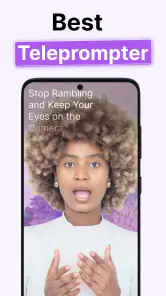
One of the coolest features is the teleprompter function. You can write your script directly in the app, or import it from a file. The text scrolls smoothly as you speak, and you can adjust the speed to match your pace. No more awkward pauses or forgetting lines – it’s like having a personal assistant in your pocket.
A practical way to get more from the prompt is to rehearse once at a comfortable pace before recording, then adjust the scroll speed rather than trying to race the text. I also find shorter paragraphs easier to deliver naturally than a wall of copy: a pause between ideas gives me a chance to breathe and makes it simpler to recover if I lose my place. For a how-to video, keeping each step in its own short section can make the script easier to scan while speaking.
For people who have difficulty reading small or crowded text, a scrolling script can reduce the need to memorize lines, but it does not remove every visual demand. Looking back and forth between the prompt and the lens can still be tiring, and a long script may take careful preparation. I would test the setup with a short recording first, especially if reading while speaking is challenging, and use a pace that leaves room to think rather than treating the prompt as a countdown.
Captions and finishing choices
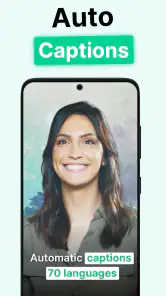
Another feature that deserves a shoutout is the automatic captions. With just a few taps, the app adds captions to your videos, making them more accessible to everyone. Plus, it supports multiple languages, which is a huge bonus if you're creating content for an international audience.
Captions are useful both for viewers who are deaf or hard of hearing and for anyone watching in a quiet place with the sound off. I would still review the finished text before sharing: names, specialist terms, and less familiar wording are the kinds of details worth checking in any automatically captioned video. For a short announcement, that final check can be quick; for an interview or a lesson with important details, I would give it more attention.
More From Our News Desk

Weather by Xiaomi Review: Clear at a Glance, Less Clear Up Close

X Under Pressure: Can It Recover When Posting Goes Wrong?

Clash of Clans Is Won Between the Battles

Android Auto Makes the Case for Quieter Car Software

MobiOffice: Transforming Mobile Productivity with Seamless Integration

EA SPORTS FC™ Mobile Soccer: Redefining Mobile Sports Gaming
The app also offers background music options, which can add a professional touch to your content. You can choose from a library of tunes, or upload your own. It’s all about making your videos stand out.
Music is a finishing choice, not an automatic improvement. If the point of a clip is spoken instructions, keeping the background quiet can make the voice easier to follow; if the clip is a personal update, a subtle track may help set a mood without competing with the message. I would decide that after the captions and spoken content are in place, rather than letting music distract from checking whether the words are clear.
Where it fits in a creator’s routine
Using the app has genuinely improved the quality of my videos. I feel more confident knowing I have my script right in front of me. And let’s be real, having captions is a massive plus in today’s social media world. It’s estimated that a significant portion of viewers watch videos without sound, so captions can really boost your engagement.
A realistic use is recording a weekly update at home: I can draft a few talking points, read them at a measured pace, then add captions before sharing. That workflow can also help a small business owner explain a service or a teacher prepare a concise lesson without memorizing every sentence. Compared with the usual approach of filming in a camera app and moving to separate caption and editing tools, BIGVU is appealing when I want those jobs together. If I only need to trim a clip or add a simple title, a lighter editor may be quicker.
BIGVU has an average rating of 4.1 from around 59,000 ratings, and it has been installed over 5 million times. It is free to download, with in-app purchases ranging from $0.99 to $139.99 per item, so I would check which tools are included before building a regular workflow around paid options. The app is rated for Everyone, and version 2.69.1 requires Android 8.0 or later. Those details make it accessible to a broad audience, but the best fit still depends on whether a teleprompter and caption workflow is what you actually need.
Situations where another approach may work better
Teleprompter use is not ideal for every clip. For spontaneous street footage, a conversation, or a moment that depends on reacting naturally, stopping to prepare and follow a script can make the result feel stiff. In those cases I would record freely and use a basic editor afterward. BIGVU makes more sense when the message needs to be clear and ordered, such as an introduction, a product explanation, or a planned presentation.
There are also practical access considerations. The app’s combined tools may reduce switching between apps, but they still ask me to read, tap, speak, and review a video. Anyone who finds small touch targets, scrolling text, or visually busy editing tiring should try a short script and a simple clip before committing to a longer session. A quiet recording space and a stable way to position the phone can also matter as much as the software when clear speech and comfortable viewing are priorities.
A useful tool when the workflow matches
All in all, BIGVU Teleprompter & Captions is a must-have tool for anyone serious about video content. It’s packed with features that are not only practical but easy to use. Whether you’re a seasoned pro or just starting out, this app will help you step up your game.
So, if you're looking to make your video content pop, give BIGVU a try. Trust me, once you do, you’ll wonder how you ever managed without it! I would recommend it most to people who regularly explain something on camera and value having a prompt and captions together. If you prefer spontaneous filming, need only basic cuts, or find reading while recording uncomfortable, a simpler camera or editor may be a better match.
Planning a comfortable recording session
The prompt works best when I treat preparation as part of filming, not as something to solve while the camera is already rolling. I break a script into short, speakable thoughts and mark natural pauses with line breaks. That makes it easier to glance ahead, breathe, and sound like I am talking to someone rather than reading a page. A script written for the ear is usually more usable here than polished prose written for the eye.
For a quick product explanation, for example, I might put the problem, the main benefit, and one practical detail into separate blocks. If I stumble, I can restart at the beginning of that thought instead of searching through a long paragraph. This approach is also kinder to viewers: concise sections make a recording easier to follow and give captions less dense passages to display.
There is a trade-off between a prompt that keeps me on message and one that leaves room for personality. Reading every sentence exactly can make a short clip sound stiff, particularly if the subject is informal. I would script the opening and any details I must get right, then use brief prompts for the rest. That hybrid method keeps the recording organized without requiring a fully memorized or rigid delivery.
Different needs, different ways to use it
For someone who gets anxious on camera, having the next thought visible can lower the pressure of remembering a whole explanation. It can also help a speaker who needs extra time to organize words, provided that moving text is comfortable to read. I would not assume that a teleprompter helps every person with a reading or attention difficulty, though: following scrolling lines while speaking asks for a particular kind of concentration. Trying a brief script is the sensible way to find out.
Captions can make a finished clip more usable for people who cannot rely on sound, but they are not a substitute for clear speech and careful editing. I would avoid covering the screen with unnecessary music or rushing through key terms, then watch the clip once with sound off. That simple check helps reveal whether the captions carry the message on their own and whether any essential point depends only on a spoken emphasis.
There are limits to what an app can solve in a recording environment. Glare, background noise, a phone placed at an awkward height, or fatigue from looking at a screen can make a session difficult even when the software is straightforward. I would set the phone at a comfortable viewing angle, make the room as quiet as practical, and keep early takes short. Those small choices matter more than adding extra finishing touches when the main goal is a clear, calm presentation.
Choosing between an all-in-one tool and separate apps
Compared with a standard camera app, BIGVU is more useful when I already know I need a script and captions. It keeps those stages close together and can reduce the mental overhead of moving a clip through several tools. A camera app remains the better choice for quick, unplanned moments, where opening a specialized workflow would get in the way of capturing what is happening.
Separate editing apps can offer a better fit for someone whose priority is precise trimming, layered edits, or a particular visual style. BIGVU’s appeal is the convenience of combining a prompt and video finishing, not a reason to expect it to replace every editor. Before paying for an in-app option, I would make a sample video and identify exactly which part of the process feels limiting. That keeps the decision tied to a real need instead of buying features simply because they are available.
The same goes for deciding whether to record inside one app or divide the work. Keeping a simple announcement in a single workflow may save time; for a more carefully produced piece, recording and editing separately can give me more control over each stage. The right choice depends less on how many tools an app gathers and more on whether its particular workflow makes the task easier without adding distracting steps.
Small checks that improve the result
Before recording, I would read the script aloud rather than silently. That catches sentences that look fine on screen but are too long to say naturally, as well as words likely to trip me up. I would also check that the first line begins where I expect and that the scrolling pace remains comfortable through a complete thought. A short test take can expose both issues before I record a longer explanation.
After recording, I would check captions for proper names, technical vocabulary, and numbers that change the meaning of a sentence. I would also watch for moments where a pause or correction leaves the text looking confusing. Automatic captions are a useful starting point, but publishing them without a review can undermine the clarity they are meant to provide.
For music, I would listen on the device I used to record and ask whether the voice still stands out. A track that sounds pleasant by itself may compete with speech once combined. If the video teaches a process or gives instructions, leaving music out can be the more considerate choice. The goal is not to decorate every clip; it is to make the main message easy to hear and understand.
Who is most likely to appreciate it
I see the strongest case for BIGVU in repeatable, short-to-medium talking videos: a creator introducing a topic, a small business owner explaining an offering, or a teacher giving a focused overview. These are situations where a reliable sequence matters and where a prompt can reduce retakes. Someone who makes such clips regularly may value keeping the script and caption steps together more than having a large collection of editing controls.
It is less compelling for people who mainly capture family moments, live events, or spontaneous reactions. In those cases, the time spent preparing a script is a poor exchange for the immediacy of a regular camera. It may also frustrate someone who wants to edit complex footage or who finds reading from a screen while addressing a lens uncomfortable. Those are not failures of the app; they are signs that a different tool or filming method better matches the job.
Overall, I would approach it as a practical speaking-and-finishing tool rather than a complete answer to every video need. Its clearest value is helping me stay on track and prepare a more accessible final clip, while its main demands are attention, setup, and a willingness to review the result. If those trade-offs suit the way you make videos, it is worth trying with one modest project first. If they do not, a straightforward camera and a separate editor may feel more natural.
BIGVU Teleprompter & Captions Frequently Asked Questions
Can BIGVU Teleprompter & Captions help me prepare a script before recording?
Yes. BIGVU is designed to bring script reading and video recording together, so you can type or upload a script and use it while filming. Having the words on screen can help you stay on track during a presentation or recording. It may be especially useful when you want to deliver prepared content without repeatedly looking away from the camera.
Can BIGVU help make videos more accessible to viewers?
BIGVU offers automatic caption and subtitle tools, with options to adjust the generated text for accuracy and timing. Captions can help viewers follow a video when they are watching without sound, and subtitles can make spoken content easier to understand. If accessibility is important for your content, these tools are worth exploring as part of your editing workflow.
Is BIGVU Teleprompter & Captions suitable for beginners?
BIGVU is aimed at people who want to create videos without relying on expensive equipment or an extensive editing setup. Its teleprompter, recording, captioning, and basic editing tools are brought together in one app, which can make a mobile workflow easier to manage. Beginners can start with the core tools and explore additional creative options as needed.
Can I use BIGVU to create different styles of video?
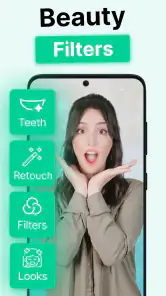
The app combines a teleprompter and video editing tools with creative options such as beauty filters, avatars, and a music generator. These features can help you adjust the presentation and feel of a video, whether you are preparing a spoken presentation or producing other creator content. Your choice of tools will depend on the style you want to achieve.
What devices and operating systems can I use BIGVU Teleprompter & Captions on?
BIGVU Teleprompter & Captions is an app for video recording, editing, and presentation workflows. On Android, it requires version 8.0 or later, so check your device’s system version before installing. The app is also available for iOS. Its combination of teleprompter and video tools may suit people who want to prepare and record content on a mobile device.
Pros
- Easy-to-use teleprompter interface.
- Text customization for clarity.
- Cloud storage for scripts.
- Seamless video export options.
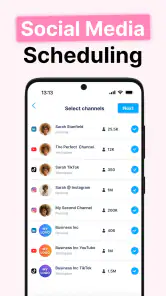
- Integrates with social media.
Cons
- Limited free version features.
- Occasional app crashes.
- Subscription can be pricey.
- Requires stable internet.
- Limited video editing tools.
- Category
- Video Players & Editors
- Version
- 2.69.1











